@fgladisch/pi-user-select
Multiple-choice user selection tool extension for Pi
Package details
Install @fgladisch/pi-user-select from npm and Pi will load the resources declared by the package manifest.
$ pi install npm:@fgladisch/pi-user-select- Package
@fgladisch/pi-user-select- Version
0.2.0- Published
- Aug 22, 2026
- Downloads
- 226/mo · 183/wk
- Author
- fgladisch
- License
- MIT
- Types
- package
- Size
- 565.6 KB
- Dependencies
- 0 dependencies · 1 peer
Security note
Pi packages can execute code and influence agent behavior. Review the source before installing third-party packages.
README
@fgladisch/pi-user-select
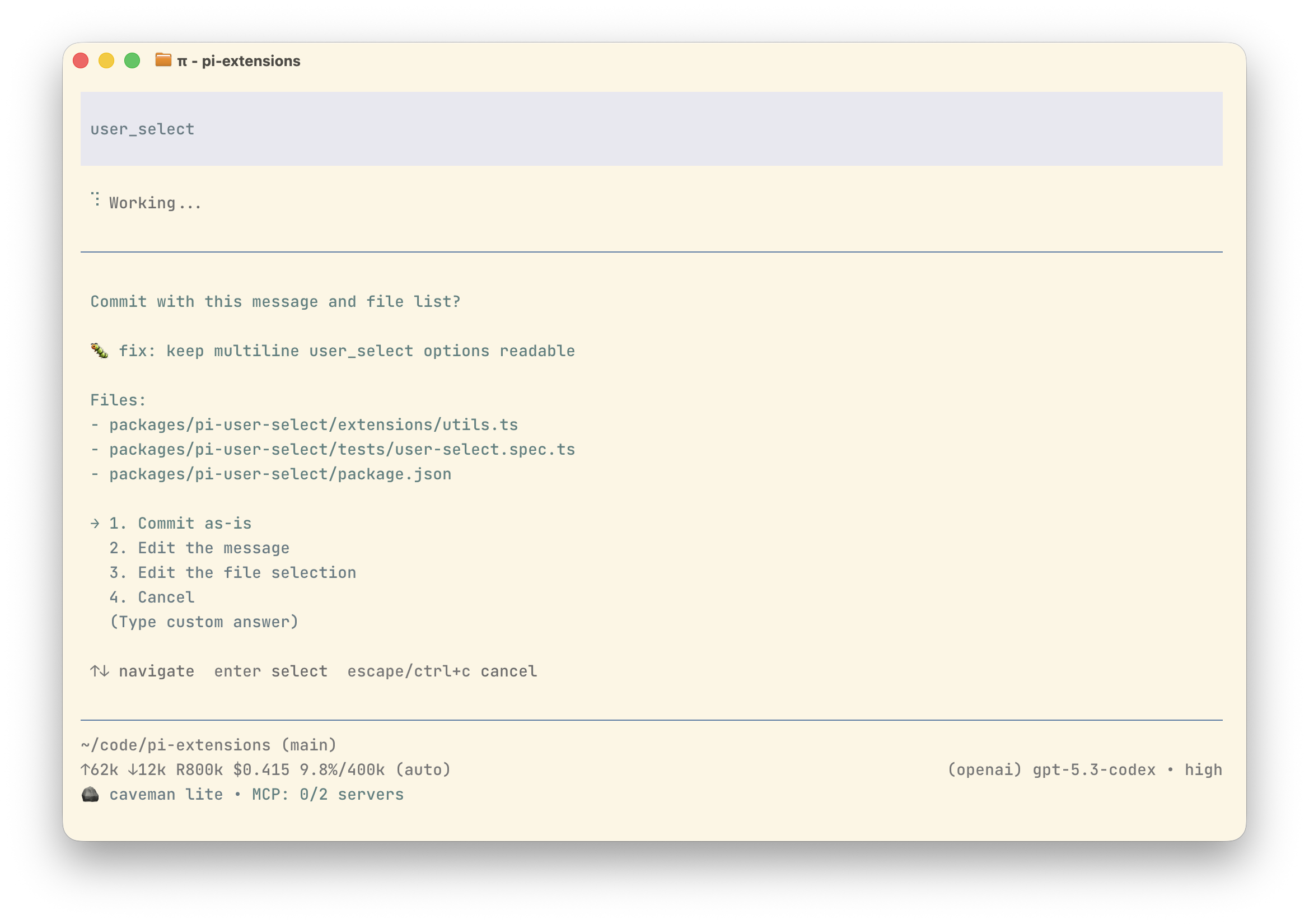
Registers user_select tool so LLM (or skills) can ask human a multiple-choice
question.
Use when workflow needs explicit user input to disambiguate, confirm, or pick between mutually exclusive paths instead of guessing.
Install
pi install npm:@fgladisch/pi-user-select
No slash commands. One optional setting (see Config).
Example
Config
Optional. Read from ~/.pi/agent/settings.json under userSelect:
{
  "userSelect": {
    "notifyHerdr": false
  }
}
notifyHerdr (default false): when true, emit a herdr:blocked event
({ active: true, label }) while an interactive user_select prompt is open so
a co-installed herdr agent-state extension reports the pane as blocked, and
a matching { active: false } when it resolves (covering the custom-answer
input too). The event is a no-op when herdr is not installed.
Tool schema
| Field | Type | Required | Description |
|---|---|---|---|
question |
string |
yes | Question/prompt shown to user. |
options |
Option[] |
yes | Mutually exclusive choices ({ label, description? }, ≥ 1). |
allowCustom |
boolean |
no | When true, append a "(Type custom answer)" free-text entry. |
Example:
{
  "question": "Which package manager should I use?",
  "options": [
    { "label": "npm" },
    { "label": "pnpm", "description": "Faster, content-addressable" },
    { "label": "yarn" }
  ],
  "allowCustom": true
}
Behavior
- Interactive UI: shows question, numbered options, a blank line before and
after descriptions, descriptions indented by four spaces, and optional
(Type custom answer)entry. - Non-interactive (
pi -p, JSON mode): throws so LLM sees error result and stops looping on tool that has no human to answer it. - Cancellation (Esc / null / whitespace-only custom answer): returns
non-error result with
answer: nullandcancelled: true.
Tool result text:
| Outcome | content[0].text |
|---|---|
| Pre-baked option | User selected: <n>. <label> |
| Free-text answer | User wrote: <trimmed text> |
| Cancelled | User cancelled the selection |
| Empty custom text | User submitted an empty custom answer |
details includes structured fields (question, options, answer,
wasCustom, cancelled) for renderers and downstream skills.
Inter-extension events
The extension emits lifecycle events on pi.events so another extension can
mirror and answer prompts, while the local TUI remains active. The first valid
answer wins; when a remote answer wins, the open local dialog is dismissed. Late
responses return { accepted: false, reason: "already_resolved" }. Listener
failures are ignored so the local UI remains the fallback.
| Event | When it fires |
|---|---|
pi-user-select:request |
Before opening the local selection prompt. |
pi-user-select:custom-input-request |
Before opening the local custom-answer input. |
pi-user-select:resolved |
After local or remote selection/cancellation wins. |
pi-user-select:error |
When execution fails unexpectedly. |
pi-user-select:closed |
When a request can no longer be answered. |
herdr:blocked |
Toggled active around an open prompt (notifyHerdr). |
Request events include a respond(response) callback. pi-user-select:request
accepts remote { source: "remote", kind: "select", optionIndex },
{ source: "remote", kind: "custom", value } when allowCustom is enabled, or
{ source: "remote", kind: "cancel" }. pi-user-select:custom-input-request
accepts { source: "remote", kind: "submit", value } or
{ source: "remote", kind: "cancel" }.