@janvitos/pi-plan-build
Plan safely, approve explicitly, then implement here or in a clean session.
Package details
Install @janvitos/pi-plan-build from npm and Pi will load the resources declared by the package manifest.
$ pi install npm:@janvitos/pi-plan-build- Package
@janvitos/pi-plan-build- Version
0.1.109- Published
- Sep 20, 2026
- Downloads
- 12K/mo · 3,001/wk
- Author
- janvitos
- License
- MIT
- Types
- extension
- Size
- 536.1 KB
- Dependencies
- 0 dependencies · 3 peers
Pi manifest JSON
{
  "image": "https://raw.githubusercontent.com/janvitos/pi-plan-build/main/docs/images/step-by-step.png",
  "extensions": [
    "./index.ts"
  ]
}
Security note
Pi packages can execute code and influence agent behavior. Review the source before installing third-party packages.
README
Pi Plan & Build
Plan safely, approve explicitly, then implement here or in a clean session.
A Pi coding agent extension that separates planning from implementation without making every small fix a formal project.
- Persistent Plan/Build modes and one current unfinished plan.
- Complete plan review before implementation, with a clean-session option.
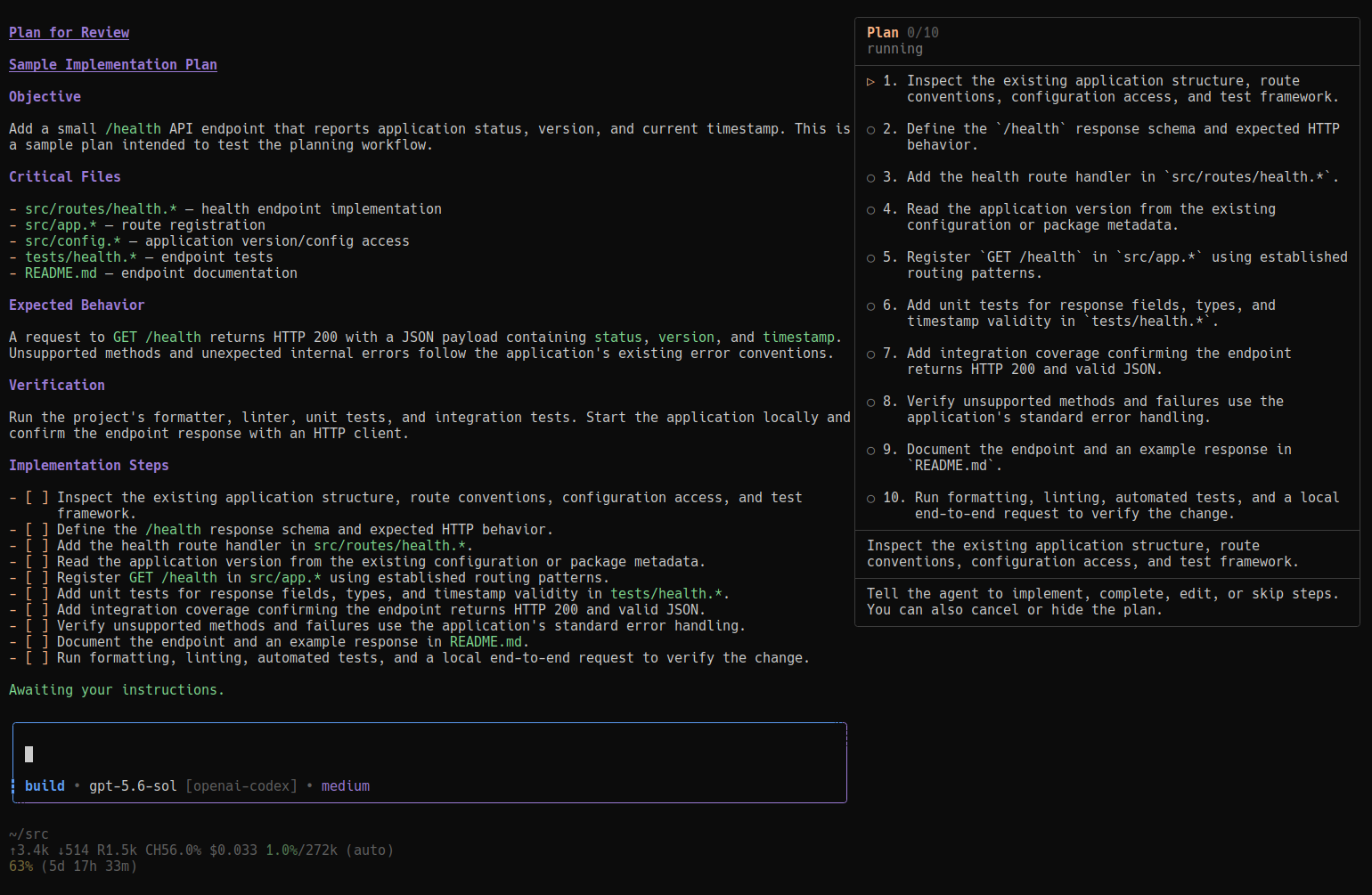
- Optional step-by-step execution—with or without a sidebar.
- Interactive questions, explicit validation decisions, completion, and outstanding validation tracking.
- Optional remembered model/thinking selections for each mode.
Install
Requires Pi 0.84.2+ and a TUI or RPC client for interactive questions and approval.
pi install npm:@janvitos/pi-plan-build
# Or:
pi install git:github.com/janvitos/pi-plan-build
Restart Pi or run /reload. Do not load multiple npm/Git/local copies simultaneously.
Local development and release instructions →
Quick start
- Start in Build for ordinary coding and discussion. Small fixes need no plan.
- Select Plan with
/plan,Alt+M, or editorTab. Explore and discuss; entering Plan does not create a task or write a file. Plan entry is user-controlled—the agent cannot route a Build request into Plan. - Ask for a plan or accept a concrete proposed change. The agent investigates, saves the plan, and presents it for review. Accepting scope does not authorize implementation.
- Choose implement here, start fresh and implement, or step by step. Choose stay in Plan or press Escape to stop and wait.
- After implementation and required checks, the agent records completion. Essential user-only validation keeps the plan open with clear instructions, then asks Did the required validation pass? Normal choices are Yes — mark the plan as complete and No — stay in Build mode. Intermediate step validation uses Yes — mark the current step as complete; final-step validation uses the plan wording because it closes the plan. Step completion never starts the next step. Optional feedback does not block completion.
One plan stays current through discussion, mode changes, and revisions. Complete it or explicitly abandon it before starting another. Abandonment preserves the file but does not imply success or allow resumption. A successful clean-session handoff instead marks the source record transferred and moves it to history; only the destination copy remains open.
Workflow, approval, and validation →
Commands and shortcuts
| Action | Purpose |
|---|---|
Alt+M |
Toggle Plan/Build globally |
Tab |
Toggle in the custom composer when autocomplete is closed; accept a suggestion when open |
/plan / /build |
Select a mode |
pi --plan |
Start in Plan for one run |
pi --build |
Start in Build for one run |
/plan new |
Start a plan when none is unfinished |
/plan list |
Show the current plan's brief status |
/plan show |
Read the current plan, progress, and outstanding validation |
/plan history |
Read completed, abandoned, and transferred plans tracked on this session branch |
/plan done |
Explicitly mark work complete in Build |
/plan abandon |
Confirm abandonment without deleting the plan file |
/build-fresh |
Retry a pending approved clean-session handoff |
/plan-settings |
Configure the default mode, shortcuts, titles, and per-mode model/thinking memory |
Lifecycle and inspection commands require an idle agent. /plan show and /plan history do not require a model turn or start implementation.
Settings
Open /plan-settings:
| Setting | Default | Behavior |
|---|---|---|
| Default mode | Build | Startup mode for new sessions; the current session is unchanged |
| Shortcuts | Tab + Alt+M | Open its submenu to choose Alt+M only, disable shortcuts, or configure custom keys; reload to apply |
| Plan title | On | Show the current task's title in the composer; applies immediately |
| Per-mode model/thinking | Off | Remember separate Plan and Build selections; applies immediately |
| Question tool | On | Provide this extension's structured question tool; off leaves a question tool from another extension alone; reload to apply |
When per-mode memory is enabled, use Pi's normal model picker and thinking controls in each mode. Switching modes restores that mode's last pair. Disabling leaves the current selection unchanged.
Tab tradeoff: the default replaces Pi's closed-menu file-completion trigger. Choose Alt+M only to restore it.
Configuration lives at ~/.pi/agent/pi-plan-build.json (or $PI_CODING_AGENT_DIR/pi-plan-build.json). Direct file edits require /reload; malformed JSON is never overwritten by settings saves.
Configuration examples, model-switching behavior, and shortcut details →
Screenshots
Plan
Build
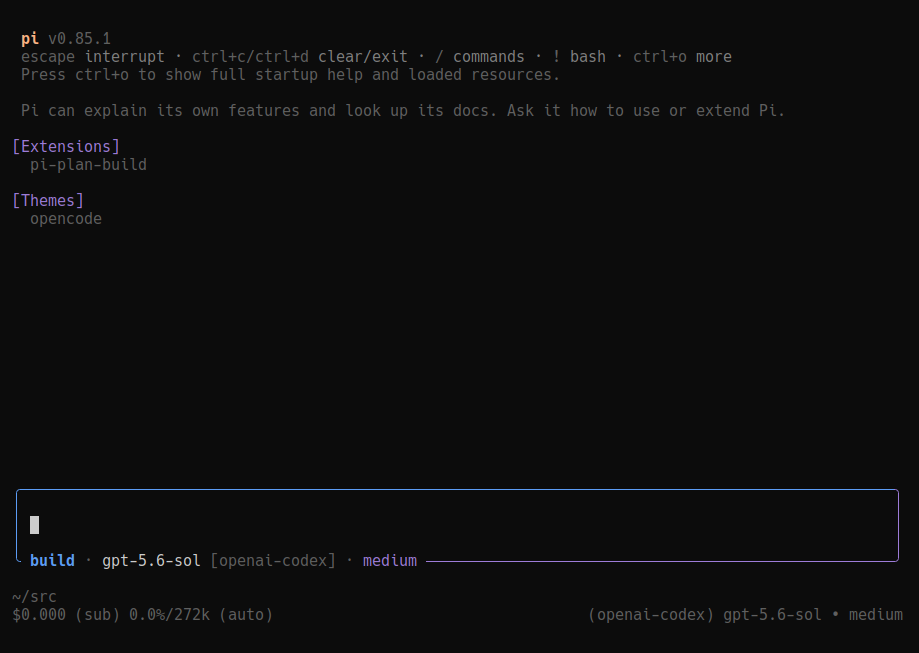
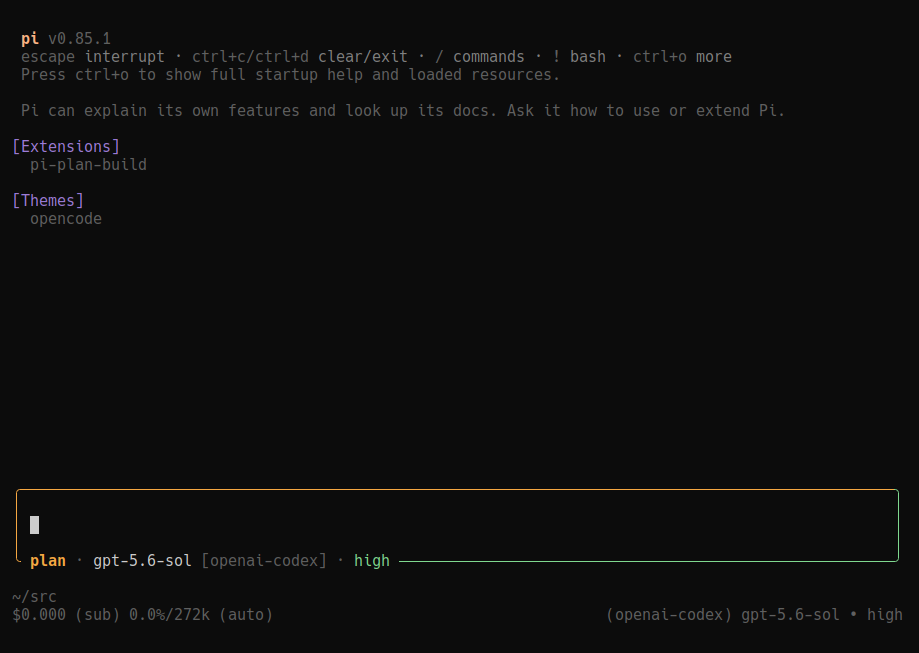
The composer shows mode, model, provider, and thinking level. Plan titles are optional; submitted prompts retain their original mode-colored rail.
Step-by-step execution
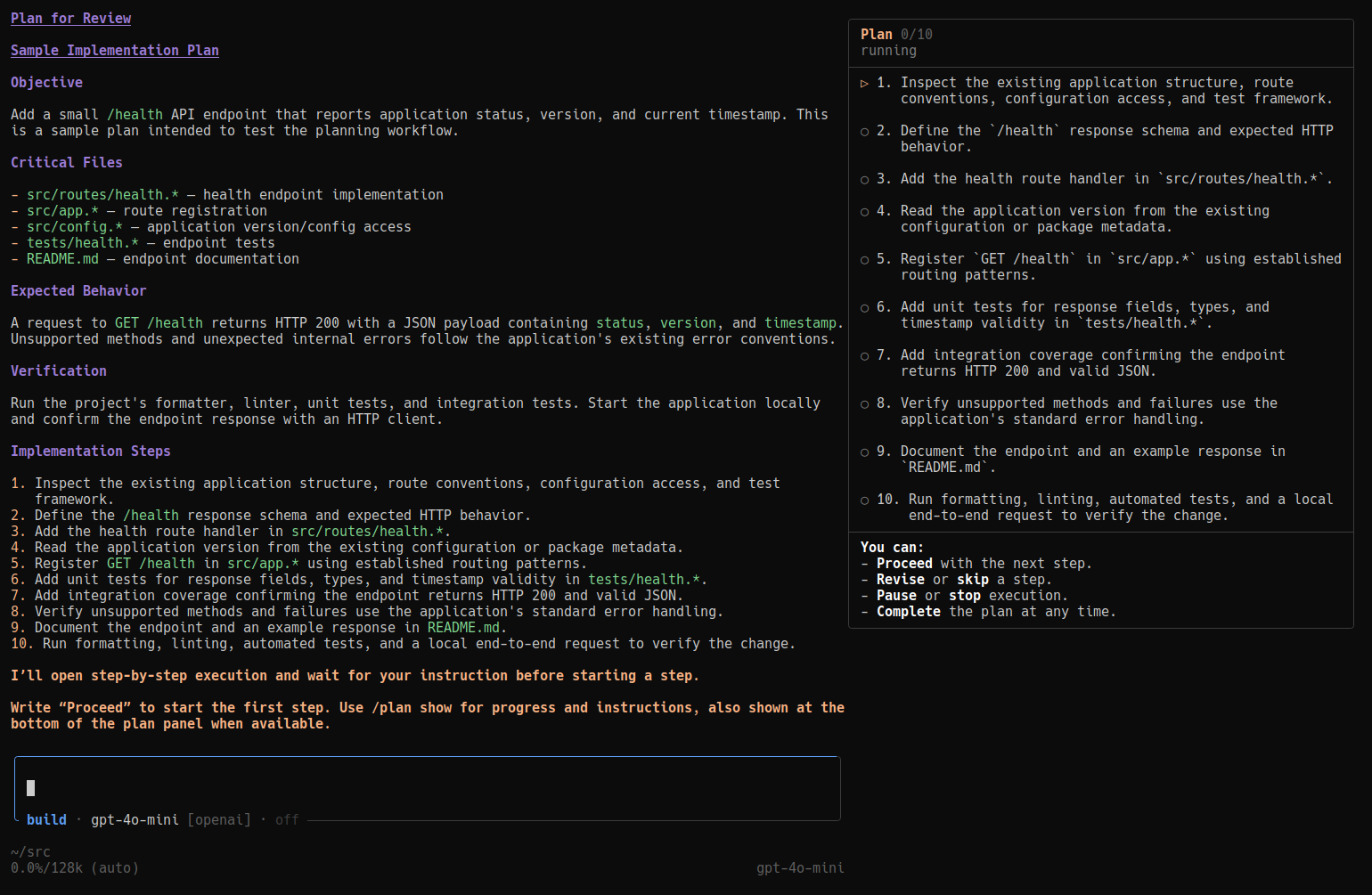
Say “Proceed” to start a ready step. The agent implements that step, verifies it, and waits before the next. Use ordinary prompts to pause, resume, revise, or skip; use /plan show to inspect progress.
The optional sidebar needs fullscreen TUI and at least 132 columns. Step execution also works in regular/narrow TUI and RPC without it.
Step format, controls, and sidebar setup →
Important limits
- Plan is not a sandbox. Path-bearing
edit,write,replace,insert, andundo_last_changecalls are restricted to the attached canonical plan file; recognized pathless editors are blocked because their target cannot be verified. Bash/powershell and unknown tools still rely on read-only guidance—not comprehensive mutation enforcement. - Build protects tracked plan files from recognized path-bearing editor calls. Opaque editors that resolve targets through private extension state cannot be preflighted without Pi capability metadata. Completion is recorded separately; guarded step-instruction revisions remain supported.
- Host tool choices are preserved. Mode refreshes add only Plan Build’s own tools; they do not restore stale runtime removals or force-enable built-in editors replaced by another extension.
- Manual mid-run mode changes are deferred. The composer shows the selected mode while the current run retains its effective permissions. Automatic per-mode model switching is deferred too.
- Approval checks freshness during the review dialog, not ongoing implementation drift. Separate deployment/restart approvals still apply.
- Verification summaries are reports, not harness-certified proof. Missing summaries do not mean checks passed.
- If another extension owns the editor or fullscreen layout, optional UI degrades rather than replacing it. Core workflows remain available.
Documentation
- Workflow: task boundaries, approval, clean sessions, completion, validation, and step execution.
- Settings: default startup mode, shortcuts, titles, and remembered model/thinking selections.
- Internals: persistence, branch/fork handling, context, permission limits, and UI compatibility.
- Development: local setup, tests, and release procedures.
Attribution and license
Independent of Pi and OpenCode. Conversational read-only planning follows OpenCode's Plan agent; persisted finalization/approval are Pi adaptations. Earlier semantics were informed by OpenCode 1.18.16 and clean-session handoffs by the former pi-plan-mode extension. No bundled subagents are required.