@tkoyama010/pi-webcam
pi extension for webcam snapshot capture — let your coding agent see through your camera
Package details
Install @tkoyama010/pi-webcam from npm and Pi will load the resources declared by the package manifest.
$ pi install npm:@tkoyama010/pi-webcam- Package
@tkoyama010/pi-webcam- Version
0.1.0- Published
- Aug 24, 2026
- Downloads
- 145/mo · 145/wk
- Author
- tkoyama010
- License
- MIT
- Types
- extension
- Size
- 14.7 KB
- Dependencies
- 0 dependencies · 1 peer
Pi manifest JSON
{
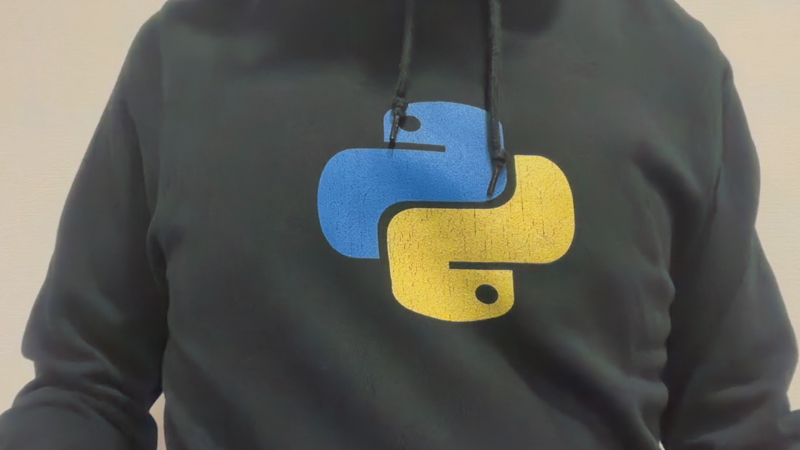
  "image": "https://raw.githubusercontent.com/tkoyama010/pi-webcam/main/docs/screenshot.png",
  "extensions": [
    "./src/index.ts"
  ]
}
Security note
Pi packages can execute code and influence agent behavior. Review the source before installing third-party packages.
README
⭐⭐⭐ pi-webcam ⭐⭐⭐
pi extension that lets your coding agent see through your webcam.
Capture webcam snapshots from the terminal agent — no browser, no MCP server, no UI. Just /camera take and the image is in context.
What it does
/camera take— captures a snapshot from your default webcam/camera list— lists available camera devices- Works with text-only models when paired with
pi-vision-handoff(or any vision model natively) - Cross-platform: macOS (AVFoundation), Linux (v4l2), Windows (DirectShow)
Installation
Via pi (recommended)
pi install git:github.com/tkoyama010/pi-webcam
To pin a specific version:
pi install git:github.com/tkoyama010/pi-webcam@v0.1.0
Manual
git clone https://github.com/tkoyama010/pi-webcam.git ~/.pi/agent/extensions/pi-webcam
Or symlink:
git clone https://github.com/tkoyama010/pi-webcam.git ~/src/pi-webcam
ln -s ~/src/pi-webcam/src/index.ts ~/.pi/agent/extensions/pi-webcam.ts
Usage
> /camera take
# Captures from default camera, saves to /tmp/pi-webcam-*.jpg

> /camera take --device 1
# Uses a specific camera device

> /camera list
# Lists all detected camera devices
After capture, the agent reads the image automatically and can describe it, answer questions, or take action.
Requirements
- ffmpeg — must be installed and in PATH
- macOS:
brew install ffmpeg - Linux:
apt install ffmpeg - Windows: download from ffmpeg.org
- macOS:
How it works
This extension shells out to ffmpeg to capture a single frame from the system webcam. The image file path is returned in the tool result, and the agent's read tool picks it up. On text-only models, pi-vision-handoff (or a similar vision proxy) describes the image so the model can reason about it.
No web server. No UI. No extra ports.
Compared to mcp-webcam
| pi-webcam | mcp-webcam | |
|---|---|---|
| Type | Native pi extension | MCP server |
| UI | None | Browser (React) |
| Setup | Install extension | Run server + configure MCP client |
| Transport | Direct ffmpeg call | MCP protocol over HTTP/stdio |
| Vision | Any model (handoff if needed) | Requires multimodal client |
| Footprint | ~50 lines | ~30+ dependencies |
If you already have pi and ffmpeg, this is a 10-second install.
License
MIT