@underactive/pi-topping-splash
A Pi extension that replaces the default startup header with an informative splash screen and optionally adds an interactive startup gate menu
Package details
Install @underactive/pi-topping-splash from npm and Pi will load the resources declared by the package manifest.
$ pi install npm:@underactive/pi-topping-splash- Package
@underactive/pi-topping-splash- Version
0.3.1- Published
- Aug 14, 2026
- Downloads
- 134/mo · 22/wk
- Author
- underactive
- License
- MIT
- Types
- extension
- Size
- 317.7 KB
- Dependencies
- 0 dependencies · 3 peers
Pi manifest JSON
{
  "extensions": [
    "./index.ts"
  ],
  "image": "https://raw.githubusercontent.com/underactive/pi-topping-splash/main/media/pi-splash.png"
}Security note
Pi packages can execute code and influence agent behavior. Review the source before installing third-party packages.
README
pi-topping-splash
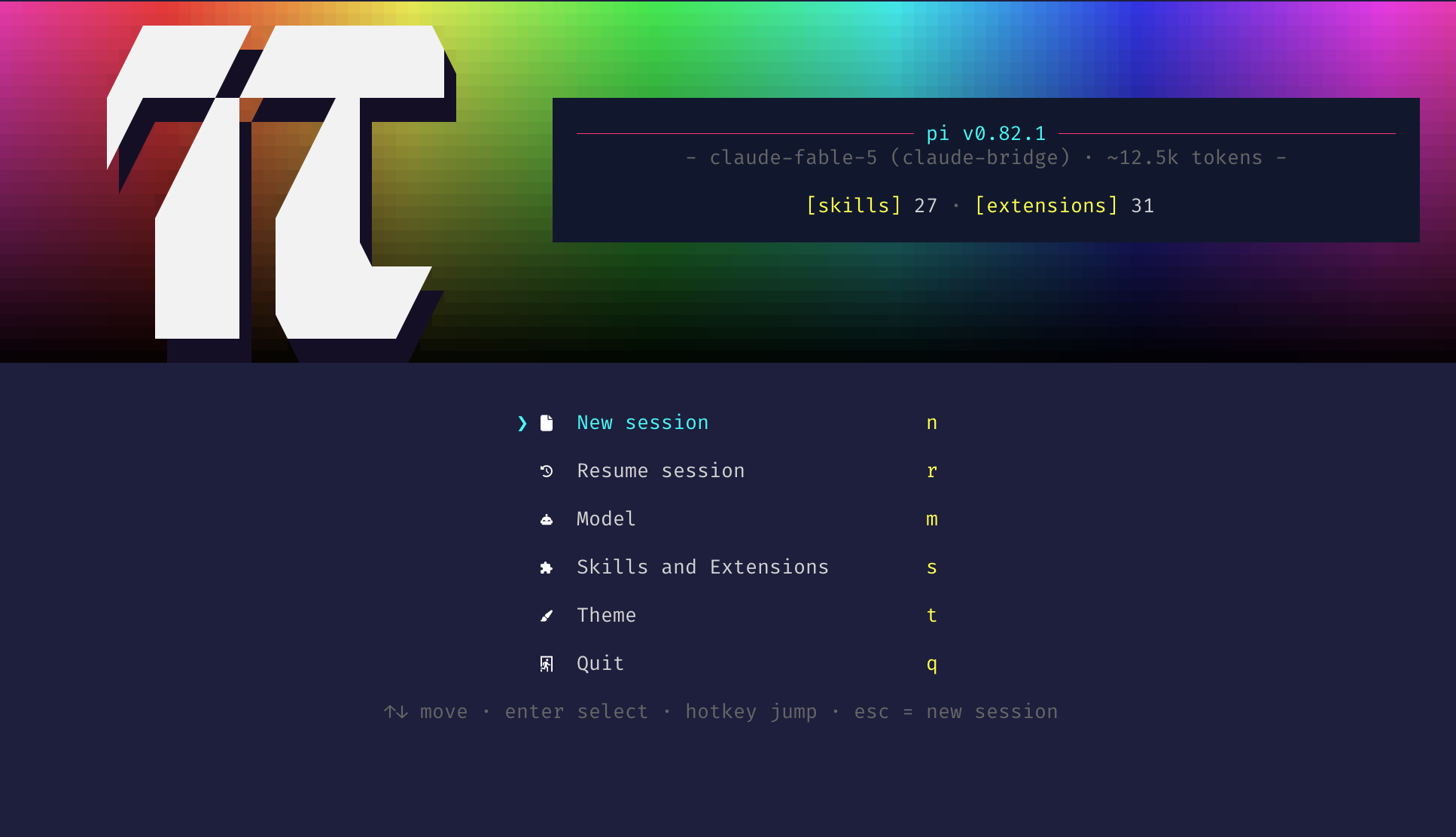
Pi extension that replaces the default startup header with an edge-to-edge full-color splash and adds an interactive startup gate menu to the session launch flow.
Install
pi install npm:@underactive/pi-topping-splash
Restart Pi (or run /reload) to pick it up.
Settings
Run /topping-splash-settings (TUI mode only) or pick Settings in the startup gate menu
to open a settings menu with two toggles, a background color cycle and a gradient animation
cycle:
╔═[ Pi Topping Splash: Settings ]══════════════════════════════════════════╗
╟─ Startup Gate ───────────────────────────────────────────────────────────╢
║  ❯ [■] Startup gate menu                                             ON  ║
║                                                                          ║
╟─ Splash ─────────────────────────────────────────────────────────────────╢
║    [■] Model + prompt size reveal animation                          ON  ║
║    [■] Background color                                     ‹ rainbow ›  ║
║    [■] Animate gradient                                         ‹ off ›  ║
║                                                                          ║
╟──────────────────────────────────────────────────────────────────────────╢
║  ↑↓ move  ␣ toggle  ←→ cycle  ⏎ apply  esc cancel                        ║
╚═══════════════════════════════════════════════════════════════════[ 1/4 ]╝
- Startup gate menu — show the startup gate menu below the splash on launch (ON by default)
- Model + prompt size reveal animation — shimmer-reveal the model · prompt-size tagline on the splash; when OFF the final text renders immediately, with no wipe (ON by default)
- Background color — cycle with ←/→ through
rainbow(a full-width hue sweep) and the seven active theme colors (accent,border,borderAccent,borderMuted,success,error,warning). A theme color fades vertically from the full color at the top of the splash to black at the bottom and stays constant horizontally, unlike the rainbow's left-right hue sweep. Indexed (256-color) theme colors are approximated as RGB and still require a truecolor-capable terminal to render the emitted backdrop. - Animate gradient — cycle with ←/→ through
off(the default) and four animations that work on any backdrop,rainbowincluded:breatheeases the whole backdrop's brightness on a slow sine,flowrolls brightness bands down the fade,sheensweeps a diagonal highlight across every few seconds, andwaveripples the fade sideways as a traveling wave. Onrainbowthey modulate the sweep's brightness while the hue run stays put; on a theme color they modulate the vertical fade. The animation runs while the splash is on screen — during the gate, or with the gate off until the first agent turn — then stops for the rest of the session, since the splash scrolls away once the conversation grows.
The gate and reveal toggles are read during startup and take effect on the next launch; the background color and gradient animation also apply immediately to an already-visible splash. All four are stored together in pi-topping-splash.json inside pi's agent directory (~/.pi/agent unless PI_CODING_AGENT_DIR says otherwise); delete that file to return to the defaults (both toggles ON, background rainbow, animation off).
Splash Inventory
The info panel lists five categories of loaded resources in startup order:
- Shortcuts — five compact Pi startup hints with effective keybindings (interrupt, clear/exit, commands
/, bash!, more). Keys reflect user-customized bindings when Pi's global keybinding manager is initialized. - Context — loaded context files (
AGENTS.md/CLAUDE.md,SYSTEM.md,APPEND_SYSTEM.md), displayed as cwd-relative or~-shortened paths. - Skills — names of every loaded skill, discovered from Pi's
skill:-prefixed commands. - Prompts — registered prompt templates displayed as
/name, discovered from Pi's commands withsource === "prompt". - Extensions — installed extensions with Pi's compact labels, discovered through Pi's own package-manager logic.
When the panel would exceed 60% of the terminal height or any name/hint is too wide to fit, the lists collapse to a compact counts summary: [shortcuts] 5 · [context] N · [skills] N · [prompts] N · [extensions] N. The summary wraps onto as many lines as the panel width needs, breaking only between whole [label] N counts, so no count is truncated to an ellipsis.
Troubleshooting
Splash or gate not showing?
- Ensure Pi is running in TUI mode (
--no-tuidisables the splash). - Both the splash and the gate are skipped when the environment variable
PI_SPLASH_GATE_DONE=1is set — an internal guard the extension sets on sessions it relaunches so the gate cannot re-trigger in a loop; relaunched sessions start on a clean screen. - Splash shows but the gate does not? The startup gate menu toggle was turned off at some point — that choice persists across launches, so run
/topping-splash-settingsand turn it back on. - On
reloadevents the gate is intentionally skipped — only a genuinestartupreason triggers it. - Check that the package is installed under
~/.pi/agent/npm/node_modules/@underactive/pi-topping-splashand thatpi --verboselists the loaded extension (it overridesquietStartup). - Truecolor (24-bit color) support in your terminal is required for the rainbow swatch backdrop and shimmer effect. On non-truecolor themes the shimmer and panel styling fall back to a plain render; the backdrop's truecolor escapes are left to the terminal's own handling.