@yunosukeyoshino/pi-herdr
Spawn role-based Pi subagents in Herdr panes
Package details
Install @yunosukeyoshino/pi-herdr from npm and Pi will load the resources declared by the package manifest.
$ pi install npm:@yunosukeyoshino/pi-herdr- Package
@yunosukeyoshino/pi-herdr- Version
0.1.0- Published
- Aug 12, 2026
- Downloads
- 110/mo · 13/wk
- Author
- yunosukeyoshino
- License
- MIT
- Types
- extension
- Size
- 20.2 KB
- Dependencies
- 0 dependencies · 1 peer
Pi manifest JSON
{
  "extensions": [
    "./index.ts"
  ],
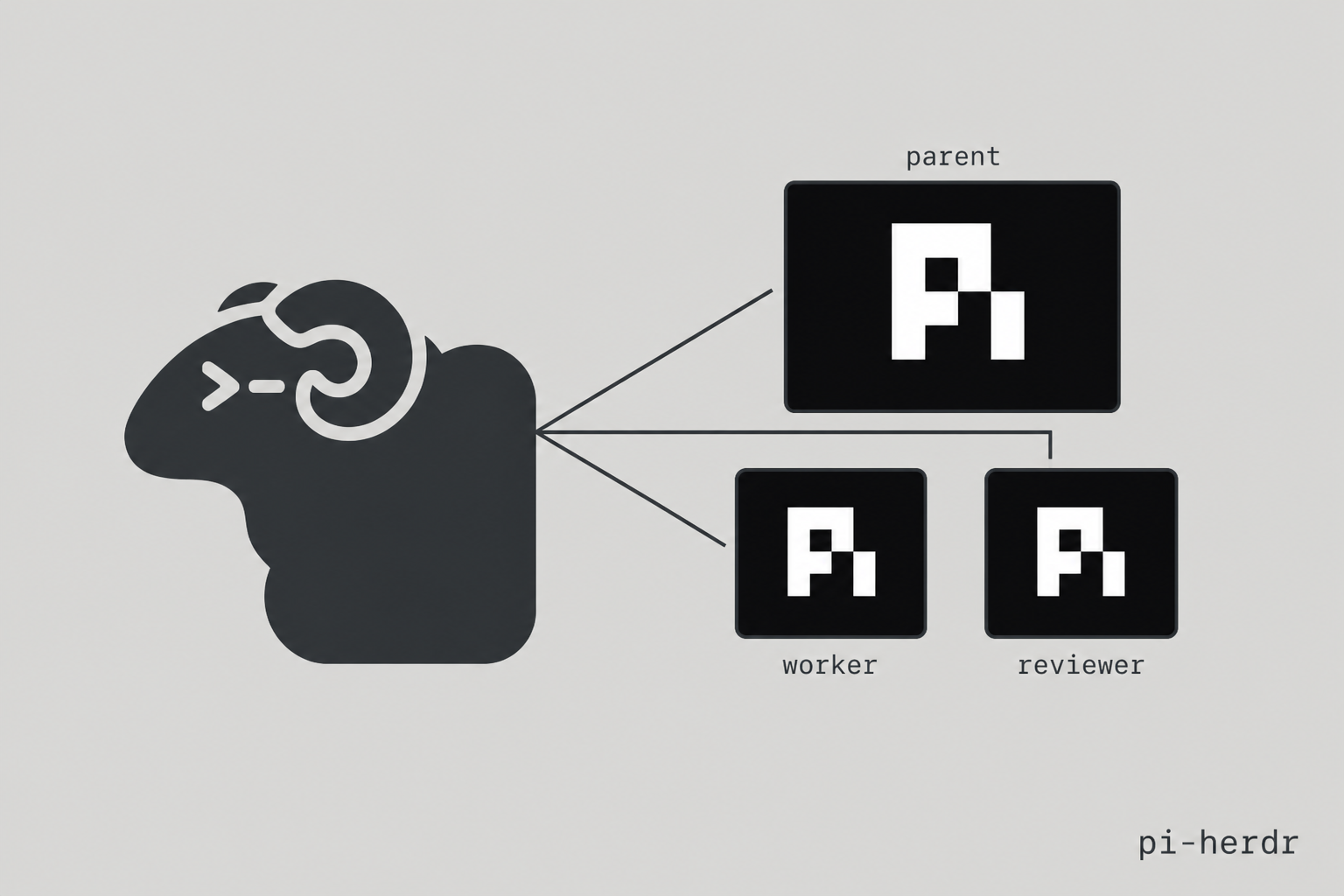
  "image": "https://raw.githubusercontent.com/YunosukeYoshino/pi-herdr/main/docs/banner.png"
}
Security note
Pi packages can execute code and influence agent behavior. Review the source before installing third-party packages.
README
pi-herdr

@yunosukeyoshino/pi-herdr lets Pi delegate work to a child Pi in a neighboring Herdr pane. Use it when you want a specialist with its own model, a visible terminal you can watch, and a parent session that keeps its full toolset.
Installation
pi install npm:@yunosukeyoshino/pi-herdr
That is the only required package step. The parent pi must run inside a Herdr pane (HERDR_ENV=1) so a sibling pane can be created. Herdr itself is a separate install.
Git install also works:
pi install git:github.com/YunosukeYoshino/pi-herdr
Try this first
You do not need to create roles, write config, or learn slash commands. After installing, ask Pi for delegation in plain language:
Have worker implement the current TODOs.
Use reviewer to review this diff. Do not implement.
Have worker fix the README typo.
That is enough to start.
What happens
Pi is the parent session. A herd child is a real pi process in a new Herdr pane, with a model chosen for its role.
When you ask for a worker or reviewer, the parent calls herd_spawn, splits a pane to the right, starts Pi, and sends the task. It returns a unique Herdr agent name such as worker-a1b2c3d4. Watch the child in that pane. The parent keeps working in yours.
herd_spawn waits until the child settles, then returns the name. It does not return the child's transcript. Look at the pane, or ask the parent to check status or send a follow-up.
Installing the extension does not start a child in the background. It gives Pi a delegation tool. If you want every implementation reviewed, say that in your prompt:
When you finish implementing, spawn reviewer on the diff before summarizing.
This package is not a general Herdr controller. Other pi-herdr packages exist for layout, tab chrome, or transcript mirrors. This one only spawns role-based Pi children.
It can sit next to pi-subagents. Prefer herd_spawn when you want a visible Herdr pane. The subagent tool is a headless Pi process.
Good first prompts
These cover most day-to-day use:
Have worker implement this approved plan. Prefer small diffs and verify with tests.
Use reviewer to review the current git diff. Report only actionable findings.
Spawn worker on the failing test in src/parser.test.ts.
Tell worker-a1b2c3d4 to add tests too.
What's the status of worker-a1b2c3d4?
Those are ordinary Pi requests. Pi decides whether to call herd_spawn, herd_steer, or herd_status.
Common workflows
| Want | Ask naturally |
|---|---|
| Implement something | “Have worker implement the current TODOs.” |
| Review a diff | “Use reviewer to review this diff. Do not implement.” |
| Follow up | “Tell worker-a1b2c3d4 to add tests too.” |
| Check progress | “What's the status of worker-a1b2c3d4?” |
| Pin a model for one run | “Spawn worker with model deepseek-v4-pro on this task.” |
The extension ships with two roles you can use immediately.
Builtin roles in plain English
| Role | Use it when you want... |
|---|---|
worker |
Implementation work. Default model: deepseek-v4-flash. |
reviewer |
Code review only. Default model: kimi-k3. |
A simple rule of thumb: use worker to change code, reviewer to check it.
Changing a role's model
For one run, say the model in the prompt. The parent can pass model on herd_spawn.
For a persistent override, edit settings:
{
  "herd": {
    "defaultModel": "deepseek-v4-flash",
    "agentOverrides": {
      "reviewer": { "model": "kimi-k3" }
    }
  }
}
Use ~/.pi/agent/settings.json. Model precedence, strongest first:
- Per-run
modelonherd_spawn - Role frontmatter
model herd.agentOverrides.<role>.modelherd.defaultModel- The parent session model
Where running children show up
Children occupy a Herdr pane to the right of the parent. They are live pi sessions you can focus, read, and type into.
Ask naturally:
What's the status of worker-a1b2c3d4?
Tell worker-a1b2c3d4 to add tests too.
| Tool | What it does |
|---|---|
herd_spawn |
Split a pane, start Pi, send the task |
herd_steer |
Send a follow-up prompt to a spawned agent |
herd_status |
Read Herdr status (idle, working, blocked, …) |
Direct commands
You do not need this until you want exact syntax.
| Command | Description |
|---|---|
/herd <role> <task> |
Tell the parent to call herd_spawn with that role and task |
/herd worker fix the README typo
/herd reviewer review the current git diff
Custom roles
Roles are markdown files with YAML frontmatter. Bundled files live in agents/ at the package root.
Add another role by dropping agents/<name>.md next to index.ts:
---
name: researcher
model: deepseek-v4-flash
---
Only name and model in the frontmatter are read. The markdown body is not sent to the child.
Structure
.
  index.ts                 # Pi entry — re-exports src/index.ts
  src/
    index.ts               # herd_spawn, herd_steer, herd_status, /herd
    launch/                # model resolve + pane spawn
    herdr/                 # herdr CLI adapter
    config/                # roles + settings.json
    lib/
  agents/                  # role markdown (name + model)
Tests live next to the source as *.test.ts.
Development
bun test
License
MIT