@gagansd/pi-ask
TUI interviews for Pi: ask one decision at a time; questions can wait in the background.
Package details
Install @gagansd/pi-ask from npm and Pi will load the resources declared by the package manifest.
$ pi install npm:@gagansd/pi-ask- Package
@gagansd/pi-ask- Version
0.2.0- Published
- Nov 21, 2026
- Downloads
- 1,688/mo · 259/wk
- Author
- tiredhades
- License
- MIT
- Types
- extension, skill
- Size
- 538.1 KB
- Dependencies
- 0 dependencies · 4 peers
Pi manifest JSON
{
  "skills": [
    "./skills"
  ],
  "extensions": [
    "./src/index.ts"
  ]
}
Security note
Pi packages can execute code and influence agent behavior. Review the source before installing third-party packages.
README
pi-ask
Gives your agent a way to interview you in a structured form — brainstorming, auth, missing requirements. Structured answers keep the thread small.
One skill (~20-token description), built for context minimisation.
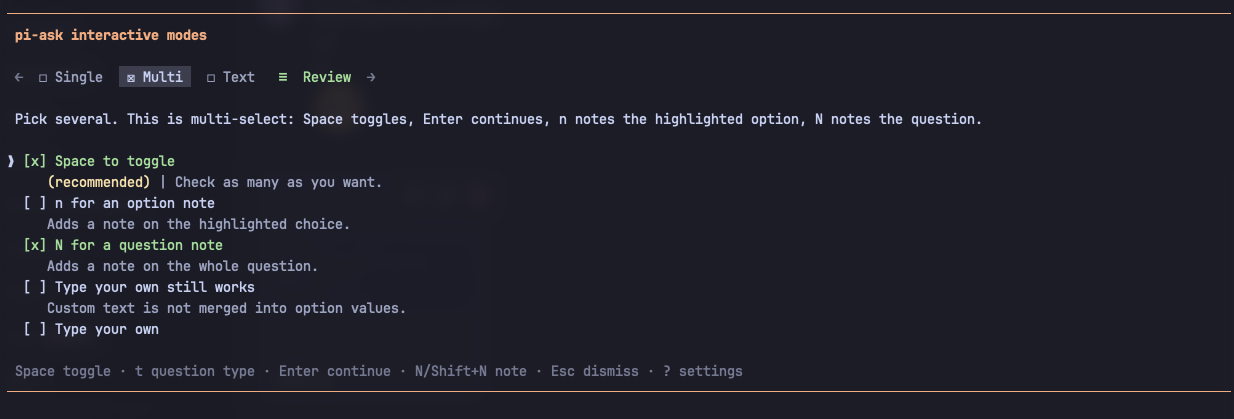
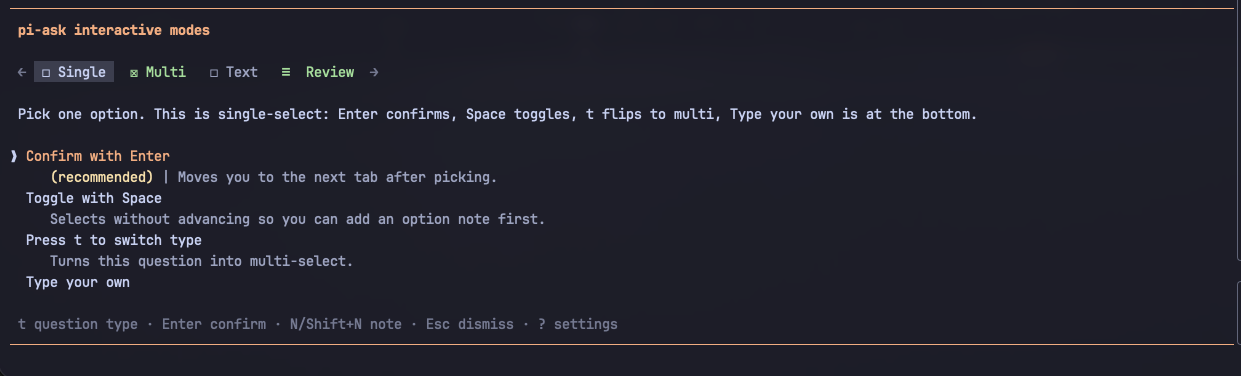
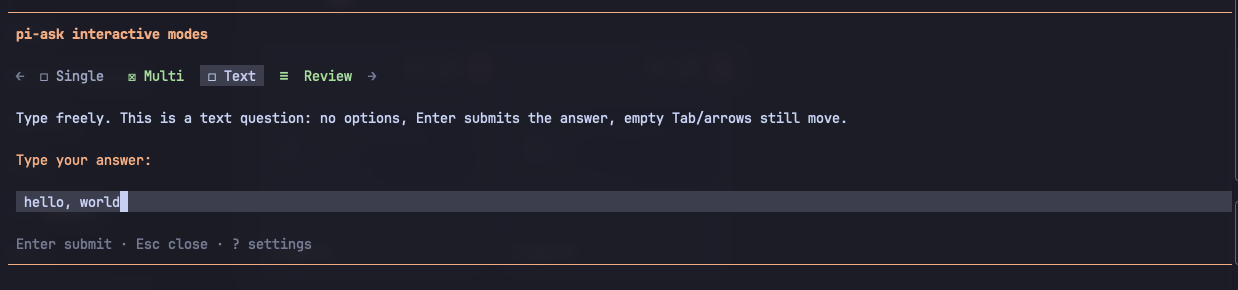
Install
pi install npm:@gagansd/pi-askThen /reload.
Releases: CHANGELOG.
From a clone of this repo: pi install . at the repo or package root.
Everyday use
The agent calls ask_user. /answer if it asked in prose instead.
| Need | What you do |
|---|---|
| Choose one, or several | single / multi |
| Type freely | text, or Type your own on a choice question |
| Understand a choice first | Notes |
| The question is the wrong shape | t switches single ↔ multi |
| Answer later | Ctrl+L on a blocking form. The agent carries on; the form waits in the panel |
| Decline one question | s on that question. Its answer and notes are dropped; the rest of the form carries on |
| Say why you are cancelling | c on the review tab, type a short reason, Enter. Esc goes back without cancelling |
Questions that do not block
A background question, a form you deferred, and a form left open when Pi last stopped all wait in one queue, shown one at a time in the order they were asked. The form sits in a panel above the input. Your message draft is untouched and you can keep typing and sending.
| Key | What it does |
|---|---|
Alt+A |
Move the keyboard between the panel and the input. Reopens a hidden panel |
Esc or Ctrl+L in the panel |
Hide the panel. Nothing is cancelled |
Ctrl+C in the panel |
Cancel that form only. The agent's other work is not interrupted |
- A new question takes the keyboard only when the input is empty. A hidden panel stays hidden; a line under the input counts what is waiting.
- A blocking question takes over while it is open. The panel returns afterwards as it was.
- Your answer joins a working agent at its next turn boundary and wakes an idle one. A cancellation is added to the conversation but never starts a turn; neither does an answer left over after you abort the run.
- Queue, drafts and whether the panel is hidden follow the active session branch.
Both keys are keymaps.global.later and keymaps.global.panelFocus in the config file.
Background example
Agent: asks "Which test framework?" with `background: true`
Tool:  returns receipt details including `{ "status": "queued", "requestId": "ask-3f9c1a2b", "pending": 1 }`
Agent: keeps inspecting files
You:   answer "Vitest" in the panel
Agent: at the next turn boundary, receives `pi-ask:answer` and continues with Vitest
{
"background": true,
"questions": [{
"id": "framework",
"prompt": "Which test framework?",
"type": "single",
"options": [
{ "value": "node", "label": "node:test" },
{ "value": "vitest", "label": "Vitest" }
]
}]
}- The call returns at once; the agent can keep working.
- The form waits in the panel without touching your draft.
- The answer arrives once, at the next turn boundary, and wakes an idle agent.
Skip and cancel with a comment
Skip declines a single question without cancelling the form. The tab and the review mark it as skipped (not "unanswered"), the result lists skipped: id[] in question order, and the result text says a skip is neither an answer nor approval. Answering a skipped question takes the skip back. Skipping every question still ends on the review tab: nothing is sent until you submit, whatever autoSubmitWhenAnsweredWithoutNotes says. The key is plain s, so it only works where no text editor is open. A text question opens its editor at once; press Esc first to skip it.
Cancel with a comment attaches a short reason (500 characters at most) to a cancellation. The cancelled result carries comment, and the text gives the agent your reason while still saying cancellation is not approval. An empty comment cancels nothing. Cancelling without a comment behaves as it always did. For a background form the comment is delivered with the cancellation, which still never wakes the agent.
Both keys are keymaps.main.skip and keymaps.main.cancelComment in the config file; a config written before they existed gains them, unless you already bound that key to something else.
Questions that expire
An agent that expects you to be away can give a call timeoutSeconds and mark one option per question as its fallback. If you do not respond in time, the form resolves as expired: declared fallbacks are applied and the rest stay unanswered. A fallback is the agent's own assumption, never your approval; the result says so and keeps irreversible or risky actions blocked.
The clock is built to be hard to trip:
- It runs only while the form is on screen; a form waiting behind another, or in a hidden panel, does not count down. The form shows the countdown and marks the fallback option.
- Configured notifications must finish without a failed channel before the countdown starts. Disabling notifications does not disable expiry.
- Any key you press in the form stops it for good, as does opening or focusing the panel on purpose. A stopped form waits like a normal one, and the stop is journalled, so a reload cannot restart it. Typing in the input beside an unfocused panel does not stop it: the countdown is on screen.
- Hiding the panel, deferring, or a blocking form taking over also stops a running clock for good. Nothing pauses and resumes.
- A form that comes back after Pi restarted (resume, fork, reload) never counts down. You had no fair chance to see its clock.
expiry.minSeconds(30) is a floor: shorter requests are raised, never rejected.- Limits above 24 hours are lowered to 24 hours, even if
expiry.minSecondsis higher. - A background form that expires is delivered like an answer, and it wakes an idle agent: the agent asked for a time-boxed fallback so that an unattended run finishes. A cancellation still never wakes it.
- With expiry off (
expiry.enabled: false, applies on/reload) both fields are absent from the schema, and a stale call that still carries them waits indefinitely. - Hosts without the custom TUI (RPC cards, ACP) have no countdown. The call waits as it does today.
Late override. An expired form stays reopenable: a line under the input says so, and /ask-panel brings it back with a notice. Submitting sends a correction as a follow-up that names the request, says it replaces the timed-out result (fallbacks included), and is delivered once. Ctrl+C on the reopened form without a comment dismisses it silently and leaves the agent's earlier result as it was. The offer ends when you correct or dismiss it, or one hour after the expiry.
Commands
| Command | What it does |
|---|---|
/answer |
Turn the latest completed assistant message into a form |
/ask-settings |
Settings overlay. ? inside a form opens the same overlay |
/ask-panel |
Show the waiting questions, and any timed-out ones you can still answer, and move the keyboard to them |
Hosts without the custom TUI (RPC subagents, ACP clients) get the same interview as sequential select/input cards with back navigation and a review card; a background call blocks there, and there is no "answer later". Callers with no dialog UI at all get status: "unavailable".
Contract
Input: { title?, background?, timeoutSeconds?, questions: [{ id, label?, prompt, type: single\|multi\|text, options?, fallback? }] }.
textquestions have no options.single/multineed real options. Do not invent filler.- Recommended options get a
description. Never preselected. - Typed text is never merged into option
values. background: truequeues the form and returns a receipt at once. The answer arrives later as a message.timeoutSecondsis a time limit, counted from when the form is on screen. Any keypress stops it for good.fallbackis the optionvalueapplied when the limit lapses. It must match an option. Never ontext. Nofallback, no answer.
Output:
status:submitted|cancelled|unavailable|invalid|queued|deferred|expiredanswers[id]:{ values, labels, customText?, note?, optionNotes? }unanswered: id[]requestId: ties a receipt to the answer delivered laterpending: forms waiting, this one included (queuedonly)expired: id[]: answers that are auto-applied fallbacksskipped: id[]: questions the user declined one by one, in question order. Not unanswered, not approvalcomment: why the user cancelled, when they said (cancelledonly)
queued (background call) and deferred (you chose "answer later") are receipts, not answers. expired means nobody responded: a fallback is the agent's assumption, never approval. The rules ride in those results, so they cost context only when they happen.
The later answer is a pi-ask:answer message that names the request and each question by id and prompt, so it stands without the original call in context.
Every form, draft and outcome is journalled in the session. A form left open when Pi quit comes back in the panel on startup, resume or fork with its draft, and its answer reaches the agent once: delivery is decided from what the active branch already holds. The journal follows the active branch.
Privacy. Answers, notes and unfinished drafts — including typed text — are journalled in the Pi session file. They persist across resume and fork and live wherever your sessions are stored.
A receipt or completed tool result requires a successful journal write. Storage failures are reported rather than acknowledged; a panel form whose answer could not be saved stays editable for retry. Only panel forms are retried in place: if a blocking form's answer (or cancel, defer or expiry) cannot be saved, the form returns to the panel at once with its draft and you get an error notice, and the tool returns an error telling the agent the reply was not saved, the form will reappear in your panel and it should not re-ask. The non-TUI (RPC and print) path also requires the journal write before it returns. Hiding the panel or temporarily covering it with a blocking form preserves its live editor, including typing not yet flushed to the journal.
Optional config: ~/.pi/agent/extensions/pi-ask.json. /answer uses the current chat model unless answer.extractionModels is set. PI_ASK_LOCALE=zh localizes the dialog cards and result summaries (Simplified Chinese).
| Key | Default | Effect |
|---|---|---|
expiry.enabled |
true |
false drops timeoutSeconds and fallback from the schema |
expiry.minSeconds |
30 |
Shorter limits are raised to this floor, up to the 24-hour ceiling |
behaviour.background |
true |
false drops background; every call blocks |
notifications.enabled |
true |
Notify when a question starts waiting |
notifications.channels |
["bell"] |
bell, osc9, osc777, or { "type": "command", "command": "..." }; commands get ASK_NOTIFY_EVENT, ASK_NOTIFY_TITLE, ASK_NOTIFY_MESSAGE and a 5 s timeout |
Schema settings apply on /reload, not live. A disabled field is absent from the schema, not ignored.
Context footprint
Recurring model-facing contribution of ask_user, measured with npm run tokens (character proxy: ceil(chars / 4), not provider billing):
| Part | Default, all enabled (chars / tokens) | Expiry off (chars / tokens) |
|---|---|---|
| description | 148 / 37 | 148 / 37 |
| prompt snippet | 103 / 26 | 103 / 26 |
| prompt guidelines | 723 / 181 | 723 / 181 |
| parameter schema | 624 / 156 | 560 / 140 |
| total | 1,598 / 400 | 1,534 / 384 |
Field-level prose lives in the guidelines; the registered schema ships without description keys.
A test holds the total to 450 with every optional field registered and 420 with expiry disabled.