@kkkiio/pi-web-ui
Web UI for Pi coding agent — view and control your Pi session from the browser
Package details
Install @kkkiio/pi-web-ui from npm and Pi will load the resources declared by the package manifest.
$ pi install npm:@kkkiio/pi-web-ui- Package
@kkkiio/pi-web-ui- Version
0.3.0- Published
- Nov 29, 2026
- Downloads
- 716/mo · 109/wk
- Author
- kkkiio
- License
- MIT
- Types
- extension
- Size
- 25.9 MB
- Dependencies
- 3 dependencies · 2 peers
Pi manifest JSON
{
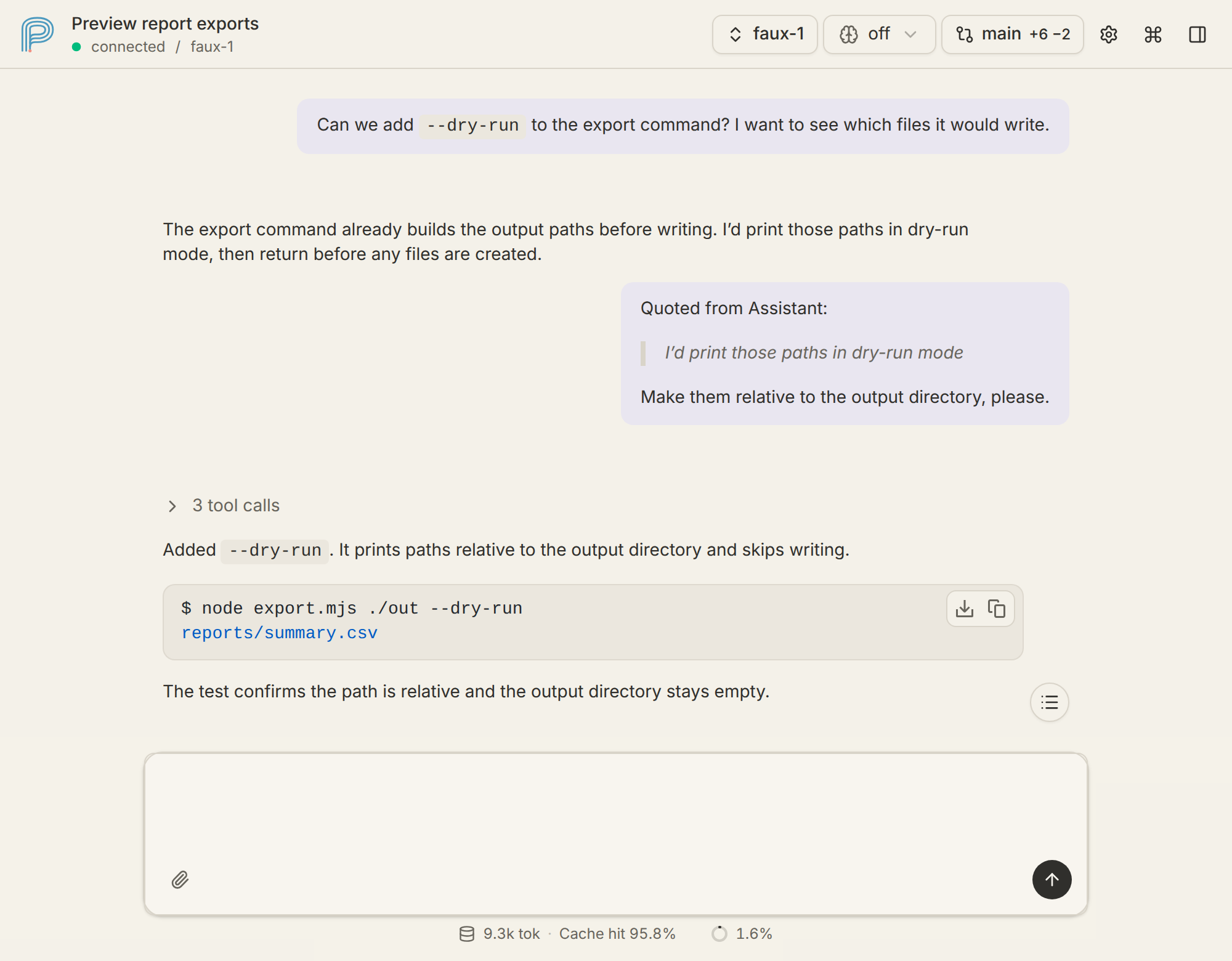
  "image": "https://raw.githubusercontent.com/kkkiio/pi-web-ui/main/docs/images/pi-web-ui-example.png",
  "extensions": [
    "./extensions/mirror-server.ts"
  ]
}
Security note
Pi packages can execute code and influence agent behavior. Review the source before installing third-party packages.
README
Pi Web UI

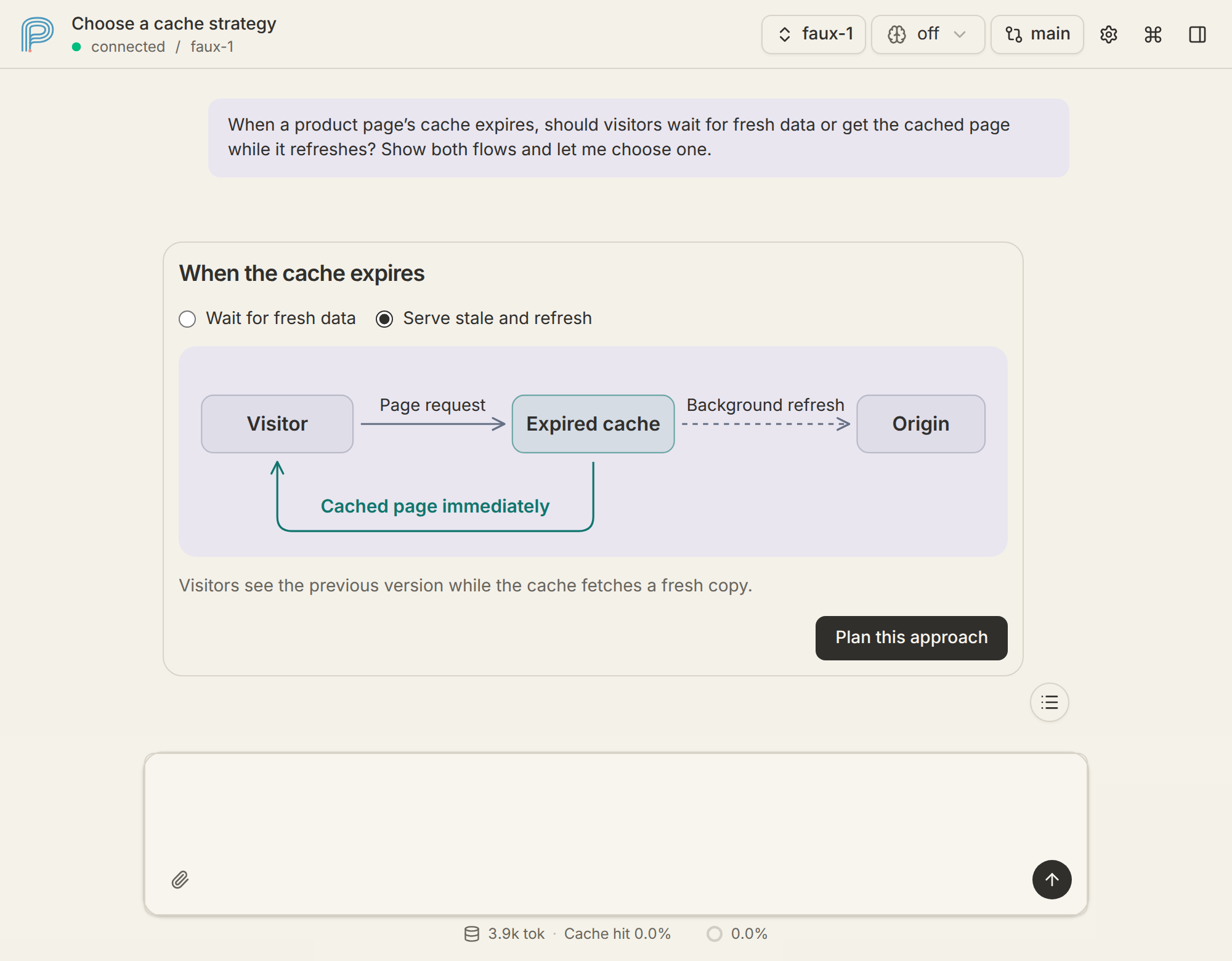
An interactive agent UI for the Pi coding agent.
Install
Install from GitHub:
pi install git:github.com/kkkiio/pi-web-uiOr from npm:
pi install npm:@kkkiio/pi-web-uiUsage
- Start Pi in terminal
- Enter
/webuito start the server and open the browser.
Or add an alias to your shell:
# type `piw` to start Pi Web UI
alias piw='pi /webui'
Use /webui-stop to stop the server while Pi is running. The server will also stop when Pi exits.
See docs/configuration.md for environment variables, settings.json, and remote access setup.
Features
- Real-time bidirectional sync with Pi TUI
- Git Diff Panel
- Edit Message (inline rollback & resend; enabled by
/webui) - Add to Chat
- Git Diff Comment
- Generative UI (DIL)
- BTW / Ask in Side Chat
Generative UI
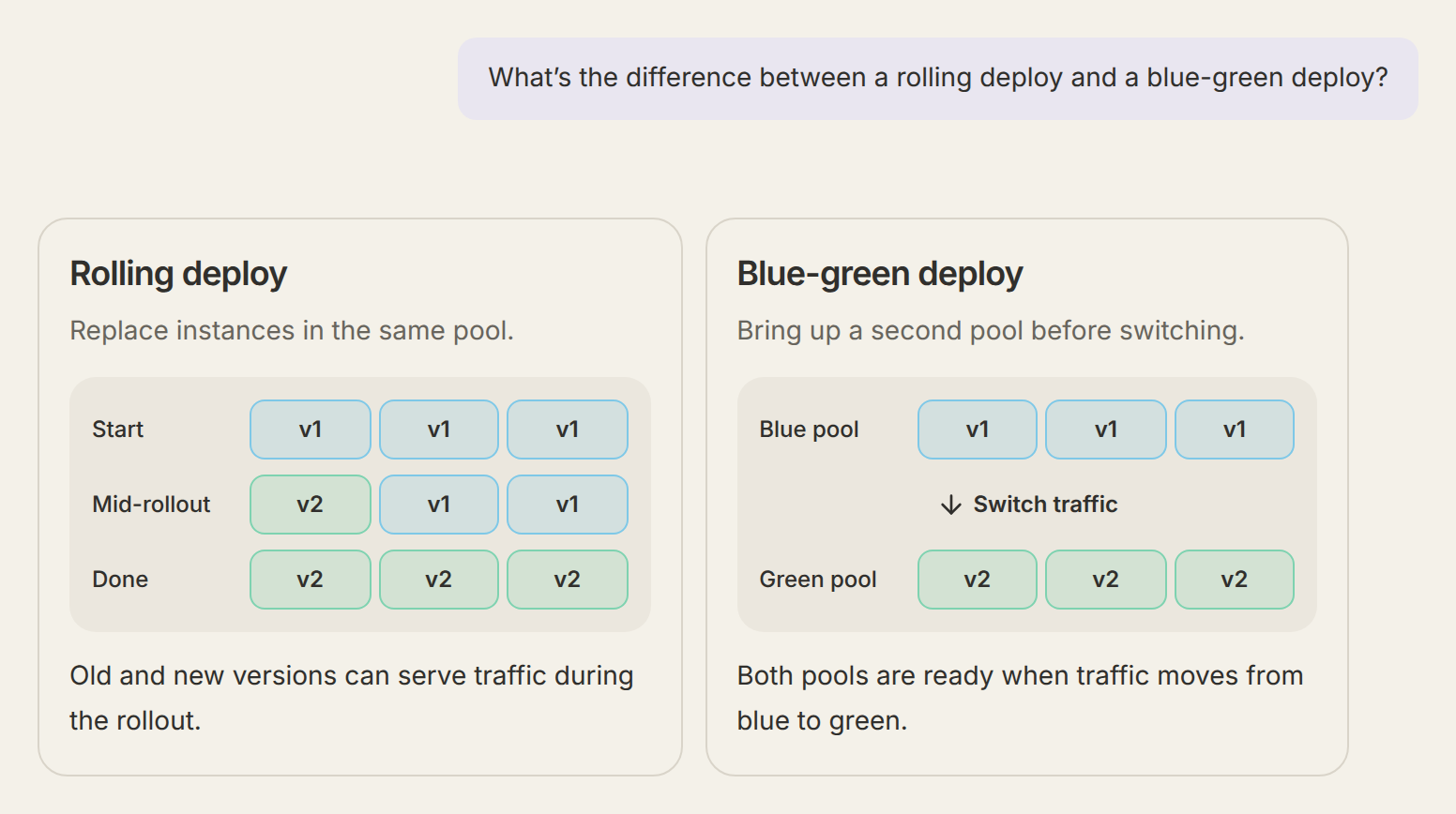
Pi uses Dynamic Interface Language (DIL) to show diagrams, side-by-side comparisons, and interactive previews in chat.
Git Diff
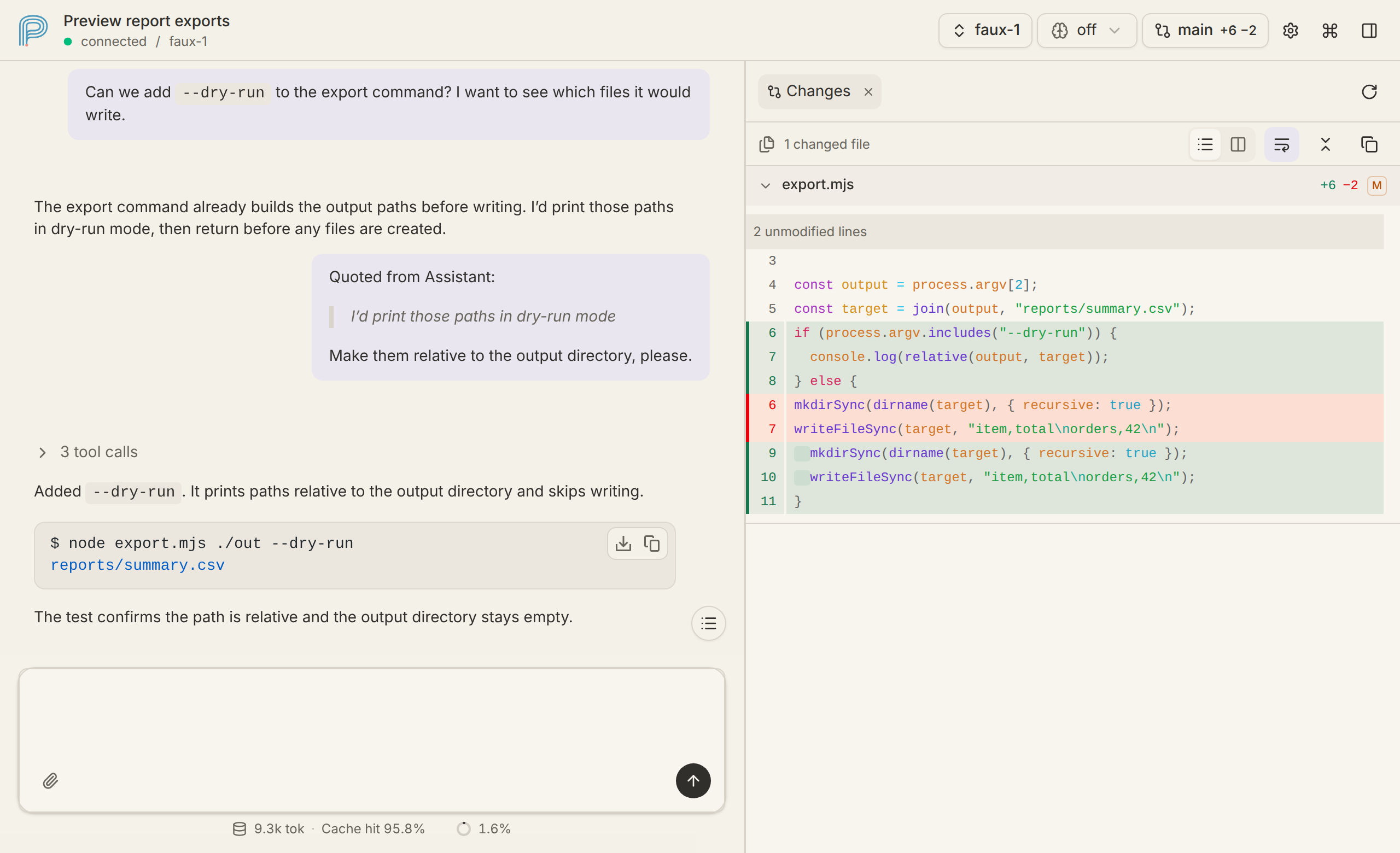
Review what the agent changed on disk without leaving the conversation.
How it works
Pi Web UI is a Pi extension. Running /webui starts an HTTP + WebSocket server inside the Pi process. The extension forwards Pi events to the browser, and browser commands execute through Pi's extension API.
graph LR
    A[Pi TUI<br/>terminal] <-->|Pi events| B[Pi Process<br/>pi-web-ui extension]
    B <-->|HTTP + WS :3001| C[Browser]