@mrclrchtr/supi-extras
Session capability controls, prompt stash, shortcuts, and activity indicators
Package details
Install @mrclrchtr/supi-extras from npm and Pi will load the resources declared by the package manifest.
$ pi install npm:@mrclrchtr/supi-extras- Package
@mrclrchtr/supi-extras- Version
7.3.0- Published
- Sep 24, 2026
- Downloads
- 1,806/mo · 731/wk
- Author
- mrclrchtr
- License
- MIT
- Types
- extension
- Size
- 198.5 KB
- Dependencies
- 2 dependencies · 2 peers
Pi manifest JSON
{
  "image": "https://raw.githubusercontent.com/mrclrchtr/supi/main/packages/supi-extras/assets/social-preview.png",
  "extensions": [
    "./src/extension.ts"
  ]
}
Security note
Pi packages can execute code and influence agent behavior. Review the source before installing third-party packages.
README
@mrclrchtr/supi-extras


Adds a bundle of small quality-of-life features to the pi coding agent.
Install
pi install npm:@mrclrchtr/supi-extras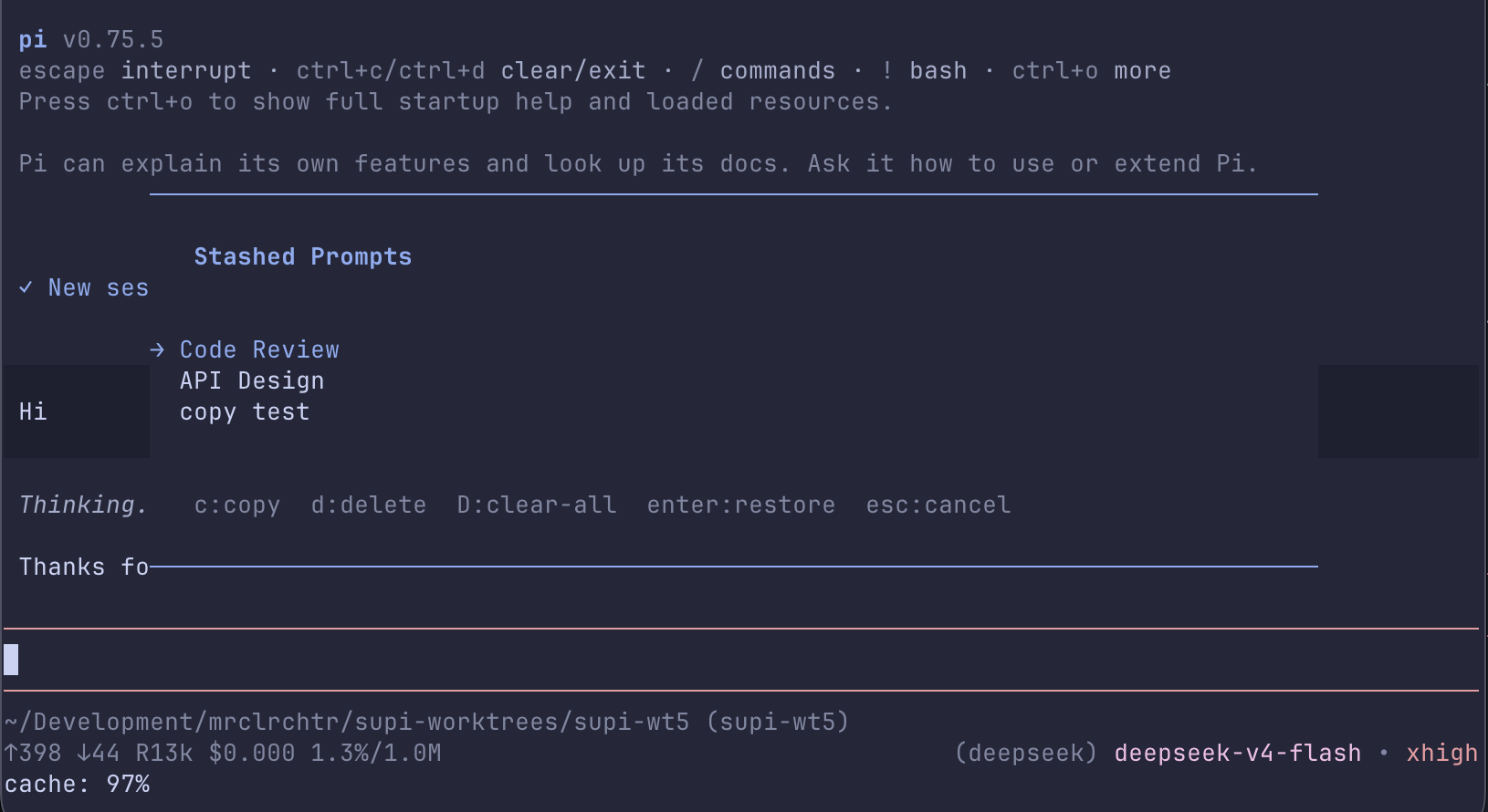
Commands
/exit— exit pi/e— alias for/exit/clear— start a new session (alias for/new)/clone-session <session-id>— clone a session into the current worktree and switch to it; autocomplete searches IDs and session names/supi-stash— browse, restore, copy, delete, or clear saved prompt drafts/supi-capabilities— choose extension tools and model-visible skills for this session
Session capabilities
/supi-capabilities opens a searchable selector. Use it to change extension tool and skill visibility for the current session.
- The selector lists only extension tools that were active at startup. It does not list PI built-in tools or tools supplied by integrations.
- Tool and skill overrides are stored in the session. Resume restores them. Fork and
/clone-sessioncopy them./newstarts without overrides. - Tree navigation keeps explicit capability tool choices and does not change other tool choices.
- Tool changes affect later requests. They do not stop a tool call that is already running.
- Saved tool restrictions also apply if a tool becomes available later. Use Reset Tools to clear them.
- Skill changes affect the model skill catalog only. Explicit
/skill:namecommands and$nameshortcuts stay available. - Use Reset Tools, Reset Skills, or Reset All to remove overrides.
- The footer shows a count while overrides are active.
Install @mrclrchtr/supi-skills to manage skills. Tool controls work without that package.
Shortcuts
Alt+S— stash the current editor textAlt+C— copy the current editor text to the system clipboard
Prompt stash
Prompt stash stores drafts in ~/.pi/agent/supi/prompt-stash.json so they survive restarts.
/supi-stash opens an overlay with these actions:
Enter— restore the selected draft into the editorc— copy the selected draft to the clipboardd— delete the selected draftD— clear all draftsEsc— close the overlay
If the stash file cannot be read or written, drafts are kept in memory only and can be lost when pi closes.
Passive behavior
Tab-title spinner
While the agent is working, the package animates a spinner in the terminal tab title. When the turn finishes, it shows a done marker. The spinner pauses while a question waits for your answer.
Footer replacement
The package replaces pi's default footer. It shows the model and thinking level with theme colors.
Headless git safety
The package sets:
GIT_EDITOR=trueGIT_SEQUENCE_EDITOR=true
That prevents git subprocesses from hanging while waiting for an interactive editor.