@openlines/opl-pi-sht
opl-pi-sht (shouldHaveThat) Pi coding-agent extension kit: token-efficient context, tool and session safety, fingerprinted /init, model benchmarking, web access, and browser automation.
Package details
Install @openlines/opl-pi-sht from npm and Pi will load the resources declared by the package manifest.
$ pi install npm:@openlines/opl-pi-sht- Package
@openlines/opl-pi-sht- Version
0.3.7- Published
- Nov 28, 2026
- Downloads
- 2,153/mo · 409/wk
- Author
- llazat.in
- License
- MIT
- Types
- extension
- Size
- 1.5 MB
- Dependencies
- 5 dependencies · 4 peers
Pi manifest JSON
{
  "extensions": [
    "./extensions/*/index.ts"
  ]
}
Security note
Pi packages can execute code and influence agent behavior. Review the source before installing third-party packages.
README
opl-pi-sht




Cut token cost, run the agent safely, and drop your MCP servers (probably).
A portable collection of various Pi coding agent extensions. Repository directories and config files use opl-; established Pi-facing commands and tool names stay compatible.
v0.3.7 installer and extension fixes, Pi 1.7 validation
- The checkout installer no longer copies through extension or forced config symlinks. Simplebench keeps credentials with their configured provider endpoints.
opl-browseractions honor cancellation and deadlines. Webaccess returns results even if cache cleanup fails.opl-footertokens and cost now include billed tool results, compactions, and branch summaries.- Validated all 12 extensions on Pi
1.7.0. Rolling CI now tests~1.7.0; the0.87.0floor is unchanged in this release. The next update will raise it to Pi1.0.0.Pi 1.7.0 terminal resume
Pi 1.7.0 introduced OSC 7577 terminal resume; Pi 1.6.1 did not have it. On 1.7.0, the reported resume command preserves the agent profile and tool/resource flags but omits
--offline. If startup must stay offline, resume manually withpi --offline --session <id>and repeat your original profile and restriction flags.--offlinedisables startup network operations; it is not a network sandbox.v0.3.6 simplebench credential resolution and Pi 1.6.1 re-validation
opl-simplebenchresolves stored provider credentials through Pi, so!command/$VARkeys and OAuth logins arrive as the key Pi would send instead of their reference text; the raw read stays as the no-context fallback.- Re-assessed on Pi
1.6.1: its one breaking change (the removed cache-miss notice setting) is unused here, and the0.87.0floor is unchanged.v0.3.5 modes safety and Pi 1.6 validation
- Restricted default Git branch and remote commands to basic listings; unnamed plans avoid overwrites, and unreadable plan entries are skipped.
- Updated rolling host checks to Pi
~1.6.0, retaining the0.87.0floor.Having issues? Opl a ticket.
Installation
Pi package
Install a versioned release from npm or GitHub. Both ship identical content; pick one source per machine, because Pi treats the npm and Git entries as separate packages and installing both loads every extension twice.
pi install npm:@openlines/opl-pi-sht@<version>
pi install git:github.com/linellazatin/opl-pi-sht@<version.tag>
Omitting the version on the npm source tracks the latest published release; Git refs stay pinned, so move them with
pi install ...@v<new>.
Pi installs the package under ~/.pi/agent/npm/node_modules/@openlines/opl-pi-sht (npm) or ~/.pi/agent/git/github.com/linellazatin/opl-pi-sht (Git) and runs root npm install, so opl-webaccess and opl-browser runtime dependencies are available. Pi packages do not install optional extension config files; copy only the configs you need from that checkout's configs/ to ~/.pi/agent/configs/.
opl-browser also needs Chromium once after package installation:
cd ~/.pi/agent/npm/node_modules/@openlines/opl-pi-sht   # or the git checkout path
npx playwright install chromium
Selecting extensions
pi install has no per-extension flag like ./install.sh --only. After installing the package, narrow it in ~/.pi/agent/settings.json using the object form (filters are globs relative to the package root and layer on top of the package manifest):
{
  "packages": [
    {
      "source": "npm:@openlines/opl-pi-sht@0.3.7",
      "extensions": ["extensions/opl-init/index.ts", "extensions/opl-todo/index.ts"]
    }
  ]
}
pi config provides the same control interactively: toggle individual extensions from an installed package without editing globs.
Checkout installer
chmod +x install.sh
./install.sh                         # copy all extensions and configs
./install.sh --link                  # non-destructive symlinks
./install.sh --only opl-init opl-todo
./install.sh --link --only opl-input # installs the UI + /configurator bundle
PI_CODING_AGENT_DIR=/path/to/.pi/agent ./install.sh --link   # PI_AGENT_DIR is a legacy alias
Copy mode refreshes extension directories and keeps existing configs, including dangling config links. --force-configs replaces regular config files. Copy mode refuses extension-directory symlinks and forced config symlinks before copying; remove the link itself to switch that destination from link to copy mode. A config comes from configs/<name>.json when the repo carries one, otherwise from the shipped configs/<name>.json.sample, so a fresh clone installs defaults instead of silently installing none. What was installed is recorded in <agent-dir>/extensions/.opl-pi-sht.installed, and a recorded directory that this release no longer ships is pruned on the next run (--no-prune keeps it recorded for later cleanup, and nothing outside the record is ever touched). Failed pruning retains ownership and exits nonzero so the next run can retry; invalid manifest names are ignored. Link mode skips existing destinations without claiming ownership. --only/-o accepts one or more extension names; selecting opl-configurator, opl-footer, opl-input, or opl-modes installs all four: /configurator plus the three extensions that share active-mode state. Use ./install.sh --help for flags. The repository uses standard .json only.
Extensions
| Extension | Summary | Commands, tools, and configuration |
|---|---|---|
opl-init |
Fingerprinted repository-guide generator with out-of-band model refinement. | /init; no config. |
opl-simplebench |
Auditable provider-aware model benchmark with JSON artifacts and metrics. | /simplebench, simplebench; supports Ollama, OpenAI-compatible providers, and Bedrock; optional opl-simplebench.json. |
opl-webaccess |
Search plus readable URL/PDF retrieval with session recovery. | web_search, fetch_content, get_search_content; opl-webaccess.json. |
opl-browser |
Chromium automation via Playwright with structured extraction of rendered pages; single dispatcher tool replacing the chrome-devtools MCP. | browser (action-based); opl-browser.json. |
opl-ctxtrim |
Description trimmer specifically for known context-modectx_* tools in Pi outbound requests, across OpenAI, Anthropic, Mistral, Bedrock and Google/Gemini formats. Its allowlist supplies concise replacements for the context-mode bridge's verbose ctx_* descriptions and leaves every other tool byte-for-byte alone (~67-74% smaller tool payloads per measured shape, ~4,700-6,300 tokens/request). |
No commands/tools; no config. |
opl-guardian |
Configurable tool and session safety: dangerous-Bash confirmation, protected paths, destructive-session confirmation, and malformed-call filtering. | No commands/tools;opl-guardian.json. |
opl-todo |
Branch-aware task tool, overlay, and task list. | todo, /todos; opl-todo.json. |
opl-questionnaire |
Interactive structured-choice tool. | questionnaire; no config. |
opl-input |
Configurable replacement editor - enhancedpikit chat-input (because pet is life, and configurable). 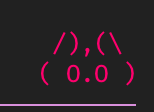 |
/configurator (Input tab); opl-input.json. |
opl-modes |
Mode, plan, tool-safety, lazy-tool-loading, and active-appearance manager - highly-modified, configrable and enhanced mode-switcher. | /mode, /chat, /plan, /execute, plan_complete, load_tools; opl-modes.json. |
opl-footer |
Configurable multi-row status footer - highly-specialized, and enhancedpikit footer. | /configurator; opl-footer.json. |
opl-configurator |
Generic extensible configuration shell with hotkey-selected tabs; each instrumented extension publishes one tab. | /configurator; no config. |
What you'll gain
Choose one, some, or all extensions by the outcomes below.
Spend less every session
Trim tool descriptions or withhold unused schemas to reduce the prompt prefix Pi caches across turns:
opl-ctxtrimshortens descriptions for eleven known context-modectx_*tools across Pi provider formats, preserving other tools, conversation content and schema rules. Measured schemas shrink ~67-74%; the Responses saving is roughly 4,700-6,300 tokens/request, estimated from bytes. Scope and provider formats, Measurements.opl-modeslazy tools withhold heavy schemas such assubagent,browserandsimplebenchuntilload_toolsactivates them within the current mode's permissions. One measured setup with lazy tools and its MCP adapter disabled saved ~5,000 cold-cache tokens (17.6K to 12.6K). Lazy loading.
Cold prompt-cache write, measured /init session (opl-modes lazy tools + MCP adapter off)

  before   ██████████████████████████████████  17,558 tokens
  after    █████████████████████████            12,625 tokens   (-28%, ~5K every session)

* token numbers grabbed from my personal setup with ~18 extensions
Run the agent without babysitting it
opl-modesprovides read-only chat/plan toolsets, checks each Bash command segment including quoted substitutions, and heuristically blocks destructive operations (not a shell sandbox). Custom modes support exploration-to-execution workflows;load_toolscannot exceed their permissions. Plan copies stay within UTF-8 caps including truncation notices: 24 KB in prompts and 4 KB in session entries, with the full file retained. Execute auto-exit requires Pi >=0.87.0. Mode behavior, Plan configuration.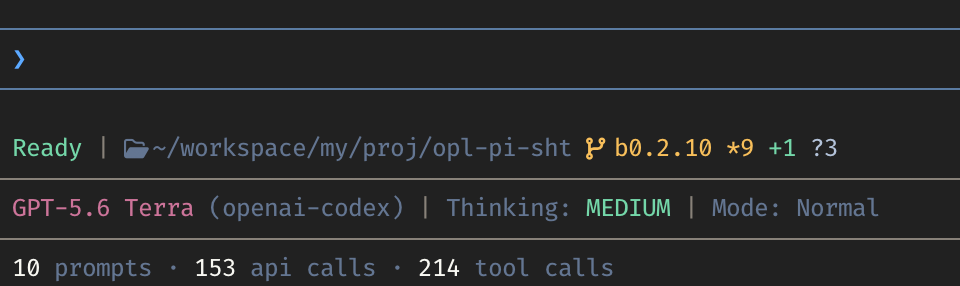
opl-guardianconfirms dangerous Bash commands and destructive session actions, and protects configured file paths through symlink resolution. Without a UI, confirmation-required actions block. Bash path matching avoids harmless text-search matches but remains advisory, not a shell sandbox. Malformed calls are removed before persistence/replay; byte-rotated logs in<agent dir>/guardian-incidents.jsonlrecord argument names, never values. Guards, Forensics.
Move through work faster
opl-initcrawls, writes and reloadsAGENTS.mdusing one out-of-band refinement call. An unchanged fingerprint skips the model; mid-session requests wait for the agent to settle. No synthetic user messages. Requires Pi >=0.86.0. Workflow.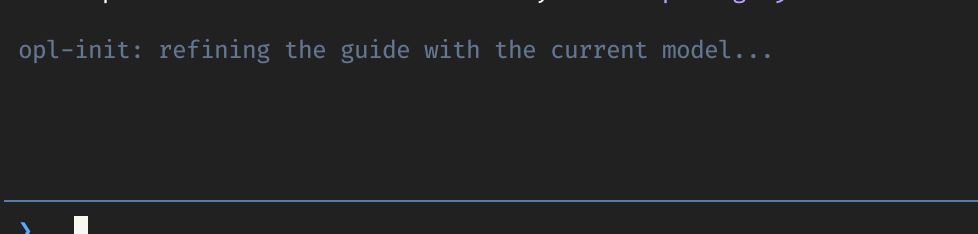
opl-browserexposes Chromium navigation, snapshots, rendered Markdown, interaction, screenshots, diagnostics and evaluation through one tool, with paged previews for large results. Address-based guards cover navigation, page requests, WebSockets and redirected frames; private/link-local access is blocked by default, loopback is opt-in, metadata is always blocked and service workers are disabled. PNG/JPG screenshots are contained within the session project and reserved against overwrites. Page actions supportindex, preserve selection identity and reject stale targets. Features, Network policy and limits.opl-webaccessprovides search, readable URL/PDF extraction and result recovery. HTTP(S) fetches validate and pin approved addresses at every redirect, block private/link-local hosts by default, make loopback opt-in and always block metadata/unspecified addresses. Compressed responses are decoded within 10 MB received/decoded caps and a 30 s deadline across hops. Sessions keep bounded previews; full results live in a 1 h / 32 MB disk cache. Retrieval and storage, Configuration.opl-simplebenchcompares models using deterministic answers, instruction-following, tool calls and coding tasks. Model-authored verifier code and its children receive an allowlisted environment without provider credentials, tokens or agent paths; this is not filesystem/network isolation. Methodology, Coding safety.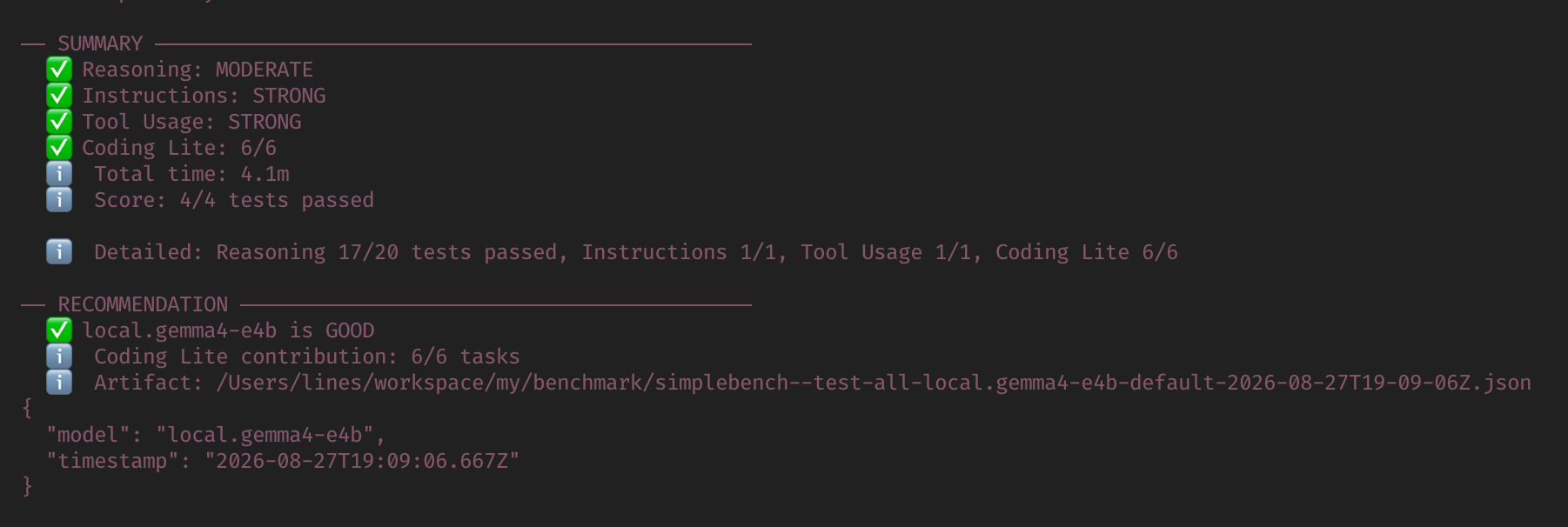
opl-todopersists branch-aware tasks, reconstructs them from session history and sizes its overlay to the renderer's terminal. Features.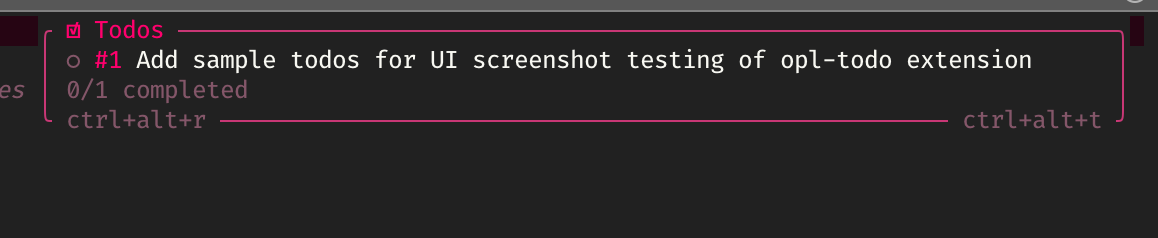
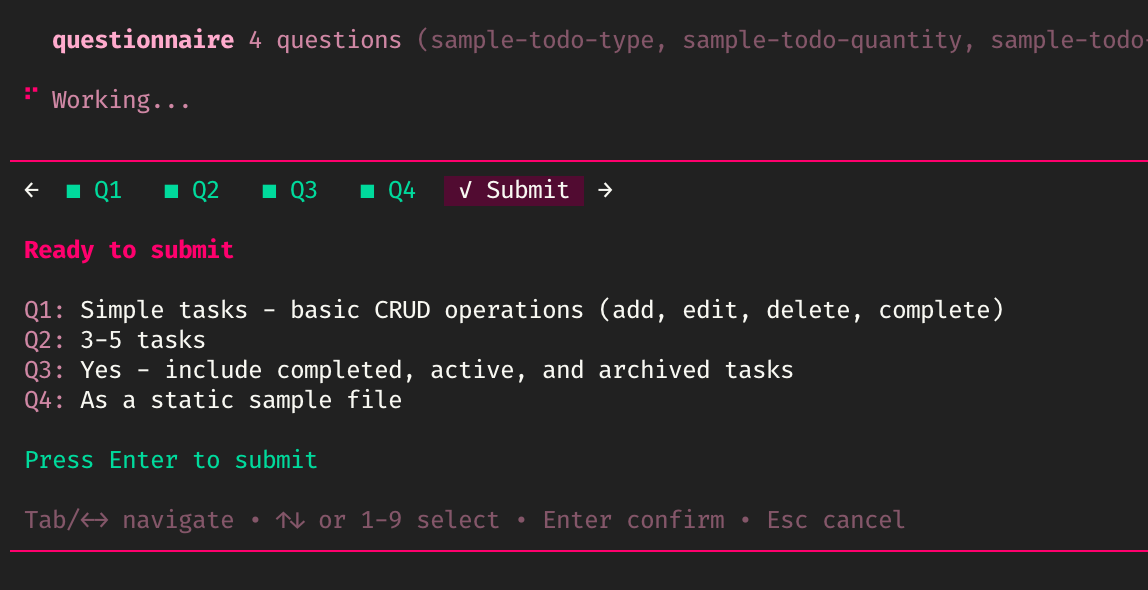
opl-questionnaireresolves ambiguous choices through an interactive structured questionnaire. Features.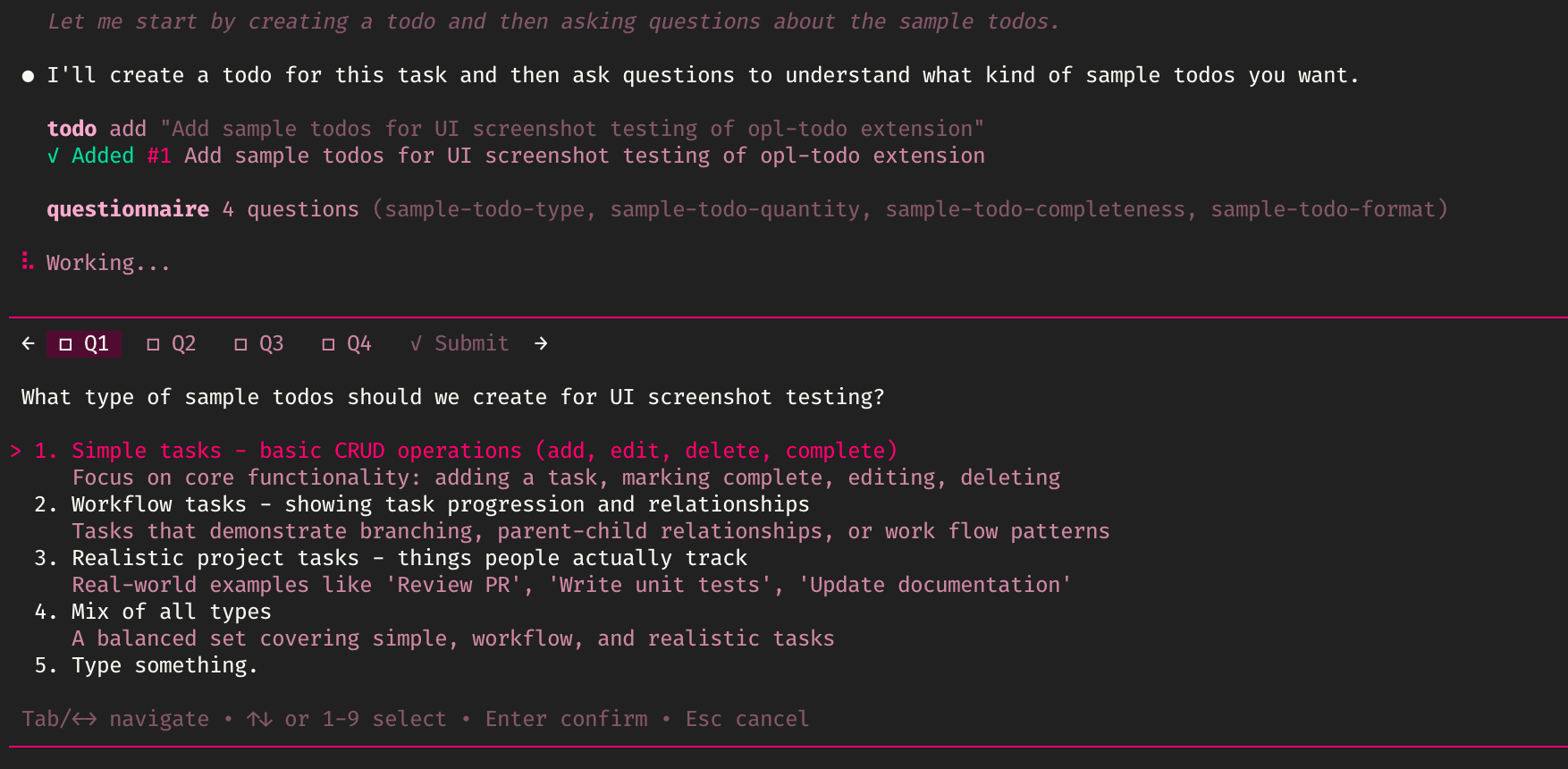
See what the agent is doing
opl-footershows model, cost, tokens/cache, git state, agent activity and timing, plus optional Codex subscription quota and OpenRouter key usage. Empty rows disappear; failed segments show[?]without blanking the footer. Branch switches and compaction refresh cached facts, and canonical context usage replaces estimates. Quotas refresh during runs with a 30 s minimum interval; OpenRouter keys/responses are never logged or persisted. Configure the layout with/configurator. Features, Usage segments.opl-inputprovides a configurable editor that reflects the active mode. Configure it through/configurator(Input tab); changes apply after/reload. Editor features.
Fewer moving parts
opl-browserprovides browser automation without a separate chrome-devtools MCP server, reducing server setup and idle schema overhead. Architecture.
Pick your footprint
| If you want to... | Install |
|---|---|
| Cut token cost with minimal change | opl-ctxtrim, opl-modes |
| Run the agent safely on real repos | opl-modes (pulls in the opl-input + opl-footer UI and /configurator bundle), opl-guardian |
| Research and drive the web | opl-webaccess, opl-browser |
| Choose models with data | opl-simplebench |
| The full, coordinated experience | all twelve |
Selecting opl-configurator, opl-footer, opl-input, or opl-modes installs all four. The configurator carries the /configurator command, and the other three share active-mode state.
Token overhead
Installing extensions adds tool schemas (name + description + JSON parameters) to the resting prompt prefix, which Pi writes once per session and then re-reads cheaply from cache on warm turns. Commands and UI-only extensions add little to nothing. The figures below are calibrated against one tool measured directly in a real session (load_tools = 139 tokens); treat them as ±15%. Per-row estimates sum a little above the measured whole (~2,020 against ~1,916 of tool-schema tokens), so the collective figures below use the measured value.
Per extension (resting prompt prefix)
| Extension | Adds to resting prompt | Est. tokens |
|---|---|---|
opl-browser |
browser tool schema |
~596 |
opl-questionnaire |
questionnaire schema + prompt guidelines |
~532 |
opl-webaccess |
web_search, fetch_content, get_search_content |
~394 |
opl-simplebench |
simplebench schema |
~230 |
opl-modes |
plan_complete + load_tools schemas |
~215 |
opl-todo |
todo schema |
~92 |
opl-init |
command only (no tool) | ~0 |
opl-configurator |
command only (no tool) | ~0 |
opl-input |
UI only | ~0 |
opl-footer |
UI only | ~0 |
opl-guardian |
none (tool/session safety; no added tool schemas) | ~0 |
opl-ctxtrim |
none (payload transformer) | net negative |
Command descriptions add roughly another ~120 tokens collectively, and only if your build surfaces them in the prompt or help block.
Collective (full install)
- All tools active (no
lazyTools): ~1,958 tool-schema tokens (the ~1,916 counted in a real session, plus the ~42 tokens Phase 6 added to thebrowserschema for page targeting) + ~101 guidelines + ~120 commands = ~2,180 tokens on every cold prompt-cache write. The per-extension rows above are ±15% estimates of the same set and sum slightly over it. - With the recommended
lazyToolsconfig (withholdsbrowser+simplebench, keepsload_tools): removing browser (~596) and simplebench (~230) drops the resting overhead to ~1,354 tokens (-38%).
Full install, cold prompt prefix impact

  all tools resting     ████████████████████████  ~2,180 tokens
  with lazyTools        ███████████████            ~1,354 tokens   (-38%)
  + opl-ctxtrim (curated ctx_*)  saves 4,700-6,300 tokens/request
The fixed cost of a full install is small and paid once per session, then cached. Two extensions pay it back many times over: opl-ctxtrim removes 4,700-6,300 tokens per request for context-mode users, and opl-modes lazy loading keeps the resting number at ~1,354 instead of ~2,180 while also withholding the heavy subagent family (~5K tokens) when present. For a full install, the overhead is modest and one-time-per-session; with context-mode or heavy tools in play, the collection is strongly token-positive.
Configuration
Copy applicable files from configs/ to ~/.pi/agent/configs/ - or to $PI_CODING_AGENT_DIR/configs/ if you relocated the agent directory, which is where every extension in this collection looks, per call. npm packages include only shipped .json.sample configs, never operator .json files from a checkout. For a Pi package installation, the source directory is ~/.pi/agent/npm/node_modules/@openlines/opl-pi-sht/configs/ (npm) or ~/.pi/agent/git/github.com/linellazatin/opl-pi-sht/configs/ (Git):
opl-footer.json,opl-input.json,opl-modes.json,opl-todo.json,opl-webaccess.json,opl-guardian.jsonopl-browserhas optional configuration (opl-browser.json); all fields default, so it works without any config file.opl-simplebenchhas optionalopl-simplebench.json; copyconfigs/opl-simplebench.json.sampleto configure DDGS/SearXNG research and llama metadata endpoints.opl-guardianhas an optionalopl-guardian.json; copyconfigs/opl-guardian.json.sampleand manually migrate any old permission-gate or protected-path settings. It does not load legacy files. ConfiguredpermissionGate.patternsreplace the defaults, so copied live patterns do not automatically inherit later default-rule updates.opl-init,opl-questionnaireandopl-configuratorhave no external configuration.- Config files must be valid JSON, with no comments or trailing commas beyond deliberate
_commentkeys. opl-modesowns active-mode appearance. Each mode'sappearance.prefix,prefixColor, andborderColorstyleopl-input;appearance.modeColorstylesopl-footer's unified mode label. Renderers retain hardcoded fallbacks.opl-modes.bashPatternsis the shared read-only Bash policy now applied to every mode by default; a mode overrides it with its own validsafePatterns/destructivePatternsarray, an empty array explicitly removes that policy, orunrestrictedBash: truedisables both gates. Malformed per-mode arrays retain the existing policy.opl-modes.lazyToolswithholds heavy tool schemas (e.g.subagent,browser,simplebench) from the resting prefix and enables them on demand viaload_tools, shrinking the per-session prompt-cache write.
See each extension README for commands, behavior, configuration fields, runtime constraints, and architecture.
Runtime requirements
All extensions use Pi's normal extension discovery. Pi installs opl-webaccess extraction dependencies and Playwright automatically when installed as an npm or Git package. For the checkout installer, install nested runtime dependencies before using those extensions:
cd extensions/opl-webaccess
npm install

cd ../opl-browser
npm install
npx playwright install chromium
A Pi package (npm or Git) still needs the one-time npx playwright install chromium command shown above.
opl-simplebench writes a full JSON benchmark artifact in the current Pi session directory (ExtensionContext.cwd). --test-all additionally writes research.md and page.html beside result.json in a result bundle. Without an active session context, artifacts fall back to the harness working directory. /simplebench --sequence[=<name>] runs a named templated multi-run protocol (for example a model warm-up curve) defined in the runSequence.sequences block, with per-iteration tags, optional llama-server/llamagputop metrics, and a configurable pause between iterations; block-level llamaMetrics/pauseMs are defaults a profile can override. Copy configs/opl-simplebench.json.sample to ~/.pi/agent/configs/opl-simplebench.json to configure DDGS/SearXNG research, optional llama-server/llamagputop metadata endpoints, and the run sequence. Use /simplebench --no-artifact or simplebench({ no_artifact: true }) when responses must not be written to disk. Provider credentials remain outside tracked configuration; configure them through Pi provider settings, environment variables, or Pi authentication.
Tests
npm testnpm run typecheck: separate fromnpm test; runs stricttscon extension sources.npm run test:shared: agent-directory resolution, duplicated host/git guard parity, installer, package metadata, andglobalThisintegration acrossopl-modes,opl-footer,opl-input, andopl-configurator.npm run test:opl-<name>:browser,configurator,footer,guardian,init,input,modes,questionnaire,todo,webaccess,simplebench, orctxtrim.npm run test:pi-host: loads every entrypoint without errors through Pi’s real loader. It sharestests/support/pi-host.mjswith the pi-tui marker test and prefers the managed install, falling back to the devDependency (Pi>=0.87.0).
Bun reports named helper, functional, and smoke tests with per-test status, timings, and pass/fail totals. Functional tests use deterministic helpers where practical and include local HTTP and PDF extraction fixtures. Smoke tests bundle entrypoints and parse config; they do not test live TUI behavior or provider credentials. Package tests pack the npm tarball to check that it includes the root changelog and excludes live configs; host tests parse versioned notes from that tarball.
Host tests use Pi’s coercing validator on every registered tool and check Bash normalization: arrays rejected, scalars stringified, transcript arguments unchanged. Portable payload tests run on all hosts; these checks require newer versions:
- Pi
>=1.2.0: custom/userbefore_agent_start, busy-during-start behavior, and mode-prompt persistence after real file-tool execution, using isolated fixtures and synthetic model responses. - Pi
>=1.4: real Responses converter declarations through the loaded ctxtrim handler. - Pi
>=1.5.1: overlay-registry cleanup thatopl-todorelies on.
Callable validate.yml owns all CI checks: npm ci, strict typechecking, the full suite, dependency audits, and the host matrix. CI tests the lockfile (Pi 1.5.2), the 0.87.0 floor, and rolling ~1.7.0. Without the lockfile, the rolling job resolves pi-coding-agent, pi-tui, and pi-ai, requires Pi >=1.7.0, reports all three versions, and verifies devDependency use instead of a managed install. Scheduled and manual runs pick up 1.7.x patches; later minors require an update.
On tags, release.yml calls validation via needs: validate, then checks that v<version> matches package.json, extracts the changelog, runs npm publish, and creates the GitHub release. validate.yml has no tag trigger, so validation runs once on the tagged commit. If GitHub release creation fails after publication, verify the npm version and create the GitHub release separately; do not republish.
For agents testing a running Pi session, see the live-test instructions: one extension per phase, safe tool probes, operator-assisted UI checks, and separate reporting for live observations, automated coverage, and unverified behavior.