pi-ayu-themes
Ayu color themes for pi — dark, mirage, and light
Package details
Install pi-ayu-themes from npm and Pi will load the resources declared by the package manifest.
$ pi install npm:pi-ayu-themes- Package
pi-ayu-themes- Version
1.0.0- Published
- Jun 22, 2026
- Downloads
- not available
- Author
- iodic
- License
- MIT
- Types
- theme
- Size
- 280.1 KB
- Dependencies
- 0 dependencies · 0 peers
Pi manifest JSON
{
  "themes": [
    "themes"
  ],
  "image": "https://raw.githubusercontent.com/iodic/pi-ayu-themes/main/previews/ayu-dark-preview.png"
}Security note
Pi packages can execute code and influence agent behavior. Review the source before installing third-party packages.
README
Ayu Themes for pi
Ayu color themes for pi — all three variants: dark, mirage, and light.
Previews
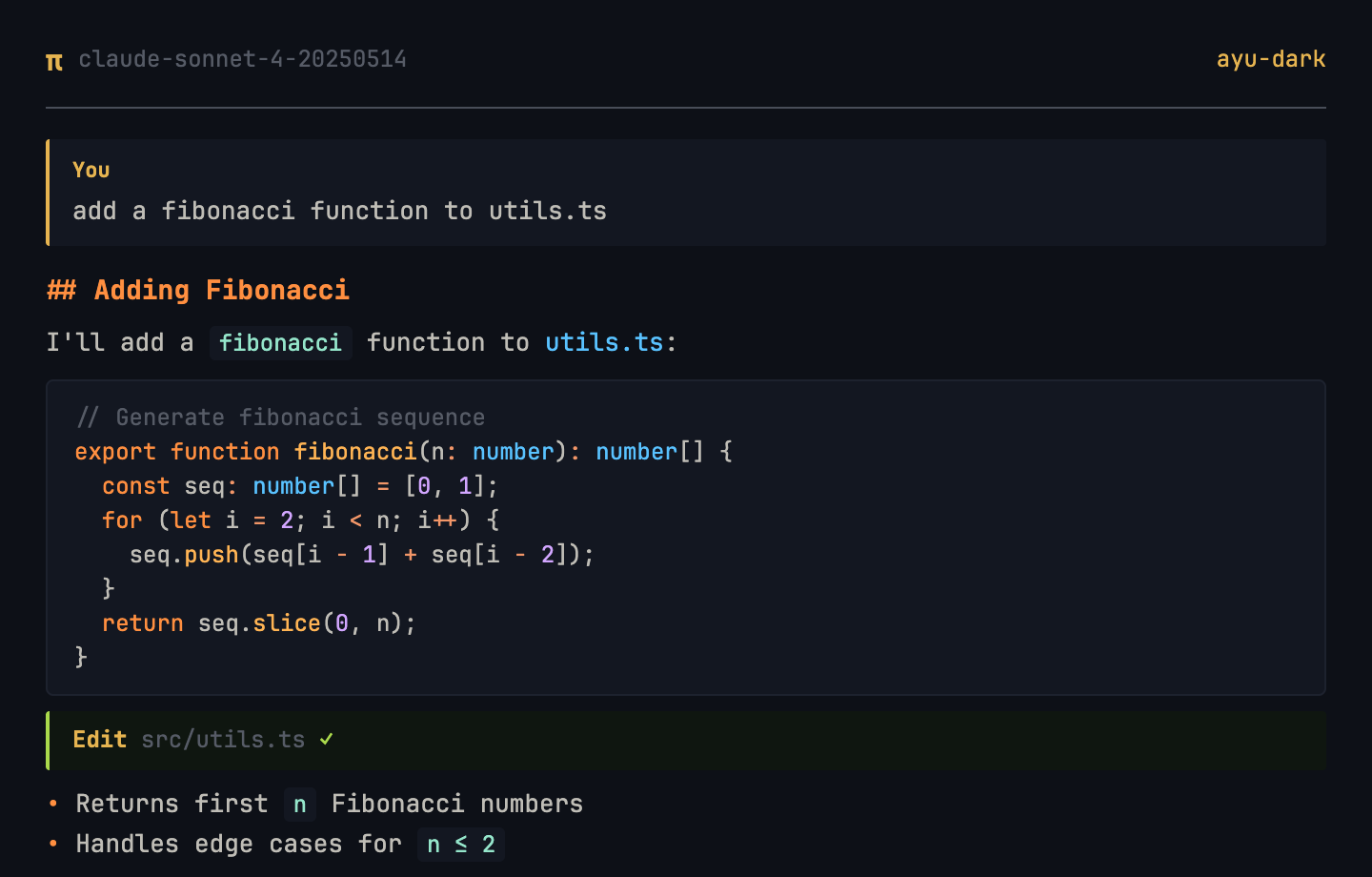
Dark
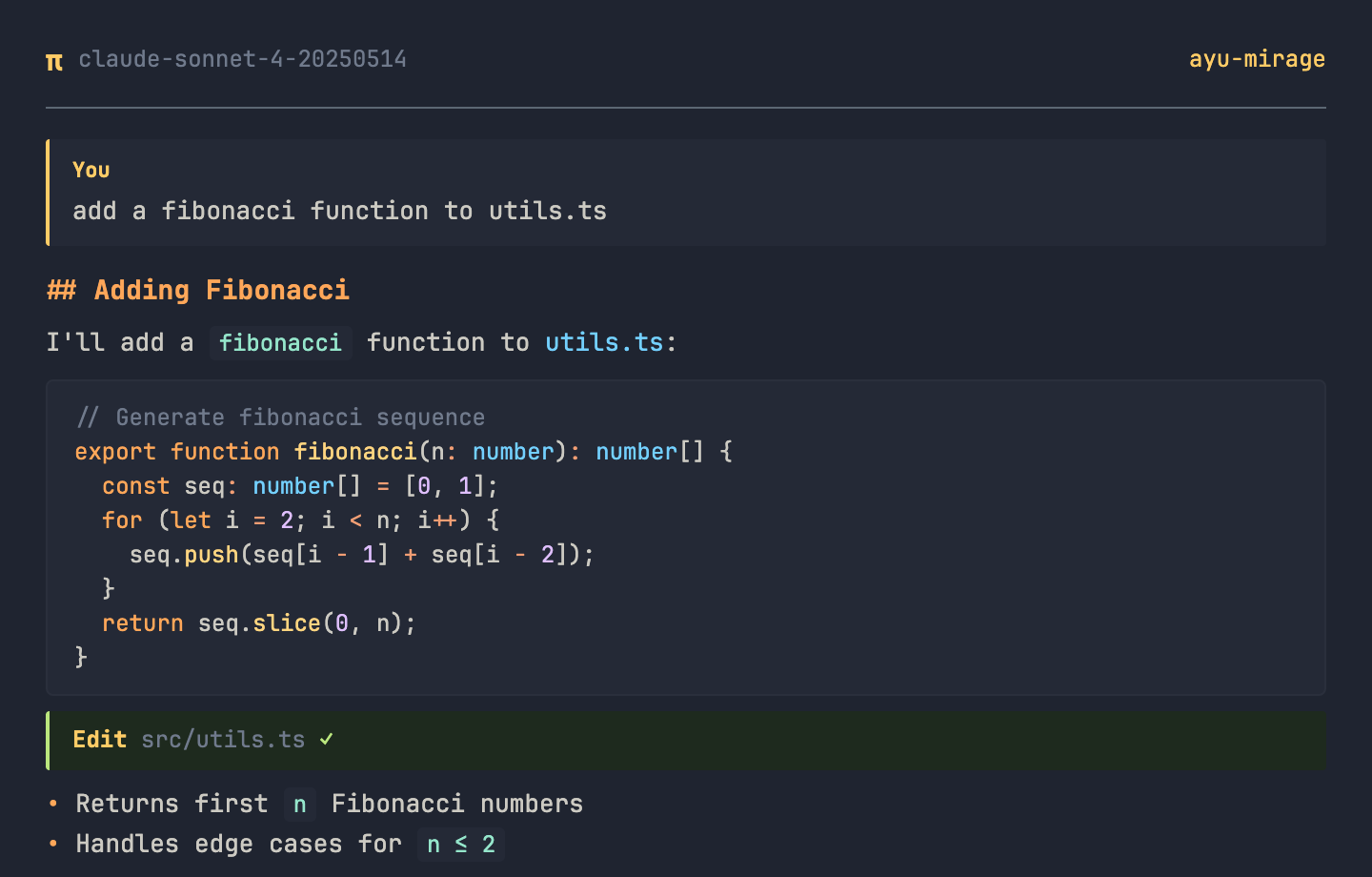
Mirage
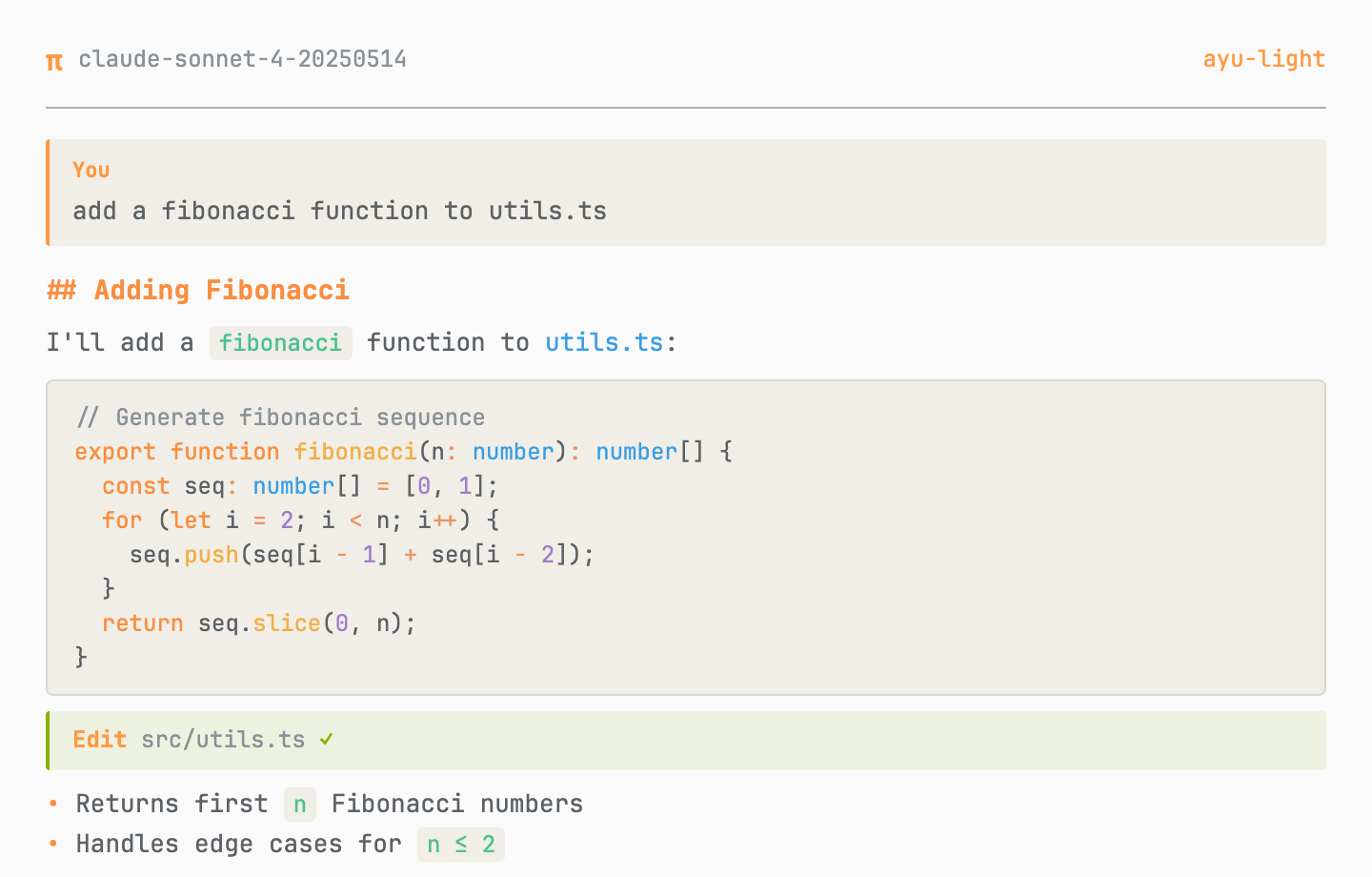
Light
Themes
| Theme | Background | Accent | Description |
|---|---|---|---|
ayu-dark |
#0D1017 |
#E6B450 |
Dark variant — deep blue-black |
ayu-mirage |
#1F2430 |
#FFCC66 |
Mirage variant — soft dark blue |
ayu-light |
#FAFAFA |
#FF9940 |
Light variant — warm white |
Install
As a pi package (recommended)
pi install npm:pi-ayu-themes
Or add to ~/.pi/agent/settings.json:
{
  "packages": ["npm:pi-ayu-themes"]
}
Manual
./install.sh
Then select a theme via /settings in pi.
Auto theme switching
Pair with pi-auto-theme-switcher to automatically switch between light and dark themes based on macOS system appearance.
Color Reference
Colors sourced from ayu-colors:
| Role | Dark | Mirage | Light |
|---|---|---|---|
| Keywords | #FF8F40 |
#FFA759 |
#FA8D3E |
| Functions | #FFB454 |
#FFD580 |
#F2AE49 |
| Strings | #AAD94C |
#BAE67E |
#86B300 |
| Types | #59C2FF |
#73D0FF |
#399EE6 |
| Constants | #D2A6FF |
#DFBFFF |
#A37ACC |
| Operators | #F29668 |
#F29E74 |
#ED9366 |
| Errors | #D95757 |
#F28779 |
#F07171 |
License
MIT