pi-content-compact
Compact assistant Markdown presentation for Pi.
Package details
Install pi-content-compact from npm and Pi will load the resources declared by the package manifest.
$ pi install npm:pi-content-compact- Package
pi-content-compact- Version
0.2.2- Published
- Nov 11, 2026
- Downloads
- 345/mo · 345/wk
- Author
- laoshu133
- License
- MIT
- Types
- extension
- Size
- 17 KB
- Dependencies
- 0 dependencies · 2 peers
Pi manifest JSON
{
  "extensions": [
    "./extensions/pi-content-compact.ts"
  ]
}
Security note
Pi packages can execute code and influence agent behavior. Review the source before installing third-party packages.
README
pi-content-compact
pi-content-compact is a small Pi package that makes assistant Markdown easier to scan while preserving separate code blocks and Pi's native syntax highlighting.
Key features
- Assistant-only display — changes terminal presentation without modifying session files, model context, exports, or original messages.
- Compact single-line values — turns path, command, PID, and log values in complete single-line fences into inline code.
- Fence-free code blocks — hides
```json,```text, and similar wrapper rows while preserving separate blocks and Pi's native syntax highlighting. - Safe private patch — wraps
Markdown.prototype.renderTokenonly for assistant content, restores the original renderer on shutdown/reload, and falls back gracefully when Pi changes its internals. - Small, focused package — uses no runtime dependencies and does not replace tools, Bash, header, footer, or editor rendering.
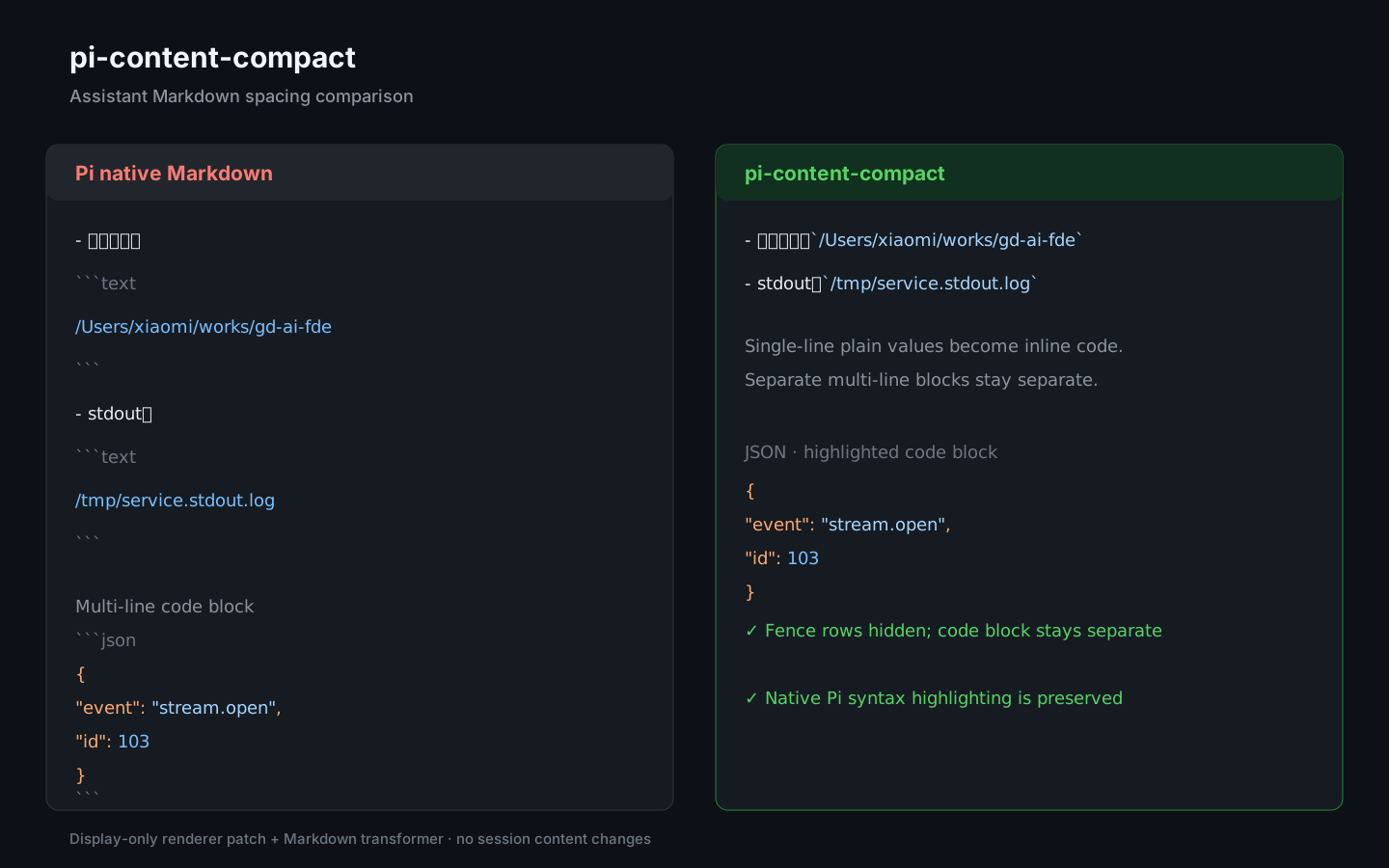
For example, this assistant output:
- 工作目录:

  ```text
  /Users/xiaomi/works/gd-ai-fde
  ```

- stdout:

  ```text
  /tmp/service.stdout.log
  ```
is displayed as:
- 工作目录:`/Users/xiaomi/works/gd-ai-fde`
- stdout:`/tmp/service.stdout.log`
Multi-line and language-labeled blocks remain separate while the comparison image shows how the renderer hides their fence rows.
Install from GitHub
pi install git:github.com/laoshu133/pi-content-compactAfter updating the package while Pi is running, use /reload.
For local development:
pi install .
npm test
npm run check
The package is discovered through package.json, which exposes extensions/pi-content-compact.ts as its Pi extension entry point.