pi-studio
Two-pane browser workspace for pi with prompt/response editing, annotations, critiques, active quiz, prompt/response history, live previews, and tmux-backed REPL/literate REPL workflows
Package details
Install pi-studio from npm and Pi will load the resources declared by the package manifest.
$ pi install npm:pi-studio- Package
pi-studio- Version
0.9.61- Published
- Sep 29, 2026
- Downloads
- 2,712/mo · 365/wk
- Author
- omacl
- License
- MIT
- Types
- extension, theme
- Size
- 10.7 MB
- Dependencies
- 1 dependency · 3 peers
Pi manifest JSON
{
  "themes": [
    "./themes"
  ],
  "extensions": [
    "./index.ts"
  ]
}
Security note
Pi packages can execute code and influence agent behavior. Review the source before installing third-party packages.
README
pi-studio
Extension for pi that opens a local two-pane browser workspace for working with prompts, responses, live working details, Markdown and LaTeX documents, interactive HTML previews, code files, REPL sessions, and other common text-based files side by side. Annotate responses and files, add local comments, write, edit, run prompts, send code to a REPL, browse prompt and response history, request critiques, and use live preview for code, Markdown, LaTeX, and interactive HTML.
See ROADMAP.md for the current release plan.
Quick demo
Watch the 2-minute demo (MP4, 2x speed, no audio)
The video shows an earlier version of the Studio interface. The basic workflow is the same, but there have been minor UI changes since it was recorded; the screenshots show the more recent version.
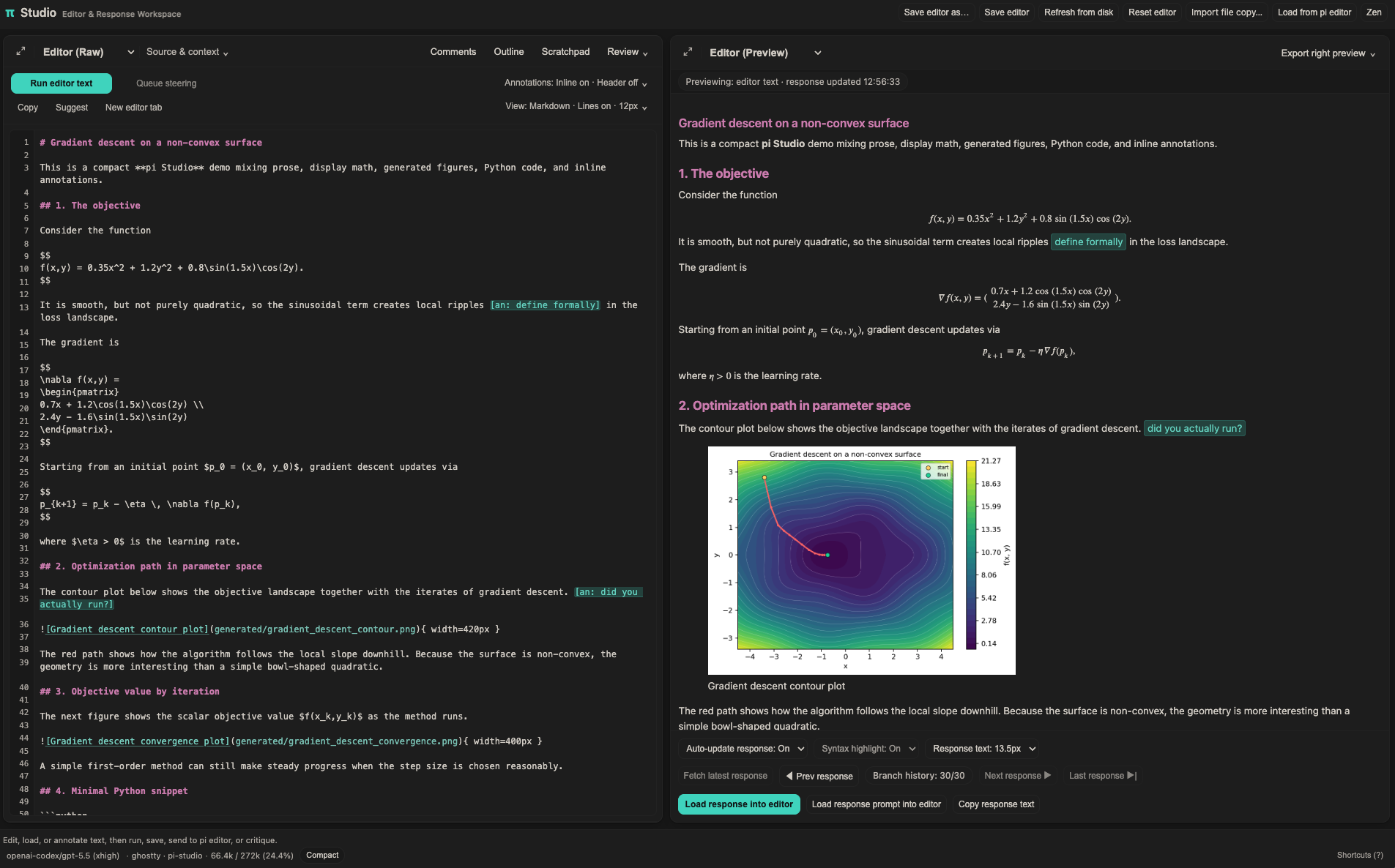
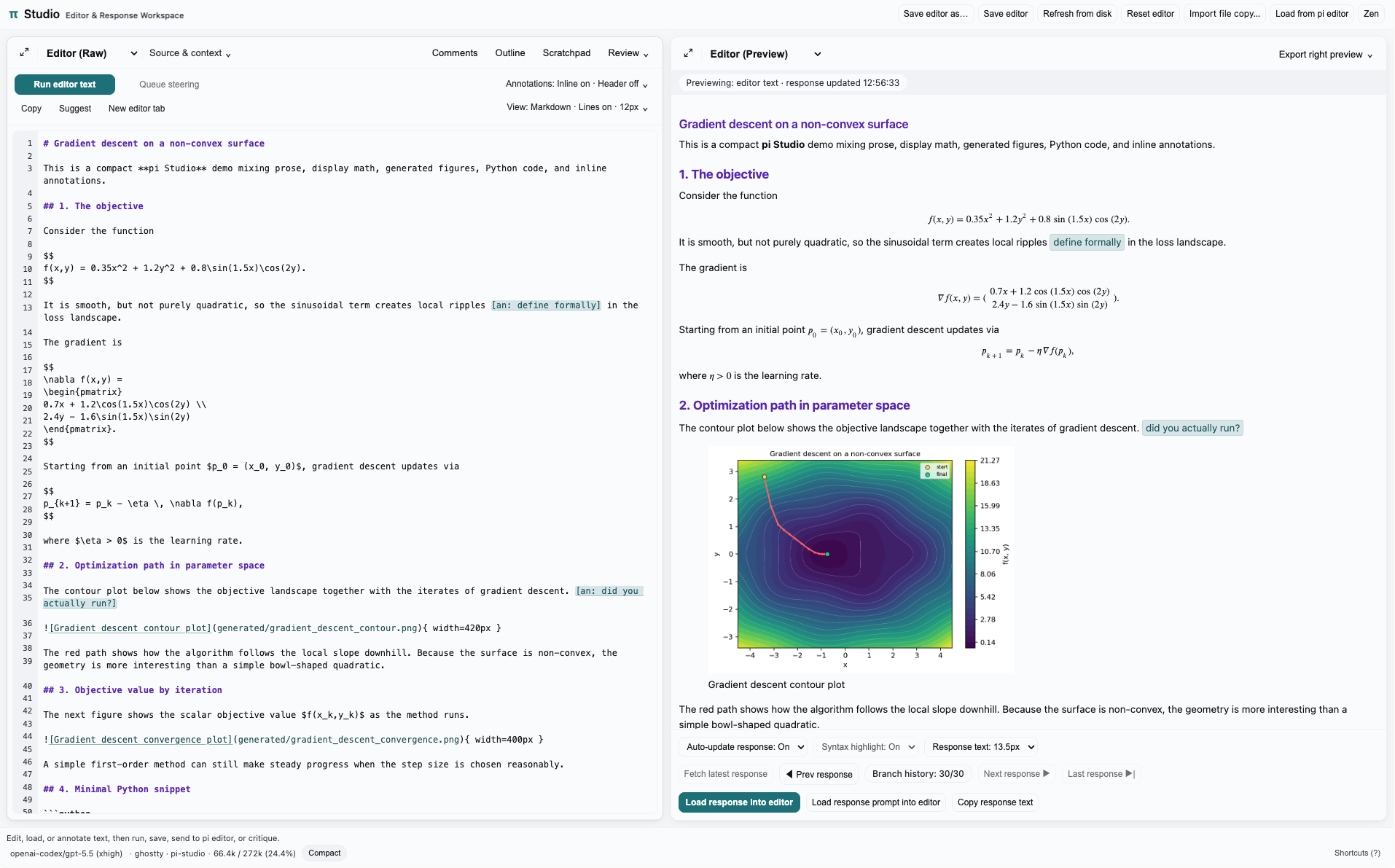
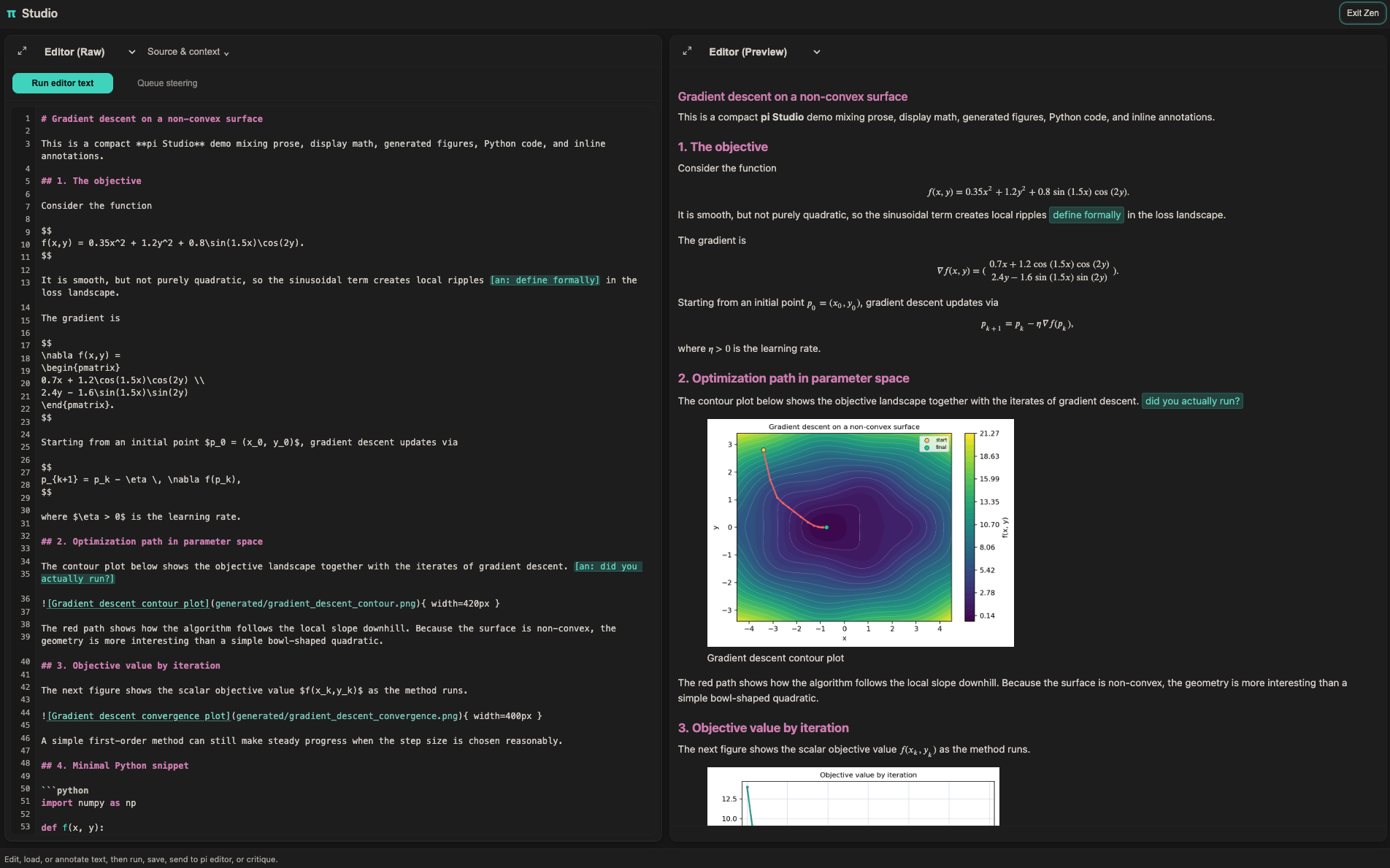
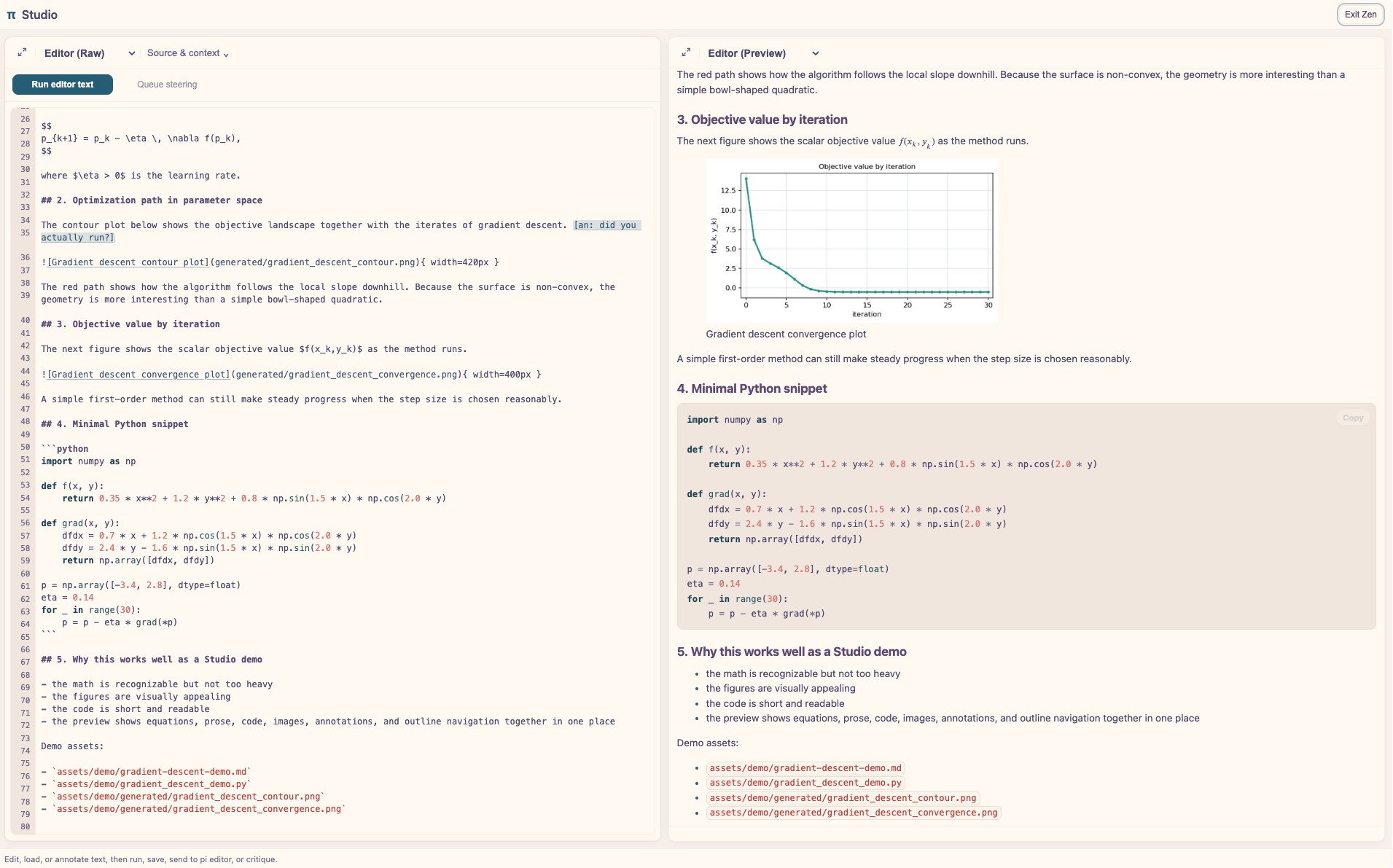
Screenshots
Dark workspace
Light workspace
Zen mode
Zen mode with a custom theme and rendered code preview
What it does
- Opens a two-pane browser workspace: Editor + Response/Working/Editor Preview/Quarto Preview/Side questions, side by side by default
- Lets you choose a persisted pane layout from View → Workspace: side by side, Editor above, or Response above; the same divider resizes width or height and either pane can still be focused independently
- Supports one canonical full Studio view per Pi session, plus additional editor-only companion views when you want extra editing/preview surfaces; editor-only views can also browse files and use the Studio REPL send controls without taking over the full Studio session view
- Includes a global Zen mode that hides the Studio header and secondary chrome without changing the current pane layout; the header can also be hidden independently and restored from the top-right edge
- Runs editor text directly, asks for structured critique (auto/writing/code focus), offers explicit Show me actions for a one-turn compact visual or structural explanation of the editor selection/document, displayed response, or current conversation topic, provides a manual Suggest completion action for short cursor-aware continuations (
Option/Alt+Tabwhere available orCmd/Ctrl+Shift+Spacefrom the editor,Tabto insert a visible suggestion) with an optional editor-plus-latest-response context mode, or opens Quiz me for a Studio-native active-recall loop over the current editor text, selection, current file, folder, or repo, with optional focus guidance for shaping question selection - Treats text copied from or staged in Pi's terminal input editor as a linked draft: ordinary Studio edits retain the link, and an accepted Run editor text clears the terminal draft only when it has not changed in the meantime; a confirmed Clear Pi editor text… action remains available explicitly
- Adds a right-pane Side questions thread for contextual questions that stay outside the main Pi conversation unless explicitly promoted. It can start with the editor selection, the Markdown/LaTeX heading block at the cursor, nearby unstructured text, the whole editor, the displayed response, or no starting text; independently, it can use read-only tools to map, search, and read the document folder, repository, or another chosen folder—including extracted PDF, DOCX, ODT, and EPUB text—and can optionally search the web through Brave Search.
- Includes a live Working view for following current model/tool activity, with
All/Thinking/Toolsfilters, image previews for image-producing tool outputs, plus Load visible into editor and Copy visible actions; optional browser-stored Follow activity (Cmd/Ctrl+Option/Alt+A; off by default under View → Workspace) switches to Working when the main Pi agent starts generating and to Response Preview when it completes, unless you manually choose another view during that request. When cycling response history, Working follows saved working details for the selected response when available, andCmd/Ctrl+Option/Alt+1–8switches directly between right-pane views whileCmd/Ctrl+Option/Alt+P/Cmd/Ctrl+Option/Alt+E/Cmd/Ctrl+Option/Alt+W/Cmd/Ctrl+Option/Alt+F/Cmd/Ctrl+Option/Alt+R/Cmd/Ctrl+Option/Alt+Qkeep quick mnemonic shortcuts for Response Preview, Editor Preview, Working, Files, REPL, and Side questions - Includes a right-pane Changes view for browsing the current git diff by file, previewing per-file diffs, opening changed files, loading the full diff into the editor, and copying the diff
- Includes a right-pane Files view rooted in folders allowed for the current Studio session, with an Allow folder… action and location selector; exact-file grants can still be opened independently without exposing their parent folders. Files supports sorting by name/modified time/size, opening folders or the current root in Finder/the system file manager, loading text/code/CSV/TSV documents into the editor, opening a read-only Preview (follow) tab whose disk content is authoritative, previewing PDFs/images, opening previews in new Studio tabs, converting DOCX/ODT documents to editable Markdown when Pandoc is available after confirmation, copying paths, setting the current folder as the Studio working directory, and revealing files in the file manager
- Imports detached text-file copies either through the browser's file picker or from a path on the computer running Pi, keeping the path option available in embedded and remote browser views; imported copies remain detached until saved or opened as file-backed documents
- Includes an optional tmux-backed REPL view for Shell, Python, IPython, Julia, R, GHCi, and Clojure sessions, with a scoped Quick send composer (
Cmd/Ctrl+Enter), Raw/Literate editor send modes,Cmd/Ctrl+Shift+EnterSend to REPL, session start/stop/interrupt controls, a privacy-conscious Off/Summary/Full pane-echo selector, a compact refresh-persistent Shared REPL Record of compatible-client submissions, a secondary raw tmux mirror, agent-facingstudio_repl_status/studio_repl_sendtools, and Markdown/PDF/HTML export - Includes a local persistent scratchpad for quick notes you want to keep out of the main editor until you're ready to copy or insert them, with a Recent… picker for recovering scratchpads saved under earlier file/draft identities
- Includes a docked Outline rail for navigating document structure in the current editor text, with clickable entries that jump in the raw editor and reveal matching preview locations when available
- Restores each browser tab’s editor workspace after refresh or cmux hidden-surface reconstruction, and provides an explicit Reset editor action when you want to discard the restored draft and return the tab to a fresh blank draft without changing responses or saved files
- Tracks an SHA-256 disk revision for file-backed editors:
Cmd/Ctrl+Schecks that revision before staging and again immediately before atomic replacement, external changes produce an explicit Reload / Save As… / Overwrite / Cancel decision, and even Overwrite / Save As Replace must still match the revision Studio reported when confirmation opened.Cmd/Ctrl+Shift+Sperforms no-clobber Save As unless you explicitly confirm the current target. Studio preserves ordinary mode and ownership metadata where the platform permits and refuses to split hard-linked files; file-system-specific ACLs and extended attributes may not survive atomic replacement. As with other file system editors, unrelated writers do not participate in a shared atomic compare-and-swap, so version control remains appropriate for highly concurrent files. - Opens text/code documents as read-only followed previews through Preview file (follow changes), Files' Preview (follow) action, or
/studio --watch <file>; updates are debounced and content-hashed, atomic-save replacements are followed, reading position is restored by a stable content anchor with ratio fallback, and temporary read/render failures retain the last good preview - Turns local preview links, including links inside sandboxed HTML previews, into Studio actions: PDFs open in the embedded viewer, images open in a zoomable focus viewer, PDF/image links can open in a new Studio preview tab, text/code/CSV/TSV document links can open in a new editor tab, DOCX/ODT links can be converted to editable Markdown, and right-click menus provide Open here, Reveal in file manager, and Copy path for local resources
- Includes local comments anchored to selections/lines, shown in a docked Comments rail, with transient Comment / Jump actions from raw-editor selections plus editor-preview selections for Markdown, LaTeX, code/text/diff previews, and an opt-in comment mode for editor HTML previews; source-anchored comments can be toggled into inline
[an: ...]annotations when you want comments reflected in the document text - Browses response history (
Prev/Next/Last) and loads either:- response text, with Annotate response (
Cmd/Ctrl+Option/Alt+Enterfrom either main pane) also opening Editor (Preview); add Shift (Cmd/Ctrl+Option/Alt+Shift+Enter) for Load response into editor without switching views (choose another view first if file-backed Quarto Preview is active) - critique notes/full critique
- the prompt that generated a selected response
- response text, with Annotate response (
- Keeps the prompt → accepted Run → Annotate response loop confirmation-free when the submitted editor text is unchanged. Annotate response and Load response into editor ask before replacing unsubmitted edits or unsaved file changes; Cancel preserves the editor and its view so you can save or copy first. A failed submission or late acknowledgement cannot mark later typing as submitted, and sending file text does not save it. This bounded accepted-prompt baseline stays in page memory, is not restored after a page reload, and is separate from Pi-terminal draft cleanup.
- Supports an annotation workflow for
[an: ...]markers:- inserts/removes the annotated-reply header
- shows/hides annotation markers in preview
- strips markers before send (optional)
- saves
.annotated.md
- Renders Markdown/LaTeX/code previews (math + Mermaid) plus lightweight CSV/TSV table previews, theme-synced with pi, with an explicit H1–H6 hierarchy, zoomable images across Studio-owned Markdown surfaces, and copy buttons for code blocks and blockquotes; already allowed local media loads silently, while blocked images and embedded PDFs remain unloaded behind an explicit per-file or containing-folder allow action; Mermaid previews include Lucide/Logos icon nodes and accessible label contrast over custom fills
- Adds a contextual Editor (Quarto Preview) right-pane view for file-backed
.qmd,.md, and.markdowndocuments. Studio checks Quarto and the document/project configuration before showing an explicit start action, launches a single loopbackquarto previewprocess with--no-execute, embeds Quarto's authoritative saved-file output without restyling it, and provides open-in-browser, restart, stop, logs, and unsaved-editor warnings. If Quarto is missing, the view remains available with an actionable dependency message. - Renders straight, unfenced interactive HTML in preview via a sandboxed browser iframe with zoom controls, while fenced
htmlblocks remain source code - Embeds local PDFs in Studio Markdown previews via explicit
studio-pdffenced blocks and opens existing PDFs directly with/studio <path.pdf>, with visible enlarge, browser-tab, system-viewer, show-in-folder, copy-path, manual refresh, and opt-in stable-file auto-refresh actions; true browser fullscreen is offered only when the browser supports it - Ships optional
pi-studio-darkandpi-studio-lightthemes tuned for Studio's browser workspace - Exports right-pane preview as PDF (pandoc + LaTeX) or standalone HTML into the source file directory, Studio working directory, or Pi session directory; PDF export can open in a Studio preview tab or the default PDF viewer, and HTML export can open in the default browser or in a new Studio editor tab for inspection/commenting, while preserving authored HTML previews as HTML and rendering CSV/TSV editor previews as tables
- Exports local files headlessly via
/studio-pdf <path>to<name>.studio.pdfor/studio-html <path>to<name>.studio.html; without a path, those commands export the last model response to a timestamped file. Agent toolsstudio_export_pdfandstudio_export_htmlexpose the same export pipeline for remote/Telegram-style sessions. - Shows model/session/context usage in the footer, plus compact-context and active-theme controls
Pi input-draft handoff
Tools such as pi-nvim-context deliberately accumulate visible context in Pi's terminal input draft without submitting it. Load from pi editor (Cmd/Ctrl+Shift+L) copies that draft into Studio without clearing it and records only a transient SHA-256 fingerprint and byte length for the handoff—no additional snapshot copy beyond the text already in Studio. You can then edit the text freely in Studio.
When Pi accepts Run editor text, Studio clears the linked terminal draft only if its current fingerprint and byte length still match those captured at load time. Terminal typing, additional Neovim context, or another client changing the draft causes Studio to preserve it silently. A failed or rejected run also leaves it intact. Send current text to Pi editor establishes the same safe link, while Clear Pi editor text… provides a separate confirmed, unconditional cleanup action. Studio never clears terminal history or its own editor through this handoff.
Commands
| Command | Description |
|---|---|
/studio |
Open in Muxy or cmux when available, otherwise the system browser, with the last assistant response (fallback: blank) |
/studio <path> |
Open a text file in the editor, or a PDF in a read-only companion preview tab |
/studio --watch <file> |
Open a local text/code file in a read-only preview that follows disk changes, or a PDF with stable-file auto-refresh enabled |
/studio --last |
Force last response |
/studio --blank |
Force blank editor |
/studio --no-browser |
Start/print the Studio URL without opening a browser, useful for forwarded or phone/browser sessions |
/studio --port <port> |
Bind Studio to a fixed port instead of a random free port; the default host remains localhost |
/studio --listen-all |
Explicitly bind Studio to all IPv4 interfaces (0.0.0.0) for a container or trusted private-network workflow |
/studio --status |
Show studio server status, including its listening address |
/studio --stop |
Stop studio server |
/studio --help |
Show help |
/studio-replace [path|--blank|--last] |
Replace the current full Studio view with a new full Studio view |
/studio-editor-only [path|--blank|--last] |
Open an editor-only view, or a read-only PDF preview; add --watch <file> for a followed text/PDF companion view |
/studio-current <path> |
Load a file into currently open Studio tab(s) without opening a new browser window |
/studio-pdf [path] [options] |
Export a local file, or the last model response when no path is given, via the Studio PDF pipeline |
/studio-html [path] |
Export a local file, or the last model response when no path is given, to standalone HTML via the Studio preview pipeline |
Agent tools
| Tool | Description |
|---|---|
studio_export_pdf |
Export direct Markdown/LaTeX, a local file, or the last model response to PDF. Defaults to writing a file without opening a viewer. |
studio_export_html |
Export direct Markdown/LaTeX, a local file, or the last model response to standalone HTML. Defaults to writing a file without opening a viewer. |
studio_repl_status |
Inspect tmux-backed REPL sessions, including shared clean-record identity, compatible-client entries, and raw-mirror details. |
studio_repl_send |
Send code to a visible REPL under the cross-client send lease, optionally choose its raw-pane echoMode, and add its captured output to the shared clean record. |
Install
# npm
pi install npm:pi-studio

# GitHub
pi install https://github.com/omaclaren/pi-studio
Run once without installing:
pi -e https://github.com/omaclaren/pi-studioContainer and network access
Studio binds to 127.0.0.1 by default. For a container or sandbox whose port must be published to the host, opt in explicitly and choose a stable port:
/studio --no-browser --listen-all --port 4321This listens on 0.0.0.0:4321 while still printing a tokenized http://127.0.0.1:4321/... browser URL. With a same-port mapping such as sbx run --publish 4321:4321, open that URL unchanged on the host. --listen-all is a server-lifetime setting: if Studio is already running on localhost, use /studio --stop before restarting it with the flag.
Treat wildcard binding as a security-sensitive mode. The URL token remains required, but anyone who obtains the full URL can control Studio for that Pi process: they can submit prompts, read or write files through Studio, and expand local-resource access. Studio does not add TLS. Treat the URL like a password, never expose the port directly to the public internet, and bind the host side of a container mapping to loopback when possible—for example, -p 127.0.0.1:4321:4321. For access across an untrusted network, keep Studio on its localhost default and use SSH local port forwarding instead.
Shared REPL record
Studio remains a standalone REPL client: it can create and use its own tmux sessions without pi-repl. When a compatible pi-repl installation uses the same tmux session, both clients automatically discover one session-owned clean record and see each other's code and captured output. No package imports or depends on the other.
Compatible clients publish a versioned opaque record ID in tmux and keep the bounded JSON record in a private per-user temporary directory. The record is tied to the exact tmux session ID and creation time, uses atomic locked updates, and serializes compatible sends from pre-capture through output capture so concurrent Studio and pi-repl submissions do not claim each other's output. Existing sessions attach lazily; Studio's legacy browser-local entries are imported once with stable IDs.
The clean record covers only submissions and notes whose boundaries a compatible client knows. Text typed directly into an attached tmux pane remains in the secondary raw pane/history mirror and is not presented as reliably parsed code/output. Export record produces a canonical Markdown representation with origin, mode, status, runtime, timestamp, and this limitation; PDF and HTML exports are derived from that Markdown.
Quick send is a small command composer beneath the Shared REPL Record and above the secondary raw mirror, not a second persistent editor or terminal emulator. Its compact target shows the selected session name and doubles as a link back to the session controls; the hover and accessibility label retain the runtime and exact tmux pane details. Plain Enter adds a line, and Cmd/Ctrl+Enter submits the exact text through the same cross-client lease, control-file, and Shared REPL Record path as editor sends. Unsaved drafts stay in browser memory per exact tmux lifetime/runtime, survive session switching, and clear only after Studio acknowledges the submission; rejected text remains available to edit or retry.
Submission display and alignment anchors
Optional pane echo places submitted code after a compact begin anchor, followed by a plain ── output ── divider and a completion anchor. The anchors contain a stable 12-character hash derived from the Shared REPL Record entry ID, so compatible clients can align known sends in future derived transcripts without exposing the entry ID itself. Studio strips the exact header, source preview, divider, and footer from captured tool output and the clean record; they remain visible only in the raw pane/history.
The REPL footer selector offers:
- Off (default): no optional submission display or anchors; the runtime's unavoidable temporary-file control command can still be echoed by the REPL.
- Summary: short submissions in full, truncating after 6 lines or 600 source characters, with compact begin/end anchors and a plain output divider.
- Full: up to 40 lines or 4,000 source characters with the same anchors and divider. Full mode writes source code into persistent raw terminal history, so use it only when that is acceptable.
The browser choice is stored locally for that Studio origin. studio_repl_send accepts the same per-call echoMode; PI_STUDIO_REPL_ECHO_MODE=off|summary|full changes the tool-send startup default from Off. Display text escapes terminal, line-separator, and bidirectional control characters. The anchors improve raw-history alignment but do not make direct pane activity without instrumentation authoritative or alter protocol-v1 entries.
Runtime wrappers use compact request-unique paths such as /tmp/pi-rc-<user-key>/<token>.py rather than a long Studio/session directory tree. The per-user root is current-user-owned mode 0700, source files are mode 0600, and files are removed after capture or by the timeout/abort watcher once execution settles. This keeps the unavoidable echoed loader command short without reverting to a collision-prone shared filename.
See shared/REPL_SESSION_RECORD_PROTOCOL.md for protocol, safety, retention, and compatibility details.
Side questions and research context
Open Review → Side question, select Side questions in the right pane, or press Cmd/Ctrl+Option/Alt+Q. A new side thread captures its starting text while keeping related-file access separate:
- Starting text controls what unsaved text begins the thread. The compact Automatic: selection → heading block at cursor → nearby text disclosure explains the fallback order; when expanded, it defines the heading boundary. The summary below reports the resolved starting text, editor line range when applicable, and character count separately from the related-file scope.
- Explicit Editor selection only no longer falls back to the whole document when no text is selected; the summary instead reports that no editor text is selected.
- In the initial-question and follow-up boxes, Cmd/Ctrl+Enter submits while plain Enter adds a new line. The button remains available for pointer and ordinary keyboard activation.
- Also use files from controls the read-only boundary available to the side agent: no other files, the document folder, the current repository, or another chosen folder. Related-file access requires an allowed folder for the current Studio session; if the selected root is not already allowed, Studio names the canonical folder and asks before starting the thread. An exact-file grant never exposes its parent folder.
- With Repository selected, Include Git context can capture status, staged and unstaged tracked-file changes, and up to 20 recent commit summaries. The bounded snapshot is frozen when the thread starts and exposed through fixed read-only tools; untracked contents remain available only through the existing root-confined file reader.
- Include the current main conversation snapshot is opt-in. Side questions and answers otherwise never enter the main Pi history; Bring to main conversation is the explicit handoff.
- Thinking defaults to Low for quick asides. X-high and Max appear when the active model advertises support, for complex side questions where the extra latency is worthwhile.
- Local context tools can map filenames, search readable text, and read selected ranges. Studio revalidates the allowed context root before prompts and built-in local tool calls; symlinks, root replacement, and traversal outside that root are rejected. PDF extraction uses
pdftotext; DOCX, ODT, and EPUB extraction uses Pandoc. - Allow web search is opt-in and appears when
BRAVE_API_KEYis available to the Pi process. Model-chosen search queries are sent to Brave Search; the side agent is instructed not to copy private local passages into queries. Web answers cite result URLs and identify when they rely on search-result snippets rather than full page content. - Additional Pi tools lists eligible tools already registered by the user's installed Pi extensions. Selection is explicit, remembered locally, and frozen when the thread starts. Studio reloads only the extensions owning the selected tools into the isolated side runtime and activates only those tool names; it does not import or depend on any particular third-party extension. Gateway tools are labelled and require an additional confirmation because selecting one may expose further services configured behind it.
The current side thread is ephemeral but survives Studio browser refreshes while the same Pi Studio server remains running. Export thread can save the visible discussion and context summary as Markdown, copy that Markdown, open it as an unsaved editor copy, or render it to PDF or HTML. Markdown is the canonical durable format; exports omit hidden starting-text contents, inherited main-conversation contents, and raw tool output. Studio never supplies the side agent with shell or file-writing tools, and known execution/mutation surfaces are excluded from the picker. Selected third-party tools retain their own behavior, permissions, and downstream scope, so choose tools you trust for read-only research.
Studio Markdown extras
Studio previews standard Markdown, code fences, display math, Mermaid, and local images. The opened document directory and other explicitly allowed folders are available for local preview resources during the current Studio session. Media already inside those locations loads without interruption. An image or embedded PDF outside them stays unloaded and shows Allow local image/PDF…; activating that control offers an exact-file grant, a containing-folder grant for the session, or cancellation. Passive rendering itself never opens the permission decision.
When adding companion files such as generated plots or PDFs, prefer the project's existing folder convention. If there is no convention, attachments/ is a reasonable default for newly generated assets. Use relative paths from the opened Markdown file or a folder allowed for the current Studio session, and wrap paths in angle brackets when spaces are possible:
Local PDFs can be embedded with an explicit Studio-only fenced block:
```studio-pdf
path: attachments/paper.pdf
title: Optional title
page: 3
height: 760
watch: true
caption: Optional caption
```
path must point to a local .pdf. Relative paths resolve from the opened document's directory, or from Studio's working directory for non-file-backed content; the resolved file must be inside a location allowed for the current Studio session before it loads. page is an initial page hint for the browser PDF viewer, height controls the embedded frame height in pixels, and watch: true enables auto-refresh after Studio observes the changed file in a stable state. Use normal Markdown links for PDFs when embedding is not useful.
To view an existing PDF directly, run /studio report.pdf (or /studio "path with spaces/report.pdf"). The PDF opens read-only in a focused companion preview, even when the full Studio workspace is already open. A #page=N suffix selects the initial page. Auto-refresh is off by default; use /studio --watch report.pdf to start with it on, or toggle Auto-refresh in the PDF card or focused viewer. Studio checks only while the tab is visible and waits for two matching file-version observations before reloading, which avoids reading a PDF while LaTeX is still writing it. Cmd/Ctrl+Option/Alt+Shift+R manually refreshes the focused or visible PDF. This is distinct from /studio-pdf, which exports Markdown, LaTeX, code, or the last response to a new PDF.
For a disk-authoritative text or code preview, run /studio --watch notes.md or choose Preview file (follow changes) from a local-link menu / Preview (follow) in Files. This opens a transient read-only companion tab with the preview pane focused; leaving pane focus reveals the same disk-following text as Source with a visible Read-only · follows disk badge rather than as an editable buffer. Studio polls the canonical file, debounces change bursts, compares SHA-256 content revisions, accepts ordinary and atomic-replacement saves, and never writes back. Each watcher socket is bound to the exact path in a bounded, expiring server-created tab capability; if that identity expires before a reload or reconnect, the tab stays read-only and asks you to open a fresh watched preview. A missing, unreadable, oversized, binary, or path-replaced source leaves the last good preview visible and automatically recovers when the same canonical file becomes readable again. Render failures likewise retain the last successfully staged document rather than replacing it with partial output. On successful updates, Studio restores a nearby stable content anchor where possible and falls back to the previous scroll ratio.
Mermaid icons
Studio's live previews and standalone HTML exports support Mermaid's lucide:* and logos:* icon nodes. The corresponding Iconify packs load lazily, so Studio does not fetch either pack unless a diagram uses it. Mermaid and the browser icon-pack URLs are pinned to tested versions.
```mermaid
flowchart LR
  source@{ icon: "lucide:file-code-2", form: "rounded", label: "Source", pos: "b", h: 56 }
  github@{ icon: "logos:github-icon", form: "rounded", label: "GitHub", pos: "b", h: 56 }
  source -->|publish| github
```
Studio also corrects low-contrast Mermaid icon paints and node labels after browser rendering while preserving authored colours that already meet a 4.5:1 contrast ratio. For PDF output, Studio adds or corrects label colours on classDef and style declarations with solid hex/RGB fills and supplies targeted icon CSS to Mermaid CLI; this also covers Logos icons whose SVG paths use literal fills.
PDF icon nodes require Mermaid CLI 11.12+ so Studio can use pinned icon-pack URLs. Install a current CLI, or set MERMAID_CLI_PATH to one:
npm install -g @mermaid-js/mermaid-cli@11.16.0
mmdc --version
Studio only passes icon-pack arguments when a diagram actually references lucide: or logos:, so ordinary Mermaid PDF diagrams remain compatible with older CLI versions.
Acknowledgements
Thanks to Hal Gumbert / CampSoftware for publishing Pi Studio Activity. Its Working-to-Preview following and vertical-layout experiments inspired Studio's built-in Follow activity option and stacked pane layouts; the built-in implementation uses Studio's own lifecycle events and layout system.
Notes
- The Studio server is localhost-only (
127.0.0.1) by default and every Studio URL carries a server-lifetime token. The explicit--listen-alloption changes the listening address to0.0.0.0without changing the advertised loopback URL or removing token authentication;/studio --statusreports the active binding. - When Pi runs inside Muxy or cmux, Studio opens in that terminal app’s built-in browser. Muxy is detected from its pane/socket environment without installing global hooks; cmux targets and focuses the caller’s workspace. If the detected terminal browser is unavailable, disabled, or declines the request, Studio falls back once to the system browser.
- For remote SSH sessions, keep Studio bound to localhost and use SSH local port forwarding;
/studioand/studio --statusprint the full tokenized localhost URL. The SSH hint repeats the full URL so it is visible even if your terminal only shows the latest notification. Open that URL through the tunnel, preserving the?token=...parameter. If SSH is not auto-detected, use/studio --no-browser; for stable forwarding, use/studio --port <port>or combine them, e.g./studio --no-browser --port 3417. - Full Studio is a singleton per Pi session: use
/studioto open it,/studio-replaceto explicitly replace it, and/studio-editor-onlyfor extra editing/preview tabs that do not take over the full Studio session view. - Studio is designed as a complement to terminal pi, not a replacement.
- Installing pi-studio makes the optional
pi-studio-darkandpi-studio-lightthemes available in pi's theme selector; it does not change your active theme. - Editor/code font uses a best-effort terminal-monospace match when the current terminal config exposes it; set
PI_STUDIO_FONT_MONOto force a specific CSSfont-familystack. UsePI_STUDIO_FONT_UIorPI_STUDIO_FONT_PROSEto override the Studio UI or rendered-preview font stacks. - The optional REPL view requires
tmux. Studio can start and stop Studio-ownedpi-studio-repl-*sessions and can mirror detectedpi-repl-*sessions, but it will not stop externalpi-repl-*sessions. Compatible clients synchronize their clean record automatically; direct pane interaction remains available only in the raw mirror. A send timeout or tool abort does not stop submitted runtime code, so Studio keeps that session's cross-client lease until the runtime completion signal appears or the exact tmux session ends. The visible request-specific completion anchor is separate presentation metadata and stays in raw history when pane echo is enabled. - Side-question web search requires
BRAVE_API_KEY; without it, local and conversation context still work, and the web option is shown as unavailable. Side sub-sessions are deliberately read-only and can run independently while the main Pi agent is busy. - Full preview/PDF quality depends on
pandoc(andxelatexfor PDF):brew install pandoc- install TeX Live/MacTeX for PDF export
- LaTeX browser previews and Export right preview are semantic Pandoc conversions rather than authoritative compilation of the original source layout. If a local legacy
.stypackage overrides LaTeX document startup in a way that prevents Pandoc from reading the document, Studio omits that package from the conversion only, preserves local includes, and shows a warning; compile the original source directly with LaTeX for exact package-specific layout. - Editor (Quarto Preview) is optional and requires the
quartoCLI on Studio'sPATH. It supports saved.qmd,.md, and.markdownfiles, whether standalone or part of a Quarto project. Selecting the view only inspects the saved document; starting the preview is explicit. Studio passes--no-execute, which prevents computational cells from running, but trusted Quarto project extensions, filters, configuration, and render hooks are still processed, and Quarto may create or update its normal rendered output files. The preview reflects disk, not unsaved editor text. - Quarto serves its embedded page on a second random loopback port. When Studio itself is reached through SSH port forwarding, that Quarto port (shown in Show log) must also be forwarded, or the preview should be opened from a Studio process running on the browser's machine.
- Export subprocess timeouts default to bounded values and can be tuned with
PI_STUDIO_PANDOC_TIMEOUT_MS,PI_STUDIO_LATEX_TIMEOUT_MS,PI_STUDIO_MERMAID_TIMEOUT_MS, andPI_STUDIO_HTML_RENDER_OUTPUT_MAX_BYTESfor unusually large embedded-asset HTML exports. - Mermaid diagrams in exported PDFs require Mermaid CLI (
mmdc/@mermaid-js/mermaid-cli) when you want diagram blocks rendered as diagrams rather than left as code; PDF icon nodes require Mermaid CLI 11.12+.
License
MIT