@0xkahi/pi-vim-keys
Vim style input editor for Pi
Package details
Install @0xkahi/pi-vim-keys from npm and Pi will load the resources declared by the package manifest.
$ pi install npm:@0xkahi/pi-vim-keys- Package
@0xkahi/pi-vim-keys- Version
1.1.0- Published
- Sep 15, 2026
- Downloads
- 479/mo · 190/wk
- Author
- 0xkahi
- License
- MIT
- Types
- extension
- Size
- 1.6 MB
- Dependencies
- 1 dependency · 3 peers
Pi manifest JSON
{
  "extensions": [
    "./src/index.ts"
  ]
}
Security note
Pi packages can execute code and influence agent behavior. Review the source before installing third-party packages.
README
@0xkahi/pi-vim-keys
A Vim modal input editor for Pi. Replaces Pi's default input editor with full normal, insert, visual, and visual-line modes, plus configurable leader keybindings and per-mode cursor shapes.
Supports: Insert, Normal, Visual and Visual-line modes
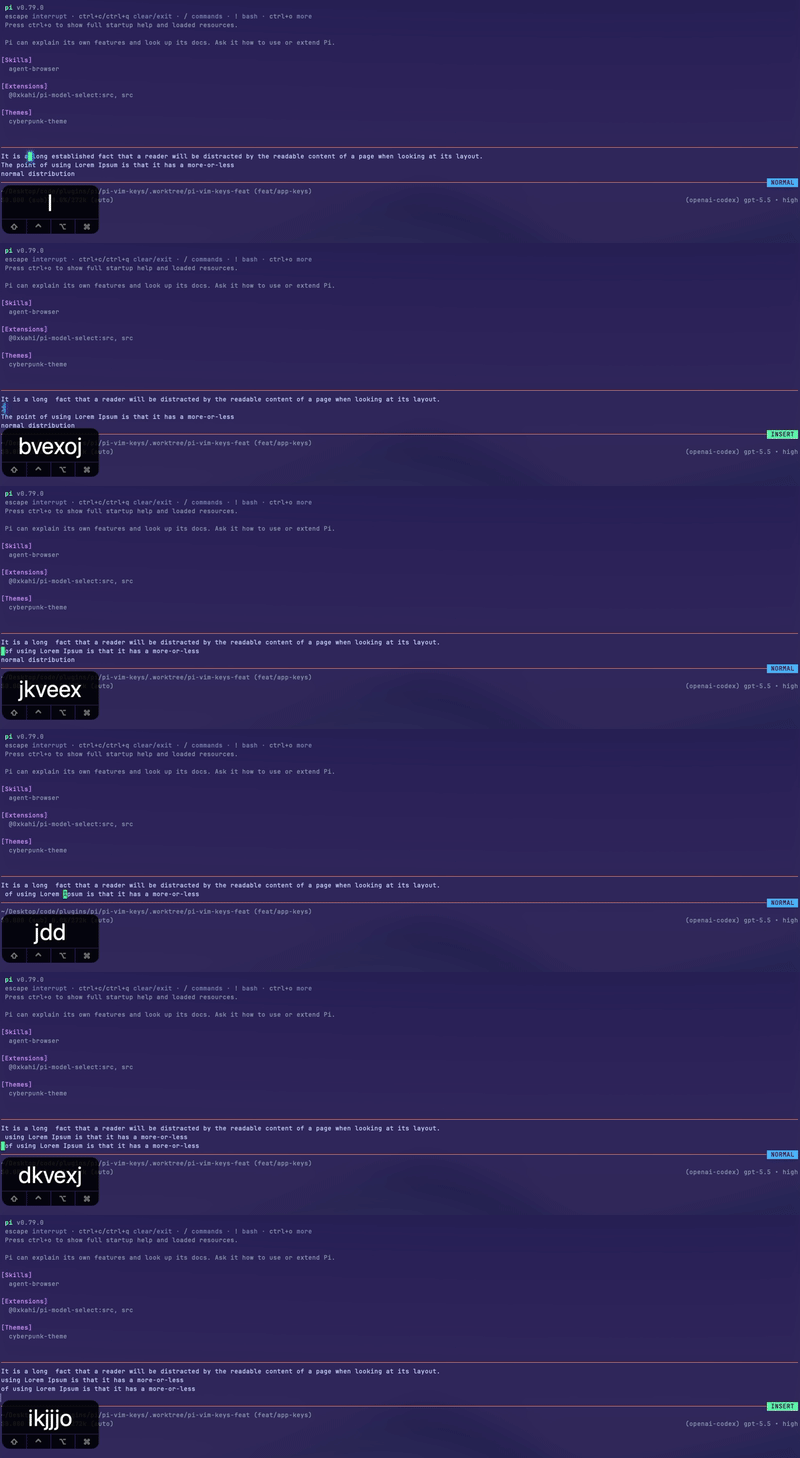
Custom LeaderKey Keybinds -> AppKeybinds

Install
Install globally (writes to ~/.pi/agent/settings.json):
pi install npm:@0xkahi/pi-vim-keys
Or install into the current project only (writes to .pi/settings.json, shareable with your team):
pi install npm:@0xkahi/pi-vim-keys -l
✨ Features
- Vim modes: insert, normal, visual, visual-line, and replace modes.
- Replace in place: single-character replace with
r<char>and a persistent REPLACE mode (R) that overtypes untilescape, recorded as a single undo step. - Mode-aware cursor and colors: configurable mode label colors, plus block cursor in normal/visual modes, bar cursor in insert mode, and underline cursor in replace mode when terminal hardware cursor is enabled.
- Configurable insert-to-normal mapping: use
escapeby default, or configure sequences likejjorkj. - Normal-mode leader keybindings: bind leader mappings to Pi app actions or extension commands.
- supports both single char and multichar sequence: keybinds can be
<leader>eor<leader>oe - Surround in visual modes: wrap a selection with brackets or quotes via
s(e.g.sab,siq).
For custom extension keybind registration, see Extension Keybindings.
Example:
{
  "keybinds": {
    "<leader>oe": "app.editor.external",
    "<leader>p": "app.clipboard.pasteImage",
    "<leader>l": "app.session.resume",
    "<leader>g": "app.session.tree",
    "ctrl+t": "app.thinking.cycle"
  }
}
📚 Documentation
| Doc | What it covers |
|---|---|
| Configuration | Config file locations, merge order, colors, insert-to-normal remaps, leader keybinds, extension keybinding registration, and schema usage |
| Normal Mode | Insert/visual mode entry, movement, word motions, find character, editing, and configured keybindings |
| Visual Mode | Character-range selections, mode switching, movement, word motions, find character, selection editing, and surround |
| Visual Line Mode | Whole-line selections, mode switching, movement, word motions, find character, line editing, and surround |