@aholbreich/pi-tl
Pi extension for the tl (task-ledger) CLI.
Package details
Install @aholbreich/pi-tl from npm and Pi will load the resources declared by the package manifest.
$ pi install npm:@aholbreich/pi-tl- Package
@aholbreich/pi-tl- Version
0.3.1- Published
- Jun 3, 2026
- Downloads
- 590/mo · 15/wk
- Author
- aholbreich
- License
- MIT
- Types
- extension
- Size
- 59.6 KB
- Dependencies
- 0 dependencies · 3 peers
Pi manifest JSON
{
  "extensions": [
    "./extensions/tl/index.ts"
  ],
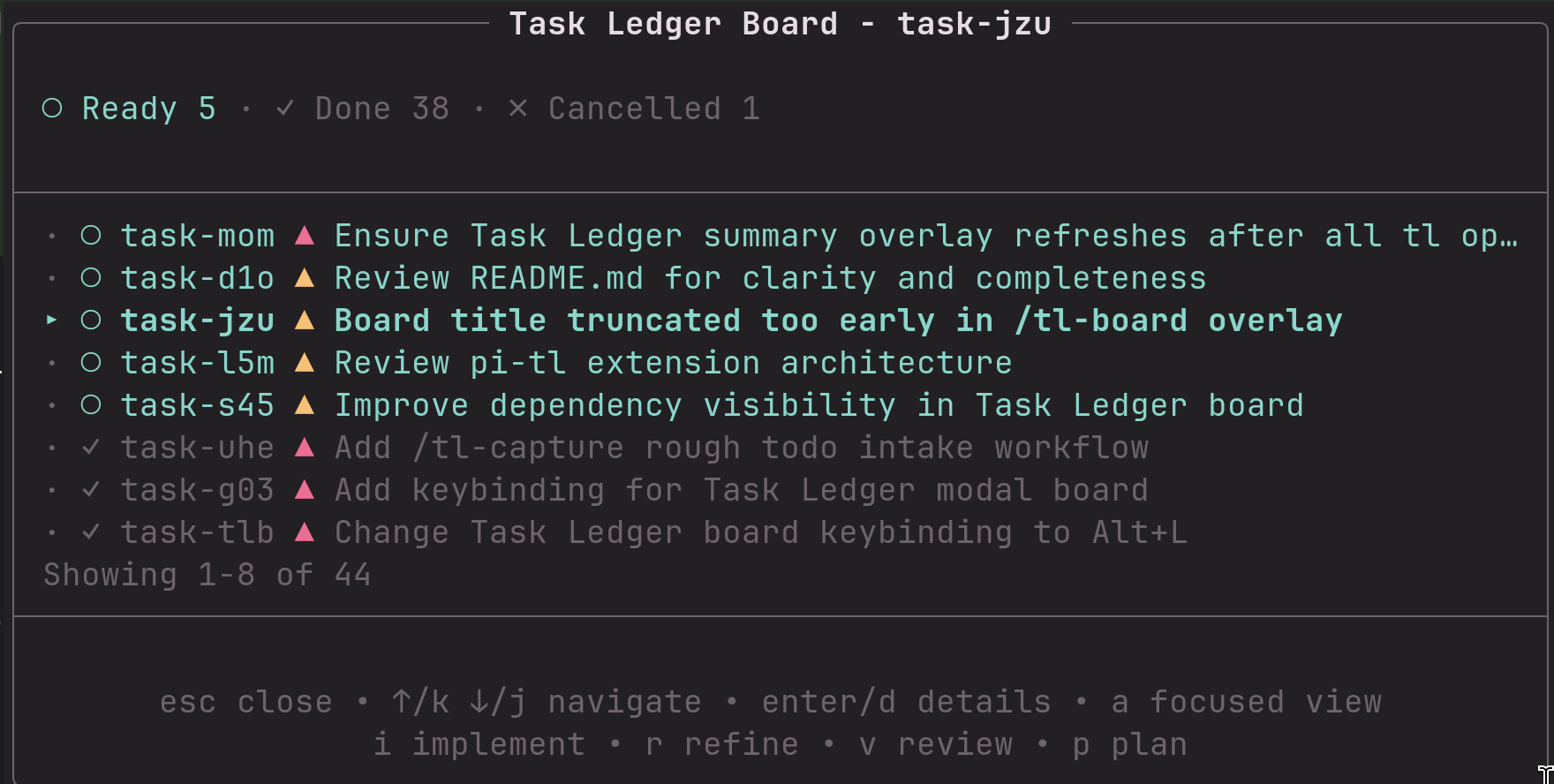
  "image": "https://raw.githubusercontent.com/aholbreich/pi/main/docs/images/tl-board.png"
}
Security note
Pi packages can execute code and influence agent behavior. Review the source before installing third-party packages.
README
@aholbreich/pi-tl
Pi extension package for tl, the Git-native TaskLedger CLI.
This package shells out to the local tl binary. It does not bundle or install tl.

Requirements
pitlavailable onPATH- Run Pi from a repository initialized with
tl initfor normal use
Installation
pi install npm:@aholbreich/pi-tl
Or install from local sources:
pi install /home/aho/git/pi-tl
For project-local installation, add -l:
pi install -l npm:@aholbreich/pi-tl
Try locally
From any repository where you want to use TaskLedger:
pi -e /home/aho/git/pi
Agent usage
The extension intentionally does not mirror the full tl CLI as Pi agent tools. The agent should use plain tl ... commands directly for normal ledger work (tl ready, tl show, tl claim, tl note, tl close, etc.). This keeps the extension from drifting behind upstream tl.
One helper remains because it adds orchestration beyond a single CLI call:
tl_bulk_create- create multiple task ledger tasks sequentially from a user-approved cleaned list and report partial failures.
When .tl/ exists in the current repository, the extension nudges the agent to use the normal task ledger workflow through the tl CLI: ready → claim → note → close/block/pending/cancel/release.
Commands
A live Task Ledger overlay is shown above the editor when the current repository has a ledger and at least one ready/in-progress/blocked/pending/stale task. It keeps tl as the source of truth by refreshing from tl --json output on session start, compaction/tree navigation, and successful tl_bulk_create executions. Use Alt+T to show/hide this passive overlay during the current session. The footer status shows the installed tl version plus compact colored counts, for example tl 0.9.0: ○3 ▲1.
Human-facing commands focus on the overlay workflow. Agent tools keep color disabled for clean JSON/model output.
/tl-capture- open an editor for rough todos, then ask the agent to refine and create clean tasks/tl-boardorAlt+L- open a keyboard-navigable modal board for ready, in-progress, blocked, pending, and stale tasks; use arrows/j/k to move, enter/d for in-modal details, b/esc to return, i/r/v/p for implement/refine/review/plan,cto cancel with a reason,xto remove with a reason, andato toggle between focused (active) and all (including done/cancelled) views/tl-init- initialize task ledger after confirmation
Development
npm install
npm run check
npm test
Pi loads TypeScript extensions directly, so no build step is required.