@alasano/pi-panels
Responsive status panels for pi - git info, LLM context usage, and Spotify now-playing below the editor
Package details
Install @alasano/pi-panels from npm and Pi will load the resources declared by the package manifest.
$ pi install npm:@alasano/pi-panels- Package
@alasano/pi-panels- Version
0.1.0- Published
- Apr 3, 2026
- Downloads
- 277/mo · 15/wk
- Author
- alasano
- License
- MIT
- Types
- extension
- Size
- 93.1 KB
- Dependencies
- 0 dependencies · 4 peers
Pi manifest JSON
{
  "extensions": [
    "./extensions"
  ],
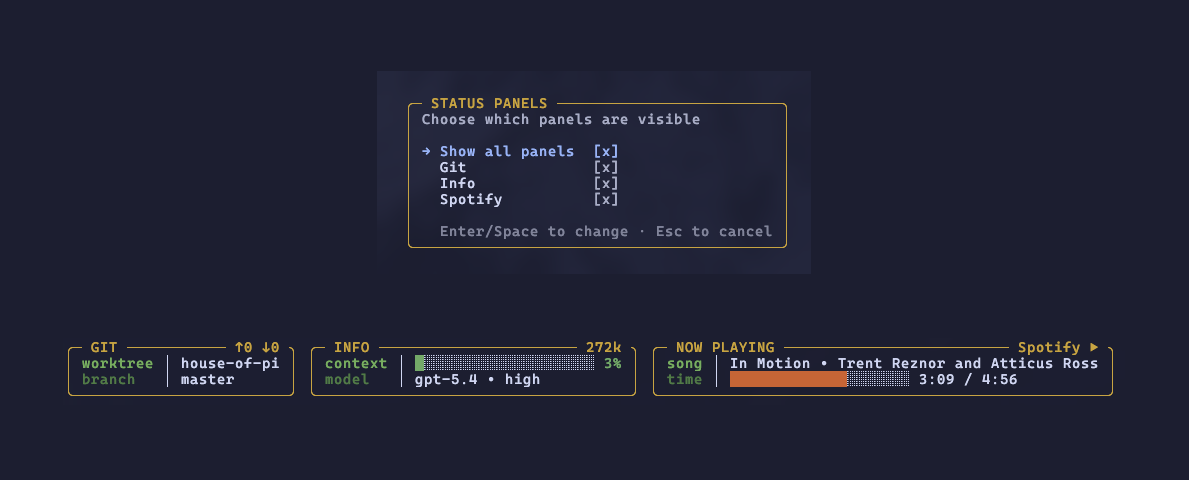
  "image": "https://raw.githubusercontent.com/alasano/house-of-pi/master/packages/pi-panels/assets/screenshot.png"
}
Security note
Pi packages can execute code and influence agent behavior. Review the source before installing third-party packages.
README
pi-panels
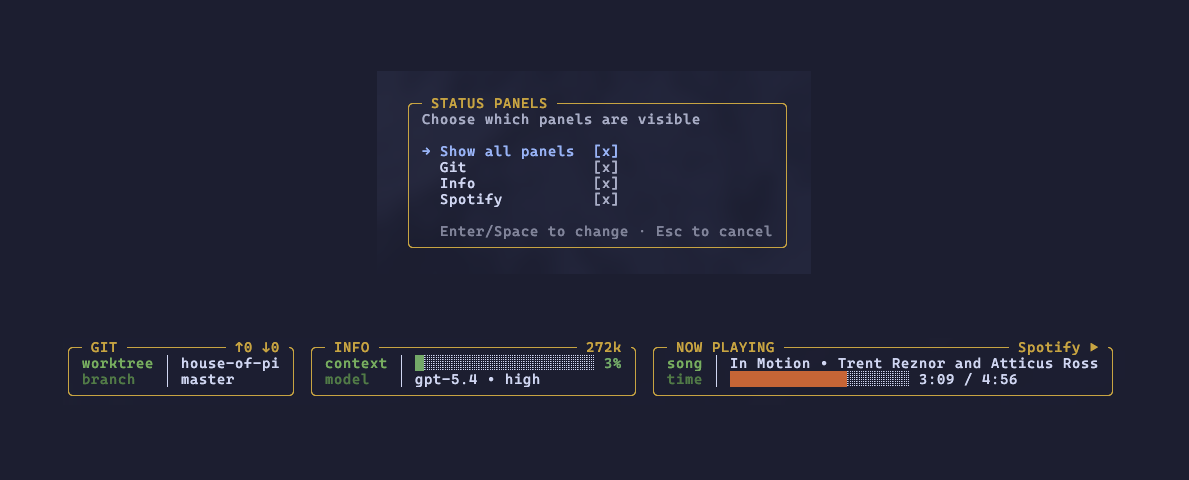
Responsive status panels rendered below the editor in pi. Three panels ship out of the box, each independently toggleable:
- GIT - worktree name, branch, upstream tracking (shown only when non-default), ahead/behind counts
- INFO - LLM context usage bar (color-coded from green to red as you approach the context window limit), active model and thinking level
- NOW PLAYING - Spotify track, artist, and progress bar with animated fill (hidden automatically when Spotify is not running)
Panels auto-size to their content, render side-by-side when terminal width allows, and fall back to a stacked layout on narrow terminals.
Install
pi install npm:@alasano/pi-panels
Commands
| Command | Description |
|---|---|
/status-panels |
Open the settings overlay to toggle individual panels |
/status-panels on|off |
Enable or disable all panels |
Settings overlay
Running /status-panels with no arguments opens a centered overlay where you can enable or disable each panel individually using checkbox toggles. Typing any character dismisses the overlay and passes the keystroke to the editor.
Preferences
Panel visibility preferences are persisted at ~/.pi/agent/state/extensions/status-panels/config.json and restored on session start. Default behavior on first run is all panels enabled.
Refresh behavior
- Git info refreshes every 5 seconds and immediately after each agent turn
- LLM context and model info update on turn end and model switch
- Spotify polls every 1 second while playing, every 2.5 seconds when idle
- The rendering loop ticks every 250ms to keep the Spotify progress bar smooth
Requirements
- macOS (Spotify integration uses osascript/AppleScript)
- Pi interactive mode (panels use the widget API which is unavailable in print/RPC mode)