@aliou/pi-neuralwatt
Package details
Install @aliou/pi-neuralwatt from npm and Pi will load the resources declared by the package manifest.
$ pi install npm:@aliou/pi-neuralwatt- Package
@aliou/pi-neuralwatt- Version
0.2.0- Published
- Apr 29, 2026
- Downloads
- 516/mo · 179/wk
- Author
- aliou
- License
- MIT
- Types
- extension
- Size
- 70.9 KB
- Dependencies
- 2 dependencies · 3 peers
Pi manifest JSON
{
  "extensions": [
    "./src/extensions/provider/index.ts",
    "./src/extensions/command-quotas/index.ts",
    "./src/extensions/quota-warnings/index.ts",
    "./src/extensions/sub-bar-integration/index.ts"
  ],
  "video": "https://assets.aliou.me/pi-extensions/demos/pi-neuralwatt.mp4"
}Security note
Pi packages can execute code and influence agent behavior. Review the source before installing third-party packages.
README

Pi Neuralwatt Extension
A Pi extension that adds Neuralwatt as a model provider, giving you access to open-source models through an OpenAI-compatible API with energy transparency.
Installation
Get API Key
Sign up at neuralwatt.com to get an API key.
Configure Credentials
The extension uses Pi's credential storage. Add your API key to ~/.pi/agent/auth.json (recommended):
{
  "neuralwatt": { "type": "api_key", "key": "your-api-key-here" }
}
Or set environment variable:
export NEURALWATT_API_KEY="your-api-key-here"
Install Extension
# From npm
pi install npm:@aliou/pi-neuralwatt

# From git
pi install git:github.com/aliou/pi-neuralwatt

# Local development
pi -e ./src/extensions/provider/index.ts
Usage
Once installed, select neuralwatt as your provider and choose from available models:
/model neuralwatt meta-llama/Llama-4-Maverick-17B-128E-Instruct-FP8
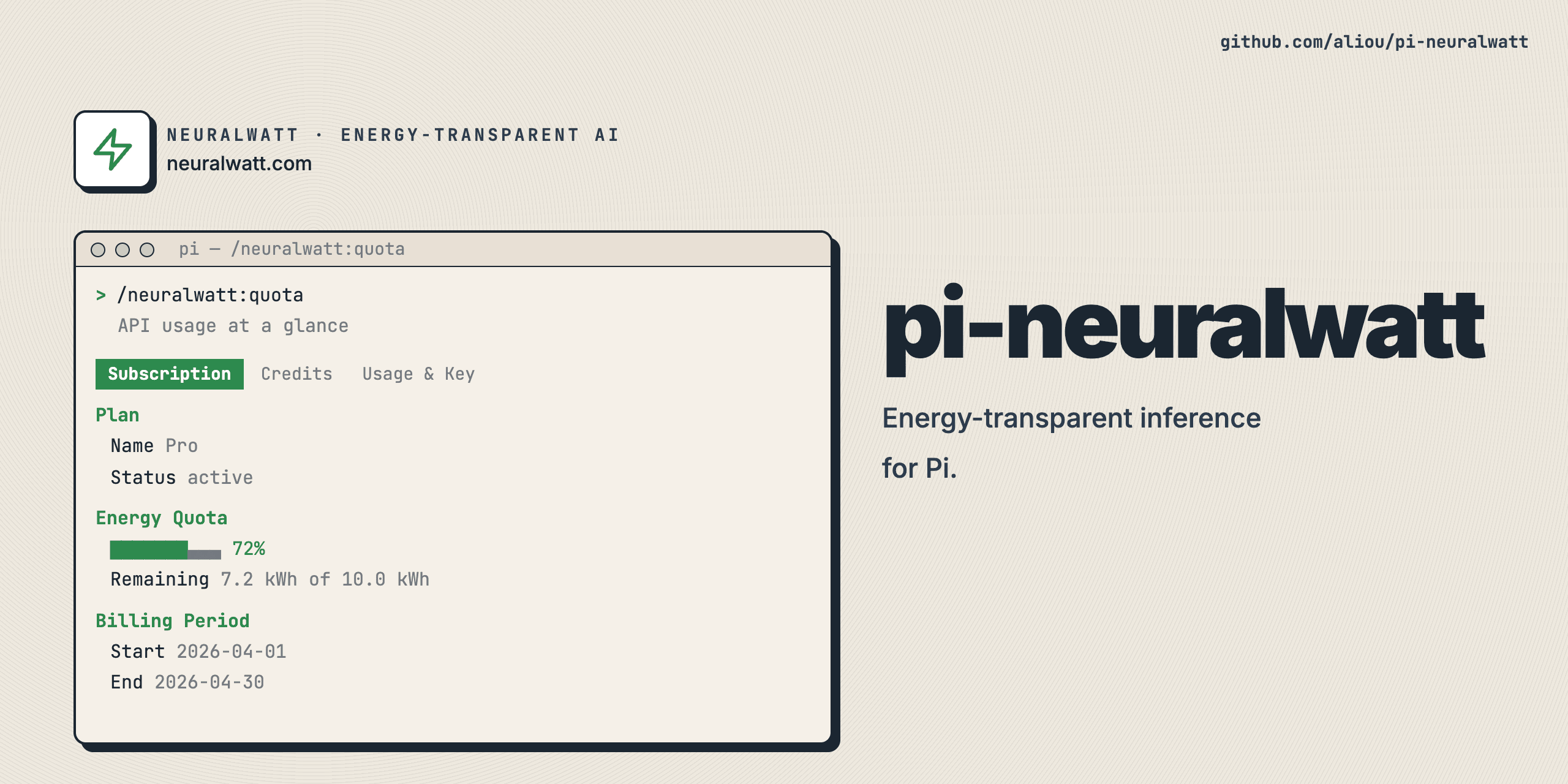
Quota Command
Check your API usage at a glance:
/neuralwatt:quota
The quota command shows three tabs:
- Subscription (when subscribed) — plan details, energy quota with progress bar, billing period
- Credits — credit balance with progress bar, accounting method
- Usage & Key — monthly usage (cost, requests, tokens, energy), API key info, key allowance, rate limits
https://github.com/user-attachments/assets/a8994940-c467-4744-a0f2-833cb63923ff
Quota Warnings
When enabled, the extension notifies you when credits or energy are running low. When you have an active subscription, only energy warnings fire (credits are on-demand top-up only). Warnings use escalation on severity transitions and have a cooldown for warning level.
Sub-bar Integration
When a Neuralwatt model is active, the footer status bar shows live quota usage (credits and energy). The status updates after each response and on session start.
Settings
Configure features with /neuralwatt:settings:
- Quota command — Show/hide
/neuralwatt:quota - Quota warnings — Enable/disable low quota notifications
- Sub-bar integration — Show/hide usage in status bar
The provider itself cannot be disabled — it is always loaded.
Adding or Updating Models
Models are hardcoded in src/extensions/provider/models.ts and validated against the live API. To update:
- Run
pnpm test— it fetches/v1/modelsand compares against hardcoded definitions - Fix any discrepancies (missing models, changed context windows)
- Re-run
pnpm testto confirm
Development
Setup
git clone https://github.com/aliou/pi-neuralwatt.git
cd pi-neuralwatt

# Install dependencies (sets up pre-commit hooks)
pnpm install && pnpm prepare
Pre-commit hooks run on every commit:
- TypeScript type checking
- Biome linting
- Biome formatting with auto-fix
Commands
# Type check
pnpm run typecheck

# Lint
pnpm run lint

# Format
pnpm run format

# Test
pnpm run test
Release
This repository uses Changesets for versioning.
Requirements
- Pi coding agent v0.67.68+
- Neuralwatt API key (configured in
~/.pi/agent/auth.jsonor viaNEURALWATT_API_KEY)