@aliou/pi-synthetic
Package details
Install @aliou/pi-synthetic from npm and Pi will load the resources declared by the package manifest.
$ pi install npm:@aliou/pi-synthetic- Package
@aliou/pi-synthetic- Version
0.15.0- Published
- May 2, 2026
- Downloads
- 2,282/mo · 373/wk
- Author
- aliou
- License
- MIT
- Types
- extension
- Size
- 103.4 KB
- Dependencies
- 2 dependencies · 2 peers
Pi manifest JSON
{
  "extensions": [
    "./src/extensions/provider/index.ts",
    "./src/extensions/web-search/index.ts",
    "./src/extensions/command-quotas/index.ts",
    "./src/extensions/sub-bar-integration/index.ts",
    "./src/extensions/quota-warnings/index.ts",
    "./src/extensions/usage-status/index.ts"
  ],
  "video": "https://assets.aliou.me/pi-extensions/demos/pi-synthetic.mp4"
}Security note
Pi packages can execute code and influence agent behavior. Review the source before installing third-party packages.
README

Pi Synthetic Extension
A Pi extension that adds Synthetic as a model provider, giving you access to open-source models through Synthetic's OpenAI-compatible API.
Installation
Get API Key
Sign up at synthetic.new to get an API key (referral link).
Configure Credentials
The extension uses Pi's credential storage. Add your API key to ~/.pi/agent/auth.json (recommended):
{
  "synthetic": { "type": "api_key", "key": "your-api-key-here" }
}
Or set environment variable:
export SYNTHETIC_API_KEY="your-api-key-here"
Credentials are resolved in this order:
- CLI
--api-keyflag auth.jsonentry forsynthetic- Environment variable
SYNTHETIC_API_KEY
Install Extension
# From npm
pi install npm:@aliou/pi-synthetic

# From git
pi install git:github.com/aliou/pi-synthetic

# Local development
pi -e ./src/index.ts
Usage
Once installed, select synthetic as your provider and choose from available models:
/model synthetic hf:moonshotai/Kimi-K2.5
Model Hosting
All models are accessed through Synthetic's API. Some models are hosted by Synthetic directly (provider: "synthetic" in the model config); others are proxied by Synthetic to upstream backends such as Fireworks or Together.
By default, new installs show only Synthetic-hosted models. You can enable proxied models in /synthetic:settings under Models > Proxied Models. Existing configurations keep proxied models enabled to preserve prior behavior.
The provider field in src/extensions/provider/models.ts is for maintenance only and is stripped before registering models with Pi, so users always select the synthetic provider.
Web Search Tool
The extension registers synthetic_web_search — a zero-data-retention web search tool. The tool is always visible; it fails with a clear message if credentials are missing or the account lacks a subscription.
Reasoning Levels
For Synthetic models that support reasoning, Synthetic currently accepts only low, medium, and high reasoning effort values.
This extension clamps Pi reasoning levels to Synthetic's supported set:
minimal->lowlow->lowmedium->mediumhigh->highxhigh->high
Quotas Command
Check your API usage:
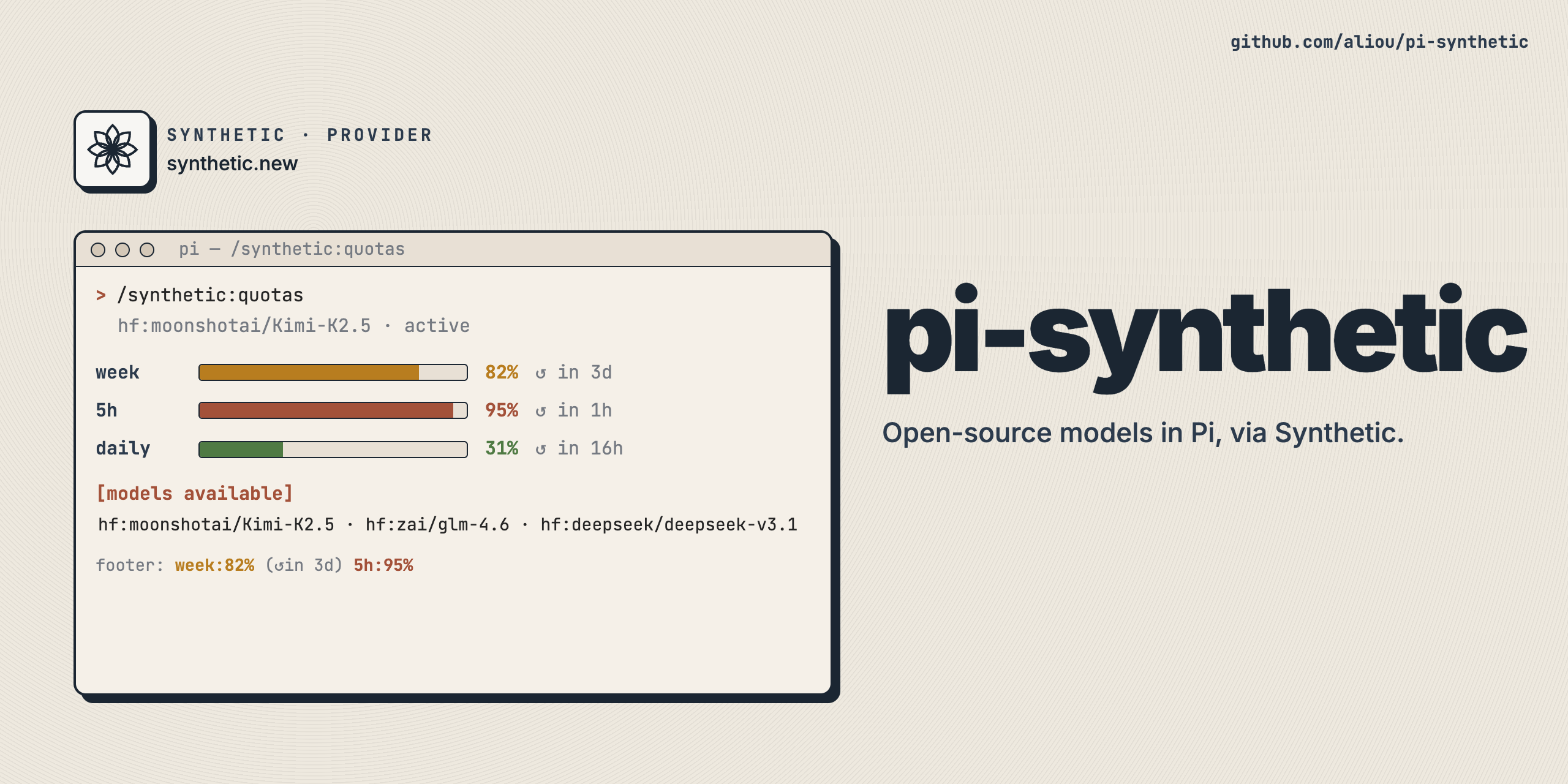
/synthetic:quotas
Usage Status
When a Synthetic model is active, the footer status bar shows live quota usage (e.g. week:82% (↺in 3d) 5h:95%). Colors follow the same severity assessment as quota warnings: green by default, yellow/red only when projected usage is at risk. The status auto-refreshes every 60 seconds and after each turn.
Quota Warnings
The extension automatically notifies you when you approach or exceed your Synthetic API quotas. Notifications fire on severity transitions only (no repeated alerts for the same level) and use correct terminology (regen/tick/resets) with precise time formatting.
- Escalation always notifies
highandcriticallevels have no cooldownwarninglevel has a 60-minute cooldown
Disabling Features
Each feature (provider, web search, quotas command, sub bar integration, usage status, quota warnings) is a separate Pi extension. You can disable individual features using pi config:
pi config extensions.disabled add @aliou/pi-synthetic/quota-warnings
This prevents the quota-warnings extension from loading while keeping the rest of pi-synthetic active. Replace quota-warnings with web-search, command-quotas, sub-bar-integration, usage-status, or provider to disable other features.
The Proxied Models setting is not a loadable extension feature. It is a regular setting controlled through /synthetic:settings.
Adding or Updating Models
Models are hardcoded in src/extensions/provider/models.ts. To add or update models:
- Edit
src/extensions/provider/models.ts - Add the model configuration following the
SyntheticModelConfiginterface - Set
providerto the upstream backend Synthetic uses for that model, such assynthetic,fireworks, ortogether - Run
pnpm run typecheckto verify
Development
Setup
git clone https://github.com/aliou/pi-synthetic.git
cd pi-synthetic

# Install dependencies (sets up pre-commit hooks)
pnpm install && pnpm prepare
Pre-commit hooks run on every commit:
- TypeScript type checking
- Biome linting
- Biome formatting with auto-fix
Commands
# Type check
pnpm run typecheck

# Lint
pnpm run lint

# Format
pnpm run format

# Test
pnpm run test
Test Locally
pi -e ./src/index.ts
Release
This repository uses Changesets for versioning.
Note: Automatic NPM publishing is currently disabled. To publish manually:
- Create a changeset:
pnpm changeset - Version packages:
pnpm version - Publish (when ready): Uncomment the publish job in
.github/workflows/publish.yml
Requirements
- Pi coding agent v0.72.0+
- Synthetic API key (configured in
~/.pi/agent/auth.jsonor viaSYNTHETIC_API_KEY)