@aliou/pi-ts-aperture
Route Pi LLM providers through Tailscale Aperture
Package details
Install @aliou/pi-ts-aperture from npm and Pi will load the resources declared by the package manifest.
$ pi install npm:@aliou/pi-ts-aperture- Package
@aliou/pi-ts-aperture- Version
0.6.1- Published
- Jun 19, 2026
- Downloads
- 280/mo · 84/wk
- Author
- aliou
- License
- MIT
- Types
- extension
- Size
- 81.7 KB
- Dependencies
- 1 dependency · 3 peers
Pi manifest JSON
{
  "video": "https://assets.aliou.me/github/aliou/pi-ts-aperture/demo.mp4",
  "extensions": [
    "./extensions/aperture/index.ts"
  ]
}Security note
Pi packages can execute code and influence agent behavior. Review the source before installing third-party packages.
README
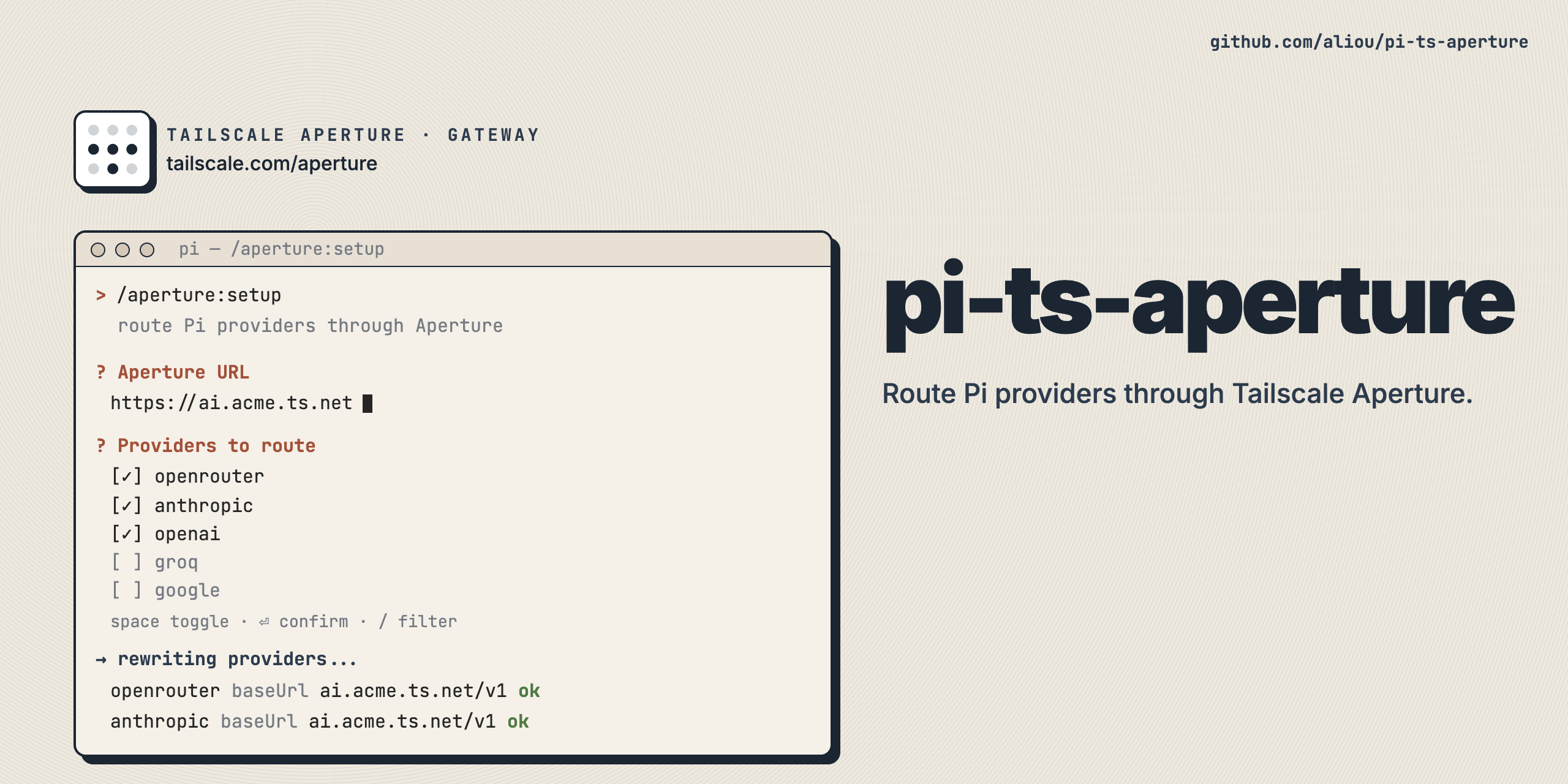
pi-ts-aperture
Route Pi LLM providers through Tailscale Aperture, a managed AI gateway on your tailnet.
Aperture handles API key injection and request routing server-side. This extension integrates Pi with Aperture using two independent capabilities: dedicated (a standalone aperture provider) and proxy (reroute existing Pi providers). Dedicated is enabled by default, and you can enable proxy at the same time.
Install
pi install npm:@aliou/pi-ts-aperture
First run
After installing, run the onboarding wizard:
/aperture:onboarding
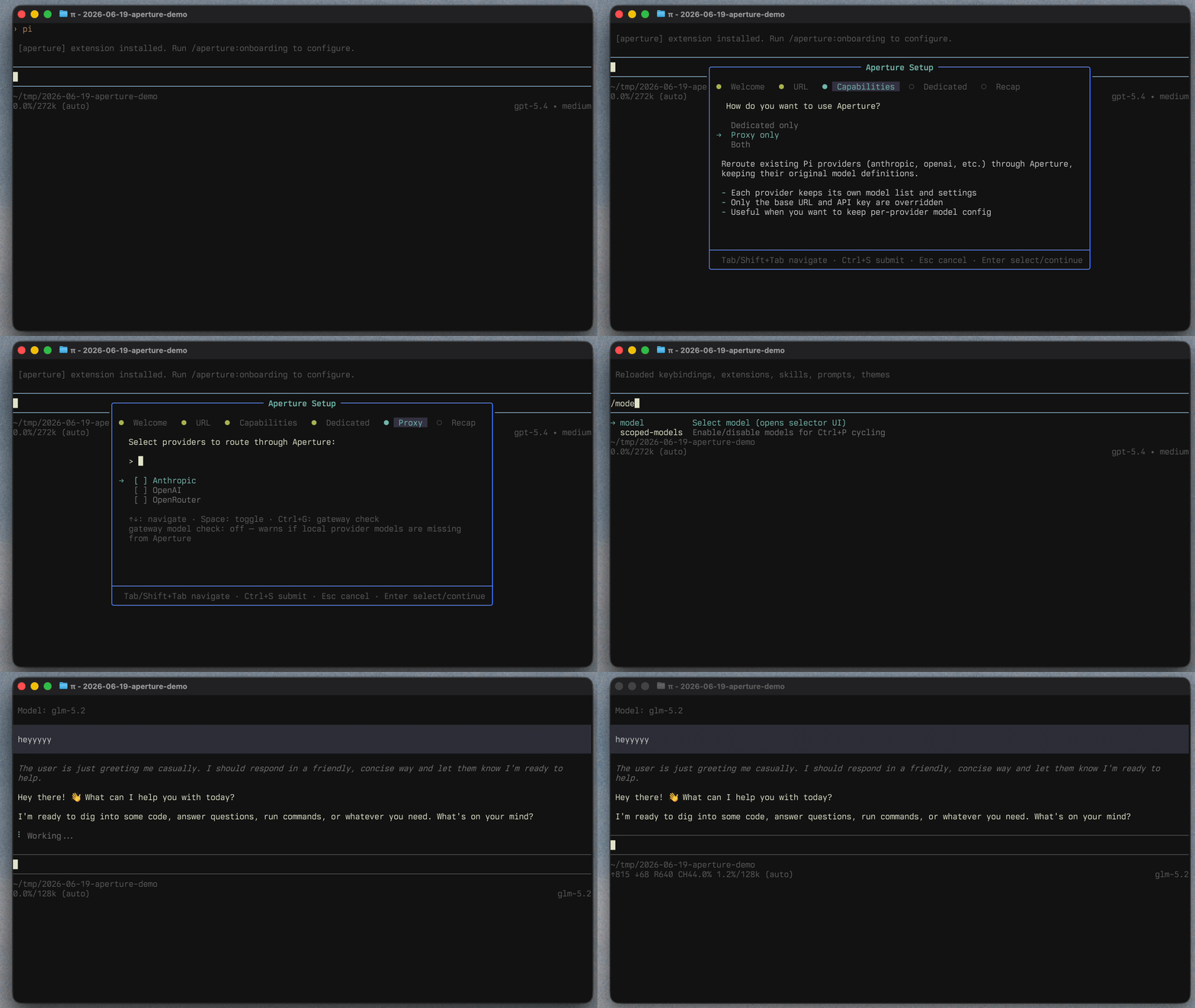
The wizard walks you through:
- Aperture base URL, with a
/v1/modelshealth check (e.g.ai.your-tailnet.ts.net). - Capability selection: dedicated, proxy, or both.
- Provider selection:
- Dedicated: choose which Aperture gateway providers to include.
- Proxy: choose matching local Pi providers to route through Aperture, with optional gateway model verification.
- Recap, save, and reload Pi so the selected capabilities are registered cleanly.
You can change everything later with:
/aperture:settings
Capabilities
Dedicated provider (default)
Registers a standalone aperture provider whose model list comes from the Aperture gateway. You can include all gateway providers or filter to specific gateway providers during onboarding or in settings.
Dedicated model IDs are the model IDs reported by Aperture. They are not prefixed with the upstream provider ID. The extension keeps an internal route map so each model uses the Pi API that matches its Aperture provider compatibility.
Because Aperture does not expose every Pi model capability yet, models use safe defaults on first load: 128k context, 8k max output, text input, and no reasoning. Gateway pricing is mapped to Pi costs when Aperture returns pricing data.
Sync model capabilities
In dedicated mode, the onboarding extension can stay enabled until model metadata is synced and validated. It exposes:
sync-aperture-modelsskill: looks up real capabilities such as context window, max tokens, reasoning, and input modalities, then updates~/.pi/agent/models.json.aperture_validate_models_jsontool: validates Pi'smodels.jsonschema and checks that Aperture models include capability fields.aperture_complete_onboardingtool: marks onboarding complete and disables the temporary onboarding tools and skill after validation passes.
User-defined model entries in models.json take precedence over gateway defaults and persist across restarts. The extension still owns routing details and cost data from Aperture gateway pricing.
Proxy existing providers
Reroutes existing Pi providers (anthropic, openai, openai-codex, etc.) through Aperture. Each provider keeps its own model definitions and settings. Only the base URL, API key, and headers are overridden.
Proxy provider selection maps Aperture providers to local Pi registry providers by base URL. It supports child path matching, so an Aperture provider under https://chatgpt.com/backend-api/codex can match Pi's local https://chatgpt.com/backend-api provider. If base URLs are unavailable, matching also falls back to provider IDs.
Proxy mode is useful when you want Pi's native per-provider model configuration but want requests to go through Aperture for server-side credentials and routing.
Commands
| Command | Description |
|---|---|
/aperture:onboarding |
Onboarding wizard. Only available while onboarding is enabled. |
/aperture:settings |
Settings UI to update connection, capabilities, proxy providers, dedicated provider filters, onboarding status, and the onboarding extension toggle. |
How it works
Aperture API usage
The extension reads provider data from Aperture using:
GET /api/providersfor gateway providers and models.GET /aperture/configfor provider compatibility, names, and base URLs.
Request routing
Requests sent through Aperture include provenance headers:
Referer: https://pi.devX-Title: npm:@aliou/pi-ts-aperturex-session-idfor grouping requests in the Aperture dashboard
Proxy routing
For each configured upstream provider, the extension calls registerProvider with:
baseUrlset to your Aperture URL +/v1for most Pi APIs.baseUrlset to the Aperture root for APIs where Pi appends its own path, such asopenai-codex-responses.apiKeyset to"-"because Aperture injects upstream credentials server-side. OAuth credentials still take precedence when Pi has them.
Optional gateway model verification can warn when configured Pi models are missing from the Aperture gateway.
Dedicated routing
Dedicated mode fetches models from Aperture, maps provider compatibility to Pi APIs, merges gateway defaults with user-defined providers.aperture.models from ~/.pi/agent/models.json, and registers an aperture provider.
Compatibility controls the Pi API and base URL used for each upstream provider at runtime. For example, OpenAI-compatible providers use /v1, Anthropic-compatible providers use the gateway root, Gemini-compatible providers use /v1beta, and Vertex-compatible providers use /v1.
User-defined models from models.json take precedence over gateway defaults, so custom capabilities such as reasoning, context window, max output, and input modalities are preserved across restarts. If a user model does not define cost, the extension keeps the cost derived from Aperture gateway pricing.
Configuration
Configuration is saved globally to ~/.pi/agent/extensions/aperture.json.
{
  "baseUrl": "http://ai.your-tailnet.ts.net",
  "onboardingDone": true,
  "onboarding": {
    "enabled": false
  },
  "proxy": {
    "enabled": true,
    "upstreamProviders": [
      { "id": "anthropic", "shouldCheckGatewayModels": true }
    ]
  },
  "dedicated": {
    "enabled": true,
    "providers": [
      { "id": "anthropic", "name": "Anthropic", "enabled": true },
      { "id": "openai", "name": "OpenAI", "enabled": true },
      { "id": "google", "name": "Google", "enabled": false }
    ]
  }
}
Notes:
- There is no
modesetting. Useproxy.enabledanddedicated.enabledindependently. - An empty
dedicated.providerslist means all Aperture gateway providers are included. - Model metadata belongs in
~/.pi/agent/models.json, not in the extension config.
Requirements
- A Tailscale tailnet with Aperture configured.
- The device running Pi must be on the tailnet, or otherwise able to reach your Aperture endpoint.
- Use the URL/scheme that matches your deployment (
http://orhttps://).