@aliou/pi-ts-aperture
Route Pi LLM providers through Tailscale Aperture
Package details
Install @aliou/pi-ts-aperture from npm and Pi will load the resources declared by the package manifest.
$ pi install npm:@aliou/pi-ts-aperture- Package
@aliou/pi-ts-aperture- Version
0.8.2- Published
- Jul 8, 2026
- Downloads
- 1,465/mo · 419/wk
- Author
- aliou
- License
- MIT
- Types
- extension
- Size
- 159.8 KB
- Dependencies
- 2 dependencies · 3 peers
Pi manifest JSON
{
  "image": "https://assets.aliou.me/github/aliou/pi-ts-aperture/banner.png",
  "video": "https://assets.aliou.me/github/aliou/pi-ts-aperture/demo.mp4",
  "extensions": [
    "./extensions/aperture/index.ts",
    "./extensions/connectors/index.ts"
  ]
}Security note
Pi packages can execute code and influence agent behavior. Review the source before installing third-party packages.
README
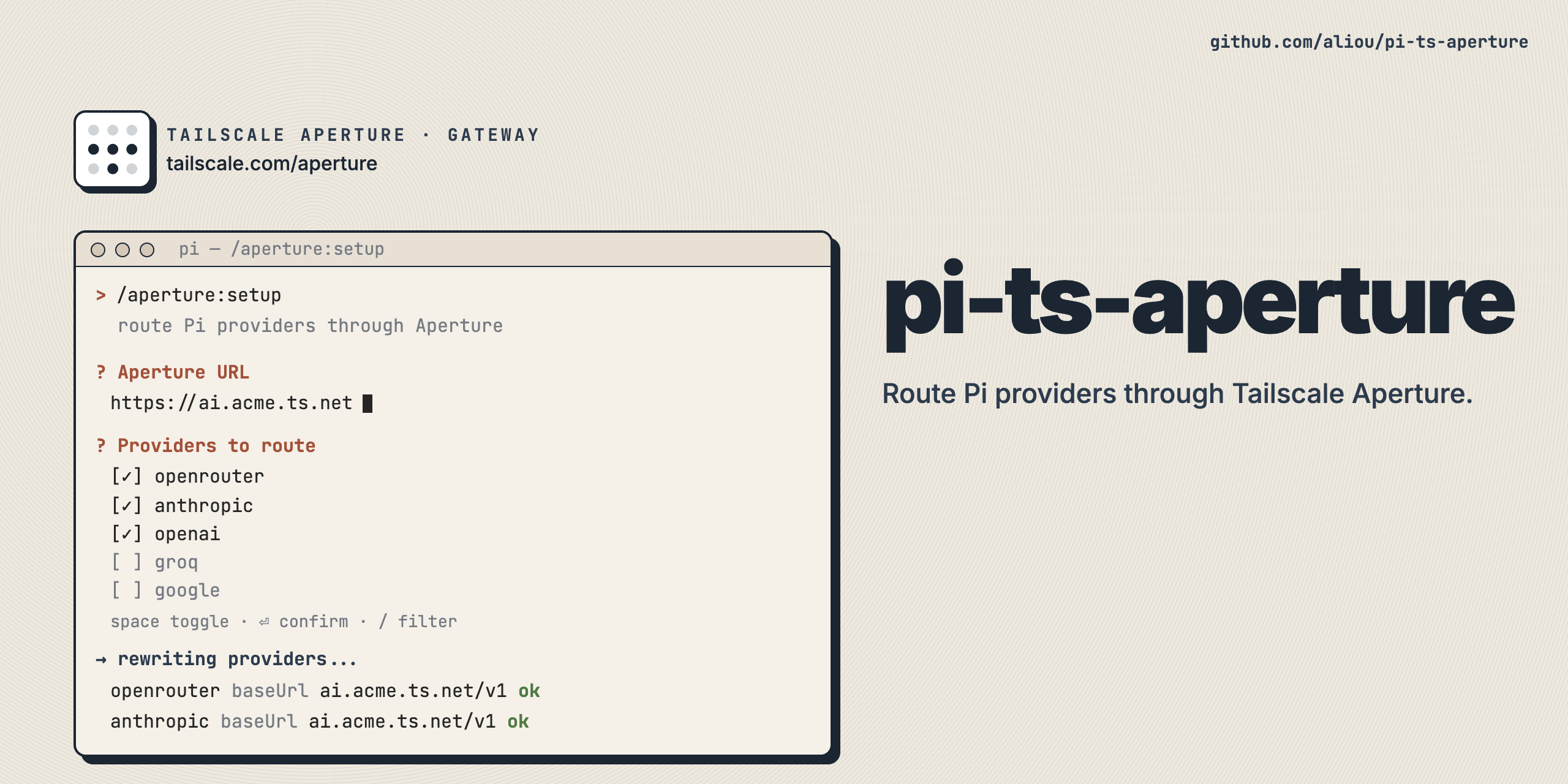
pi-ts-aperture
Route Pi LLM providers and connector tools through Tailscale Aperture, a managed AI gateway on your tailnet.
Aperture handles API key injection and request routing server-side, so Pi never needs upstream provider credentials. This extension offers three capabilities:
- Dedicated (default): a standalone
apertureprovider whose models come from the gateway. - Proxy: reroute existing Pi providers (anthropic, openai, openai-codex, ...) through Aperture.
- Connectors: expose MCP tools from the gateway to Pi as discovery meta-tools or pinned first-class tools.
Install
pi install npm:@aliou/pi-ts-aperture
First run
After installing, run the onboarding wizard:
/aperture:onboarding
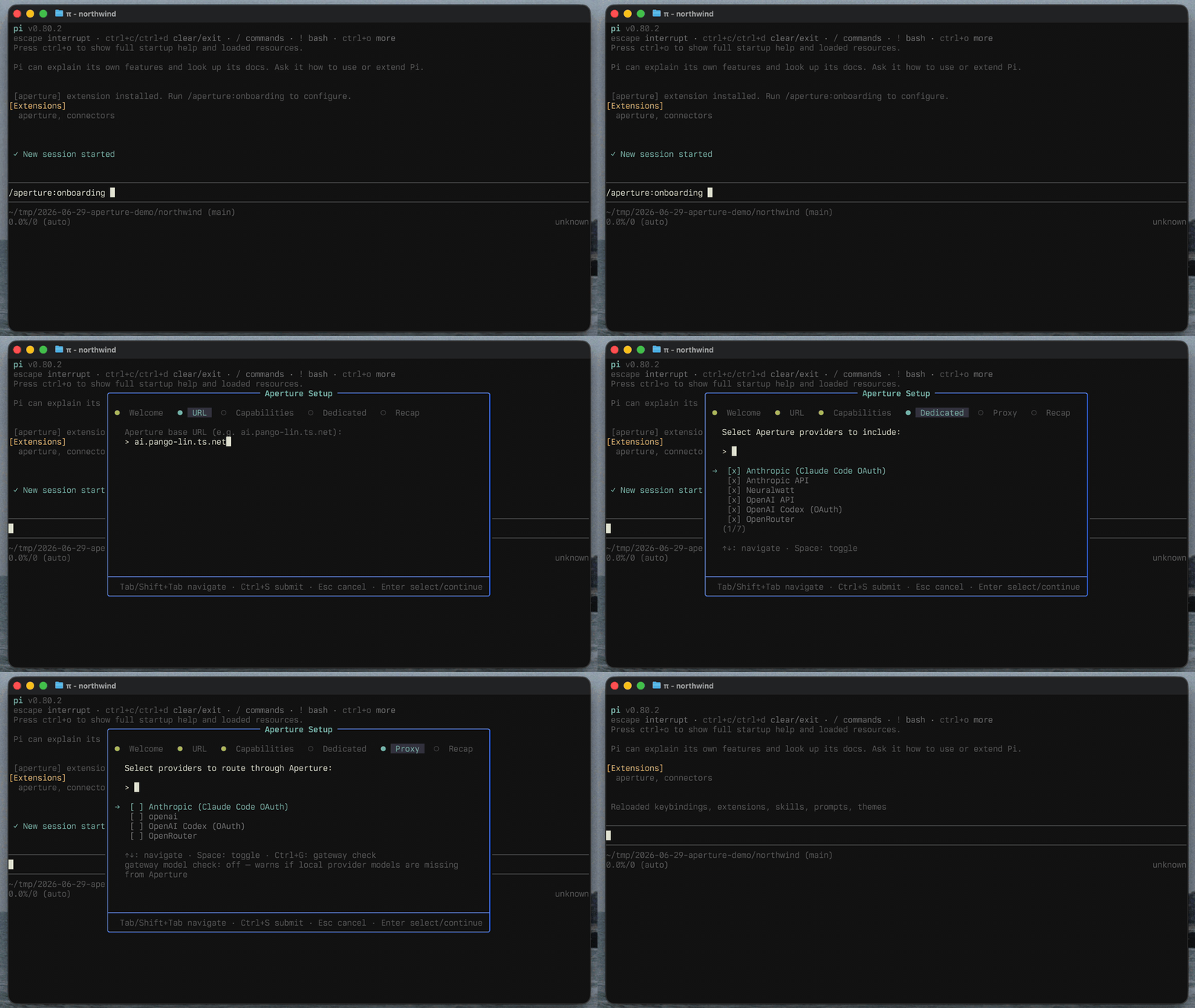
The wizard asks for your Aperture URL (with a health check), lets you pick capabilities and providers, then saves and reloads Pi. You can change everything later with /aperture:settings.
Capabilities
Dedicated provider (default)
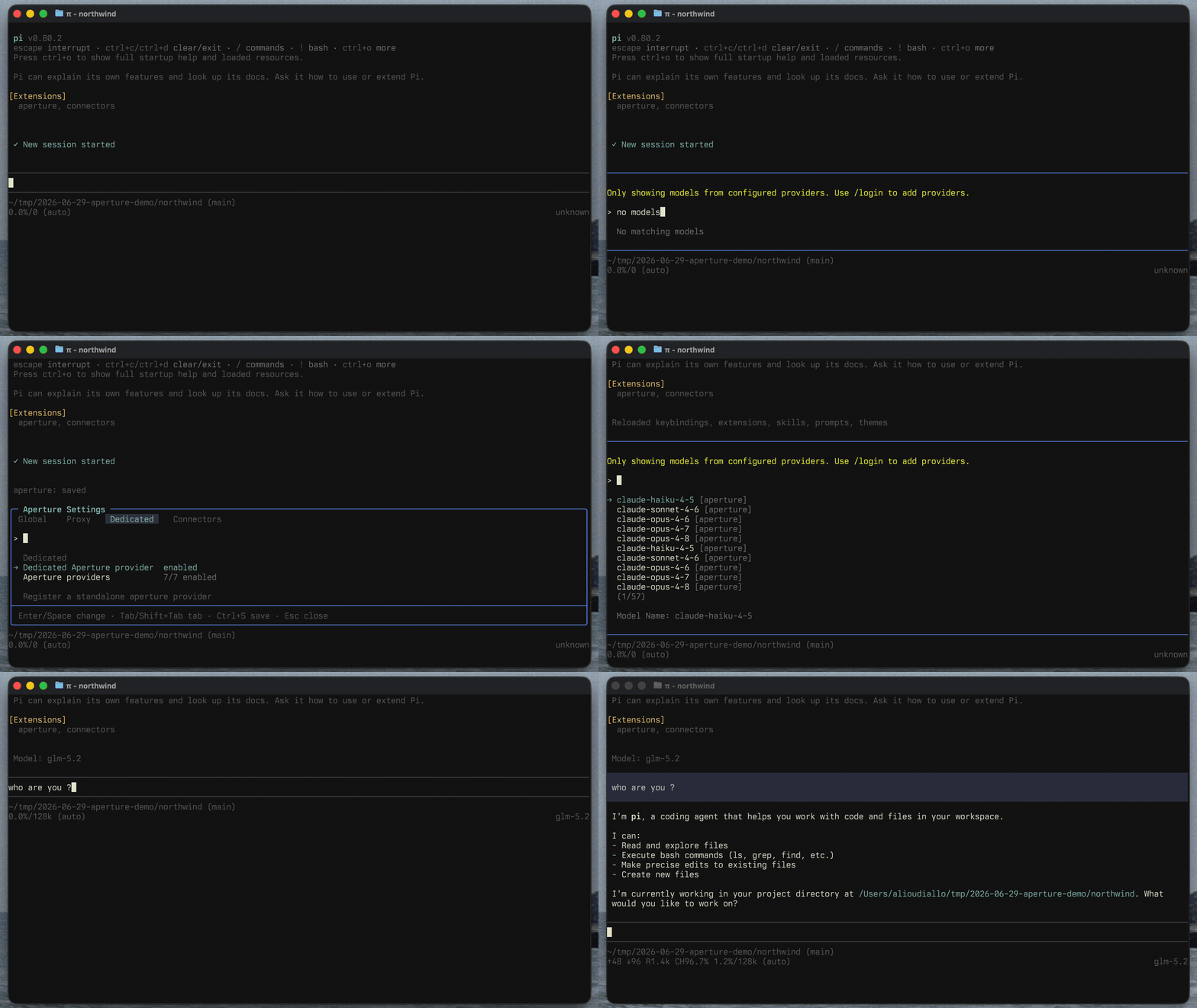
Registers a standalone aperture provider listing the models your gateway exposes. You can include all gateway providers or filter to specific ones. Model IDs match what Aperture reports, and each model is routed through the Pi API that matches its Aperture provider compatibility.
Because Aperture does not expose every Pi model capability, models get safe defaults: 128k context, 8k max output, text input, no reasoning. Gateway pricing is mapped to Pi costs when available. To customize capabilities for a model, add it to ~/.pi/agent/models.json under the aperture provider.
Proxy existing providers
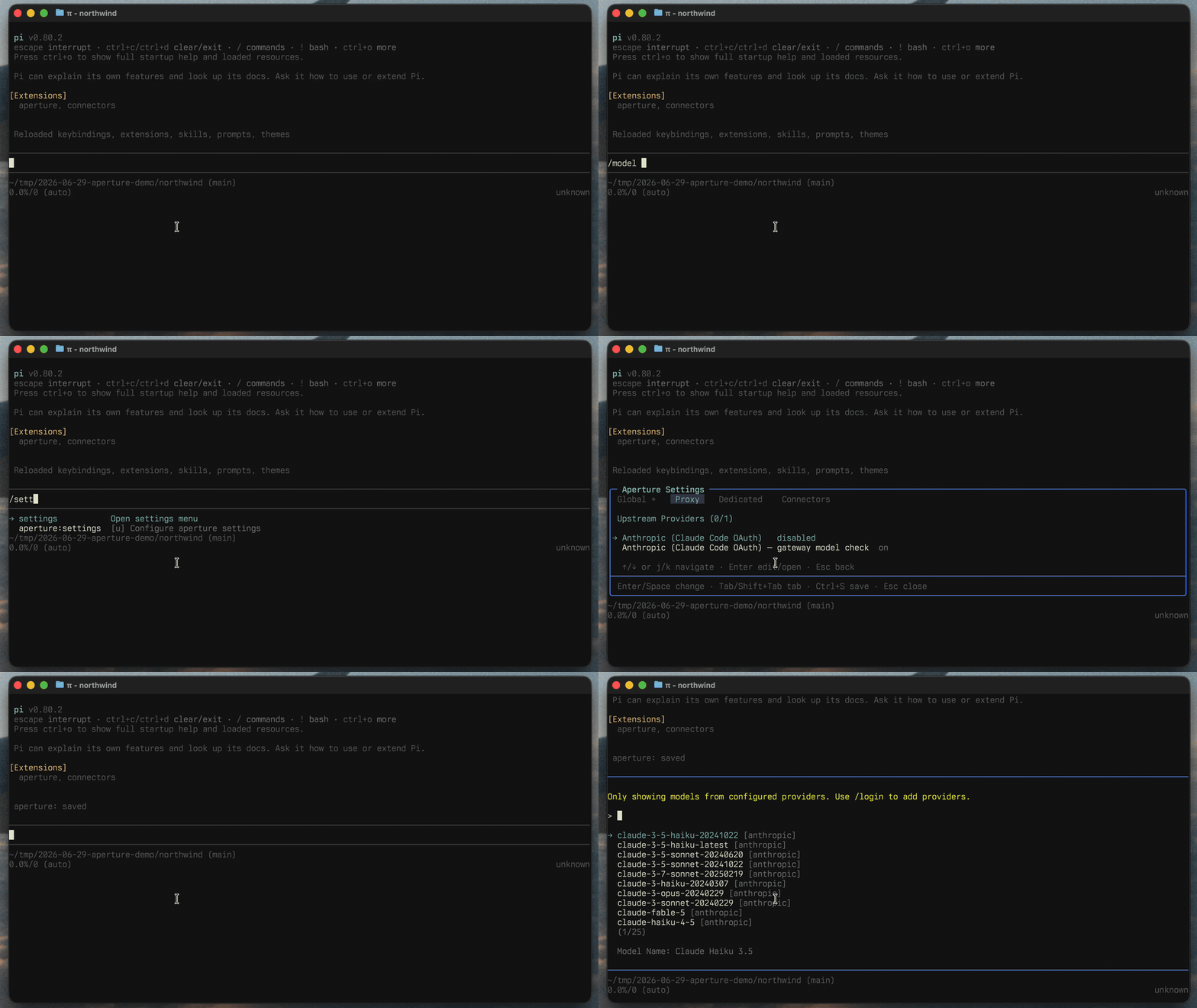
Reroutes existing Pi providers through Aperture. Each provider keeps its own model definitions and settings; only the base URL, API key, and headers are overridden. Use this when you want Pi's native per-provider model configuration but want requests to go through Aperture for server-side credentials.
Provider selection matches your local Pi providers against the providers enabled on the gateway. Optional per-provider verification warns when configured local models are missing from the gateway.
Connectors
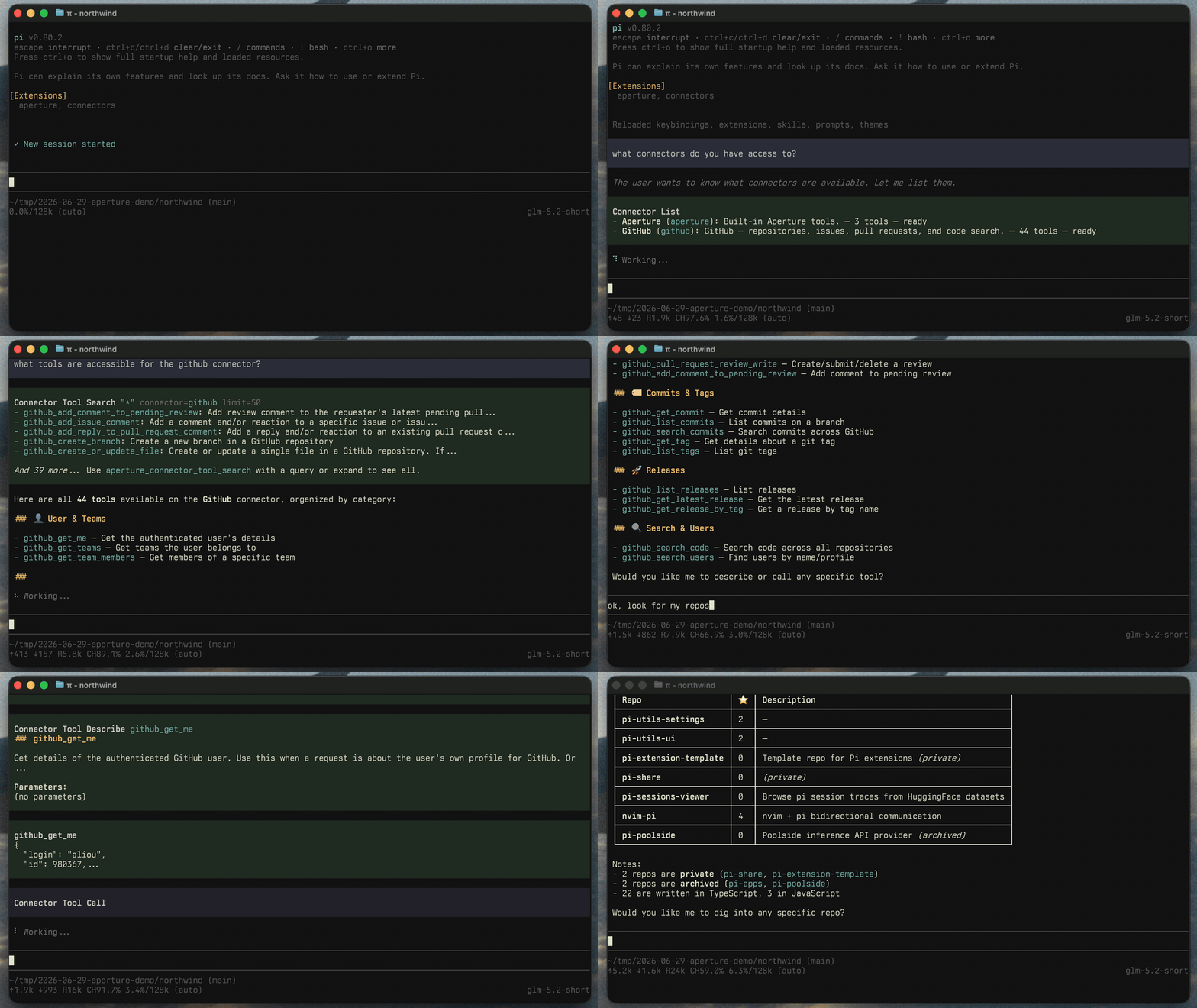
Aperture can expose MCP connectors (GitHub, your own internal tools, ...) at /v1/mcp. When enabled, this extension surfaces gateway tools to Pi in one of two ways:
- Discovery meta-tools (default):
aperture_connector_list,aperture_connector_tool_search,aperture_connector_tool_describe, andaperture_connector_tool_calllet the model find and call connector tools on demand, keeping individual tool schemas out of the system prompt. - Pinned tools: an allow-list of gateway tools that register as first-class Pi tools. Pin a small set you use every session; each pin adds its full schema to the system prompt.
Enable connectors in /aperture:settings. Pin changes take effect on the next Pi restart (Pi cannot unregister tools at runtime).
Commands
| Command | Description |
|---|---|
/aperture:onboarding |
Onboarding wizard. Only available while onboarding is enabled. |
/aperture:settings |
Edit connection, capabilities, providers, and pinned connector tools. |
Configuration
Configuration is saved globally to ~/.pi/agent/extensions/aperture.json. The settings UI covers everything, but you can also edit the file directly:
{
  "baseUrl": "http://ai.your-tailnet.ts.net",
  "proxy": {
    "enabled": true,
    "upstreamProviders": [
      { "id": "anthropic", "shouldCheckGatewayModels": true }
    ]
  },
  "dedicated": {
    "enabled": true,
    "providers": [
      { "id": "anthropic", "name": "Anthropic", "enabled": true },
      { "id": "google", "name": "Google", "enabled": false }
    ]
  },
  "connectors": {
    "enabled": false,
    "discoveryTools": true,
    "pinnedTools": [
      { "connectorId": "github", "toolName": "github_list_repos" }
    ]
  }
}
Notes:
- An empty
dedicated.providerslist means all gateway providers are included. - Model metadata belongs in
~/.pi/agent/models.json, not in the extension config. - Requests include provenance headers (
Referer,X-Title) andx-session-idfor grouping requests in the Aperture dashboard. - No API keys are stored: Aperture injects upstream credentials server-side. Pi OAuth credentials still take precedence when available.
Requirements
- A Tailscale tailnet with Aperture configured.
- The device running Pi must be able to reach your Aperture endpoint.
- Use the URL/scheme that matches your deployment (
http://orhttps://).