@amaster.ai/pi-memory-mem0
Mem0 semantic memory for pi — automatic capture, semantic recall, and an agent-callable memory tool. Platform, embedded, or self-hosted.
Package details
Install @amaster.ai/pi-memory-mem0 from npm and Pi will load the resources declared by the package manifest.
$ pi install npm:@amaster.ai/pi-memory-mem0- Package
@amaster.ai/pi-memory-mem0- Version
0.1.29- Published
- Oct 20, 2026
- Downloads
- 4,169/mo · 591/wk
- Author
- qianchuan
- License
- Apache-2.0
- Types
- extension
- Size
- 1.9 MB
- Dependencies
- 3 dependencies · 3 peers
Pi manifest JSON
{
  "image": "https://raw.githubusercontent.com/TGYD-helige/pi/master/packages/pi-memory-mem0/preview.png",
  "extensions": [
    "./dist/index.js"
  ]
}Security note
Pi packages can execute code and influence agent behavior. Review the source before installing third-party packages.
README
@amaster.ai/pi-memory-mem0
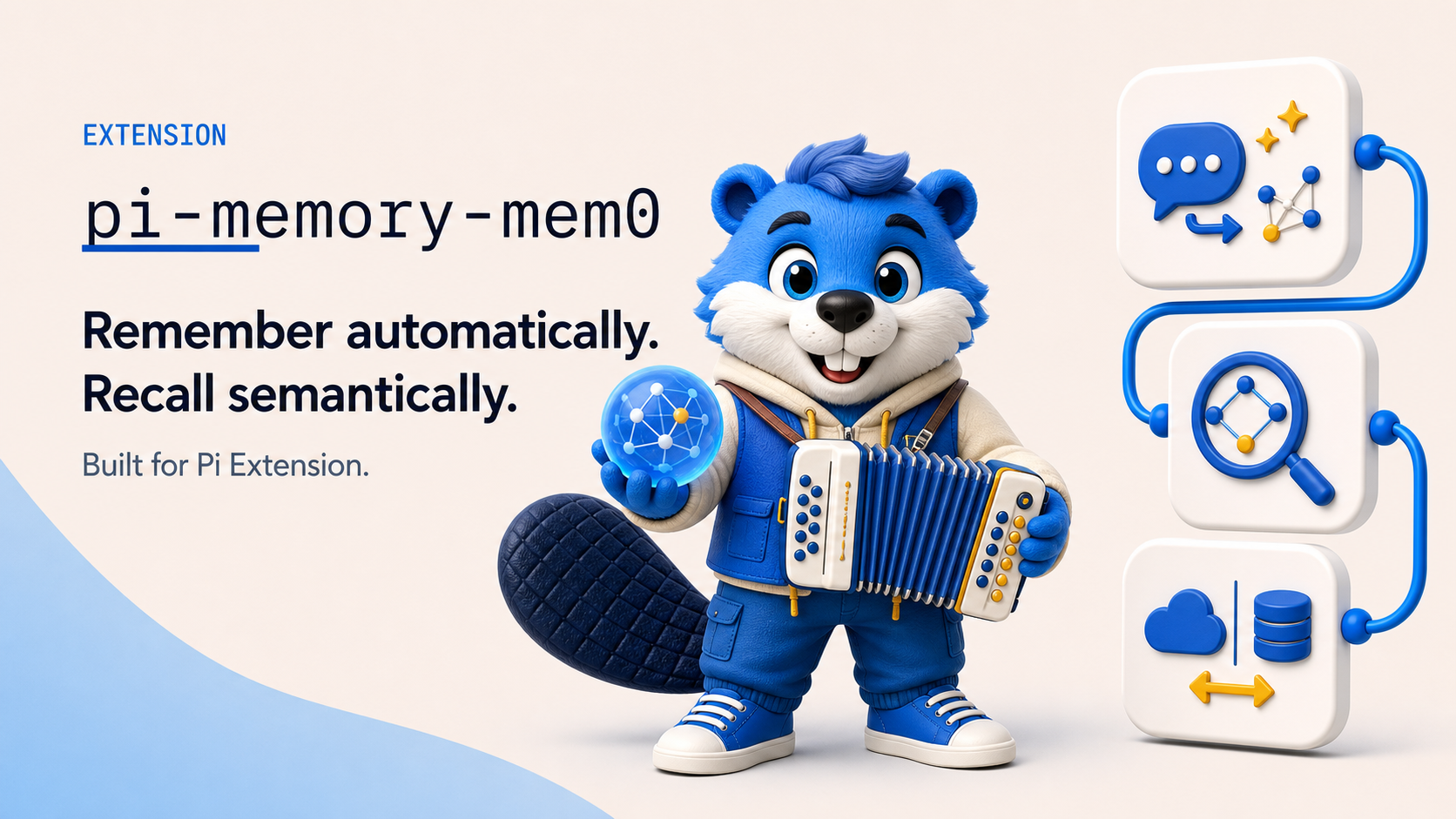
Semantic memory extension powered by Mem0, with Platform, embedded, and self-hosted backends and three memory modes (hybrid, active, passive).
How It Works
Passive side: after each conversation turn, the user + assistant messages are automatically sent to Mem0 for fact extraction and storage. When you send a prompt, a semantic search is prefetched in the background and relevant memories are recalled before the agent starts — zero effort required.
Active side: the agent gets a mem0_memory tool (search / add / get_all / delete) so it can look up and manage memories on its own initiative — same idea as the official @mem0/pi-agent-plugin, but backed by this package's provider abstraction, so it works with Platform, embedded, and self-hosted Mem0.
Safety boundaries:
- Recall channel: recalled memories are injected as a custom message delivered on the user channel — never into the system prompt. Each entry is wrapped as
[UNTRUSTED MEMORY DATA](JSON-quoted), and entries matching prompt-injection patterns are replaced with[BLOCKED UNTRUSTED MEMORY: ...]. - Recall trigger: automatic recall is consumed when a user prompt starts a run. Custom-message runs triggered by another extension do not consume pending recall.
- Project namespacing: memories are scoped to
userId:project:<cwd-hash>by default, so one project's memories are not visible in another. SetuserIdScope: "exact"when one identity must be shared across projects. - Credential redaction: private keys, bearer tokens, and
api_key=…-style values are redacted before anything is stored. - Platform mode disclosure: in
platformmode the captured turns leave your machine and are processed by Mem0 Cloud. Useembeddedorself-hostedmode to keep memory traffic off third-party infrastructure.
Modes
Backend Modes
| Mode | Vector Store | Persistence | Dependencies | Use Case |
|---|---|---|---|---|
platform |
Mem0 Cloud | Cloud-managed | MEM0_API_KEY |
Quick start, multi-device sync |
embedded |
Mem0 OSS vector store | Vector-store managed | LLM + Embedding API | Data privacy, no Mem0 Cloud |
self-hosted |
Mem0 OSS REST server | Server-managed | Server URL, optional API key | Shared infrastructure |
Memory Modes
Memory behavior has three independent controls. Each control is optional and falls back to the selected memoryMode preset when omitted.
Independent Behavior Controls
| Setting | Controls |
|---|---|
autoCapture |
Automatically send each user + assistant turn to Mem0 for extraction and storage |
autoRecall |
Automatically search Mem0 and inject matching memories before the agent starts |
toolEnabled |
Register the model-callable mem0_memory tool for search, add, list, and delete operations |
toolEnabled affects only the model-callable tool. The user-facing /mem0 command remains available while the provider is active.
topK is the shared result limit for automatic recall and mem0_memory search. It must be an integer greater than 0; use autoRecall: false, not topK: 0, to disable automatic recall.
Presets and Overrides
memoryMode remains a convenient preset for the three controls:
memoryMode |
Auto capture | Auto recall | mem0_memory tool |
Use Case |
|---|---|---|---|---|
hybrid (default) |
✅ | ✅ | ✅ | Automatic memory plus agent-driven lookup |
active |
❌ | ❌ | ✅ | No background traffic; the agent decides every read/write |
passive |
✅ | ✅ | ❌ | Zero tool surface; fully automatic memory |
Explicit controls override the preset independently. Unset controls continue to inherit their preset values, so a partial override does not replace the entire mode.
{
  "pi-memory-mem0": {
    "memoryMode": "hybrid",
    "autoRecall": false
  }
}
This keeps the hybrid defaults for autoCapture and toolEnabled, while the explicit autoRecall: false disables automatic injection. The agent can still search through mem0_memory on demand.
The same rule works with any preset. For example, this starts from passive and enables only the tool override:
{
  "pi-memory-mem0": {
    "memoryMode": "passive",
    "toolEnabled": true
  }
}
Recall Frequency
recallFrequency controls how often automatic recall runs when autoRecall resolves to true:
| Value | Behavior |
|---|---|
"user-input" (default) |
Search once for each user input and inject the matching memories before that agent run |
"session" |
Search only for the first user input in each persistent session |
Session frequency counts the first search attempt even when it returns no matches or times out. The marker is stored in the Pi session, so switching away and resuming the same session does not search again. /new and /fork create new session IDs and each search once.
When autoRecall is false, no automatic search is started and recallFrequency has no runtime effect. It does not affect manual mem0_memory or /mem0 search calls.
Architecture (Embedded Mode)
User ←→ Agent ←→ Mem0 OSS Memory
                        ↕
Mem0 OSS Vector Store (source of truth)- Vector search:
mem0aiOSSMemoryVectorStore. Despite the provider namememory, it is backed by SQLite;dbPathselects an in-process SQLite database or a SQLite file. - LLM extraction: Configured provider extracts facts from conversations
- Persistence: The default
dbPathis<home>/memories/mem0-vectors.db, so Mem0 writes vectors and payloads directly to a durable SQLite file. No second snapshot is maintained. - Provider mapping: Custom providers are automatically mapped to mem0-compatible providers (e.g.
openai) via the pi model registry'sapifield. - Observation date:
add()accepts an optionalobservedAt(Date or string). In OSS mode it grounds mem0's extraction prompt so relative time references ("yesterday", "last week") resolve against the conversation's date rather than the system clock — important when ingesting historical conversations. Omit it and mem0 falls back to the current date (correct for live turns).
Quick Start
Store configuration in user/agent settings or in a trusted project's .pi/settings.json. Project settings are ignored when trust is declined and do not expand ${ENV_VAR}; the environment-backed examples below therefore belong in user or agent settings.
Platform Mode
{
  "pi-memory-mem0": {
    "mode": "platform",
    "apiKey": "${MEM0_API_KEY}",
    "userId": "${USER}"
  }
}
Embedded Mode (Recommended)
Reuses API keys and base URLs from pi's configured model providers — no extra environment variables needed.
{
  "pi-memory-mem0": {
    "mode": "embedded",
    "userId": "${USER}"
  }
}
Defaults to OpenAI text-embedding-3-small (embedding) + gpt-4.1-nano (extraction). API keys and base URLs are automatically resolved from pi's model registry.
Use oss.customInstructions to refine Mem0's fact extraction, for example to keep memories in a specific language:
{
  "pi-memory-mem0": {
    "mode": "embedded",
    "oss": {
      "customInstructions": "Always record memories in Simplified Chinese."
    }
  }
}
These instructions affect only Mem0's extraction model, not pi's system prompt. Recalled memories remain untrusted model input, so only configure extraction instructions from a trusted source.
Existing settings with mode: "open-source" continue to load as embedded, but open-source is not part of the supported configuration interface. New settings should use embedded.
Self-Hosted Mode
Calls the OSS REST server directly. The server uses /memories and /search, not the Mem0 Platform /v1 paths.
{
  "pi-memory-mem0": {
    "mode": "self-hosted",
    "baseUrl": "${MEM0_BASE_URL}",
    "apiKey": "${MEM0_API_KEY}",
    "userId": "${PAPERCLIP_COMPANY_ID}",
    "agentId": "${PAPERCLIP_AGENT_ID}",
    "userIdScope": "exact"
  }
}
Custom Provider
When your model registry defines a custom provider with api: "openai-completions", you can use it directly:
{
  "pi-memory-mem0": {
    "mode": "embedded",
    "oss": {
      "llm": {
        "provider": "my-provider",
        "config": { "model": "deepseek-v4-pro" }
      },
      "embedder": {
        "provider": "my-provider",
        "config": { "model": "text-embedding-v4" }
      }
    }
  }
}
The extension automatically:
- Resolves API key from the model registry
- Injects
baseUrlfrom the registry - Maps
api: "openai-completions"→ mem0 provider"openai"
Fully Local (Ollama)
{
  "pi-memory-mem0": {
    "mode": "embedded",
    "userId": "${USER}",
    "oss": {
      "llm": {
        "provider": "ollama",
        "config": { "model": "llama3", "url": "http://localhost:11434" }
      },
      "embedder": {
        "provider": "ollama",
        "config": { "model": "nomic-embed-text", "url": "http://localhost:11434" }
      }
    },
    "useRegistryKeys": false
  }
}
External Vector Store (e.g. Qdrant)
The Qdrant JavaScript client is installed with this extension; a running Qdrant server is still required.
For production workloads that need a dedicated vector database:
{
  "pi-memory-mem0": {
    "mode": "embedded",
    "oss": {
      "vectorStore": {
        "provider": "qdrant",
        "config": { "url": "http://localhost:6333" }
      }
    }
  }
}
Supported vector store providers: memory (default), qdrant, redis, pgvector, supabase.
The configured vector store always owns persistence. To request an intentionally ephemeral SQLite database, set the memory provider's config.dbPath to ":memory:"; no snapshot fallback is created.
Configuration Reference
| Field | Type | Default | Description |
|---|---|---|---|
mode |
"platform" | "embedded" | "self-hosted" |
"platform" |
Operating mode |
memoryMode |
"hybrid" | "active" | "passive" |
"hybrid" |
Preset for capture, recall, and tool behavior |
autoCapture |
boolean | selected preset | Override automatic conversation capture |
autoRecall |
boolean | selected preset | Override automatic recall injection |
toolEnabled |
boolean | selected preset | Override mem0_memory tool registration |
recallFrequency |
"user-input" | "session" |
"user-input" |
Recall on each user input or only the first user input per persistent session; ignored when autoRecall is false |
apiKey |
string | — | Platform or self-hosted API key. Supports ${MEM0_API_KEY} |
baseUrl |
string | https://api.mem0.ai |
Platform override; required for self-hosted mode |
requestTimeoutMs |
number | 30000 |
Self-hosted request timeout |
userId |
string | $USER or "default-user" |
Memory scoping identifier |
agentId |
string | — | Optional agent scope. Supports environment interpolation |
userIdScope |
"project" | "exact" |
"project" |
Append the cwd hash or use userId verbatim |
topK |
integer greater than 0 |
5 |
Max results for automatic recall and mem0_memory search; use autoRecall: false to disable automatic recall |
useRegistryKeys |
boolean | true |
Whether OSS mode resolves keys from pi registry |
oss.customInstructions |
string | — | Additional Mem0 fact-extraction instructions; does not modify pi's system prompt |
oss.llm |
object | OpenAI gpt-4.1-nano | OSS extraction model |
oss.embedder |
object | OpenAI text-embedding-3-small | OSS embedding model |
oss.vectorStore |
object | memory at <home>/memories/mem0-vectors.db |
Custom vector store config |
oss.historyStore |
object | SQLite at <home>/memories/mem0-history.db |
Custom mem0 history store config |
oss.historyDbPath |
string | <home>/memories/mem0-history.db |
Shortcut for SQLite history DB path |
oss.disableHistory |
boolean | false |
Disable mem0 operation history |
Embedded and self-hosted modes read and write the exact userId + agentId scope; Platform mode reads the user and agent entity scopes with OR because Mem0 Platform stores them as separate records. Existing memories with a null agent_id are not backfilled automatically.
Data Storage
| Mode | Vector Data | History |
|---|---|---|
| Platform | Mem0 Cloud | Cloud-managed |
| Embedded (default paths) | <home>/memories/mem0-vectors.db |
<home>/memories/mem0-history.db |
Embedded (memory, dbPath: ":memory:") |
Process-local SQLite; lost on restart | <home>/memories/mem0-history.db |
| Embedded (Qdrant) | Qdrant server | <home>/memories/mem0-history.db |
| Self-hosted | Remote server | Remote server |
The home directory is resolved via resolveHome() from @amaster.ai/pi-shared/settings (defaults to ~/.pi/agent).
Provider Mapping
When a provider name doesn't match mem0's built-in list, the extension uses the model registry's api field to map it:
Registry api field |
Mapped to mem0 provider |
|---|---|
openai-completions, openai-responses |
openai |
anthropic-messages |
anthropic |
azure-* |
azure_openai |
google-*, gemini-* |
gemini |
This happens transparently — just configure the provider name as it appears in your models.json.
Installation Notes
The default Embedded configuration depends on better-sqlite3 (native addon, transitive dependency of mem0ai) for both the vector store and history. This remains true for dbPath: ":memory:": it changes where SQLite stores pages, not which vector-store implementation is used.
For pi-agent users: pi-agent's package.json includes better-sqlite3 in pnpm.onlyBuiltDependencies — it compiles automatically during pnpm install. No extra steps needed.
For standalone users: If your project's pnpm config blocks build scripts, add to your root package.json:
{
  "pnpm": {
    "onlyBuiltDependencies": ["better-sqlite3"]
  }
}
If better-sqlite3 fails to load (for example, because of a Node ABI mismatch), the default memory vector store cannot start. An external vector store can still be used with history disabled or configured to a working provider.
Tools
When the resolved toolEnabled value is true, the agent gets one action-dispatched tool:
mem0_memory(action="search", query="...")        # Semantic search over memories
mem0_memory(action="add", content="...")         # Store a durable fact
mem0_memory(action="get_all")                    # List every stored memory
mem0_memory(action="delete", memory_id="...")    # Remove a memory by id
Stored content is credential-redacted first; results are returned with the same [UNTRUSTED MEMORY DATA] wrapping as passive recall, including the memory ids needed for delete.
Platform writes are asynchronous: mem0_memory add and /mem0 add report that the write was accepted and is processing in the background. This does not confirm extraction has completed; memories may not be searchable yet, so do not retry an accepted write. Synchronous backends report returned memories or an explicitly empty extraction result; both legacy result arrays and { results: [...] } envelopes are supported, including memory text in data.memory. Explicit FAILED statuses are reported as write failures. A response without an extraction result or a pending status is reported as an unknown write outcome.
Commands
/mem0 status          # Show current status
/mem0 search <query>  # Semantic search
/mem0 profile         # List all memories
/mem0 add <text>      # Store a memory manually
/mem0 dedup           # Preview exact duplicates in the current scope
/mem0 dedup --apply   # Confirm and remove exact duplicates
/mem0 delete <id>     # Remove a memory by id
Relationship with pi-memory
pi-memory-mem0 and pi-memory run independently in parallel as separate extensions:
pi-memory: Curated memory — the agent explicitly manages memories via thememory_add/memory_replace/memory_remove/memory_readtools, local.mdfiles, hard char limitspi-memory-mem0: Semantic memory — automatic extraction/storage and semantic recall (passive), plus themem0_memorytool for agent-driven semantic lookup (active); no capacity limits
They do not interfere with each other, and their tool names do not collide. pi-memory-mem0 injects recalled text as a custom user-channel message (never the system prompt); pi-memory injects its own context separately.
Dedup API
Normal Mem0 writes use inference, so Mem0's own duplicate and conflict handling remains the primary protection. The package also exports a standalone maintenance function for previewing or removing legacy exact duplicates:
import { dedupMemories } from "@amaster.ai/pi-memory-mem0/dedup";

const result = await dedupMemories({
  userId: "my-user",
  agentId: "my-agent",
  config: { mode: "platform", apiKey: "..." },
  dryRun: true,
});
// result: { total: 42, duplicatesFound: 3, duplicatesRemoved: 0, deleteFailures: 0 }
Dedup normalizes entries using Unicode NFC, case-insensitive comparison, and collapsed whitespace, then keeps the newest exact match. Platform user and agent entity scopes are processed independently; embedded and self-hosted modes use the exact userId + agentId scope. Platform and embedded scopes are limited to 10,000 memories; self-hosted dedup requests the server maximum of 1,000 and fails closed when that limit is reached, so it only applies to scopes proven to contain at most 999 memories. Invalid or repeated IDs, empty memory content, missing, invalid, or tied timestamps, incomplete pagination, inconsistent Platform counts, and cancellation all fail closed; individual deletion failures are reported, and no automatic background cleanup is installed.
Structured results (Pi 0.99+)
mem0_memory declares outputSchema. Search/get_all return { memories, total, truncated } with complete IDs, credential-redacted memory text, and available scores/timestamps. Delete returns { deletedId, truncated }. Add exposes writeStatus: "saved" | "pending" | "unknown" | "empty"; pending/unknown results do not authorize retrying the write. Returned memory text is untrusted data, just as in the readable result. Failures return { error, truncated } and set isError: true.
const result = await tools.mem0_memory({ action: "search", query: "project language" });
if (result.error) throw new Error(result.error);
text(result.memories.filter(m => (m.score ?? 1) >= 0.7).map(m => ({ id: m.id, memory: m.memory })));
The existing actions remain search/add/get_all/delete; this change does not add an update API to Mem0.
Structured output is limited to 12 KiB and top-level lists to 100 complete records. truncated: true indicates omitted records; total retains the original count where available. Oversized records with an id retain that complete ID and small scalar metadata, omit large fields, and carry truncated: true both on the record and envelope; callers must check that flag before reusing content for an update. Oversized results without a record ID return a typed output-limit error instead of clipped paths or content. A write may already have completed when that happens: inspect saved state before retrying. Readable text and renderer details are independently bounded.