@arhen/pi-core-ask
Minimalist pi questionnaire: ask_user_question tool with up to 4 structured questions (2-4 options, multiSelect, previews, type-something).
Package details
Install @arhen/pi-core-ask from npm and Pi will load the resources declared by the package manifest.
$ pi install npm:@arhen/pi-core-ask- Package
@arhen/pi-core-ask- Version
1.0.11- Published
- Aug 22, 2026
- Downloads
- 457/mo · 46/wk
- Author
- arhen
- License
- MIT
- Types
- extension
- Size
- 2.6 MB
- Dependencies
- 0 dependencies · 3 peers
Pi manifest JSON
{
  "extensions": [
    "./src/index.ts"
  ]
}
Security note
Pi packages can execute code and influence agent behavior. Review the source before installing third-party packages.
README
@arhen/pi-core-ask


Install
Requires the pi coding agent — install it first: npm install -g @earendil-works/pi-coding-agent.
pi install npm:@arhen/pi-core-ask
Registers the
ask_user_questiontool. Only one extension may register it per session.
Minimalist pi questionnaire: ask_user_question tool with up to 4 structured questions per call — 2–4 options each, multiSelect, markdown previews, and an auto-appended "Type something." free-text row. Stateless: one tool, one dialog, no lifecycle machinery.
Tool contract
questions(1–4):question,header(≤16 chars),options(2–4 oflabel≤60 chars /description/ optionalpreview),multiSelect(default false)- Reserved labels rejected:
Other,Type something.,Next— the runtime appends its own free-text row - Validation: duplicate questions/labels, too few options, too many questions — all rejected with the same error strings
- Envelope:
User has answered your questions: "Q"="A". selected preview: …/User declined to answer questionson Esc
UI
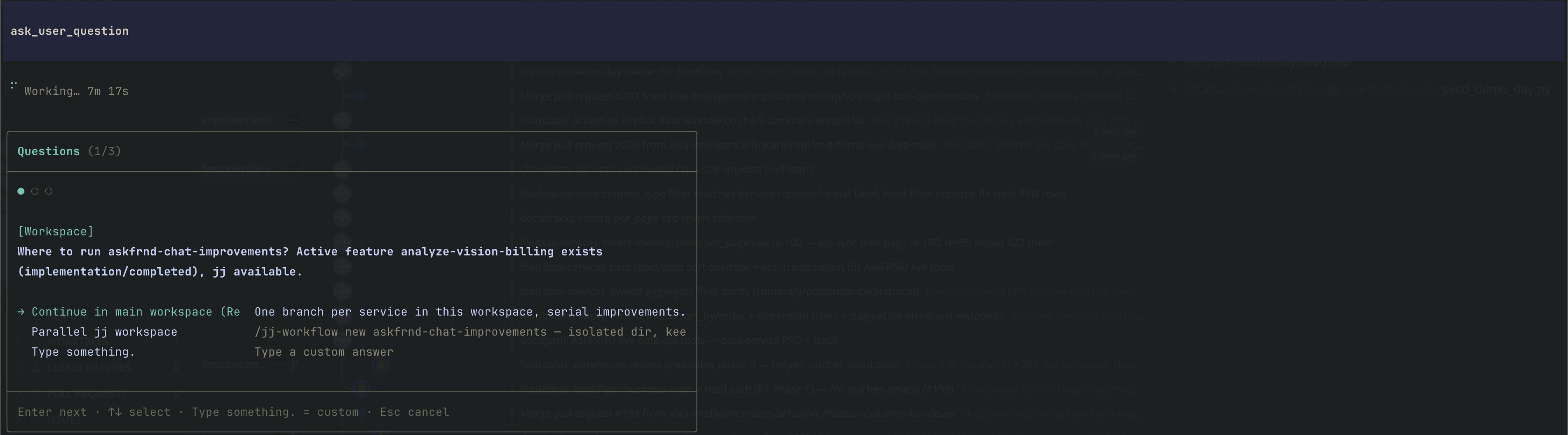
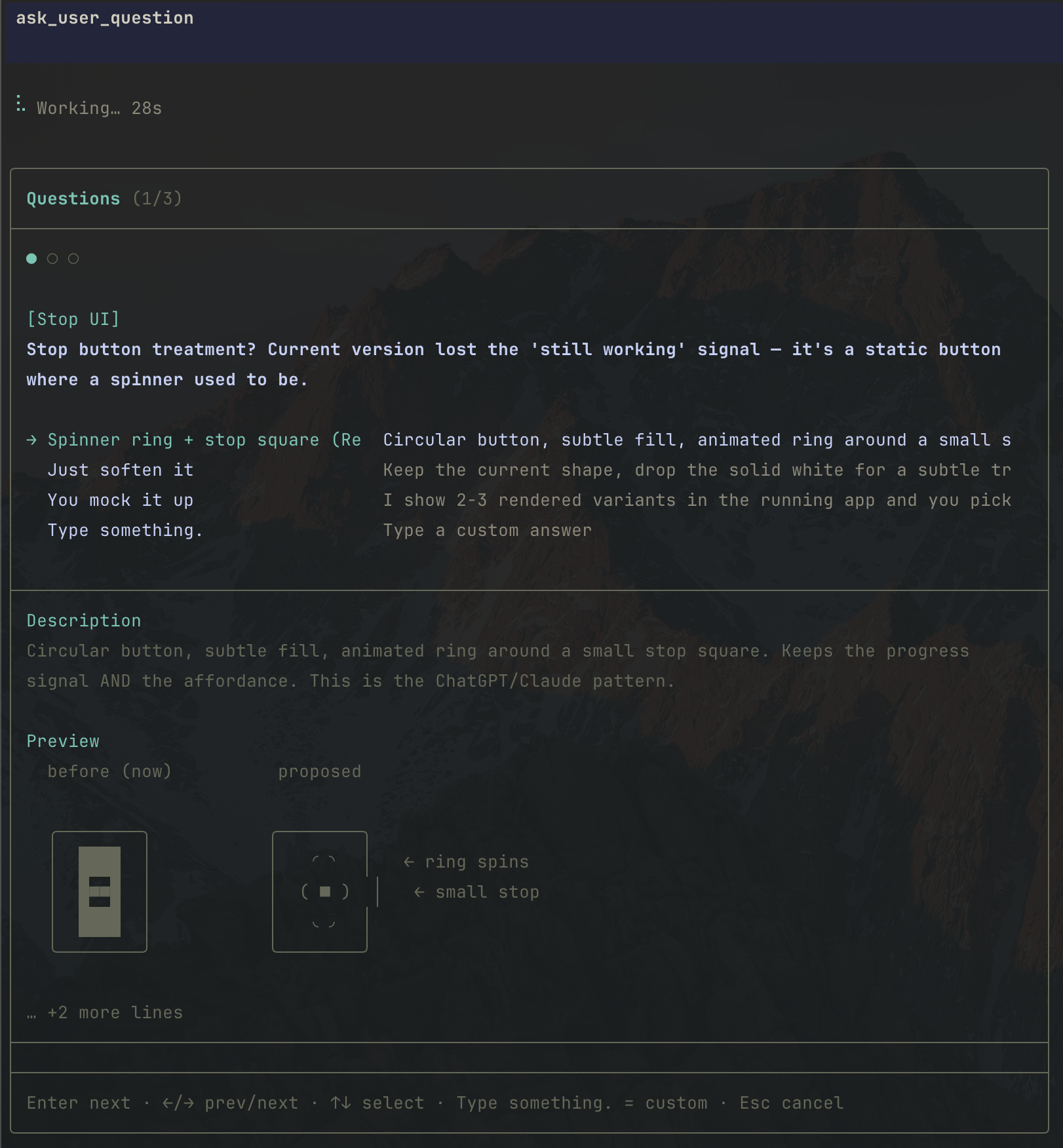
Boxed dialog, one question at a time: progress dots, header chip, option list (pi-tui SelectList), preview pane for focused options, "Type something." → inline input, Enter next / Ctrl+S done (multiSelect) / Esc cancel.
Preview pane with a side-by-side comparison grid for the focused option:
Questions (1/3)           ● ○ ○          [Workspace]
Where to run ask frnd-chat-improvements? Active feature analyze-vision-billing exists…

→ Continue in main workspace (Re…
  Parallel ej workspace
  Type something.
─────────────────────────────────────────────
Enter next ↵ select → Type something. = custom ⇫ Esc cancel
Design
- One tool, one boxed dialog, stateless — no lifecycle events, no config, no RPC fallback, no i18n
- Multi-question questionnaire: progress dots,
←/→navigation (answers preserved per question),Enternext,Ctrl+Scommits multiSelect,Esccancels - Options via pi-tui SelectList; focused option's full description + optional preview render in a pane below
- "Type something." free-text row on every question; blank submit returns to options
- Validation: reserved labels rejected (trimmed), previews only on single-select, 2-4 options, unique questions/labels
- Envelope:
User has answered your questions: "Q"="A"./ decline on Esc
Development
bun install
npx tsc --noEmit
bun test   # pure-logic: validation guards + response envelope
License
MIT.