@bismawy/pi-arnative
Arnative look for Pi: warm-neutral themes, rounded tool boxes, tabbed header, compact footer, transcript clock, and a /usage dashboard.
Package details
Install @bismawy/pi-arnative from npm and Pi will load the resources declared by the package manifest.
$ pi install npm:@bismawy/pi-arnative- Package
@bismawy/pi-arnative- Version
0.2.9- Published
- Sep 30, 2026
- Downloads
- 1,395/mo · 1,395/wk
- Author
- bismawy
- License
- MIT
- Types
- extension, theme
- Size
- 224.1 KB
- Dependencies
- 0 dependencies · 3 peers
Pi manifest JSON
{
  "image": "https://raw.githubusercontent.com/bismawy/pi-arnative/main/assets/banner.webp",
  "themes": [
    "./themes/*.json"
  ],
  "extensions": [
    "./extensions/*.ts"
  ]
}
Security note
Pi packages can execute code and influence agent behavior. Review the source before installing third-party packages.
README
Arnative
Refined aesthetics. Cohesive tools. Built for Pi.



Overview
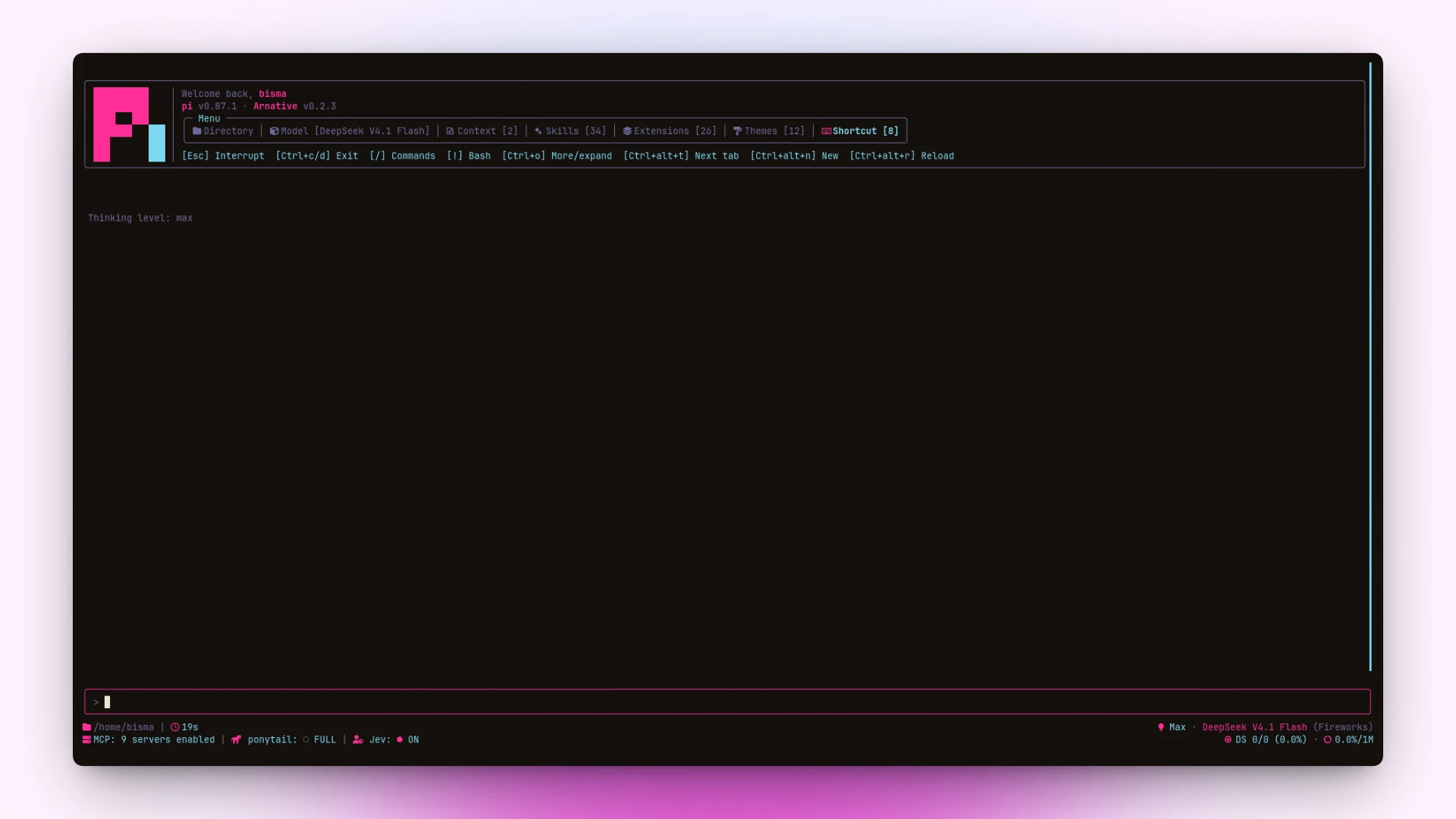
pi-arnative replaces pi’s default terminal chrome with a unified, cohesive visual aesthetic.
- Warm Themes: Cohesive, contrast-checked color palettes generated without drift.
- Tabbed Header: Greeting, version line, and a compact box menu over Directory, Model, Context, Skills, Extensions, Themes, and Shortcut.
- Rounded Tool Boxes: Clear status, spinner, and duration for every tool call.
- Enhanced Footer: 2-line layout showing directory path, git branch, model, and token metrics.
- Transcript Clock: Timestamps for messages with clean bubble backgrounds.
- Usage Dashboard: /usage command to track tokens and session costs.
Install
pi install npm:@bismawy/pi-arnativeSelect a theme via /settings → Theme → arnative (or any arnative-* variant).
To test locally without installing:
pi --extension ./extensions/footer.tsPrerequisite: Requires a Nerd Font (e.g. JetBrains Mono Nerd Font) for icons and rounded box borders.
Shortcuts
| Key (Linux / Win) | Action |
|---|---|
ctrl+alt+t · alt+t |
Cycle header tabs |
ctrl+alt+r · alt+r |
Quick reload (/reload) |
ctrl+alt+n · alt+n |
New session (/new) — requires keybinding below |
/usage |
Show session usage & token metrics |
| Click tab | Open selected header tab |
Click tool / ctrl+e |
Toggle tool output box |
Notes:
- Windows / WSL: Windows Terminal aliases
Ctrl+Altto AltGr; usealt+…(or set"altGrAliasing": falsein WT profile).- macOS: uses
ctrl+option+…(plain Option composes special characters).- Herdr / tmux glitch: if shortcuts feel delayed or type stray letters, set
PI_TUI_ESC_TIMEOUT=100in your shell profile.
Keybindings
Add to ~/.pi/agent/keybindings.json to bind app.session.new:
{
  "app.session.new": ["ctrl+alt+n", "alt+n"]
}
Architecture
| File | Role |
|---|---|
extensions/tools.ts |
Rounded tool boxes, spinners, and duration |
extensions/section-headers.ts |
Tabbed header and resource box |
extensions/footer.ts |
2-line status footer and boxed editor |
extensions/timestamps.ts |
Message clock and bubble background fixes |
extensions/ui-render-tweaks.ts |
Contrast tweaks, selection style, and UI polish |
extensions/usage.ts |
/usage token dashboard |
themes/arnative.jsonserves as the structure source of truth.themes/gen-themes.mjsgenerates variants with automated contrast checks.
Variants: sun · zinc · violet · emerald · matrix · cyberpunk · synthwave · gruvbox · nord · dracula
npm test        # Run self-checks & theme generator check
npm run themes  # Rebuild all theme variants
License
Distributed under the MIT license.