@bitcraft-apps/pi-web-tools
Shell-only web search and fetch tools for pi.dev. No API keys.
Package details
Install @bitcraft-apps/pi-web-tools from npm and Pi will load the resources declared by the package manifest.
$ pi install npm:@bitcraft-apps/pi-web-tools- Package
@bitcraft-apps/pi-web-tools- Version
1.3.1- Published
- May 14, 2026
- Downloads
- 804/mo · 804/wk
- Author
- sgraczyk
- License
- MIT
- Types
- extension
- Size
- 148 KB
- Dependencies
- 1 dependency · 4 peers
Pi manifest JSON
{
  "extensions": [
    "./index.ts"
  ],
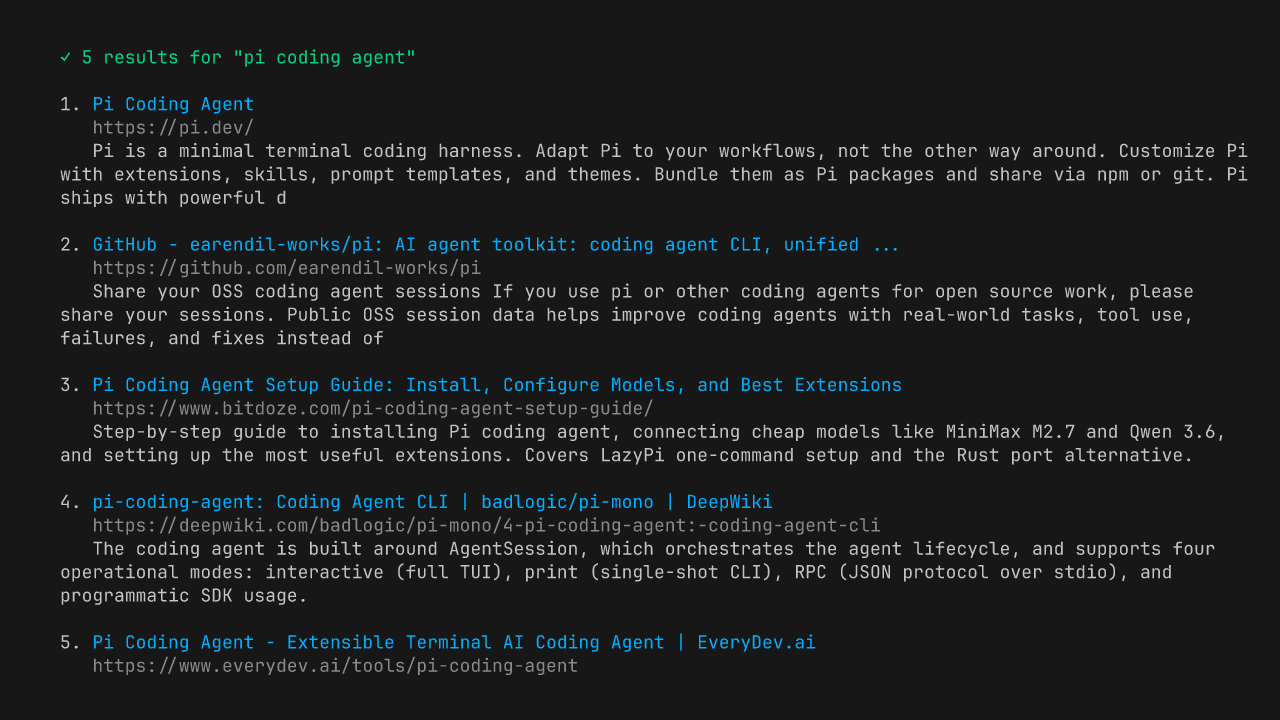
  "image": "https://raw.githubusercontent.com/bitcraft-apps/pi-web-tools/main/.github/preview.png"
}
Security note
Pi packages can execute code and influence agent behavior. Review the source before installing third-party packages.
README
@bitcraft-apps/pi-web-tools
Shell-only web search and fetch tools for pi.dev. Zero API keys, zero accounts — just ddgr + pandoc/w3m running locally.
Tools
websearch
DuckDuckGo search via ddgr. Returns up to 25 results with title, URL, snippet.
webfetch
fetch + optional content-extraction pre-pass + HTML→markdown via pandoc (preferred) or w3m (fallback). Auto-handles Cloudflare challenges via UA hack. Blocks SSRF (localhost/RFC1918). Optional add-ons: a Reader-View extractor for chrome-heavy pages (docs/extraction.md) and pdftotext for PDFs (docs/pdf.md).
Install
# 1. System deps (one-time)
brew install ddgr pandoc        # macOS
# or: pip install ddgr; apt install pandoc w3m

# Optional add-ons (recommended):
#   pipx install trafilatura     # Reader-View extraction — see docs/extraction.md
#   brew install poppler         # PDF support — see docs/pdf.md

# 2. Extension (from npm)
pi install npm:@bitcraft-apps/pi-web-tools

# Or pin a specific version:
# pi install npm:@bitcraft-apps/pi-web-tools@<version>

# Or for local dev / hacking on the source:
pi install -e /path/to/pi-web-tools
After install, restart pi and the websearch and webfetch tools become available.
Usage examples
In a pi session:
> Find me docs for Bun's native Sqlite API
[agent uses websearch → gets bun.sh URL → uses webfetch → reads docs]
You don't call them directly — pi's agent calls them when it needs.
Limits and behavior
websearch: default 8 results, hard cap 25. DuckDuckGo rate-limits ~10 req/min/IP. If you hit it, wait or usewebfetchdirectly.region(optional): DuckDuckGo region code, e.g.pl-pl,us-en,de-de. Maps to ddgr's--reg. Default: ddgr's built-in (us-en).safesearch(optional):off|moderate|strict. Defaultmoderate.offpasses--unsafeto ddgr. ddgr does not distinguish moderate vs strict — both use its default safe-search behavior (see ddgr.1 manpage; only--unsafeis exposed).time(optional):d|w|m|y— restrict results to the past day/week/month/year. Maps to ddgr's--time. Default: no filter (all time). Use when the query is time-sensitive ("latest", "recent", "this week") — DuckDuckGo's default ranking otherwise surfaces years-old SEO content above recent results.
webfetch: default 50k chars output, hard cap 200k; 5 MB response cap; 30s timeout.webfetchsendsAccept: text/markdown,text/html;q=0.9,…first; sites that honor it (Cloudflare's "Markdown for Agents", GitHub docs, Anthropic docs, Stripe API docs, …) return pre-rendered markdown — typically 10–100× smaller.webfetchcannot fetch: images, video, audio, localhost, 127/8, 169.254/16; PDFs unless optionalpdftotextis installed (see docs/pdf.md).webfetchpagination: passoffset(default 0) to read past the 200k-char per-call cap; thread theYfrom the[TRUNCATED — returned chars [X, Y) of Z total. Re-call with offset=Y …]footer back as the nextoffset. The range is half-open (Xinclusive,Yexclusive) so passingYresumes exactly where the previous chunk stopped, with no overlap or gap. Stop paginating once the section the agent needs is in hand.- On
429/503, honorsRetry-After(delta-seconds or HTTP-date) for one retry, capped at 10s. No backoff, no retry on other statuses. - Cross-host redirects are surfaced in-band via a
[REDIRECTED — input was https://INPUT_HOST, final URL is FINAL_URL]line prepended to the markdown; userinfo (user:pass@) is stripped. Same-host redirects produce no notice. - Honors the
charset=parameter onContent-Typefor response decoding (e.g.windows-1250,iso-8859-2,shift_jis,gb2312). Unknown labels fall back to UTF-8. - For HTML responses without a
Content-Typecharset, sniffs<meta charset="...">or<meta http-equiv="Content-Type" content="...; charset=...">declared in the first 1024 bytes (HTML comments are stripped first). - All operations are read-only and synchronous. No persistent state, no cache.
What webfetch does not do
- No JavaScript execution. Pages that render client-side return empty markdown. Workarounds: try the same content via
old.reddit.com,*.jsonAPI endpoints, RSS/Atom feeds, or the site's documented REST API. - No per-host routing.
webfetchdoes not switch behavior based on hostname (noif hostname === "github.com"branches). If you want "useghfor GitHub URLs, fall back towebfetchotherwise," that belongs in a personal pi skill in~/.pi/agent/skills/, not in this package. SeeAGENTS.md“Bar for new tools” for the full rationale. - No headless browser. Out of scope per
AGENTS.md. Shell-only is the project's design constraint.
Troubleshooting
ddgr not installed→brew install ddgrorpip install ddgrNeed pandoc or w3m installed→brew install pandocDuckDuckGo timed out (likely rate-limited)→ wait 1–2 minSite requires JS, cannot fetch in shell-only mode→ site uses Cloudflare/JS-only; not solvable without headless browser, out of scope for this tool
Development
# one-time, if you don't have bun:
#   macOS:        brew install bun
#   Linux / WSL:  curl -fsSL https://bun.sh/install | bash
# (or see https://bun.sh for other options)
git clone https://github.com/bitcraft-apps/pi-web-tools
cd pi-web-tools
bun install
bun run typecheck           # type-check via tsgo (@typescript/native-preview); CI runs this before tests
bun run lint                # oxlint + type-aware oxlint-tsgolint; CI runs this before tests
bun run format              # apply oxfmt to src/, test/, index.ts, vitest.config.ts
bun run format:check        # CI runs this before lint; fails if anything is unformatted
bun run test                # unit tests, no network
bun run test:network        # integration tests (requires net)
bash scripts/metrics.sh     # passive health signals (npm + GitHub); on-demand, no state
We use bun as the dev package manager. The committed lockfile is bun.lock; package-lock.json is gitignored.
End-user installs (
pi install npm:...) pull a published tarball from the npm registry. The tarball ships onlyindex.ts,src/,README.md,LICENSE, andCHANGELOG.md(no tests, nobun.lock, no CI configs) — seefilesinpackage.json.bun.lockis the dev lockfile only; transitive deps for end users are resolved bynpm installagainst the registry at install time. Peer deps are wildcard-pinned, no runtime deps drift in breaking ways.
Hot-reload during dev:
ln -s "$(pwd)" ~/.pi/agent/extensions/pi-web-tools
# in pi session: /reload
License
MIT