@clawdbuilder/jig
One tool manager and a set of plugins for the Pi coding agent: permissions per tool and environment, approvals, secrets and records.
Package details
Install @clawdbuilder/jig from npm and Pi will load the resources declared by the package manifest.
$ pi install npm:@clawdbuilder/jig- Package
@clawdbuilder/jig- Version
0.5.5- Published
- Nov 12, 2026
- Downloads
- 1,946/mo · 1,946/wk
- Author
- clawdbuilder
- License
- MIT
- Types
- extension, skill, theme
- Size
- 5.8 MB
- Dependencies
- 8 dependencies · 4 peers
Pi manifest JSON
{
  "skills": [
    "./plugins/*/skills"
  ],
  "themes": [
    "./plugins/jig-theme/themes/*.json"
  ],
  "extensions": [
    "./plugins/jig-core/index.ts",
    "./plugins/jig-sandbox/index.ts",
    "./plugins/jig-memory/index.ts",
    "./plugins/jig-workflow/index.ts",
    "./plugins/jig-agents/index.ts",
    "./plugins/jig-git/index.ts",
    "./plugins/jig-lens/index.ts",
    "./plugins/jig-jira/index.ts",
    "./plugins/jig-logs/index.ts",
    "./plugins/jig-api/index.ts",
    "./plugins/jig-ops/index.ts",
    "./plugins/jig-review/index.ts",
    "./plugins/jig-mongo/index.ts",
    "./plugins/jig-session/index.ts",
    "./plugins/jig-theme/index.ts"
  ]
}
Security note
Pi packages can execute code and influence agent behavior. Review the source before installing third-party packages.
README
Jig


Jig makes a coding agent's work visible, bounded and yours to approve.
Jig is a set of plugins for the Pi coding agent. It decides what the agent may do, asks you when it matters, keeps credentials out of its reach, and records what happened. The agent keeps its tools; Jig puts one policy, one approval path and one record around all of them.
Jig never signs in; the tool that owns a login does (Credential sources).
A production result is masked before the model sees it. The same rules govern bash, pull requests, Jira, databases, APIs, CI and child agents.
How it works
- Every call is classified.
jig-coreworks out the environment and whether a call reads or writes, then applies your rules before anything runs. - Reads run; writes ask. A write to a test environment shows a preview and waits for you. Production writes are denied, not asked about.
- Results are cleaned. Secrets are redacted and production personal data is masked before the model receives the result.
- The record stays. Each call, approval and cost is in a local record that
jig-lenscan show; nothing leaves the machine on its own. - The same rules reach
bashand children. A sandboxed command and a child agent are governed by the same policy, not by a second prompt. - Browser pages have one palette. A graphite dark theme and a light one, following the system or a saved choice; Browser theme has the tokens and the contrast numbers.
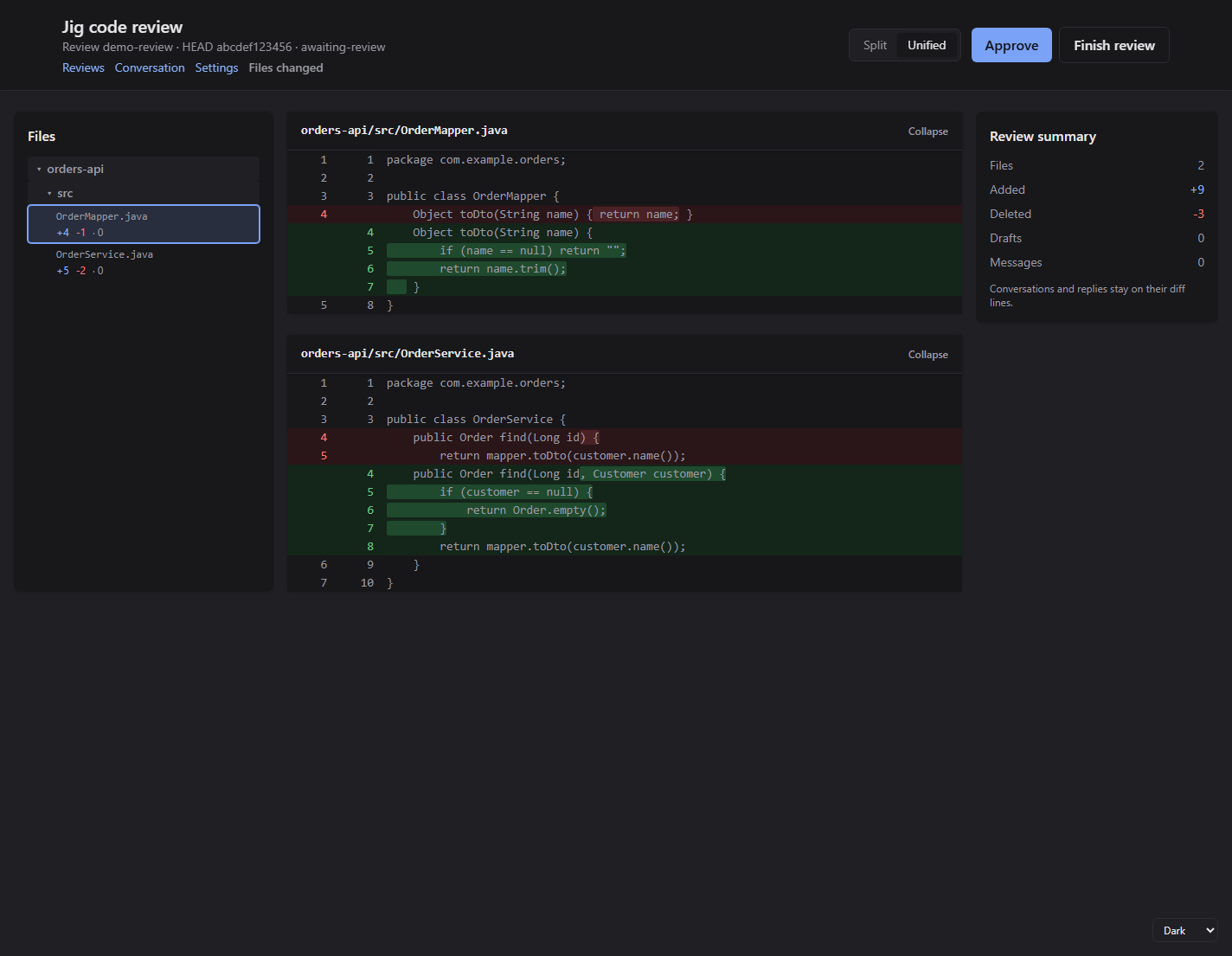
A code review in Jig's browser page, in its graphite theme. The file list and diffs are on the left, the summary stays beside them, and Approve is in the header; approval still returns to Pi. This is example data.
Install
Jig needs Pi 1.4 or later and Node.js 22.19 or later. Compatibility has the tested versions and the names Jig keeps stable.
npx @clawdbuilder/jig setup
jig
jig is Pi for Jig's own folder, the home: ~/.jig, or JIG_HOME when you set it. The home has its own
settings, sessions, packages and jig.json, so Jig never changes your own pi. setup makes the home, installs Jig
in it with Pi, and puts the jig command in ~/.local/bin.
- Your own Pi stays yours.
pistarts your Pi;jigstarts Pi with the home. A Pi package goes into Jig withjig install npm:…, into your Pi withpi install npm:…, or into both.jig install -lwrites the project's.pi/settings.json, which both read. - One Jig.
jigalways runs the Jig installed in the home, so the command and its plugins are one version. - Updating.
jig updatemoves the packages in the home, Jig included. It never updates the Pi binary, because yourpishares it:pi update --selfdoes that. - Uninstalling is deleting the home and the
jigcommand.
Start Jig and run /jig, or run jig doctor in a terminal; Setup and doctor covers both.
The launcher is optional; The launcher covers it. Jig works without it.
First session
Start Jig in the folder you work in:
jigThen /jig shows the rules and setup state, /jig doctor names any missing piece, and /lens shows cost and
waiting time after the first calls. A write asks before it runs; a production write is denied.
Works on
- Linux and WSL2: tested in CI and daily use. macOS: runs, with Seatbelt in the sandbox;
filteredandasknetworking meanoffthere (sandbox). Native Windows: not yet, because of the sandbox. - Agent: Pi 1.4 or later, tested with 1.5.2; Jig is a set of Pi plugins, and other agents are not supported.
What you get
| Area | What it gives you | Plugins |
|---|---|---|
| Safety | One policy for every tool, approvals, secrets, masking, records | core, sandbox |
| Code | Git, pull requests and releases; a browser review; CI and deploy | git, review, ops |
| Systems | Jira, logs, saved API requests and MongoDB | jira, logs, api, mongo |
| Work and memory | Workflows with evidence; ticket notes and recall; a card when the agent closes a ticket | workflow, memory |
| Delegation | Child agents under the same rules, with limits | agents |
| Seeing | Cost, failures and waits; a context breakdown; session state; themes and a footer | lens, session, theme |
All fifteen plugins are built. Every plugin needs jig-core; otherwise they work on their own, and each README is
the specification its code follows. jig-herdr is optional: its Work and Context panels read
jig-session's file and show the session in focus.
Company-specific environments, sign-in services and internal tools live in a private company plugin, never here.
Writing a company plugin and the tested jig-acme example
show how; Plugins is the map of every tool.
What is next
Work with a page behind it, not a promise:
from jig-jira, and embeddings or a graph only after real-ticket recall shows misses.
Learn more
- Your first hour with Jig: install to your first approval, sandbox check and
/lens. - Architecture: the tool manager, the sandbox boundary and where each plugin fits.
- Permissions: environments, rules and the floor configuration cannot lower.
- Plugins: every tool, its actions and the plugin that owns it.
- Setup and doctor:
jig setup,jig doctorand what each finding means.
The longer reading paths page keeps the order through Approvals, Secrets, Writing a company plugin, Decisions, Compatibility and the code maps. Contributing covers the checks and where code goes; Security says how to report a problem; Releases says what a version means. Every push runs the type check, Biome, the docs link check, the test suites and the integration services that have an address.
Jig is released under the MIT licence.