@clement_chsn/pi-ask-user
Interactive Pi questionnaires: single or multiple choice, free text and a review before sending.
Package details
Install @clement_chsn/pi-ask-user from npm and Pi will load the resources declared by the package manifest.
$ pi install npm:@clement_chsn/pi-ask-user- Package
@clement_chsn/pi-ask-user- Version
0.1.0- Published
- Oct 8, 2026
- Downloads
- 328/mo · 27/wk
- Author
- clement_chsn
- License
- MIT
- Types
- extension
- Size
- 23.4 KB
- Dependencies
- 0 dependencies · 2 peers
Pi manifest JSON
{
  "image": "https://raw.githubusercontent.com/clementchesneau/pi-extensions/main/docs/images/ask-user.png",
  "extensions": [
    "./index.js"
  ]
}Security note
Pi packages can execute code and influence agent behavior. Review the source before installing third-party packages.
README
Ask user
Lets the agent ask you questions in the terminal: single or multiple choice with descriptions, free text through Other answer, and a summary to review before sending. No extra model call, no external service.
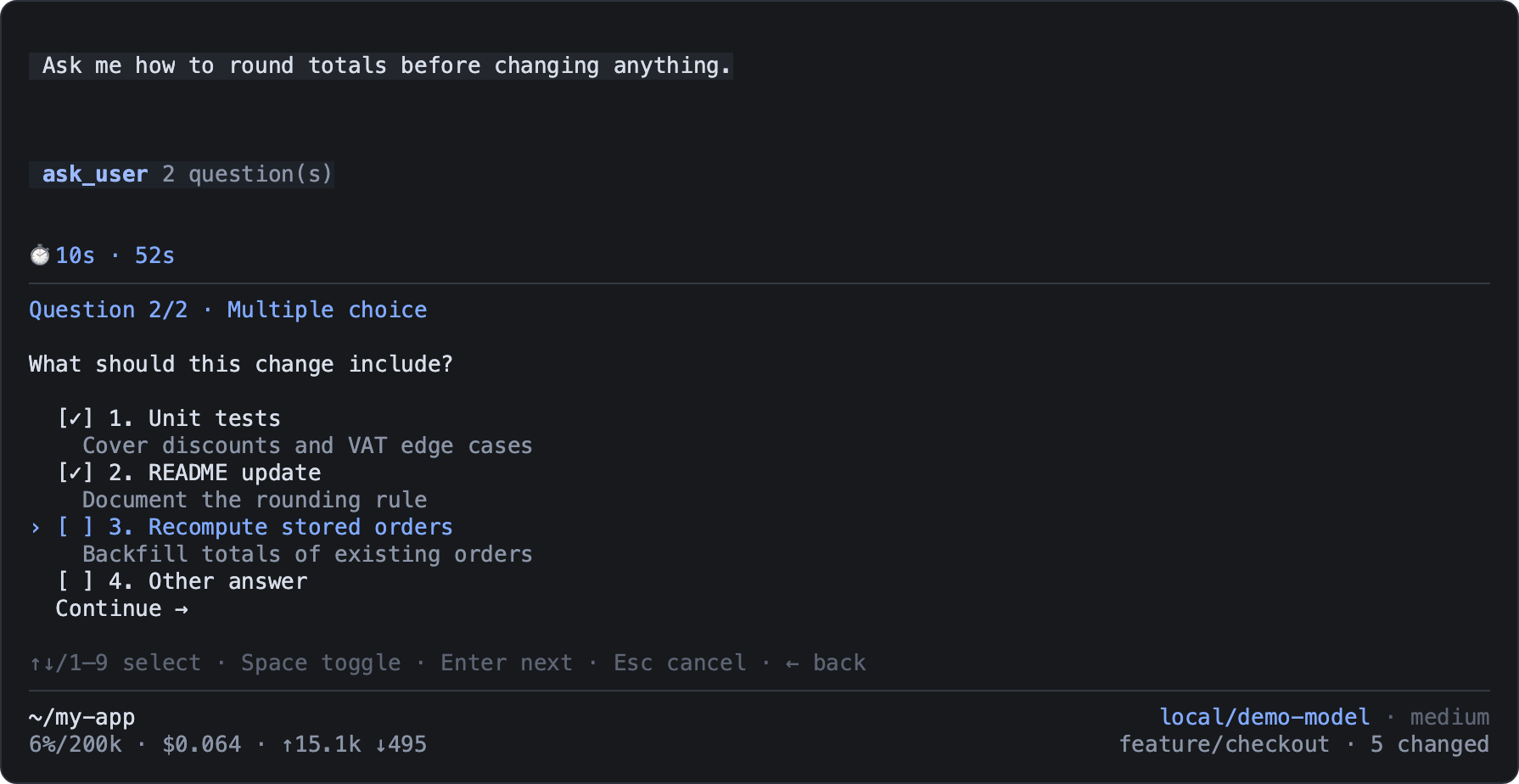
pi install npm:@clement_chsn/pi-ask-userTo try it, ask the agent: "Use ask_user to ask me for a scope as a single choice, then several features, with a description for each option."
Answering
The questionnaire replaces the input area below the conversation, one question at a time.
| Key | Action |
|---|---|
| ↑/↓ | Move the selection |
| 1–9 | Pick or check an option directly |
| Space | Check or uncheck, in multiple choice |
| Enter | Choose or continue; on Other answer, start typing |
| Shift+Enter | New line while typing |
| ←/→ or Shift+Tab/Tab | Previous or next question |
| Option/Alt+↑/↓ | Scroll the panel, even while typing (also PgUp/PgDn outside Pi's fullscreen mode) |
| Esc | Cancel the whole questionnaire |
Free text replaces a single choice or complements checked options. Nothing is sent before you
confirm the final Summary, even for a single question. Cancelling sends no partial answer:
the agent receives cancelled.
Tool contract
{
  "questions": [
    {
      "id": "scope",
      "prompt": "Which scope do you want?",
      "options": [
        { "value": "minimal", "label": "Minimal version", "description": "Ships fast" },
        { "value": "complete", "label": "Complete version", "description": "More features" }
      ]
    },
    {
      "id": "features",
      "prompt": "Which features should be included?",
      "multiple": true,
      "options": [
        { "value": "search", "label": "Search" },
        { "value": "export", "label": "Export" }
      ]
    }
  ]
}
Question IDs are unique, as are option values within a question; multiple defaults to false.
The result has a status (answered, cancelled or unavailable) and answers, each with
id, prompt, selected (values and labels) and custom (free text or null).
The questionnaire needs Pi's interactive terminal. In RPC, JSON or print mode, or in a subagent,
the tool returns unavailable at once, without asking or inventing an answer.