@clement_chsn/pi-background-tasks
Non-interactive shell commands run in the background by Pi agents, tracked by ID.
Package details
Install @clement_chsn/pi-background-tasks from npm and Pi will load the resources declared by the package manifest.
$ pi install npm:@clement_chsn/pi-background-tasks- Package
@clement_chsn/pi-background-tasks- Version
0.1.0- Published
- Oct 8, 2026
- Downloads
- 201/mo · 18/wk
- Author
- clement_chsn
- License
- MIT
- Types
- extension
- Size
- 46.7 KB
- Dependencies
- 1 dependency · 2 peers
Pi manifest JSON
{
  "image": "https://raw.githubusercontent.com/clementchesneau/pi-extensions/main/docs/images/ps-logs.png",
  "extensions": [
    "./index.js"
  ]
}Security note
Pi packages can execute code and influence agent behavior. Review the source before installing third-party packages.
README
Background tasks
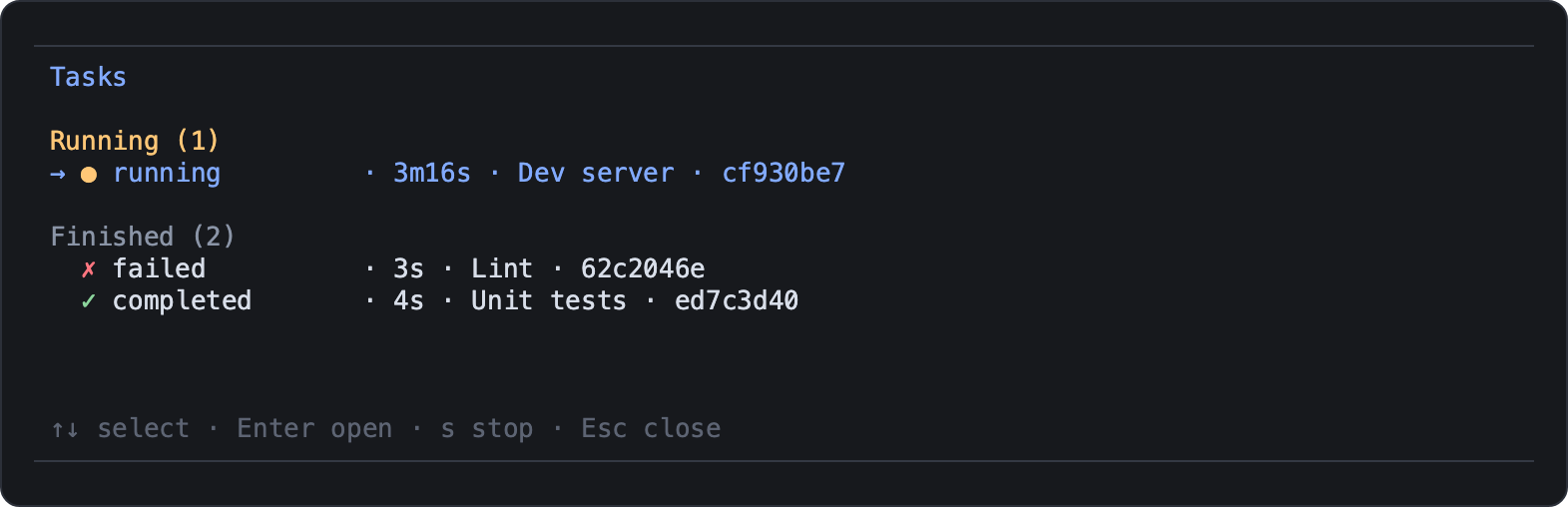
Lets the agent run shell commands in the background, such as builds, test suites or dev servers,
and keep working while they run. /ps shows them with live logs. Tasks stop when the Pi session
ends.
pi install npm:@clement_chsn/pi-background-tasksmacOS or Linux. On Linux, the ps from procps is required to verify cleanup (procps-ng on
Alpine; slim Docker images lack it). Windows is not supported.
Following tasks with /ps
/ps opens a full-screen list of running and finished tasks; Enter opens a task's live logs.
| Key | List | Logs |
|---|---|---|
| ↑/↓ | Select | Scroll |
| PgUp/PgDn, Home/End | Scroll by page, go to start or live end | |
| Enter | Open logs | |
t or Tab |
Switch between stdout and stderr | |
s |
Stop the task | Stop the task |
| Esc | Close | Back to the list |
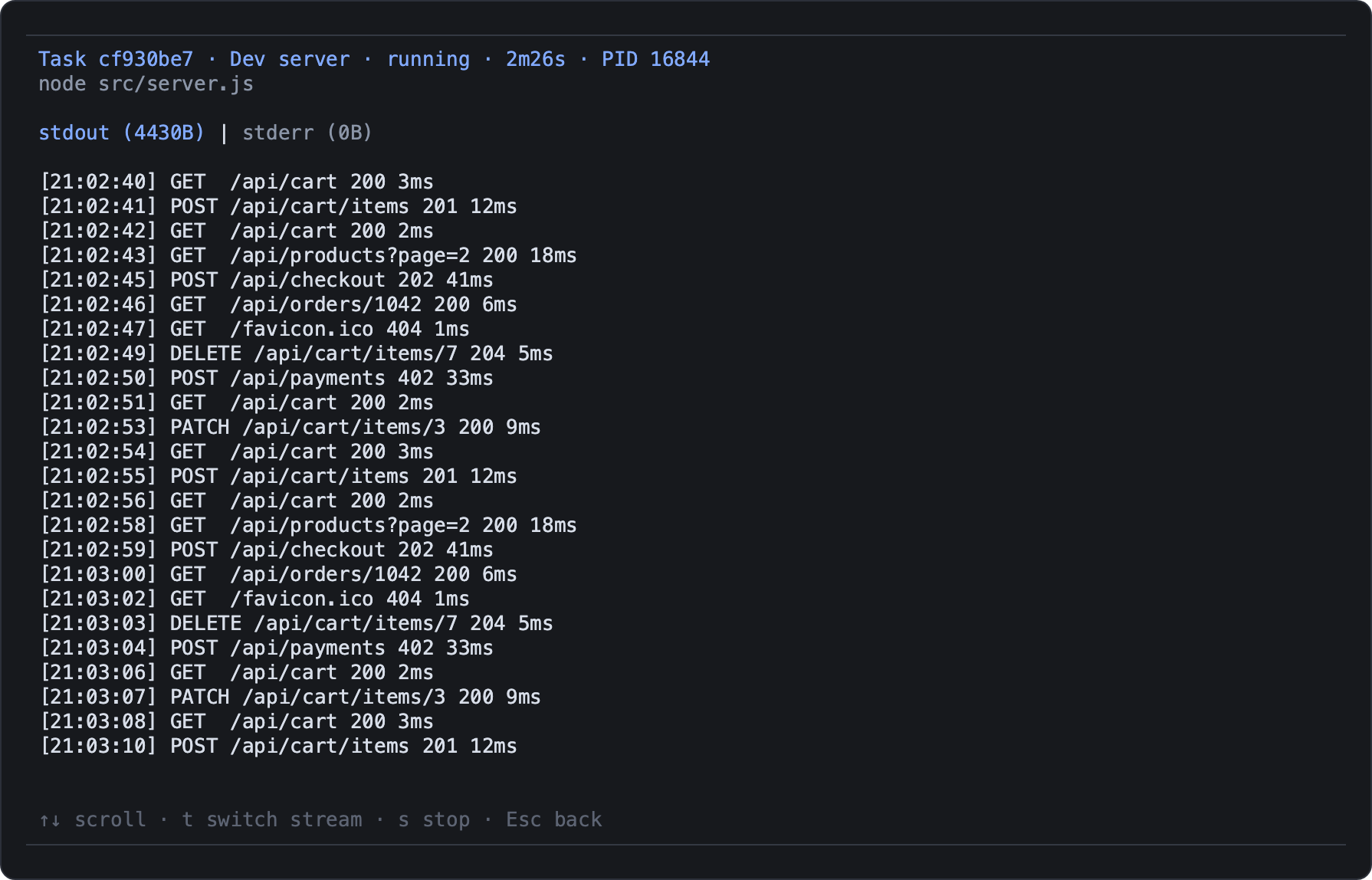
Scrolling up pauses live following; End resumes it. In Pi's fullscreen mode
(pi --tui-mode fullscreen), the mouse wheel scrolls too. With
activity-indicator,
the number of running tasks appears above the editor.
What the agent gets
| Tool | Purpose |
|---|---|
task_start |
Start a command with a short title; optional timeoutMs, and resume to wake the agent when it ends |
task_status |
State, exit code, PID and output size of one task, or the paginated list |
task_wait |
Wait for a task for up to 5 minutes; an expired wait never stops the command |
task_output |
Read stdout, stderr or both, from the tail or page by page |
task_stop |
Stop the task and its child processes, then check they exited |
A task is running, completed, failed, stopped or timed_out. Commands get no interactive
input. At most four tasks run or stop at once; there is no queue. When a task ends, Pi notifies
you; with resume: true, the agent also gets a message with the task's state (not its logs),
without interrupting its current turn.
Logs and cleanup
- Logs are private temporary files. The latest 10 MiB of each stream are kept, and deleted when the session ends.
- Switching session,
/reloadand quitting Pi stop the tasks. A crash or SIGKILL of Pi can leave them running. - Stopping covers the task's process group and the descendants observed in other groups. A process that detaches very quickly, such as a double-forking daemon, can escape: do not start daemons with these tools.
- When cleanup cannot be verified, the task reports
cleanupUncertainorstopError, and Pi shows a notification.