@code-fixer-23/pi-agent-resource
This extension is useful for making agent skills, propmts and subagents
Package details
Install @code-fixer-23/pi-agent-resource from npm and Pi will load the resources declared by the package manifest.
$ pi install npm:@code-fixer-23/pi-agent-resource- Package
@code-fixer-23/pi-agent-resource- Version
4.0.0- Published
- Jun 12, 2026
- Downloads
- 473/mo · 293/wk
- Author
- codebreaker10
- License
- MIT
- Types
- extension
- Size
- 2 MB
- Dependencies
- 2 dependencies · 2 peers
Pi manifest JSON
{
  "extensions": [
    "extensions",
    "extensions/!*.test.ts"
  ],
  "image": "https://raw.githubusercontent.com/louiss0/pi-packages/main/pi-agent-resource/assets/Small-Agent-Resource.png"
}
Security note
Pi packages can execute code and influence agent behavior. Review the source before installing third-party packages.
README
@code-fixer-23/pi-agent-resource
@code-fixer-23/pi-agent-resource adds interactive Pi resource-management workflows for agents, prompts, skills, and reusable packs. It solves the repetitive parts of creating and maintaining Pi assets by combining validated forms, editor overlays, local-vs-global path resolution, and pack-aware loading into ready-to-use extensions. In practice, the package plugs into Pi's command system and resource discovery lifecycle so users can create or reorganize resources without manually building frontmatter, folder structures, or pack search paths.




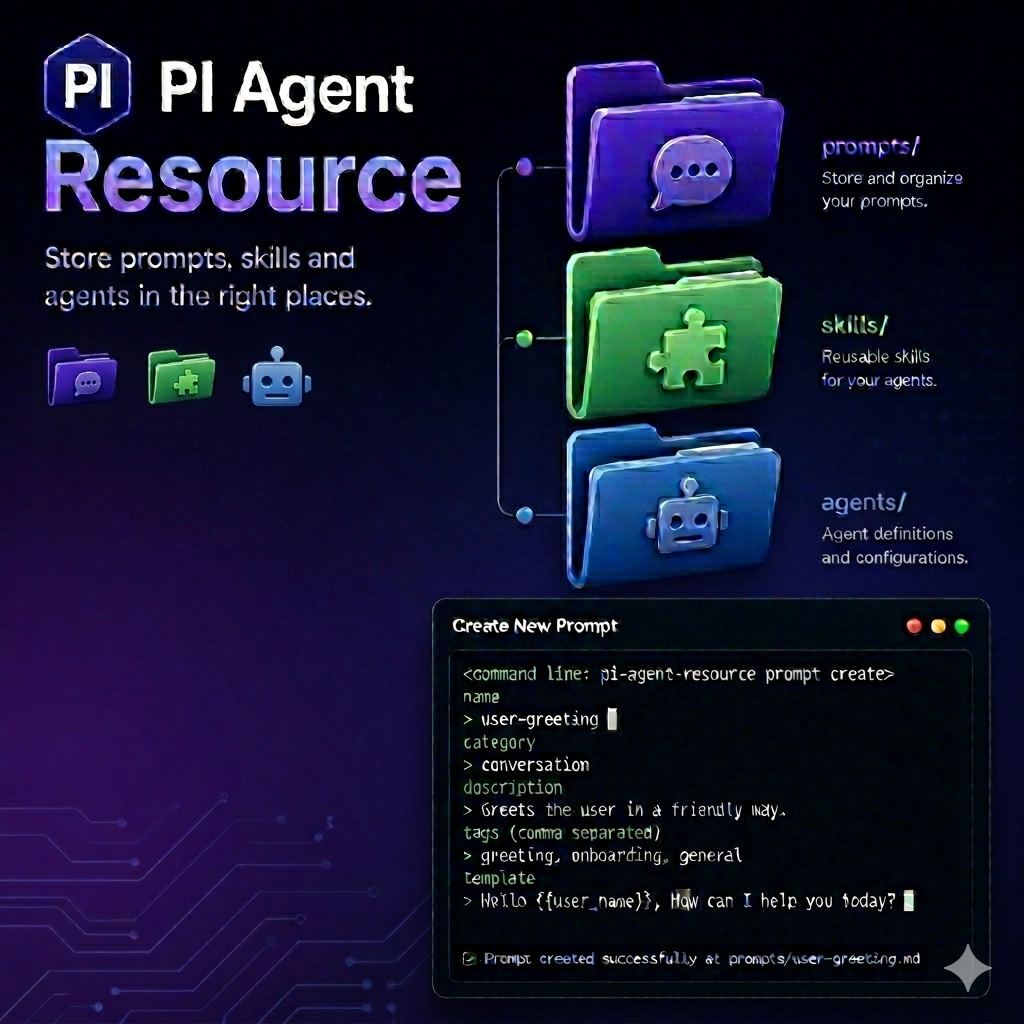
Package structure
This package currently ships four Pi extensions:
agent-managerprompt-managerskill-managerpack
It also includes package artwork in assets/, but it does not currently ship standalone prompts, skills, or themes of its own.
Agent Manager
The agent manager handles markdown agent definitions in either your global Pi home or the current project's .pi/agents directory. It is aimed at the workflow where you want to scaffold a valid agent quickly, inspect an existing one, or remove outdated agent definitions without leaving Pi.
Commands
resource:agent <create|edit|delete>
Manages global agents in ~/.pi/agent/agents.
createopens a validated form forname,description,tools, andmodel, then writes a new markdown file with normalized frontmatter.editlets you select an existing global agent and reopen its raw markdown in Pi's editor so you can make direct changes.deletelists existing global agents and removes the selected file.
resource:local-agent <create|edit|delete>
Runs the same workflows against the current project's .pi/agents directory.
createis useful when the agent should travel with a repository instead of living in your global Pi home.edittargets the project-local copy, which helps when a repo needs its own agent behavior.deleteremoves the local file and leaves global agents untouched.
Features
Agent creation is validation-first. The form enforces lowercase-oriented naming, requires a meaningful description, checks comma-separated tool lists, and keeps model values in a restricted lowercase format before anything is written. Local commands also announce the resolved project path before they mutate files, which makes it clear which workspace Pi is about to change.
Prompt Manager
The prompt manager is built for prompt authoring workflows that need both structured frontmatter and freeform markdown content. It coordinates the prompt form and the editor overlay so prompt metadata and prompt body are created in the same flow.
Commands
resource:prompts <create|edit|delete>
Manages global prompts in ~/.pi/agent/prompts.
createstarts with a frontmatter form for fields likename,description, andargument-hint, then opens a dedicated editor overlay for the markdown template body before the prompt is saved.editreopens an existing prompt in Pi's editor so the full file can be revised.deleteremoves the selected prompt from the global prompt store.
resource:local-prompt <create|edit|delete>
Runs the same prompt workflows against .pi/prompts in the current project.
createis useful for repo-specific prompt packs or project conventions.editkeeps prompt maintenance local to the workspace.deleteremoves only the local prompt resource.
Features
Prompt creation is a two-stage authoring workflow. First, Pi validates the frontmatter fields, including argument-hint syntax. Once that metadata passes, the workflow continues into the editor overlay where the actual markdown template is written. Deletion also understands grouped prompts: when a prompt is backed by a directory, the manager targets _index.md for selection and removes the whole grouped prompt directory when deleting.
Skill Manager
The skill manager is designed for the more structured skill lifecycle, where a skill lives in its own folder and often needs either rich in-Pi editing or a handoff to an external editor. It supports both global and project-local skills while preserving Pi's skills/<name>/SKILL.md layout.
Commands
resource:skill <create|edit|delete>
Manages global skills in ~/.pi/agent/skills/<name>/SKILL.md.
createbegins with a required metadata form, then optionally collectslicense,compatibility, andallowedToolsbefore creating the skill directory andSKILL.mdfile.editlets you choose a skill and then updates it either inside Pi or through your external editor configuration.deleteremoves the entire selected skill directory, not just the markdown file, which keeps the skill layout clean.
resource:local-skill <create|edit|delete>
Runs the same skill lifecycle against .pi/skills/<name>/SKILL.md in the current project.
createmakes repository-scoped skills that can ship with the project.edittargets the local skill tree rather than the global one.deleteremoves the local skill directory from the repository.
Features
Skill creation is intentionally staged. The first form collects the required identity fields, then a confirmation step decides whether the workflow should continue into the optional metadata form. That makes the fast path short while still supporting richer skill metadata when you need it.
Skill editing also supports two different editing styles. By default, Pi can open the skill in its own overlay workflow. If you prefer your shell editor, the workflow can switch to an external process and then trigger a Pi reload so the updated skill becomes available immediately.
Flags
--external-skill-editor
--external-skill-editor changes the edit workflow to launch your configured external editor instead of Pi's internal editor UI. It is intended specifically for editing, so it keeps create and delete flows focused on their own jobs rather than overloading a single flag with unrelated behavior.
Features
The edit workflow can also be steered by a project-level .pi-resource.toml file. When the skill lifecycle starts, the extension first checks for an explicit flag override. If none is provided, it reads [skill] configuration from .pi-resource.toml, decides whether editing should stay inside Pi or hand off to the external editor, and then finalizes the workflow with a Pi reload after the file changes are saved.
Pack
The pack extension coordinates reusable collections of skills and prompts and then teaches Pi how to load them for the current session. It is useful when you want a named bundle of resources that can be created, edited, deleted, moved between scopes, or activated together.
Commands
resource:pack <create|delete>
Manages pack containers under .pi/packs.
createasks for the pack name, lets you choose whether the pack should contain prompts, skills, or both, and then creates the underlying folder structure.- During
create, you can either prefill the selected resources through the same prompt and skill forms used elsewhere in the package or generate starter example files when you just want the structure in place first. deletesupports multi-selection so you can remove several packs in one run.
resource:pack:skill <create|edit|delete|move-local|move-local-to-pack|move-global|move-global-to-pack>
Manages skills inside packs and moves them between pack, local, and global locations.
createadds a new skill to a chosen pack using the same staged required-plus-optional metadata flow as the skill manager.editopens an existing packed skill in the external editor, which is useful when pack contents are being maintained as files.deleteremoves a skill from the selected pack.move-localmoves a skill out of a pack into the current project's local skill area.move-local-to-packimports a local skill into a chosen pack.move-globalmoves a skill out of a pack into the global skill store.move-global-to-packimports a global skill into a chosen pack.
resource:pack:prompt <create|edit|delete|move-local|move-local-to-pack|move-global|move-global-to-pack>
Runs the same style of pack management for prompts.
createadds a prompt to a selected pack through the frontmatter form and template editor workflow.editopens a packed prompt in the external editor.deleteremoves a prompt from the chosen pack.move-localmoves a packed prompt into the current project's local prompt directory.move-local-to-packimports a local prompt into a pack.move-globalmoves a packed prompt into the global prompt store.move-global-to-packimports a global prompt into a pack.
resource:pack:session:new [packs]
Starts a new Pi session with one or more packs loaded.
- When you pass
packs, the argument can contain names separated by spaces or commas. - When you omit the argument, Pi opens a multi-select picker so you can choose packs interactively before the new session starts.
resource:pack:session:reload [packs]
Reloads the current Pi session with a new pack selection.
- Passing names updates the loaded pack list immediately.
- Omitting the argument opens the same interactive multi-select workflow used by
session:new.
Flags
--resource:load-pack <string>
--resource:load-pack preloads one or more packs during Pi startup. The value can contain pack names separated by spaces or commas, which makes it useful for bootstrapping a repeatable session profile from the command line.
Features
Pack loading is coordinated through Pi's resource discovery lifecycle rather than through a one-off file scan. On startup, the extension first checks --resource:load-pack and turns that flag into the active pack list. Later, when Pi runs the resources_discover workflow, the extension responds by contributing prompt and skill search paths for each selected pack. Session commands reuse the same pack list behavior: they collect names, update the active selection, and then either start a new session or reload the current one so Pi resolves resources from the chosen packs.
Development
Run tasks through Nx from the workspace root:
pnpm nx run pi-agent-resource:lint
pnpm nx run pi-agent-resource:typecheck
pnpm nx run pi-agent-resource:test
pnpm nx run pi-agent-resource:metadata