@d3ara1n/pi-peek-user
A local /peek overlay for inspecting session records while the main agent keeps working.
Package details
Install @d3ara1n/pi-peek-user from npm and Pi will load the resources declared by the package manifest.
$ pi install npm:@d3ara1n/pi-peek-user- Package
@d3ara1n/pi-peek-user- Version
2.0.0- Published
- Sep 23, 2026
- Downloads
- 592/mo · 49/wk
- Author
- d3ara1n
- License
- MIT
- Types
- extension
- Size
- 1 MB
- Dependencies
- 2 dependencies · 3 peers
Pi manifest JSON
{
  "image": "https://raw.githubusercontent.com/d3ara1n/pi-extensions/main/packages/pi-peek-user/preview.png",
  "extensions": [
    "./src/index.ts"
  ]
}
Security note
Pi packages can execute code and influence agent behavior. Review the source before installing third-party packages.
README
@d3ara1n/pi-peek-user



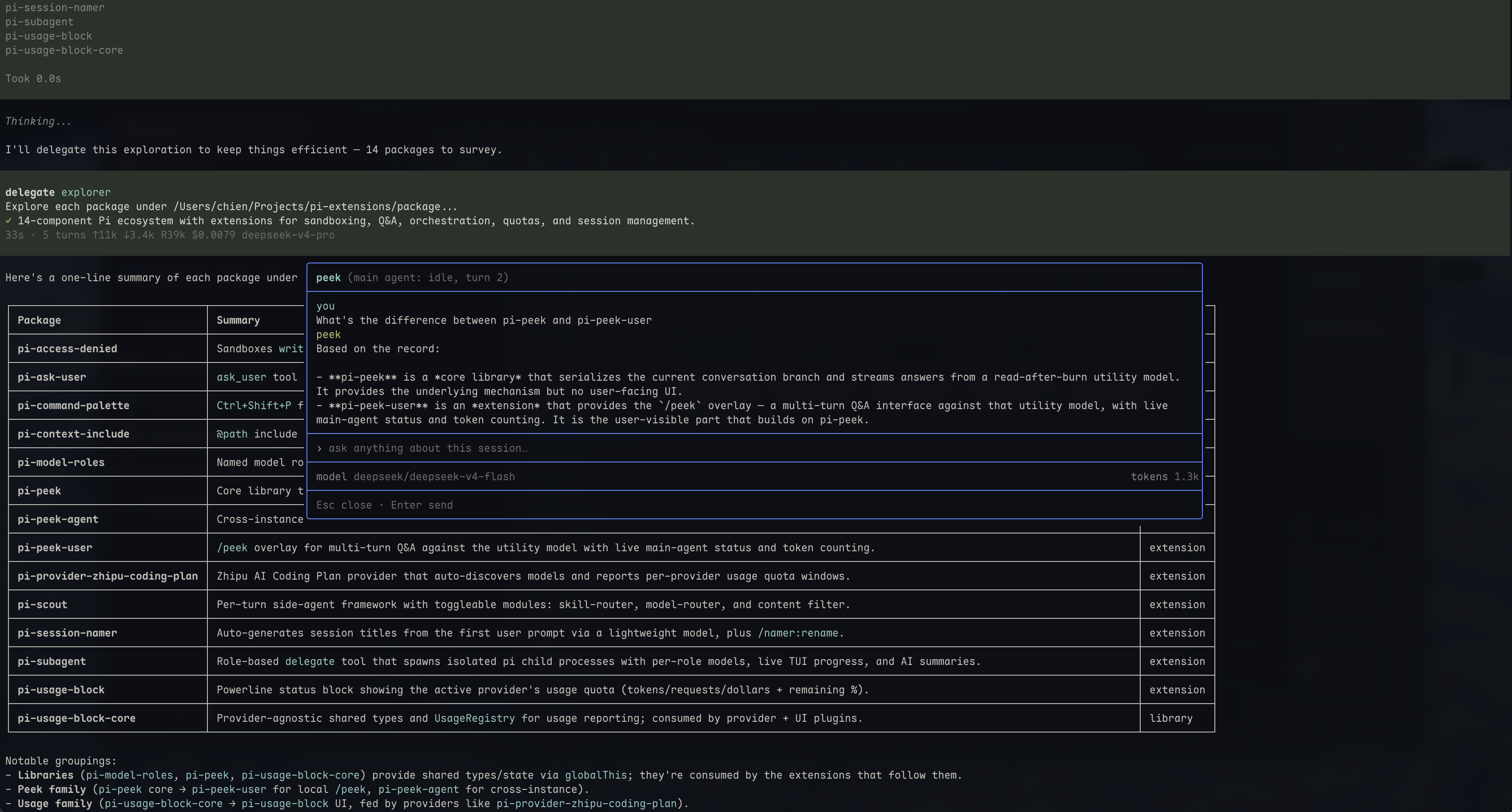
/peek overlay for pi — investigate your own session without disturbing the main agent.
Opens a centered overlay that retrieves and summarizes session records using the configured helper model (utility by default). The main agent keeps running without receiving these requests.
╭──────────────────────────────────────────────────╮
│ peek (main agent: idle, turn 3)                  │
├──────────────────────────────────────────────────┤
│ you                                              │
│ how is the debounce implemented?                 │
│ peek                                             │
│ debounce uses requestAnimationFrame, cancelled   │
│ in the useEffect cleanup…                        │
├──────────────────────────────────────────────────┤
│ ▮                                                │
├──────────────────────────────────────────────────┤
│ model deepseek/deepseek-v4-flash   tokens 1.2k   │
├──────────────────────────────────────────────────┤
│ Esc · ↑↓ scroll · PageUp/Dn jump · Enter         │
╰──────────────────────────────────────────────────╯
Features
- Streaming Markdown — tagged report bodies stream through pi's native Markdown renderer; preambles, summary text and unrelated prose stay hidden
- Auto-height — the message region grows with content up to ~80% of the terminal, then scrolls (↑/↓, auto-follows the tail while streaming)
- Message navigation — prominent turn dividers and PageUp/PageDown jumps across the full local history (Fn+↑/Fn+↓ on MacBook)
- Multi-turn — follow-ups reuse one fixed snapshot and previous questions/reports, with bounded retrieval for additional evidence
- Live status — header shows the main agent's activity; the status line shows the helper model and cumulative tokens
- Limit notices — output/context limits are separate from report text; interrupted streamed text is retained with an incomplete-report notice
- Read-after-burn — closing aborts the investigation and discards its local reference and history; the main session is never touched
- Command palette entry — "Peek: Inspect This Session" runs directly from the palette, mid-draft
Installation
pi install npm:@d3ara1n/pi-model-roles
pi install npm:@d3ara1n/pi-peek
pi install npm:@d3ara1n/pi-peek-user
Or add to ~/.pi/agent/settings.json:
{
  "extensions": [
    "/absolute/path/to/pi-extensions/packages/pi-model-roles",
    "/absolute/path/to/pi-extensions/packages/pi-peek",
    "/absolute/path/to/pi-extensions/packages/pi-peek-user"
  ]
}
Dependencies
@d3ara1n/pi-peek— investigation core (tracker hooks + investigate backend)@d3ara1n/pi-command-palette-core— native command-palette registry (pure npm library, installed automatically; entries appear whenpi-command-paletteis installed)
Usage
/peekOr pick Peek: Inspect This Session in the command palette (Ctrl+Shift+P, via pi-command-palette) — it opens the same overlay directly, without needing an empty editor.
Type what you want to find out, press Enter. The status shows thinking…, searching…, reading…, or outputting… while the report area remains a placeholder. The report appears progressively when the helper emits <peek-report> content; only that body contributes to outputting… · N chars. Summary tags and surrounding prose are handled by the shared core parser and never displayed. If the terminal answer omits the report format, its last text block appears at completion instead. A provisional report followed by further tool calls is cleared before investigation continues. Ask follow-ups, use PageUp/PageDown to jump between your questions (Fn+↑/Fn+↓ on MacBook), or press Esc to close.
The snapshot is captured on the first question and stays fixed during follow-ups, even while the main agent continues working. Close and reopen for a fresh snapshot.
Use /peek:thinking instead of /peek to admit readable saved thinking as retrievable references. Normal /peek and the command-palette entry exclude thinking from both the outline and retrieval. Missing/redacted thinking cannot be recovered.
The helper model can also have its own reasoning mode, configured through pi-model-roles. Its thinking… activity is shown when the provider emits thinking events, even when source-session thinking is excluded. The activity indicator never displays the helper's thinking text.
See pi-peek for snapshot coverage, tool-capable model requirements, investigation budgets and configuration. Local read-after-burn does not imply zero retention by the model provider.
The overlay requires TUI mode; non-TUI hosts receive a warning when notification UI is available.
License
MIT