@dianel/pi-hud
Pi Task Monitor — always-on-top real-time task panel
Package details
Install @dianel/pi-hud from npm and Pi will load the resources declared by the package manifest.
$ pi install npm:@dianel/pi-hud- Package
@dianel/pi-hud- Version
1.1.1- Published
- Oct 18, 2026
- Downloads
- 661/mo · 182/wk
- Author
- dianel
- License
- MIT
- Types
- extension
- Size
- 1.2 MB
- Dependencies
- 0 dependencies · 1 peer
Pi manifest JSON
{
  "extensions": [
    "./index.mjs"
  ]
}
Security note
Pi packages can execute code and influence agent behavior. Review the source before installing third-party packages.
README
Pi Task Monitor
Always-on-top real-time task monitor for Pi.
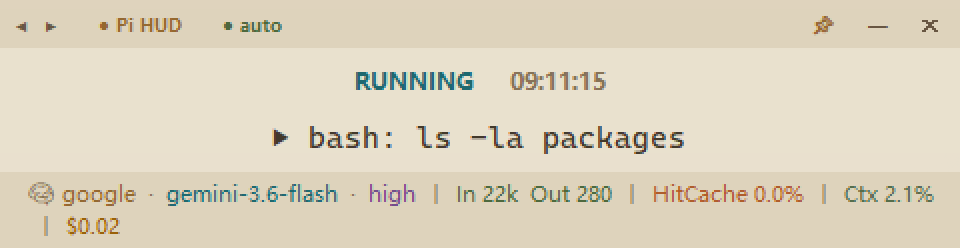
Preview
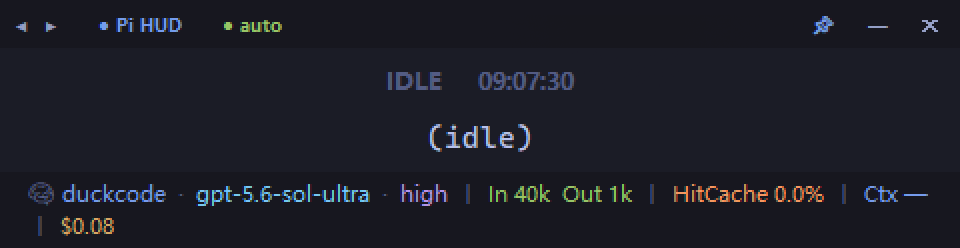
┌───────────────────────────────────────────────────────────────────────┐
│ ◀ ▶ ● Pi Task Monitor  1/N                                📌  —  ✕   │
├───────────────────────────────────────────────────────────────────────┤
│                               RUNNING                                 │
│                   ▶ edit relative/path/to/file.py                     │
├───────────────────────────────────────────────────────────────────────┤
│ 🧠 provider-a 🔒  ·  claude-opus  ·  high  │  In 801  Out 875  │ ...  │
└───────────────────────────────────────────────────────────────────────┘
Install
pi install npm:@dianel/pi-hudAfter installation, restart Pi. The monitor window appears in the top-left corner when a Pi session starts. Checked with Pi 1.3.0 and its default fullscreen TUI.
Features
- Multi-session aware — switches between multiple Pi terminal sessions
- Multi-monitor safe — validates the saved window position against the current virtual desktop and recenters it when a monitor is disconnected or the layout changes
- Provider-aware model display — maps the model requested in the session to the matching model configured for that provider, with safe fallback to the runtime value
- Reload-safe —
/reloador a Pi restart reuses the running HUD instead of opening a second window - OAuth indicator — 🔒 shown when the current provider has valid login credentials
- Session navigation — ◀ ▶ buttons or keyboard shortcuts to browse sessions
- Responsive layout — footer switches between one and two rows; horizontal resizing preserves the current UI scale, while vertical resizing keeps status and command content centered
- Context visibility — resolves the active model's context window from Pi's custom and built-in model catalogs
- Task activity — shows a colored, enlarged, shaking bell while Pi is running
- Circular dock — right-click to switch to a compact Pi-logo circle; it stays where dropped and parks halfway off-screen only when released near an edge
- Bilingual UI — switches between Chinese and English from the right-click menu; the preference is persisted
- Subagent cost — keeps Pi's session total aligned with the native footer and shows recognized subagent-tool cost as a separate breakdown
Shortcuts
| Shortcut | Action |
|---|---|
| Drag title bar | Move window |
| Right-click | Open actions; switch between rectangle and circle |
| Drag edges / corners | Resize; horizontal dragging preserves the current UI scale |
◀ / Ctrl+[ |
Previous session |
▶ / Ctrl+] |
Next session |
| Session label | Click to toggle auto-follow mode |
| Ctrl+T | Toggle always-on-top |
| Ctrl+A | Toggle transparency |
| Ctrl+H | Minimize window |
| Ctrl+Q | Quit |
Session display
| Label | Meaning |
|---|---|
● auto |
Auto-following latest active session |
1/N |
Manually viewing session (N = running Pi terminals) |
Responsive behavior
- The footer uses one row when its content fits and two rows when it wraps; its icons stay aligned with the scaled text baseline.
- Long command text stays on one line so it cannot grow the panel's minimum height; the full command remains available in the Pi terminal.
Footer fields
| Segment | Color | Description |
|---|---|---|
| Provider 🔒 | Blue | Current LLM provider (🔒 = valid OAuth login) |
| Model | Cyan | Current model name |
| Thinking | Purple | Reasoning intensity |
| In / Out | Green | Token usage this turn |
| HitCache | Orange | Cache hit rate |
| Ctx | Blue | Latest turn token usage as a percentage of the active model's context window |
| Cost | Amber | Pi session total, with recognized subagent-tool cost shown as a separate breakdown |
Status
- RUNNING — Pi is active and the latest tool call is visible
- THINKING — Pi is active without a visible tool call
- IDLE — Pi has settled and is waiting for input
How It Works
The ESM extension registers Pi lifecycle hooks. On session_start (startup, /reload, new, resume, or fork) it registers the current terminal and starts pi_hud.py only when the shared monitor is not already alive. The Python side tails the latest Pi session JSONL file and reads settings / models for live status, rendering a compact Tkinter overlay. Multiple Pi terminals share this one monitor process through a PID registry; it exits only after the last registered terminal is gone.
Loading the extension alone starts nothing, so Pi commands that load extensions without a session never open the monitor. On reload, the Node extension reuses the existing monitor and keeps one process exit hook, which removes only this terminal's registration when Pi exits, so another terminal cannot make the shared panel disappear.
Startup diagnostics are written to ~/.pi/pi-hud.log (or $PI_HUD_DIR/pi-hud.log) instead of the terminal, so they cannot corrupt Pi's fullscreen display.
Context calculation
Ctx divides the latest assistant usage total by the active provider/model context window. The displayed model is resolved within the active provider before the context window lookup. The context window lookup order is:
~/.pi/agent/models.json, includingmodelOverrides- Pi's built-in
~/.pi/agent/models-store.json - Optional manual compatibility entries in
~/.pi/model_config.json
Manual model mapping
Automatic mapping is provider-scoped and uses the actual provider/model from the session. For runtime aliases that cannot be inferred automatically, create the optional ~/.pi/model_config.json:
{
  "mappings": {
    "provider-a": {
      "gpt-5.6-luna-max": "gpt-5.6-luna"
    }
  },
  "contextWindows": {
    "provider-a": {
      "gpt-5.6-luna-max": 272000
    }
  }
}
mappings and contextWindows are both keyed by provider and then the runtime model. A manual mapping takes precedence over automatic catalog mapping. The file is optional, ignored when missing or invalid, and is not included in the package.
Themes
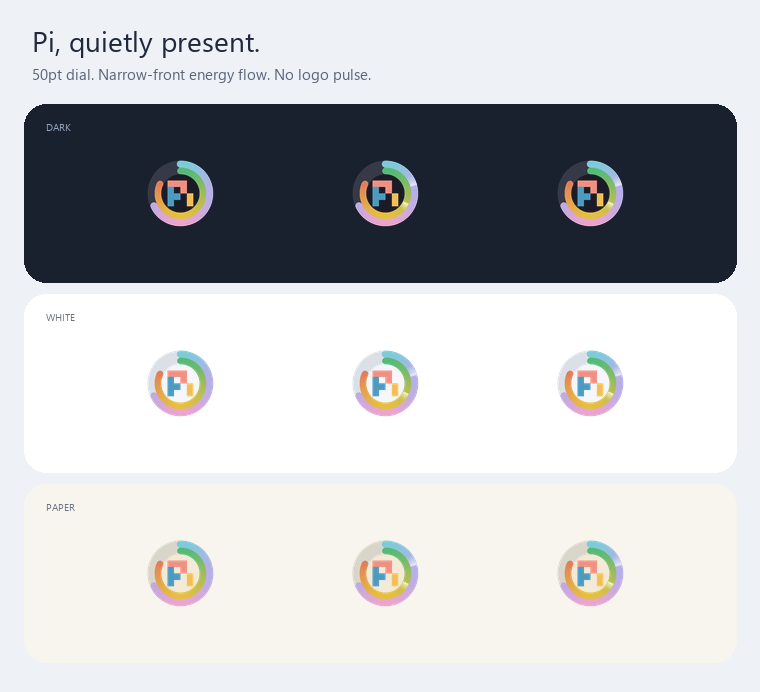
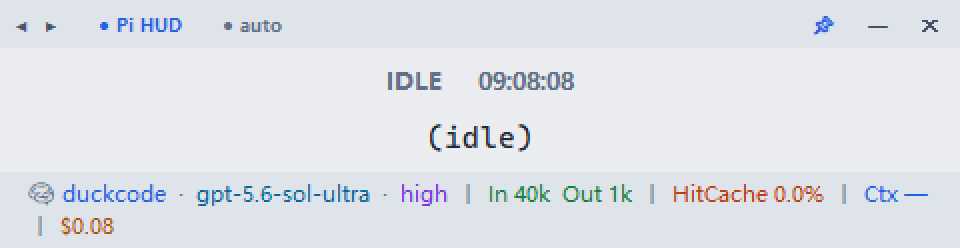
Right-click the monitor and open Theme to choose Dark, White, or Paper Beige. Open Language / 语言 to switch between English and Chinese. The same menu switches between the rectangular monitor and the circular dock. Theme, language, shape and geometry preferences are saved and restored on the next launch.
The compact 50-point circle has an enlarged official Pi logo, an inner cache ring, and an outer context ring. The two bands touch without a decorative gap; the window, image and docking geometry keep the same DPI-scaled size. Static artwork is supersampled at 6× resolution with native per-pixel alpha on Windows.
Rounded progress bands use continuous gradients fixed to capacity, not stretched to the current percentage:
- Outer — context, cyan → lavender → soft pink → lavender → cyan
- Inner — cache hit, green → yellow → red
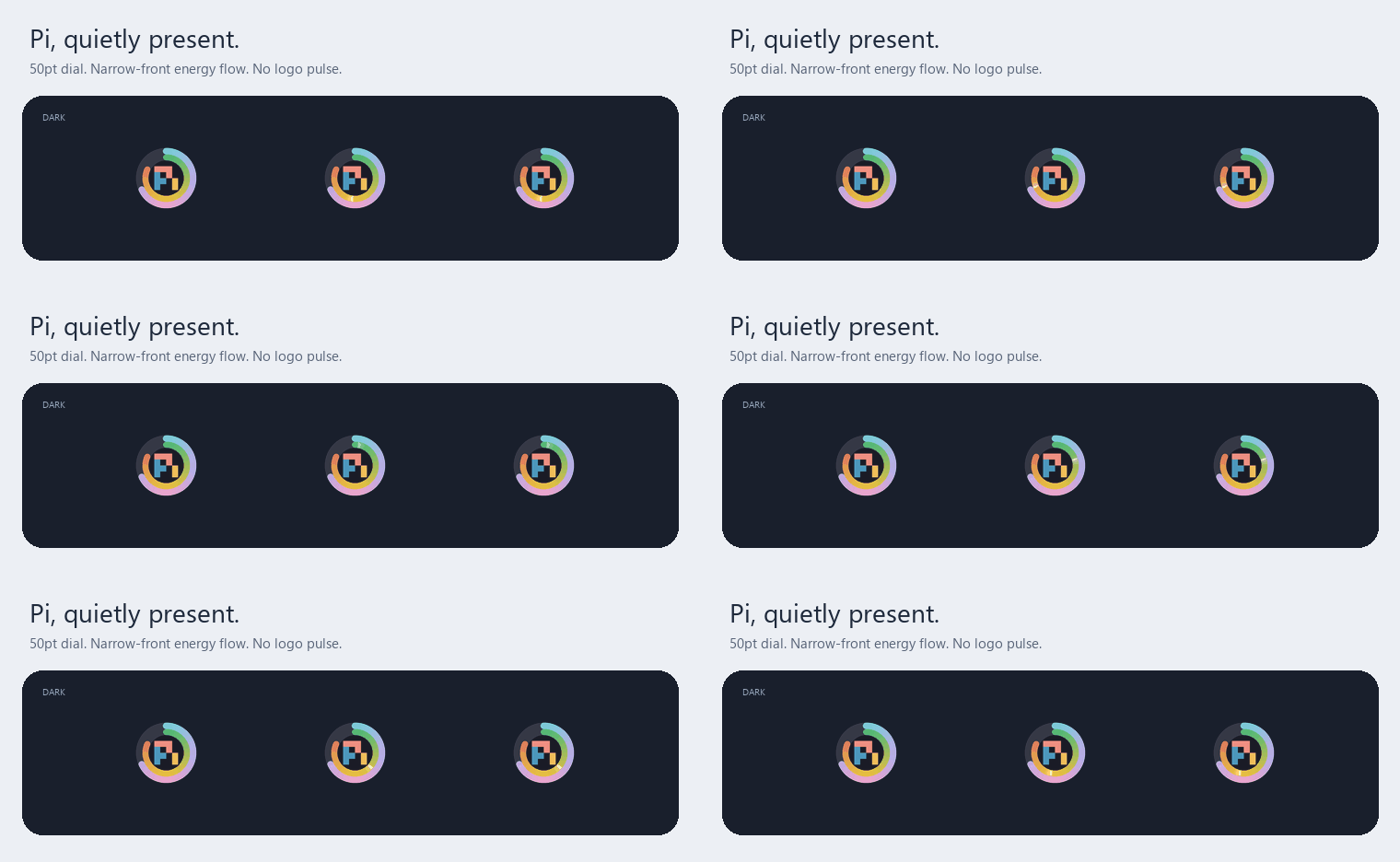
During THINKING and RUNNING, a narrow luminous front travels clockwise along the context band and counterclockwise along the cache band. Their angular speeds stay close (81.6°/s and 78.72°/s) even when the percentages differ. The short textured afterglow starts at the front's brightness, then smoothly fades without an independent flickering layer. The light only brightens the filled bands: the true percentages, empty tracks, logo and outline do not animate. The center no longer breathes.
IDLE, unknown/zero progress, and disabled motion have no runner. Hover adds an eased highlight; pressing gently dims the inset material. Static geometry and masks have bounded caches; each frame evaluates only the lit arc at 3× resolution, without additional runtime dependencies. The existing 33ms frame timer runs only while there is visible activity or an interaction is settling. Right-click Disable orb motion to stop the runner and transitions; this preference is saved.
It remains free-floating until its edge meets a screen edge, where it parks halfway off-screen; clicking the parked circle reveals or hides its full face. Hovering fades in a smaller, translucent rounded frosted summary with bold dark text beside the circle, without the current command. Both the orb and summary use antialiased per-pixel alpha on Windows to avoid jagged color-key edges. Minimizing or returning to the rectangle cancels orb animation and popup timers.
The frosted finish is locally rendered material, not native desktop backdrop blur. It never captures desktop content. On Windows, the orb and summary use a small native per-pixel alpha presenter; other platforms use the Tk color-key fallback. True desktop backdrop blur is intentionally not used.
Data sources
| Display | Source |
|---|---|
| Current command | Session JSONL — latest assistant toolCall |
| Provider / Model | Session JSONL provides the actual provider/model request; the displayed model is normalized against that provider's models.json / models-store.json catalog |
| Thinking level | Session JSONL — thinking_level_change event |
| Token usage | Session JSONL — assistant message usage |
| Main / subagent cost | Main-session usage, all tool-result usage, compaction/branch-summary usage, and Pi 1.0 usage entries such as cache warming; recognized subagent-tool cost is shown separately |
| Activity status | Session JSONL — agent_start / agent_settled lifecycle events |
| OAuth status | ~/.pi/agent/auth.json — provider credential expiry |
| Context window | models.json → models-store.json → ~/.pi/model_config.json |
Manual start (development)
python pi_hud.pyLicense
MIT