@edgehero/pi-dispatch-admin
Operator console (a pi extension) + skill for pi-dispatch: run the pi coding agent as a self-hosted service. A /dispatch TUI for the queue, spend caps, run history, editable GitHub, GitLab, Forgejo and Azure DevOps triggers (cron/label/comment/PR/MR/work
Package details
Install @edgehero/pi-dispatch-admin from npm and Pi will load the resources declared by the package manifest.
$ pi install npm:@edgehero/pi-dispatch-admin- Package
@edgehero/pi-dispatch-admin- Version
0.4.0- Published
- Aug 4, 2026
- Downloads
- 976/mo · 461/wk
- Author
- mashground
- License
- MIT
- Types
- extension, skill
- Size
- 1.3 MB
- Dependencies
- 2 dependencies · 1 peer
Pi manifest JSON
{
  "extensions": [
    "./dist/index.mjs"
  ],
  "skills": [
    "./skills"
  ],
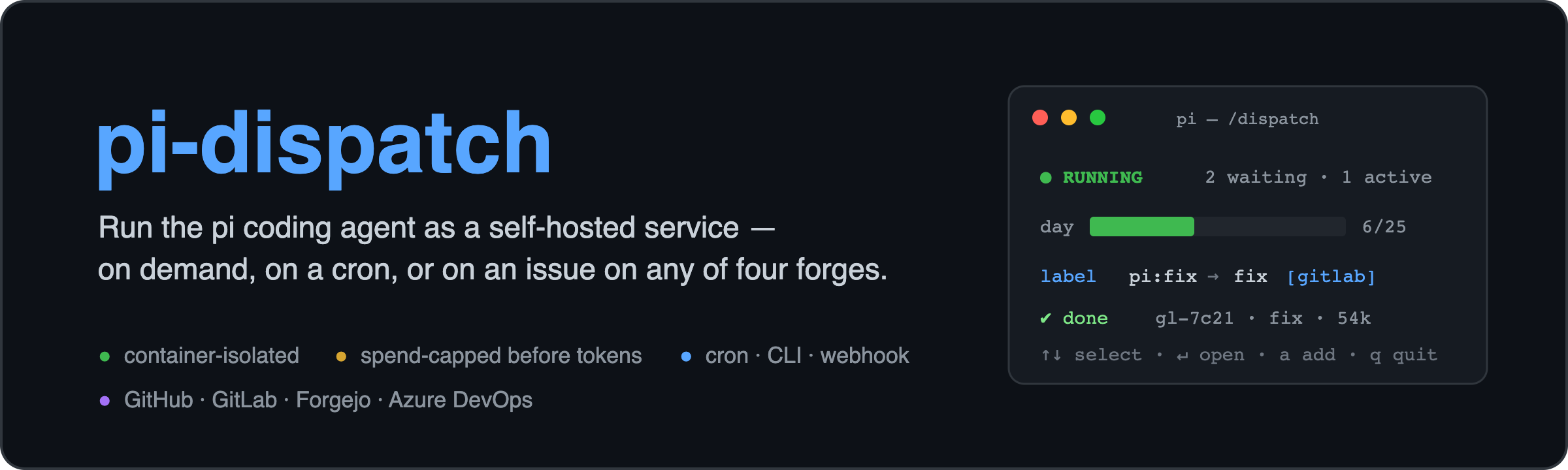
  "image": "https://raw.githubusercontent.com/edgehero/pi-dispatch/main/docs/images/banner.png?v=0.5.0"
}
Security note
Pi packages can execute code and influence agent behavior. Review the source before installing third-party packages.
README
pi-dispatch: run the pi coding agent as a self-hosted service
pi is a superb coding agent, but it has no job queue, no spend limit, and, by its own README, no permission system. pi-dispatch adds exactly those, so you can run pi unattended and safely: on a cron schedule, on your repo's issues and PRs, or straight from the CLI. Every job runs in an isolated container, with spend bounded before a single token is spent.
This npm package,
@edgehero/pi-dispatch-admin, is the operator console (a pi extension). The service itself is@edgehero/pi-dispatch(worker + CLI) and@edgehero/pi-dispatch-receiver(the webhook edge); the main repo has the container image, docs, and SECURITY.md.
How it works
Every trigger produces the same job, through the same path: one queue, one container, one budget.
   CLI  ·  cron  ·  GitHub issue / PR
                │  enqueue
                ▼
        Valkey + BullMQ            durable queue: survives reboots, absorbs bursts
                │
                ▼
     under the daily cap +         if not: refused here, before any spend
       per-job turn budget?
                │  yes
                ▼
        docker run --rm            one ephemeral container per job:
   --cap-drop=ALL · non-root       --no-new-privileges · /job mounted read-only
                │
                ▼
     pi + your .pi/skills          edits your code in place, opens a PR, comments back
The container is the boundary (pi's missing permission system, enforced by Docker). Spend is checked before a container starts, so a runaway or a junk trigger costs a refusal, not a surprise bill. The job image is yours to shape, per deployment or per trigger, and it ships Playwright and Chromium so a flow can build a frontend, screenshot it, and iterate on the render.
The console: /dispatch
One command puts a live TUI over the whole deployment:
- Status and spend. Queue and worker state, day/week/month spend meters, a daily token counter, and a run-history table with per-job tokens and cost.
- Costs, analyzed honestly. The COSTS view (
c) shows spend per flow, model and day, what each declared subscription actually saves against API rates, and a what-if that re-prices a flow under another model. Every dollar carries its class: a plan-covered run never renders as $0.00, and an estimate is always marked as one.
- Triggers, editable live. cron, label, comment and pull_request triggers with colored drill-ins showing what fires each one, what it runs, and its trust model. Added, edited and deleted without a restart. Triggers that run third-party code or a custom image are badged; opting in or out of either stays an edit to the reviewed
triggers.json, which neither the console nor a model-callable tool will make for you. - Quiet hours. Scheduled pause windows per folder or repo: defer runs between certain times, timezone-aware, and resume automatically. Deferred, never dropped, at zero budget cost.
- AI-operable, with a human gate. Model-callable tools let an agent change limits and manage triggers and pause windows, but every write pops an operator confirmation the model cannot answer, and refuses when no operator is present. The bundled
operate-pi-dispatchskill teaches the agent those gates. - Logs stay put. Raw container output renders only in the overlay viewer, never into model context.
Install
pi install npm:@edgehero/pi-dispatch-admin # then, in pi: /dispatch
No deployment yet? The console builds one. When /dispatch finds nothing, it offers /dispatch setup: pick a folder, consent to an npm install of the pinned runtime, watch pi-dispatch up run its own prompts, optionally install the worker as a service, and land in the panel. Every step asks first and can be declined; nothing is written into your repo and no credential passes through a dialog.
Already have a deployment? The panel finds it through the deployment pointer setup writes, or through the same env vars your worker uses (VALKEY_URL, PI_LOGS_DIR, PI_SETTINGS_FILE, PI_TRIGGERS_FILE, PI_PAUSE_WINDOWS_FILE, PI_SUBSCRIPTIONS_FILE). Your env always wins.
Get the whole thing
→ https://github.com/edgehero/pi-dispatch
MIT, self-hosted. Read SECURITY.md before you rely on it; it states plainly what is and is not defended. Short version: the trust model is a GitHub Action's, so whoever can merge to your default branch can instruct the agent.