@fahmiirsyadk/pi-minimal-toolcall
Minimalist & less noisy tool-call rendering for pi
Package details
Install @fahmiirsyadk/pi-minimal-toolcall from npm and Pi will load the resources declared by the package manifest.
$ pi install npm:@fahmiirsyadk/pi-minimal-toolcall- Package
@fahmiirsyadk/pi-minimal-toolcall- Version
0.2.1- Published
- Jun 20, 2026
- Downloads
- not available
- Author
- fahmiirsyadk
- License
- MIT
- Types
- extension
- Size
- 122.7 KB
- Dependencies
- 0 dependencies · 3 peers
Pi manifest JSON
{
  "extensions": [
    "./index.ts"
  ],
  "video": "https://raw.githubusercontent.com/fahmiirsyadk/pi-minimal-toolcall/refs/heads/main/demo.mp4",
  "image": "https://raw.githubusercontent.com/fahmiirsyadk/pi-minimal-toolcall/refs/heads/main/ss_1.png"
}
Security note
Pi packages can execute code and influence agent behavior. Review the source before installing third-party packages.
README
pi-minimal-toolcall
Minimalist & less noisy tool-call rendering for Pi.
https://github.com/user-attachments/assets/605cb58b-cbd3-4dfa-9a0d-41f46472038c


Visual
Shell 1 command (grep -rn "friendlyLabel\|nounFor" ./tests ./src --include="*.test.ts" 2>/dev/null | head -10) ctrl+o to expand
Write 1 file (README.md) +148 -129 ctrl+o to expand
Shell 1 command & Read 1 file ctrl+o to expand
⠋ Read file
Installation
Pi package manager:
pi install npm:@fahmiirsyadk/pi-minimal-toolcall
Git Repository:
pi install git:github.com/fahmiirsyadk/pi-minimal-toolcall
Local clone (for development or pinning to a fork):
git clone https://github.com/fahmiirsyadk/pi-minimal-toolcall.git ~/pi-minimal-toolcall
Then add to your ~/.pi/agent/settings.json:
{
  "extensions": [
    "~/pi-minimal-toolcall/index.ts"
  ]
}
Quick start for customizing
Edit ~/.pi/agent/extensions/pi-minimal-toolcall/config.json (or $PI_CODING_AGENT_DIR/extensions/pi-minimal-toolcall/config.json):
{
  "toolsExpandedByDefault": true,
  "hiddenThinkingLabel": "",
  "registerToolOverrides": { "bash": false },
  "groupingMode": "proximity",
  "showArgOnSummary": "always"
}
Then /reload to apply.
Three starter presets ship in config/presets/ — copy the one you want to your config file:
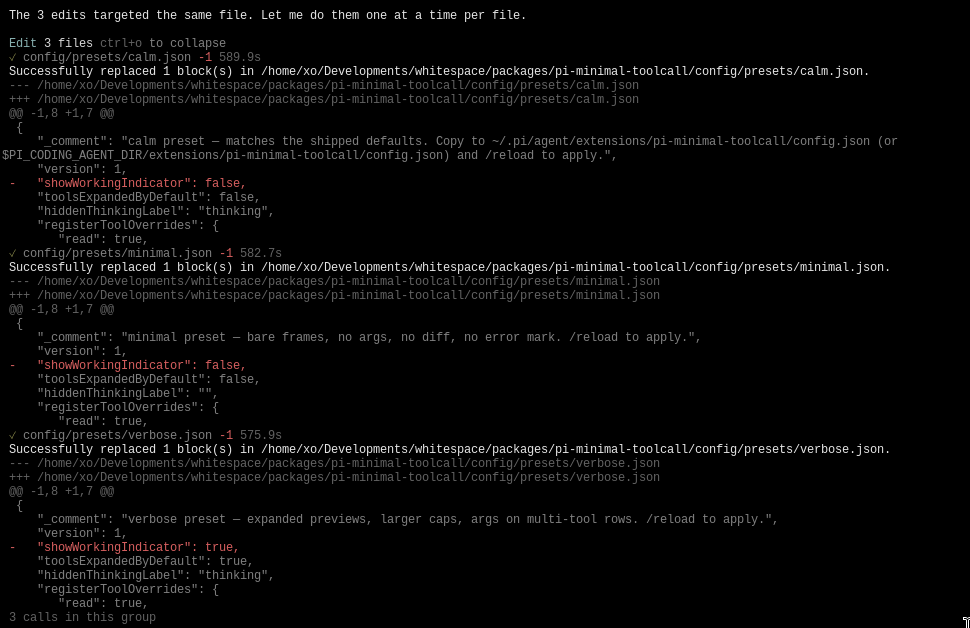
calm.json— the defaults (one row per group, collapsed tools,thinkinglabel).verbose.json— expanded previews, larger body cap, args on multi-tool rows.minimal.json— bare frames, no args, no diff, no✗, empty thinking label.
What you get (Configuration Option)
| Behavior | Default | How to change |
|---|---|---|
| Tool rows | collapsed | toolsExpandedByDefault: true |
| Thinking | hidden behind thinking label |
hiddenThinkingLabel: "..." |
| Grouping mode | proximity (any tool call joins until text/thinking) |
groupingMode: "consecutive" | "none" |
| Latest arg on summary | single-tool groups only | showArgOnSummary: "always" | "never" |
Aggregated +N -M |
on | showDiffSuffix: false |
Per-tool ✗ |
on | showErrorMark: false |
| Write expand | full content, syntax-highlighted | writeExpandMode: "summary" | "both" |
| Expanded body cap | 200 lines | expandedBodyMaxLines: <n> |
| Spinner | ⠋⠙⠹⠸⠼⠴⠦⠧⠇⠏ @ 80ms |
spinnerFrames: ["a","b"], spinnerIntervalMs: <n> |
| Per-tool ownership | all 7 built-ins | registerToolOverrides: { "read": false, ... } |
Batch tools (read_files, edit_files, grep_files, find_files) |
on | batchToolsEnabled: false |
| Debug log | off | debug: true (writes to <agent-dir>/.../debug/debug.log) |
How grouping works
A group is a run of tool calls with no text or thinking between them, regardless of tool name. Frozen when a text or thinking block appears (message_update with text_start / thinking_start), or when a new agent loop starts (agent_start — separates prompts).
read, read, read                  → Read 3 files
read, read, bash, read            → one row (proximity)
text or thinking
bash, bash                        → Shell 2 commands (new group)
groupingMode: "consecutive" restores the old "different tool name = new group" behavior. "none" makes every call its own row.
Batch tools
The package registers four batch tools the model can call instead of repeating built-ins:
| Tool | Input |
|---|---|
read_files |
{ paths, offset?, limit? } |
edit_files |
{ edits: [{ path, oldText, newText }] } |
grep_files |
{ queries: [{ pattern, path? }] } |
find_files |
{ queries: [{ pattern, path? }] } |
Each renders as one row; ctrl+o expands to per-item ✓/✗ status plus aggregated output. Partial failures surface per item.
Reload
/reload re-reads config.json and re-registers. Tool ownership, the per-tool grouping session, and the debug-log path all take effect on the next session_start.
Compatibility
- Pi
0.79.0+. Peer dependencies:@earendil-works/pi-coding-agent,pi-ai,pi-tui,typebox(all*range — pi bundles these). - This package only changes tool-call rendering. We touch two pieces of global UI state on
session_start(and only these two — we don't touch the working indicator, the prompt box, or anything else outside our scope):ctx.ui.setToolsExpanded(config.toolsExpandedByDefault)— the resting state of tool output (collapsed vs expanded).ctrl+otoggles it during a session.ctx.ui.setHiddenThinkingLabel(config.hiddenThinkingLabel)— the label on the thinking block.
- Tools registered by other extensions render with their own renderer and break proximity groups.
Development
npm install
npm run check        # typecheck + test
npm run pack:dry     # preview the published tarball
Uses tsc for typecheck and tsx --test for tests. No bundler, no
formatter, no linter — keep the dep tree small.
License
MIT