@fgladisch/pi-welcome-message
Workspace startup summary message extension for Pi
Package details
Install @fgladisch/pi-welcome-message from npm and Pi will load the resources declared by the package manifest.
$ pi install npm:@fgladisch/pi-welcome-message- Package
@fgladisch/pi-welcome-message- Version
0.4.3- Published
- Jun 9, 2026
- Downloads
- 594/mo · 202/wk
- Author
- fgladisch
- License
- MIT
- Types
- package
- Size
- 742 KB
- Dependencies
- 0 dependencies · 1 peer
Security note
Pi packages can execute code and influence agent behavior. Review the source before installing third-party packages.
README
@fgladisch/pi-welcome-message
Shows workspace summary in UI when session starts.
Runs on real startup and new sessions (/new) in interactive UI. Forks and
headless (pi -p) runs are silent. Sections with nothing to show are dropped;
if every section is empty, only the logo header appears when enabled. The welcome
message renders without a custom background, wraps long lines to the terminal
width while preserving leading indentation, and can show a centered gradient Pi
logo header.
Install
pi install npm:@fgladisch/pi-welcome-message
Example
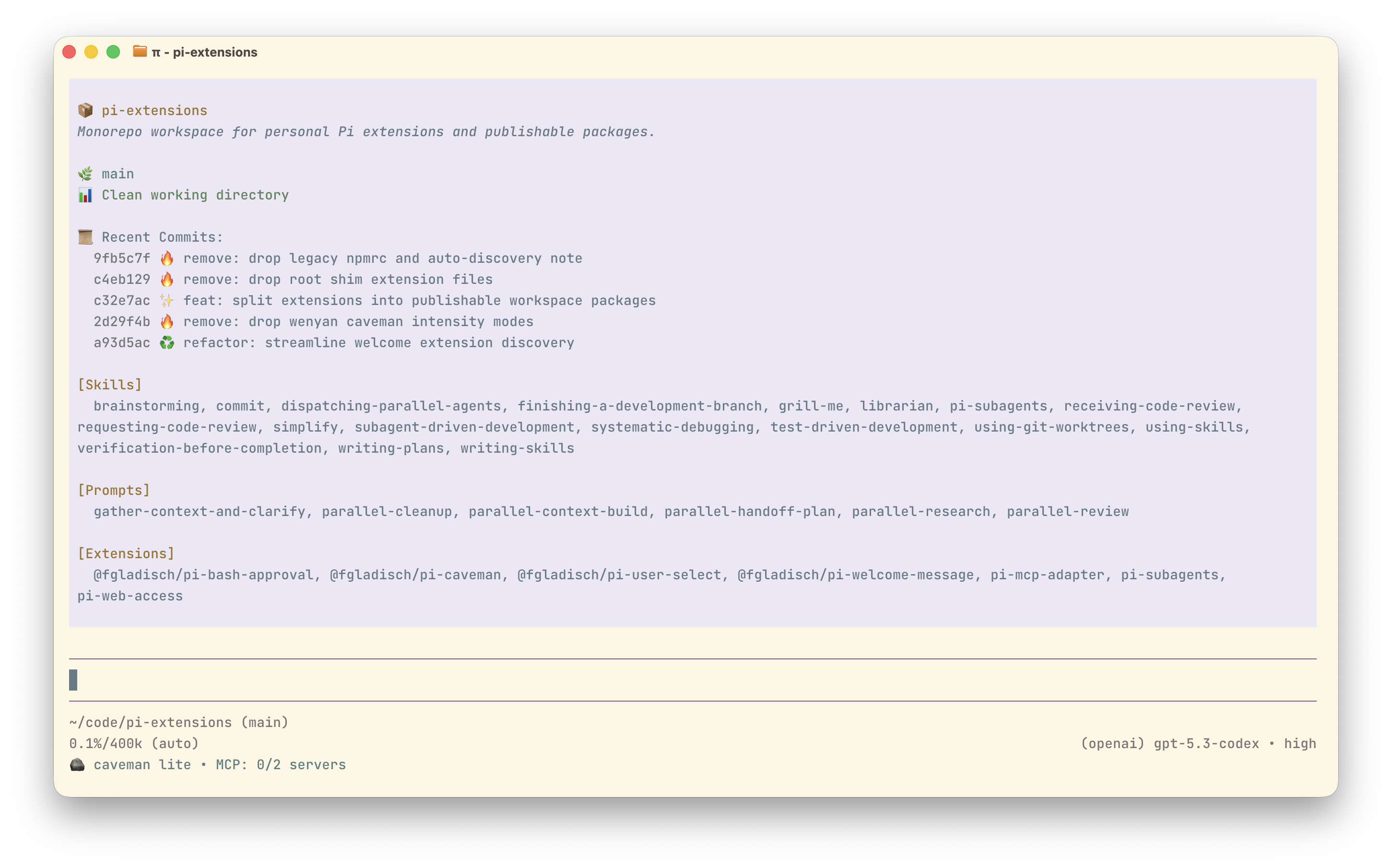
Summary sections
- 📦 Package: name, version, and description from
package.json. - 🌿 Git: current branch, working-tree status (clean or dirty shortstat), and last 5 commits.
- Resources
[Skills]: registered skill commands.[Prompts]: registered prompt commands.[Extensions]: extensions installed locally in~/.pi/agent/extensions/plus anypackagesentries from~/.pi/agent/settings.json.
Configuration (~/.pi/agent/settings.json)
Configure the welcome message through welcomeMessage.
{
  "welcomeMessage": {
    "sections": ["nodePackage", "git", "piResources"],
    "showLogo": true,
    "showOnNewSession": true,
    "logoColor": "orange"
  }
}
sections: top-level sections to show.- Allowed section names:
nodePackage,git,piResources - Default when missing/invalid: all sections enabled
- Empty array (
[]): disable all welcome output
- Allowed section names:
showLogo: show the centered gradient Pi logo, model line, and surrounding header margin, even when no summary sections have content. Defaults totrue.showOnNewSession: show the welcome message after/new. Defaults totrue.logoColor: choose the gradient color family for the Pi logo header.- Allowed values:
orange,blue,green - Default when missing/invalid:
orange
- Allowed values:
No slash commands.