@floydous/pi-agent-kernel
Focused code retrieval, editing, safety checks, and language-server support for Pi.
Package details
Install @floydous/pi-agent-kernel from npm and Pi will load the resources declared by the package manifest.
$ pi install npm:@floydous/pi-agent-kernel- Package
@floydous/pi-agent-kernel- Version
0.3.2- Published
- Sep 19, 2026
- Downloads
- 530/mo · 57/wk
- Author
- floydous
- License
- ISC
- Types
- extension
- Size
- 19.1 MB
- Dependencies
- 4 dependencies · 0 peers
Pi manifest JSON
{
  "extensions": [
    "./src/index.ts"
  ]
}
Security note
Pi packages can execute code and influence agent behavior. Review the source before installing third-party packages.
README
pi-agent-kernel
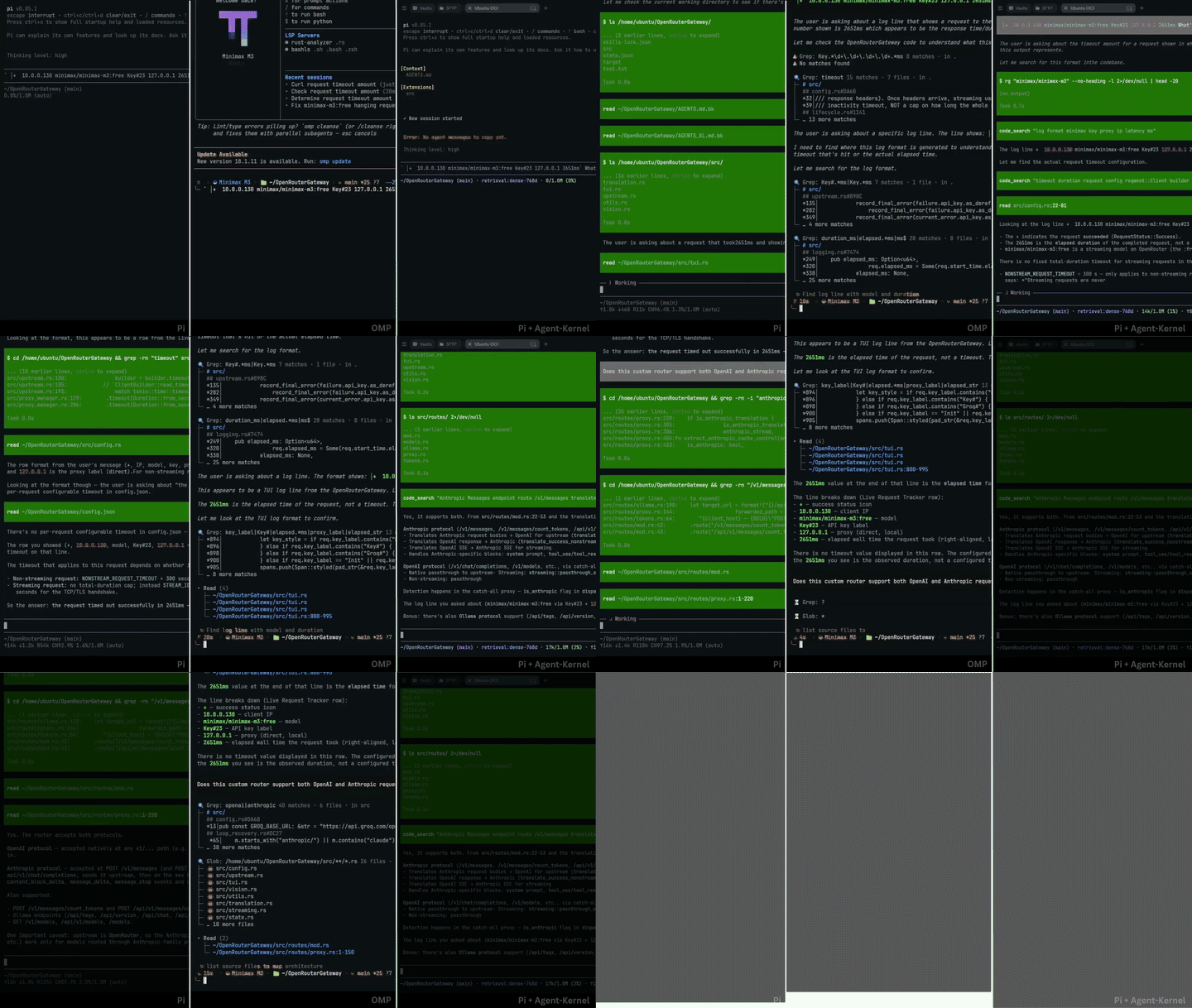
Coding agents waste tokens when they read entire files for single functions, dump thousands of lines of terminal output into the context window, or rewrite complete files for one-line edits. pi-agent-kernel is an extension for Pi that reduces token usage through scoped reads, bounded command outputs, and syntax-checked edits.
Token savings
How tool overhead compares to an unconstrained agent harness across standard coding tasks:
| Interaction | Standard agent harness | pi-agent-kernel (Passive Shield) | Tokens saved | Why |
|---|---|---|---|---|
| Whole benchmark suite (8 tasks) | Pi Vanilla baseline (1.54M tokens) | Pi + Agent-Kernel (762k tokens) | -50.6% | Cuts per-turn schema tax, stops exploratory loops, and applies surgical edits. |
| Monorepo navigation (Zod, 140k+ LOC) | Directory listings and full file dumps (104k tokens) | Plain reads and AST symbol queries (50.5k tokens) | -51.5% | Caps reads at 50 KB / 2,000 lines and extracts symbols directly without line hashes. |
| Patching and delimiter repair | Failed edits caused by token cutoffs (16.7% failure rate) | Tree-sitter and lexical repair (edit) |
Auto-heals truncated delimiters | Recovers missing closing brackets pre-write when AST validation passes. |
| Running tests and builds | Terminal logs dumped into context (~20k+ tokens) | Clamped output with disk spillover (~1.0k tokens) | ~95% context saved | Writes full output to disk and shows only the head, tail, and log path. |
| Function inspection | Full file reads with line hashes (~4.0k tokens) | Plain text reads or symbol extraction (~420 tokens) | ~70–90% | Defaults to plain text with targeted AST symbol reads. |
Cross-harness benchmark and reproducibility
pi-agent-kernel is evaluated against an 8-task repair suite drawn from merged bug fixes in open-source repositories (hono, ky, zod, ufo, picomatch, fastify, uuid, p-limit). Prompts describe the bug report and expected behavior without providing the implementation fix or file locations.
Cross-harness 8-task benchmark on GPT 5.6 Luna High (cx/gpt-5.6-luna:high)
Six harnesses were run on the same 8 tasks with identical prompts and repository states on cx/gpt-5.6-luna:high through OmniRoute:
| Harness | Tasks Solved | Success Rate | Total Time | Input Tokens | Output Tokens | Total Turn Tokens | Tool Calls |
|---|---|---|---|---|---|---|---|
| Pi + Agent-Kernel | 8 / 8 | 100% | 1,223s (20.4m) | 331,247 | 13,587 | 762,626 | 112 |
| Pi (Vanilla) | 8 / 8 | 100% | 1,224s (20.4m) | 709,232 | 32,325 | 1,544,373 | 149 |
| Codex CLI | 8 / 8 | 100% | 1,228s (20.5m) | 3,236,287 | 40,091 | 3,276,378 | 102 |
| OpenCode | 8 / 8 | 100% | 1,557s (26.0m) | 1,419,628 | 22,987 | 3,612,533 | 229 |
| OMP | 7 / 8 | 87.5% | 1,164s (19.4m) | 906,173 | 29,810 | 4,157,487 | 384 |
| Claude Code | 6 / 8 | 75% | 2,160s (36.0m) | 4,390,998 | 85,836 | 4,476,834 | 183 |
The suite tests retrieval, root-cause diagnosis, and verification from behavioral descriptions. Pi + Agent-Kernel solved all 8 tasks with the lowest token footprint: 762,626 total turn tokens compared to Pi Vanilla's 1,544,373 (-50.6% token reduction, saving 781,747 tokens) and external harnesses ranging from 3.28M (Codex CLI) to 4.48M (Claude Code). Note on cross-harness metrics: token accounting reflects each harness's reported telemetry and diff format (for example, OpenCode emits verbose full diffs). In Claude Code, 6 tasks completed within turn limits, and 1 additional task passed test verification after timing out. OMP failed verification on task-4-ufo.

Quick start
1. Install
Install the extension through Pi's package manager:
# Global install
pi install npm:@floydous/pi-agent-kernel

# Local install for the current workspace only
pi install -l npm:@floydous/pi-agent-kernel
Restart Pi or start a new session. The extension registers its tools, guards, status indicators, and workflow guidance automatically.
The compact instructions in AGENT_KERNEL_SYS_PROMPT.md are appended to the agent system prompt via Pi's before_agent_start hook. You can disable this by setting [instructions] enabled = false in config.toml.
2. Configure the retrieval engine (/engine)
pi-agent-kernel includes an in-memory retrieval engine for keyword and vector search, shown on the extension status line:
/engine status
lean(default):🌿 retrieval:bm25(AST-indexed BM25 keyword search, 0 MB model RAM)hybrid:◈ retrieval:hybrid-256d(BM25 keyword search plus local 256-dimension Matryoshka embeddings)full:🧠 retrieval:dense-768d(Dense 768-dimension semantic embeddings for conceptual queries)off: Disables local indexing for users who only want AST and LSP tools
During indexing, the status line shows chunk throughput and progress:
🧠 retrieval:dense-768d ⇢ 45% (22/48 • 14.2 chunk/s) • ○ 🐴 ponytail: ⚡ FULL
Switch profiles directly:
/engine hybrid
# or
/engine full
3. Codebase scale profiles (/profile)
The extension adjusts prompt context based on repository size. On small codebases (<10 implementation files, <50 KB code), the 1,024-token PageRank map is omitted to save tokens. On larger projects, it is included automatically.
Check or change the profile:
/profile status     # Check current profile and detected codebase metrics
/profile light      # Suppress automatic repo map
/profile heavy      # Always inject PageRank repo map
/profile auto       # Auto-detect based on codebase volume (default)
Or set the environment variable:
export PI_CODEBASE_PROFILE=light # "heavy", "auto", or "smart"
4. Language server setup (/lsp)
Inspect compiler diagnostics, jump to definitions, and find references:
/lsp
Running /lsp displays detected languages, connection states, and installation options for language servers.
To install a language server directly:
/lsp install <language> # e.g. python, typescript, rust, go, csharp
5. Disable Pi documentation for external projects
Pi loads instructions for developing Pi extensions, skills, and themes by default. When working on standard application code, you can disable those instructions to free up prompt space:
/pi-docs off
Use /pi-docs on when returning to work on Pi extensions.
Tool reference
| Tool | What it does |
|---|---|
read |
Reads plain text with 50 KB / 2,000-line safety caps, or extracts a function, class, or type via AST (symbol="name"). |
edit |
Applies search and replace patches with automatic delimiter healing and optional line_hint disambiguation. |
write |
Creates new files or rewrites existing files when needed. |
bash |
Runs shell commands (rg, git status, test runners) with clamped outputs and spillover logs on disk. |
code_search |
Hybrid AST BM25 and semantic chunk search with breadcrumb locations for conceptual discovery. |
Note: Exploratory tools (ast_search, get_repo_map, lsp) are gated behind PI_ENABLE_ALL_RETRIEVAL_TOOLS=1 pending redesign in v0.4.0.
License
ISC