@fodx/codelens
Local, branch-aware code search & relation graph. SQLite FTS5 + tree-sitter symbols + source-graph edges, exposed as an MCP server and CLI. No chat LLM required.
Package details
Install @fodx/codelens from npm and Pi will load the resources declared by the package manifest.
$ pi install npm:@fodx/codelens- Package
@fodx/codelens- Version
2.5.1- Published
- Jul 20, 2026
- Downloads
- 150/mo · 150/wk
- Author
- unlighted
- License
- MIT
- Types
- extension
- Size
- 745.6 KB
- Dependencies
- 15 dependencies · 1 peer
Pi manifest JSON
{
  "extensions": [
    "adapters/pi/codelens.extension.ts"
  ],
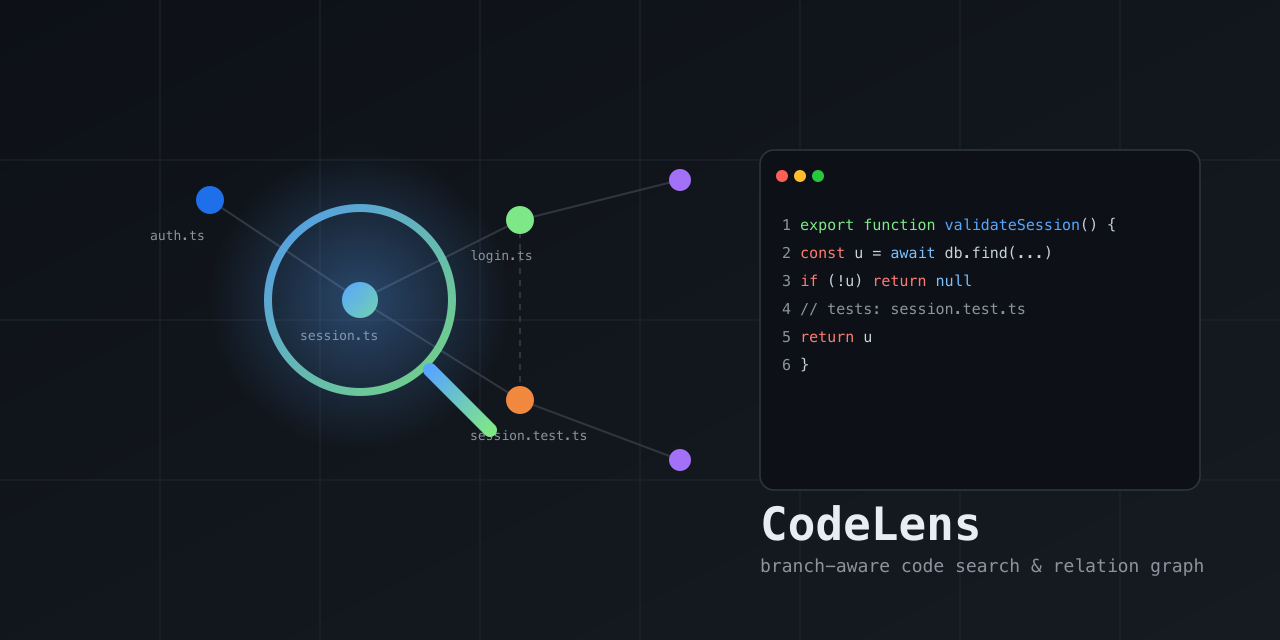
  "image": "https://raw.githubusercontent.com/ex-git/codeLens/main/docs/codelens-preview.png"
}
Security note
Pi packages can execute code and influence agent behavior. Review the source before installing third-party packages.
README
CodeLens
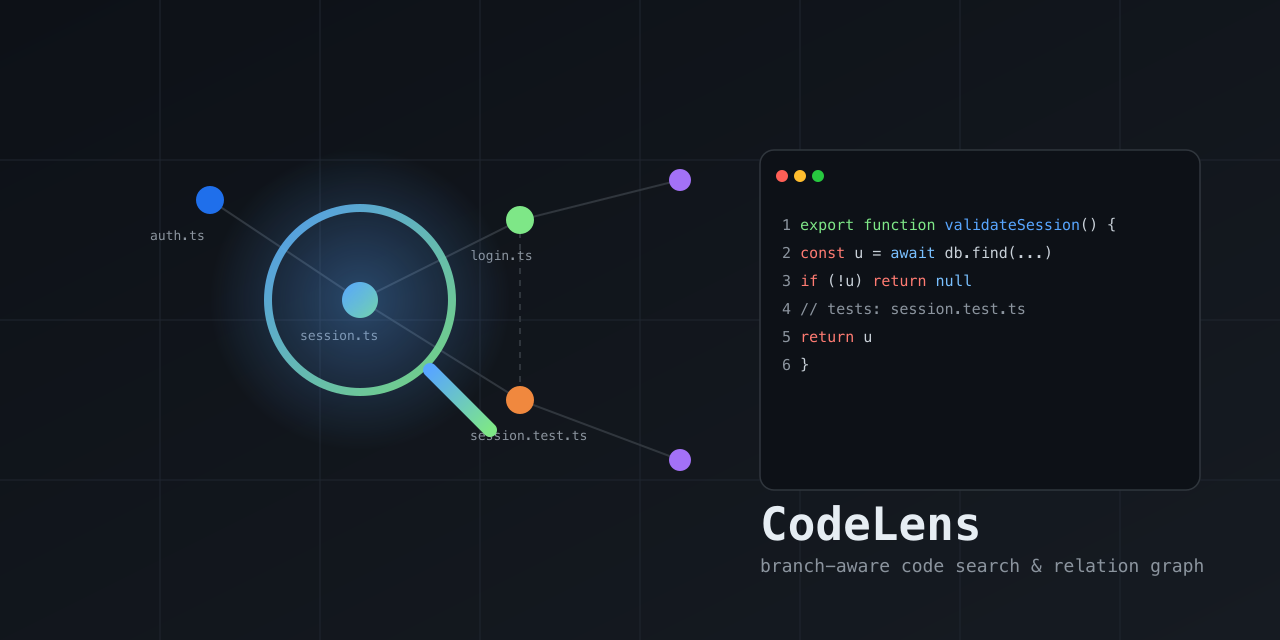
A local, branch-aware code search & relation graph — a lens into how the code in a repo connects. Indexes the current branch into SQLite (FTS5 lexical + tree-sitter symbols + source-graph edges: imports / tests / calls / defines / belongs_to) and returns compact, ranked, re-queryable handles so you can find relevant files/symbols and walk their relationships without flooding your context with raw grep/read output.
No chat LLM is involved — retrieval is deterministic. Surfaced as an MCP server and a CLI; works with any MCP-compatible client (Claude Code, Cursor, Gemini CLI, Kiro, opencode, Codex CLI) or directly from the terminal.
- Branch isolation — each branch/worktree has its own index; results never leak across branches.
- Relations, not just text — graph edges (imports / tests / callers / …) ranked alongside FTS5 + symbol-name matches.
- Fresh — query tools auto-refresh changed files before answering, flag
budget-limited stale results, and
cl_expandalways reads from disk. - Singleton runtime — MCP entry processes for the same repo/worktree share one local daemon, so one watcher/index coordinator serves many agent sessions.
- Compact — returns ranked handles; expand only what you need.
- Durable — saved contexts live in a separate DB and survive index rebuilds.
- Self-cleaning — automatic TTL prunes inactive indexes.
Install
One command builds the tool, installs the codelens launcher, and wires the MCP
server into detected agents/IDEs automatically (Claude Code, Cursor, Gemini CLI,
Kiro, opencode, Codex CLI). Requires Node.js ≥ 22.5. The package is published on
npm as @fodx/codelens.
macOS / Linux:
curl -fsSL https://raw.githubusercontent.com/ex-git/codeLens/main/install.sh | sh
Windows (PowerShell):
irm https://raw.githubusercontent.com/ex-git/codeLens/main/install.ps1 | iex
After it finishes, open a new terminal so your shell picks up the newly installed
codelens command. The agents detected during install are already configured;
to choose targets explicitly or re-run later:
codelens install --target all --yes        # wire all agents
codelens install --target claude,cursor,kiro    # wire specific agents
codelens install --target auto --location=local   # project-local config
codelens --print-config codex              # print a snippet, no writes
codelens uninstall                         # remove from all agents
Upgrade:
codelens upgrade --check   # is an update available?
codelens upgrade           # git pull + rebuild + refresh global agent config/routing
Upgrade reports the rebuilt version and re-applies global agent config + routing
for detected hosts that can be safely refreshed. Cursor's global config attaches
to the active workspace via ${workspaceFolder}. Kiro's global config pins the
workspace where codelens install --target kiro is run, so rerun that command
from the desired workspace if you need to retarget Kiro. After upgrading,
restart your agent.
Uninstall everything:
curl -fsSL https://raw.githubusercontent.com/ex-git/codeLens/main/install.sh | sh -s -- --uninstall
Note on clients/LLMs: MCP clients (Claude Code, Cursor, Kiro, …) bring their own model — CodeLens has no LLM and configures none. The installer only wires the MCP server + routing instructions into each host's config.
Supported agents / IDEs
The installer (codelens install --target <id>) writes the MCP server config
and routing instructions into each host's real config file. --location=global
(user-wide) is the default; --location=local writes project-local config
instead. All writes are idempotent and removable with codelens uninstall.
| Host | target id | Config file (global → local) | Entry shape |
|---|---|---|---|
| Claude Code | claude |
~/.claude.json → .mcp.json |
mcpServers.codelens = { command, args: ["--auto-index", "missing"] } (local also adds --cwd <workspace>) |
| Cursor | cursor |
~/.cursor/mcp.json → .cursor/mcp.json |
mcpServers.codelens = { command, args: ["--cwd", "${workspaceFolder}", "--auto-index", "missing"] } (Cursor expands the variable per-workspace) |
| Gemini CLI | gemini |
~/.gemini/settings.json → .gemini/settings.json |
mcpServers.codelens = { command, args: ["--auto-index", "missing"] } (local also adds --cwd <workspace>) |
| Kiro | kiro |
~/.kiro/settings/mcp.json → .kiro/settings/mcp.json |
mcpServers.codelens = { command, args: ["--cwd", "<install cwd>", "--auto-index", "missing"], disabled: false } (global and local pin the workspace where install runs) |
| opencode | opencode |
~/.config/opencode/opencode.json → ./opencode.json |
mcp.codelens = { type: "local", command: [cmd, "--auto-index", "missing"], enabled: true } (local also adds --cwd <workspace>) |
| Codex CLI | codex |
~/.codex/config.toml → .codex/config.toml |
TOML [mcp_servers.codelens] block (command, args = ["--auto-index", "missing"]; local also adds --cwd <workspace>) |
| Pi Coding Agent | pi |
pi install npm:@fodx/codelens (loads adapters/pi/codelens.extension.ts) |
Pi extension that bridges the MCP server via pi.registerTool |
command is the absolute path to the installed codelens launcher (written by
the installer); for a manual snippet use npx -y @fodx/codelens. CodeLens uses
root priority --cwd → MCP Roots → process cwd. Cursor config (global or
local) attaches to the active workspace via --cwd ${workspaceFolder}. Kiro
config (global or local) pins --cwd to the directory where codelens install
was run because Kiro's user MCP config has no portable workspace variable. Other
hosts pin the concrete workspace path for local installs and rely on MCP Roots
for global installs. Installed MCP configs default to --auto-index missing, so
CodeLens starts a detached background index when a workspace/branch has no
complete index yet; pass --auto-index never to disable. For MCP usage,
default entry processes proxy to one local daemon per repo/worktree; that daemon
owns the file watcher and index coordinator, so multiple agent sessions do not
multiply watchers for the same checkout.
Routing instructions are also written so the host prefers codelens tools for discovery over raw grep/read:
| Host | Instructions file (global → local) |
|---|---|
| Claude Code | ~/.claude/CLAUDE.md → ./CLAUDE.md (+ slash commands in ~/.claude/commands/codelens-*.md) |
| Cursor | ~/.cursor/rules/codelens.mdc → .cursor/rules/codelens.mdc (dedicated, alwaysApply) |
| Gemini CLI | ~/.gemini/GEMINI.md → ./GEMINI.md |
| Kiro | ~/.kiro/steering/codelens.md → .kiro/steering/codelens.md (dedicated steering file) |
| opencode | ~/.config/opencode/AGENTS.md → ./AGENTS.md |
| Codex CLI | ~/.codex/AGENTS.md → ./AGENTS.md |
Print a snippet without writing anything:
codelens --print-config claude    # JSON mcpServers snippet + target path
codelens --print-config kiro      # Kiro ~/.kiro/settings/mcp.json snippet
codelens --print-config codex     # TOML [mcp_servers.codelens] block
codelens --print-config pi        # Pi extension manifest pointer
Pi Coding Agent — install as a Pi package (the npm tarball ships the
extension under adapters/pi/ and is tagged pi-package, so it appears in the
Pi package gallery once published):
pi install npm:@fodx/codelens      # user-wide
pi install -l npm:@fodx/codelens   # project-local (.pi/settings.json)
pi -e npm:@fodx/codelens           # try it for one run without installing
npm discoverability:
package.jsonis taggedpi-package(required for the Pi gallery) plus descriptive keywords (mcp-server,modelcontextprotocol,claude-code,cursor,gemini-cli,kiro,opencode,codex) so the package is findable via npm search. Onlypi-packageis confirmed to trigger a host gallery listing; the others are for search discoverability and do not imply auto-listing in those hosts' marketplaces.
Install (MCP) — manual alternative
Add to your MCP client config (Claude Code, Cursor, Kiro, OpenCode, Gemini CLI, Codex CLI):
{
  "mcpServers": {
    "codelens": {
      "command": "npx",
      "args": ["-y", "@fodx/codelens"]
    }
  }
}
Or run locally from source:
npm install --legacy-peer-deps
npm run build
node build/src/server.js
Quickstart
- Open a repo in your agent/IDE. Installed MCP configs auto-index missing
branch indexes in the background;
cl_currentmay showstatus: "indexing"withindexingStartedAt/indexingAgeMsuntil it finishes. You can still runcl_refreshexplicitly; if auto-index is already running,cl_refreshreportsstatus:"indexing"instead of duplicating work. cl_explore(query: "session validation flow")→ grouped previews + relationship map in one call.cl_search(query: "session validation")→ lean ranked handles when you only need locations.cl_impact(symbol: "validateSession", path: "src/auth/session.ts")→ callers/callees/affected tests before edits.cl_related(path: "src/auth/session.ts", types: ["tests"])→ targeted graph expansion.cl_map(path: "src/auth")→ per-file symbol outline for orientation.cl_expand(path: "src/auth/session.ts", startLine: 12, endLine: 58)→ exact code.
See docs/agent-guide.md for a full walkthrough,
docs/tools.md for the tool reference, and
docs/routing.md for agent routing instructions.
Native adapters
See adapters/ for host-specific hook skeletons that nudge agents toward
codelens tools instead of raw grep/read.
CLI (non-MCP usage)
The codelens binary also works directly from the terminal:
codelens doctor          # health check
codelens index            # build/update the current branch index
codelens search "session validation"   # ranked search
codelens related src/auth/session.ts    # graph neighbors
codelens stats           # index counts
codelens current         # repo/branch status
codelens eval .          # automatic repository evaluation + scorecard
Evaluate CodeLens on any repository
Run one command against a Git repository:
codelens eval /path/to/repo
The evaluator separates three different questions instead of mixing them into one headline score:
- Retrieval: full, lexical, FTS-only, and targeted
rgreceive the same natural-language query and exact selected file inventory. Chunk-ranked CodeLens pages are deduplicated to the same file-level top-K unit asrg. The lexical arm removes only graph weight and renormalizes the remaining default weights;rgis a declared OR-term file-match heuristic rather than a ranked system. - Graph: known-target caller/test accuracy is reported separately from text retrieval. Automatically generated graph labels are explicitly marked as CodeLens self-consistency, not independent ground truth.
- Freshness: edit/delete visibility is verified in a detached temporary Git worktree.
The default automatic mode is a deterministic self-evaluation/regression suite. It generates tasks from the evaluated repository and must not be used as independent evidence that CodeLens outperforms another system. For an independent benchmark, supply a reviewed frozen task file:
codelens eval . --tasks-file benchmark-tasks.json
codelens eval . --tasks-file benchmark-tasks.json --suite retrieval,graph
A task file is versioned and declares whether its labels were reviewed independently of the evaluated index:
{
  "version": 1,
  "source": "reviewed benchmark fixture",
  "independentGroundTruth": true,
  "tasks": [
    {
      "id": "locate-session-validator",
      "suite": "retrieval",
      "type": "locate",
      "query": "session token validation",
      "expectedPaths": ["src/auth/session.ts"]
    },
    {
      "id": "callers-session-validator",
      "suite": "graph",
      "type": "callers",
      "query": "callers of session validator",
      "targetPath": "src/auth/session.ts",
      "expectedPaths": ["src/routes/login.ts"]
    }
  ]
}
For graph accuracy, expectedPaths should be exhaustively reviewed for the
selected target and corpus; incomplete labels will correctly reduce measured
precision. independentGroundTruth is a declaration by the task-file author,
not something CodeLens can verify automatically.
Scale tiers are nested and reuse one frozen task set, so larger tiers add
search distractors instead of changing labels. Repeats are timing samples, not
extra tasks; metrics aggregate unique tasks and include deterministic 95%
bootstrap intervals. Low-confidence automatic Git-history tasks are
informational and do not affect thresholds. Latency is end-to-end and
machine-specific; rg timing includes process startup while CodeLens runs
in-process. Comprehensive multi-tier runs can take several minutes because each
tier builds a fresh index and executes the same frozen tasks; the freshness
suite builds a separate worktree index.
What evaluation results do—and do not—show
In one automatic self-evaluation on an anonymized large repository, full
CodeLens observed 93.5% top-10 locate success and 0.600 MRR, versus 48.4% and
0.377 for the fixed rg heuristic. This is evidence about file-level retrieval
for that generated task set—not evidence that an LLM became 45.1 percentage
points more accurate. A capable agent can reformulate queries and invoke raw
search repeatedly, which this deterministic rg arm does not model.
The same run measured full versus lexical CodeLens locate success at 93.5%
versus 90.3%, with MRR of 0.600 versus 0.598. Their confidence intervals
overlapped, so this run did not establish a material incremental benefit from
graph weighting. It also did not evaluate the separate cl_related or
cl_impact graph tools.
A defensible summary is:
On this repository's automatic self-evaluation, CodeLens increased the probability that an expected file appeared near the top compared with a fixed
rgheuristic. The benchmark does not measure LLM or coding-agent performance.
Claims about LLM search speed, task accuracy, token use, cost, or patch quality require a controlled agent A/B test: the same model and engineering tasks with raw tools alone versus those same tools plus CodeLens, scored using hidden tests and repeated runs.
The evaluator prints elapsed phase progress to stderr and writes artifacts
outside the target repository under ~/.codelens/evals/:
results.json   # versioned measurements, methodology, task-set digest, and evidence
report.md      # per-suite and per-task-type scorecard
tasks.json     # reusable frozen task set and ground-truth declaration
Useful modes:
codelens eval . --quick                            # 20 tasks, <=500 files, retrieval+graph
codelens eval . --suite retrieval                  # fair query-only arm comparison
codelens eval . --suite graph                      # graph accuracy/self-consistency only
codelens eval . --suite freshness                  # isolated edit/delete probe only
codelens eval . --tasks 200 --repeats 3            # 200 unique tasks, 3 timing samples
codelens eval . --scales 1000,5000,all             # nested tiers, one frozen task set
codelens eval . --min-graph-precision 0.8           # gate reviewed graph labels
codelens eval . --seed 42 --output /tmp/eval       # reproducible custom output
codelens eval . --json                             # JSON stdout; progress remains stderr
The target worktree is treated as read-only. Freshness mutations occur only in
a detached temporary worktree, which is removed even after errors, and output
paths inside the target repository are rejected. Exit code 0 means applicable
thresholds passed, 2 means evaluation completed but thresholds failed, and
1 means the evaluator could not run.
This is not an end-to-end LLM benchmark. Frozen labels can still be incomplete or subjective, automatic tasks remain self-evaluation, and performance varies by repository and machine. Credible cross-system claims require reviewed tasks, multiple representative repositories, and disclosure of the evaluator version and methodology.
Development
npm run typecheck   # tsc --noEmit
npm run lint        # eslint
npm test            # vitest run
npm run build       # tsc + copy schema assets
npm run benchmark   # performance gate (search <50ms, cold <3s)
npm run quality     # retrieval-quality fixture (recall@5/MRR/top-1/latency)
npm run eval:agent  # deterministic with/without-CodeLens discovery proxy
Docs
- How CodeLens works — architecture, index layers, branch isolation, freshness, ranking, TTL, saved contexts, usage.
- Usage metrics & how "saved" is calculated — the formula, assumptions, and limits.
Limitations
- No vector/semantic search — there is no embedding model; ranking fuses
FTS5 BM25 + symbol-name + graph proximity + path + code/prose + exact-match
signals. Code identifiers are matched via bounded subtoken expansion
(e.g.
sessionfindsvalidateSession); a true semantic/vector layer is still out of scope. - Auto-index is eager per branch — installed MCP configs start a detached
--auto-index missingbuild when a workspace/branch has no complete index.cl_refreshremains available for explicit rebuilds and is guarded against duplicating an active background index. A singleton repo/worktree daemon owns the file watcher and handles incremental freshness thereafter (cold index ~3.5s for 2000 files). - Routing hooks are advisory (soft nudges, not hard blocks) per the no- throttling design decision — raw reads remain allowed for editing/verification.
- npm package — published on npm as
@fodx/codelens; releases are published automatically fromv*git tags via thepublishworkflow. Usenpx -y @fodx/codelensfor manual MCP configuration. See.github/workflows/publish.yml. - Windows not tested — path normalization handles backslashes, but
fs.watchrecursive behavior and native builds are unverified on Windows.
License
MIT