@gavin-hu/my-pi-agent
Personal Pi customizations, packaged as a Pi package: worktree isolation and rewind snapshots, question, todo, goal, plan, subagent, job, watch, web-access, file-browse, file-open, document, memory, wechat, and bytefly.
Package details
Install @gavin-hu/my-pi-agent from npm and Pi will load the resources declared by the package manifest.
$ pi install npm:@gavin-hu/my-pi-agent- Package
@gavin-hu/my-pi-agent- Version
0.13.1- Published
- Oct 19, 2026
- Downloads
- 204/mo · 204/wk
- Author
- gavin-hu
- License
- MIT
- Types
- extension, theme
- Size
- 2.3 MB
- Dependencies
- 8 dependencies · 5 peers
Pi manifest JSON
{
  "image": "https://raw.githubusercontent.com/gavin-hu/my-pi-agent/main/assets/chrome.png",
  "themes": [
    "./themes/*.json"
  ],
  "extensions": [
    "./extensions/worktree/index.ts",
    "./extensions/rewind/index.ts",
    "./extensions/question/index.ts",
    "./extensions/todo/index.ts",
    "./extensions/goal/index.ts",
    "./extensions/plan/index.ts",
    "./extensions/subagent/index.ts",
    "./extensions/job/index.ts",
    "./extensions/watch/index.ts",
    "./extensions/web-access/index.ts",
    "./extensions/file-browse/index.ts",
    "./extensions/document/index.ts",
    "./extensions/file-open/index.ts",
    "./extensions/memory/index.ts",
    "./extensions/wechat/index.ts",
    "./extensions/bytefly/index.ts"
  ]
}
Security note
Pi packages can execute code and influence agent behavior. Review the source before installing third-party packages.
README
my-pi-agent
English · 简体中文


my-pi-agent is a single Pi package that adds a curated set
of extensions and themes to the agent you already use — install the pack, turn
off what you do not want, and keep using Pi unchanged.

Contents
Why this pack
Pi ships a small, sharp core. This package is the layer on top for people who want the agent to think first and work safely:
- Plan, then execute. A read-only planning mode turns a task into a reviewed plan file that the agent then follows step by step.
- Delegate and parallelize. Run specialist subagents in their own Pi processes to explore, review, test, or implement while you keep the thread.
- Never wreck the checkout. Work happens in an isolated
git worktree, and every prompt is snapshotted so a bad turn is one/rewindaway. - Remember across sessions. Durable notes live in plain markdown that you can read, edit, and version.
- Reach the web and your files. Search, fetch, browse, open, and read documents — all from inside the session.
Everything is optional and independently toggleable. Nothing is patched or
forked: Pi discovers the resources through the pi manifest in
package.json, so the package upgrades with Pi like any
other.
Quick start
Requires a working Pi installation.
pi install npm:@gavin-hu/my-pi-agent                       # install from npm
pi install git:github.com/gavin-hu/my-pi-agent             # install from git
pi install git:github.com/gavin-hu/my-pi-agent@v0.13.1     # pin a release
pi install ./ -l                                           # project-local (.pi/settings.json)
pi -e .                                                    # try it for one run
git on PATH is needed by worktree and
rewind; everything else degrades or disables cleanly,
and /bytefly doctor names what is missing, including optional runtime pieces.
Windows, macOS, and Linux all work, and the full check suite runs on each in CI.
Then, from inside Pi:
/bytefly [extension] [refresh]opens the control center on Extensions, lists every loaded extension with its runtime health, enables or disables one, and clears a project override withx./bytefly settingsopens the control center's Settings section: bytefly startup TUI, desktop notifications and their delivery method, the proactive health check, the currency and cost precision, the transcript rail glyph, output padding, and the hardware cursor, withSpace/Enterto change a value andTabfor Global/Project scope./bytefly doctor [extension] [refresh]prints the doctor report —run_doctor's text — and checks that each enabled extension has what it needs at runtime./settings→ Theme selects a theme./plan <task>starts a task in read-only planning mode.
One thing the pack does on its own: once per interactive session, bytefly asks
npm for the newest published version and marks the header when yours is older.
Nothing about the session is sent, and PI_OFFLINE skips the request;
docs/security.md covers the trust boundaries.
What you get
Sixteen extensions, grouped by what you are trying to do, plus two themes. Each
extension's own README.md has the full tool and command surface.
Plan and delegate
| Extension | Tools and commands | What it does |
|---|---|---|
plan |
enter_plan_mode, write_plan, exit_plan_mode, set_plan_steps, /plan, --plan |
Read-only planning: the model investigates, saves a plan under .pi/plans, and you approve it before anything is written. Review in the TUI, or open it in a browser to leave inline comments. |
subagent |
subagent |
Delegate a task to a specialist agent (explorer, planner, reviewer, worker, researcher, tester, debugger, documenter) in its own Pi process — single, parallel, or chained. |
todo |
todo, /todos |
A persistent task list (pending / in_progress / completed) with a one-line widget. |
goal |
goal, /goal |
A persistent session objective, kept in a widget and restated before each turn. |
question |
ask_user_question |
Ask you one or more structured questions (labelled options plus free-form "Other") and wait. |
job |
job, /jobs |
Run long-lived shell commands in the background; inspect logs, wait, or kill them. |
watch |
watch, /watch |
Tail a file or command output, match lines against patterns, and alert you or hand matching lines to the agent. |
Keep your work safe
| Extension | Tools and commands | What it does |
|---|---|---|
worktree |
enter_worktree, exit_worktree, prune_worktrees, list_worktrees, /worktree*, --worktree |
Work inside an isolated git worktree on its own branch; the built-in read/write/edit/bash tools follow, and cleanup refuses to throw work away. |
rewind |
/rewind, ↺ N status chip |
Snapshot the repo on every prompt under refs/pi/rewind and restore code, conversation, or both. |
memory |
memory, /memory |
Durable cross-session notes as human-editable markdown, injected into each run and managed through the /memory picker. |
Reach the world
| Extension | Tools and commands | What it does |
|---|---|---|
web-access |
web_search, web_fetch |
Search the web (keyless DuckDuckGo by default, optional SearXNG or Brave) and fetch a page as readable text, with paging, find, per-hop SSRF checks, and optional PDF support. |
file-browse |
/browse |
Start a loopback, read-only file browser rooted at the working directory, with Markdown preview and a fuzzy quick-open palette. |
document |
read_doc |
Extract text from a local PDF, DOCX, DOC, ODT, RTF, or XLSX in process, paged. |
file-open |
/open, open_path |
Open or reveal a file or directory in the OS-native application. |
wechat |
/wechat, send_wechat |
Bridge a WeChat chat to the live session over the Weixin iLink bot API; inbound text, images, and files become turns. |
Chrome and upkeep
| Extension | Tools and commands | What it does |
|---|---|---|
bytefly |
/bytefly (with the doctor and settings subcommands), run_doctor |
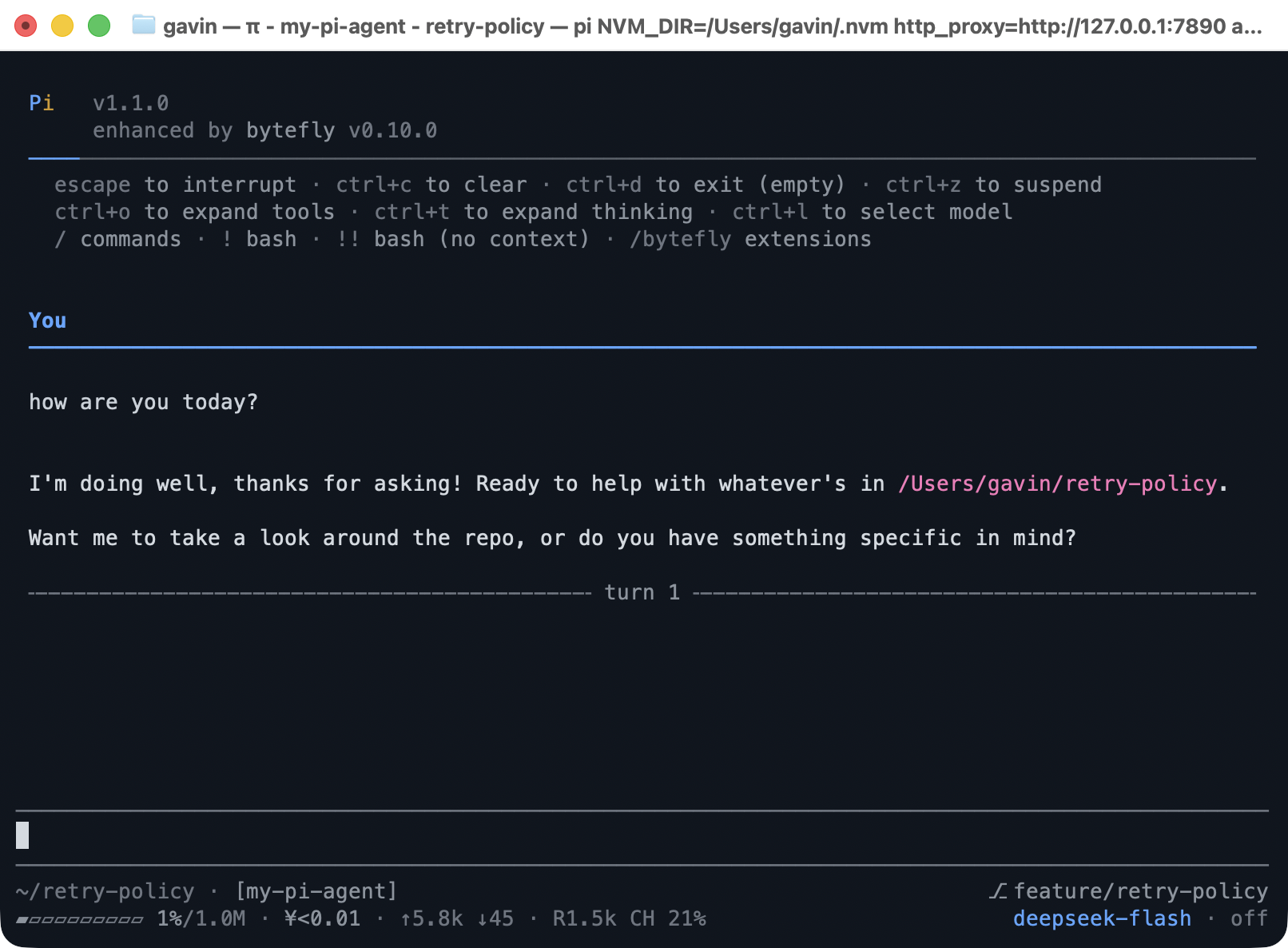
The visible layer: a themed header with a width-adaptive footer, a live elapsed counter on Pi's working row, and a transcript where every tool block leads with its call line and rails its result under it. /bytefly switches extensions and holds the curated settings; opt-in notify raises OS notifications when a run, a job, or a question needs you. bytefly.json is the config document every extension reads. |
Themes
bytefly-dark is a GitHub-inspired dark palette
and bytefly-light its light companion, with
optional automatic light/dark switching. Installing the pack does not change
your theme: pick one through /settings → Theme, or set
"theme": "bytefly-light/bytefly-dark" for switching. The screenshots in this
README use bytefly-dark.
Screens
Tool renderings
Every tool block as the transcript draws it — the tool's own call line as the
headline, then the result body two columns under it behind the transcript rail —
each tool's own renderer (or bytefly's generic fallback): the user nameplate and
a notice, Pi's built-ins, and every tool this package registers. The rail glyph
is the chrome.rail setting.

bun run screenshot:tools regenerates it; bun run screenshot:tool-pngs writes
one image per tool under assets/tools/.
Configuration
Most extensions need no configuration. Every setting lives in one shared
document, bytefly.json, read from <agent-dir>/bytefly.json and merged with
<cwd>/.pi/bytefly.json (project wins), under a top-level section named for the
extension. Each extension's README.md covers the behaviour around its keys,
docs/configuration.md indexes the sections, and
docs/references/bytefly-config.md lists
every key with its type, default, and bounds.
Every extension is on by default. To load the pack without some of them, set
PI_DISABLED_EXTENSIONS to a comma- or whitespace-separated list of extension
names (the directory names under extensions/):
PI_DISABLED_EXTENSIONS=todo,job pi -e .Names are compared case-insensitively and unknown names are ignored. This only
stops the factories from registering; to drop the whole package, use Pi's
--no-extensions or remove the package from your settings.
Documentation
| Guide | What it covers |
|---|---|
| Getting started | Requirements, install options, verifying the load, themes. |
| Extensions | The full catalog of every extension and theme. |
| Configuration | Config-file resolution, the per-extension index, environment variables. |
| Configuration reference | Every bytefly.json section and key, with its type, default, and bounds. |
| Architecture | How the package, its extensions, and lib/ fit together. |
| Development | Local setup, checks, tests, cross-platform notes, and the release process. |
| Security | Trust boundaries for the loopback and remote surfaces. |
| Roadmap | Where the pack is going, grouped by the README's promises, with the evidence behind each item. |
Contributing
Contributions are welcome. Start with CONTRIBUTING.md for
the setup, the worktree branch flow, and the checks a change must pass. AI
coding agents should read AGENTS.md.
License
MIT