@henryqw/pi-notes
Persistent notes in a Pi widget, managed with /note commands.
Package details
Install @henryqw/pi-notes from npm and Pi will load the resources declared by the package manifest.
$ pi install npm:@henryqw/pi-notes- Package
@henryqw/pi-notes- Version
3.1.3- Published
- Oct 15, 2026
- Downloads
- 2,084/mo · 758/wk
- Author
- henrywang
- License
- MIT
- Types
- extension
- Size
- 285 KB
- Dependencies
- 1 dependency · 2 peers
Pi manifest JSON
{
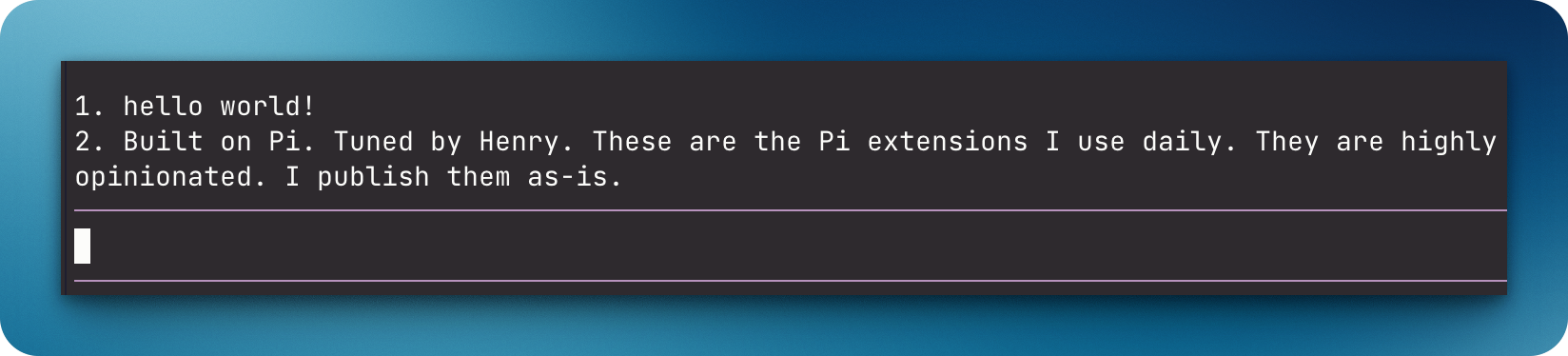
  "image": "https://raw.githubusercontent.com/HenryQW/pi-harness/main/extensions/pi-notes/example.png",
  "extensions": [
    "./extensions/notes.ts"
  ]
}
Security note
Pi packages can execute code and influence agent behavior. Review the source before installing third-party packages.
README
@henryqw/pi-notes
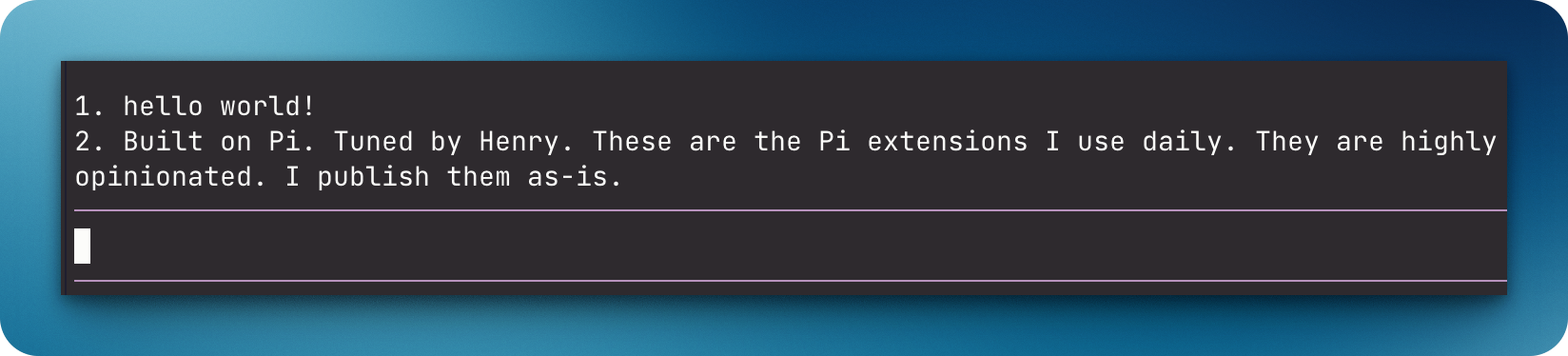
Show up to four persistent reminders for each worktree above the Pi editor. The small number of fixed slots keeps notes useful and prevents an unbounded history store.
Install
pi install npm:@henryqw/pi-notesRequires Pi 1.1.0 or later in the 1.x series and Node.js 22.19.0 or newer.
Use
Run /note Verify the migration rollback. in a Git worktree. The reminder shows above the editor immediately. It shows again in later sessions for that worktree.
| Surface | Type | Purpose |
|---|---|---|
/note <text> |
command | Add a note to the current Git worktree (max 4). |
/note-rm |
command | Select a note from the current worktree and remove it. |
/note-clear |
command | Clear all notes for the current worktree. |
| Notes widget | ui | Show the notes of the current worktree. |
Each Git worktree has separate notes. In the TUI, the widget numbers the notes above the editor and shows at most two lines for each note. In non-TUI modes, notes are plain text without the two-line limit. When there are no notes, Pi does not show the widget.
State and storage
The extension generates ~/.pi/agent/config/pi-notes/<worktree-sha256>.json for command-managed notes in one Git worktree.
The extension silently deletes stale files for removed repositories and worktrees. It does this when a session starts or when notes change.
Limits and recovery
Each worktree can hold at most four notes. The /note command changes each whitespace sequence to one space and trims the ends. It rejects any remaining terminal control characters with Notes cannot contain terminal control characters. The extension validates each worktree file as untrusted data. It preserves malformed files. A malformed file blocks note changes for its worktree until you fix the file or reset it with /note-clear.