@hfrancisla/pi-session-viewer
Local, read-only Pi session and system-prompt inspector
Package details
Install @hfrancisla/pi-session-viewer from npm and Pi will load the resources declared by the package manifest.
$ pi install npm:@hfrancisla/pi-session-viewer- Package
@hfrancisla/pi-session-viewer- Version
0.3.1- Published
- Sep 19, 2026
- Downloads
- 781/mo · 25/wk
- Author
- hfrancisla
- License
- MIT
- Types
- extension
- Size
- 1.2 MB
- Dependencies
- 0 dependencies · 1 peer
Pi manifest JSON
{
  "image": "https://raw.githubusercontent.com/hfrancisla/pi-session-viewer/main/assets/gallery-preview.webp",
  "extensions": [
    "./dist/extension/index.js"
  ]
}Security note
Pi packages can execute code and influence agent behavior. Review the source before installing third-party packages.
README
Pi Session Viewer
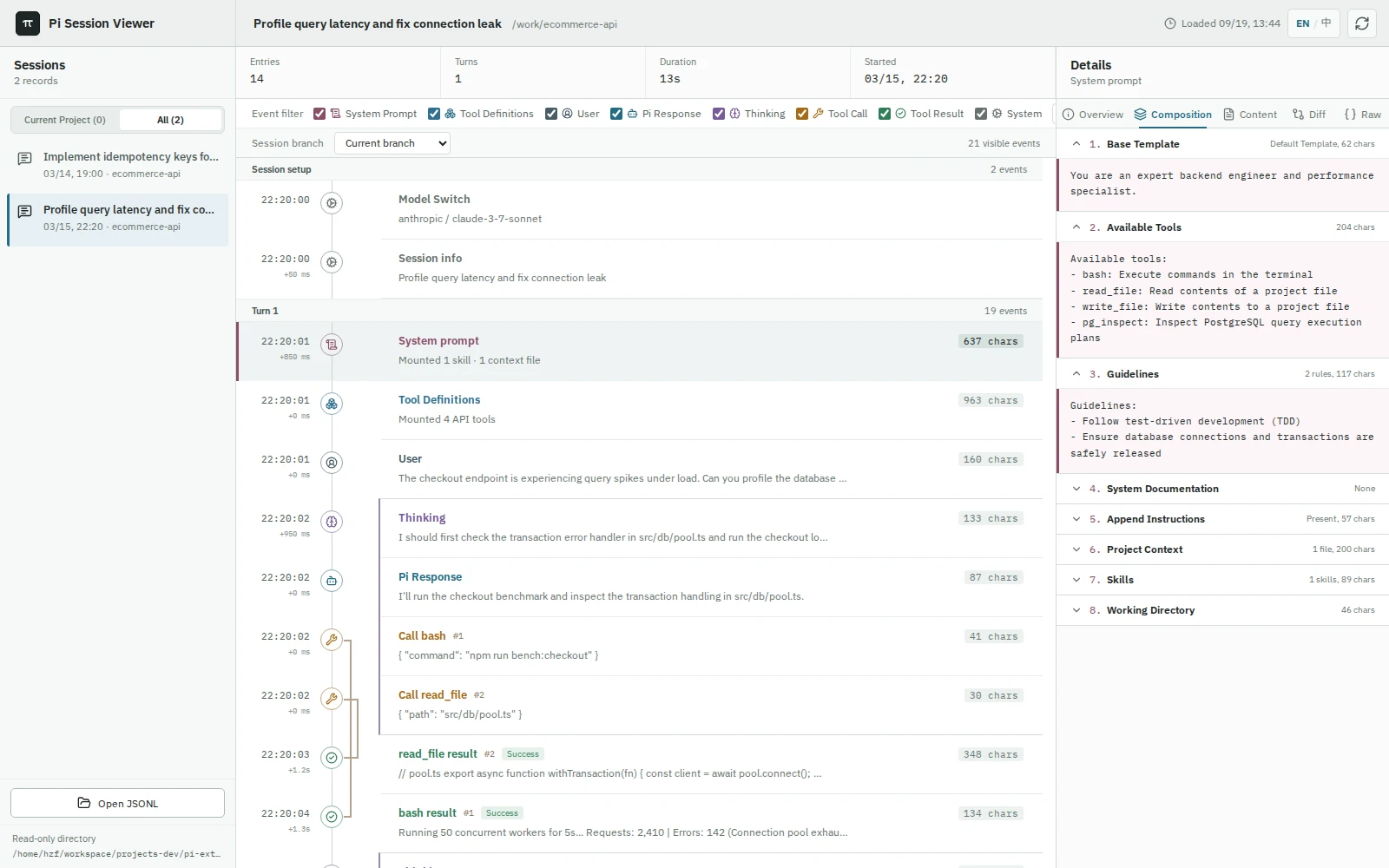
A local, read-only web inspector for Pi coding-agent sessions. Visualizes multi-turn timelines, tool-call causality, and captured system prompt compositions.
Install
pi install npm:@hfrancisla/pi-session-viewerRestart Pi or run /reload. The extension loads automatically and begins capturing system prompts on the next turn.
Usage
/session-viewer       # Start viewer (alias for on)
/session-viewer on    # Start viewer and open in browser
/session-viewer off # Stop viewer (system prompt capture continues)- Starting the viewer opens a local tokenized dashboard in your browser.
- Session switches (
/new,/resume,/fork) require running/session-viewer onagain. - Discover sessions directly from Pi's storage or import any
.jsonlsession file via the browser.
Key Features
- Timeline & Causality: Tracks user turns, thinking blocks, and paired tool calls with visual causality rails.
- System Prompt Breakdown: Inspects prompt structure across base instructions, tool definitions, skills, and context files.
- Multi-Project Catalog: Groups sessions by project working directory with automatic path collision disambiguation.
- Local JSONL Import: Inspect arbitrary session files offline via file drag-and-drop.
Security & Privacy
- Local Only: Listens strictly on
127.0.0.1with a per-instance random bearer token. No cloud sync, telemetry, or remote access. - Read-Only: The web interface cannot mutate sessions or execute commands.
- Capture Scope: Saves system prompts, skill metadata, and context file snapshots to local session files. Does not record API keys, request headers, or credentials.
- Historical Sessions: Turns recorded prior to package installation display as unrecorded; past prompts are never guessed.
Development
npm install
npm run dev        # Web dev server
npm test           # Unit & integration tests
npm run build      # Build web assets and extension bundle
npm run verify     # Full verification suite
Session directory resolution order: PI_CODING_AGENT_SESSION_DIR → ~/.pi/agent/settings.json → ~/.pi/agent/sessions.