@jetserge/pi-session-recap
While-you-were-away recap at the end of the transcript when you return to a Pi session. Keeps you in flow when multi-agenting.
Package details
Install @jetserge/pi-session-recap from npm and Pi will load the resources declared by the package manifest.
$ pi install npm:@jetserge/pi-session-recap- Package
@jetserge/pi-session-recap- Version
0.5.1- Published
- Sep 9, 2026
- Downloads
- 88/mo · 88/wk
- Author
- jetserge
- License
- MIT
- Types
- extension
- Size
- 369.9 KB
- Dependencies
- 0 dependencies · 3 peers
Pi manifest JSON
{
  "extensions": [
    "index.ts"
  ],
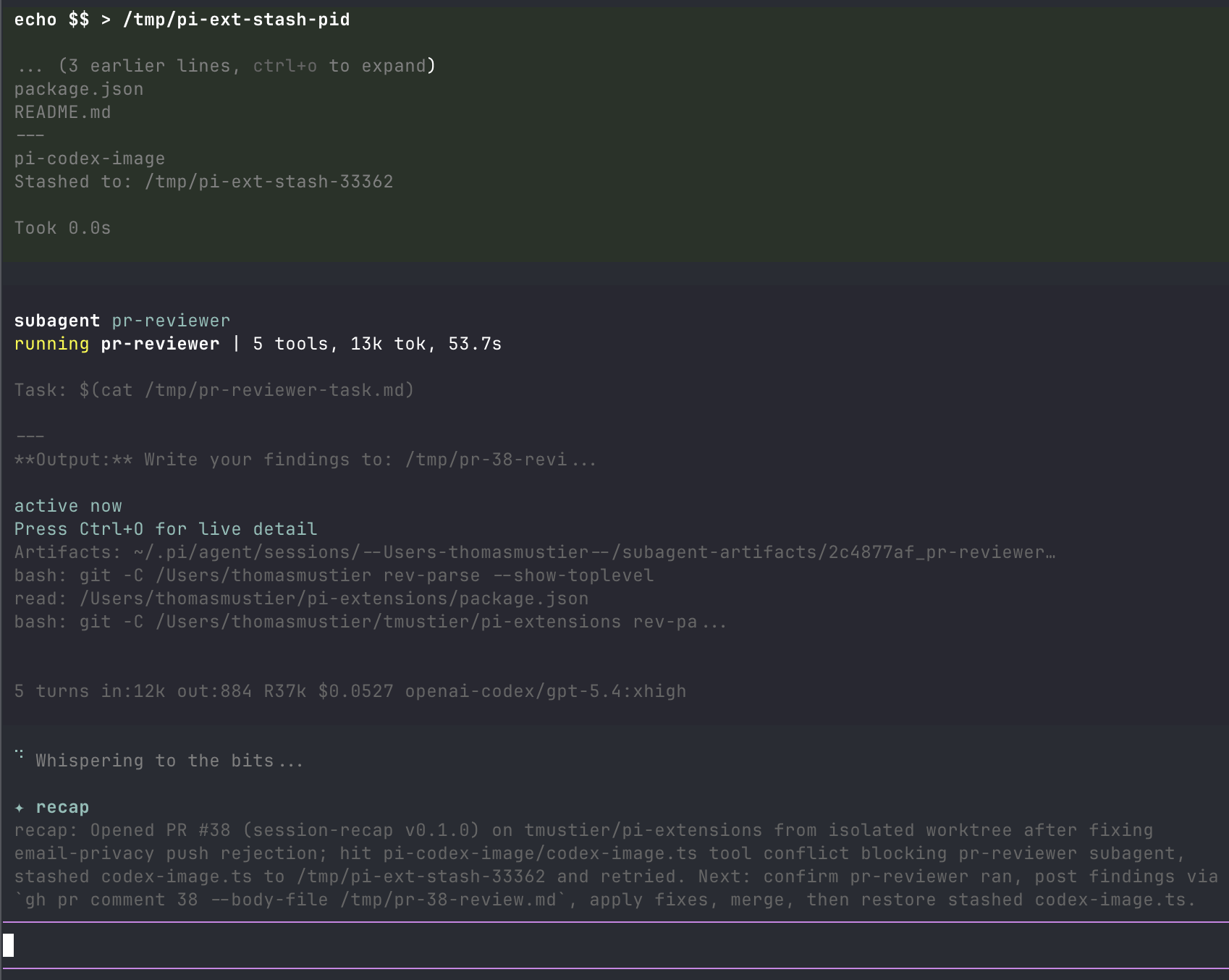
  "image": "https://raw.githubusercontent.com/CrazyCoder/pi-session-recap/main/assets/recap.png"
}
Security note
Pi packages can execute code and influence agent behavior. Review the source before installing third-party packages.
README
session-recap
Standalone fork of
Thomas Mustier's session-recap,
published as @jetserge/pi-session-recap.
Based on upstream version 0.5.0, with the fixes from
PR #106 at commit
0c9b116. Incomplete responses are discarded, and request failures use Pi
notifications instead of writing over the terminal. The extension source and
regression tests are preserved from that commit.
"While you were away" recap for Pi, modelled on Claude Code's away-summary. When you've genuinely been away from a Pi session, a short recap is drafted while you're gone and parked at the end of the scrollable transcript so it's waiting when you return. In Pi's regular TUI it stays above the editor.
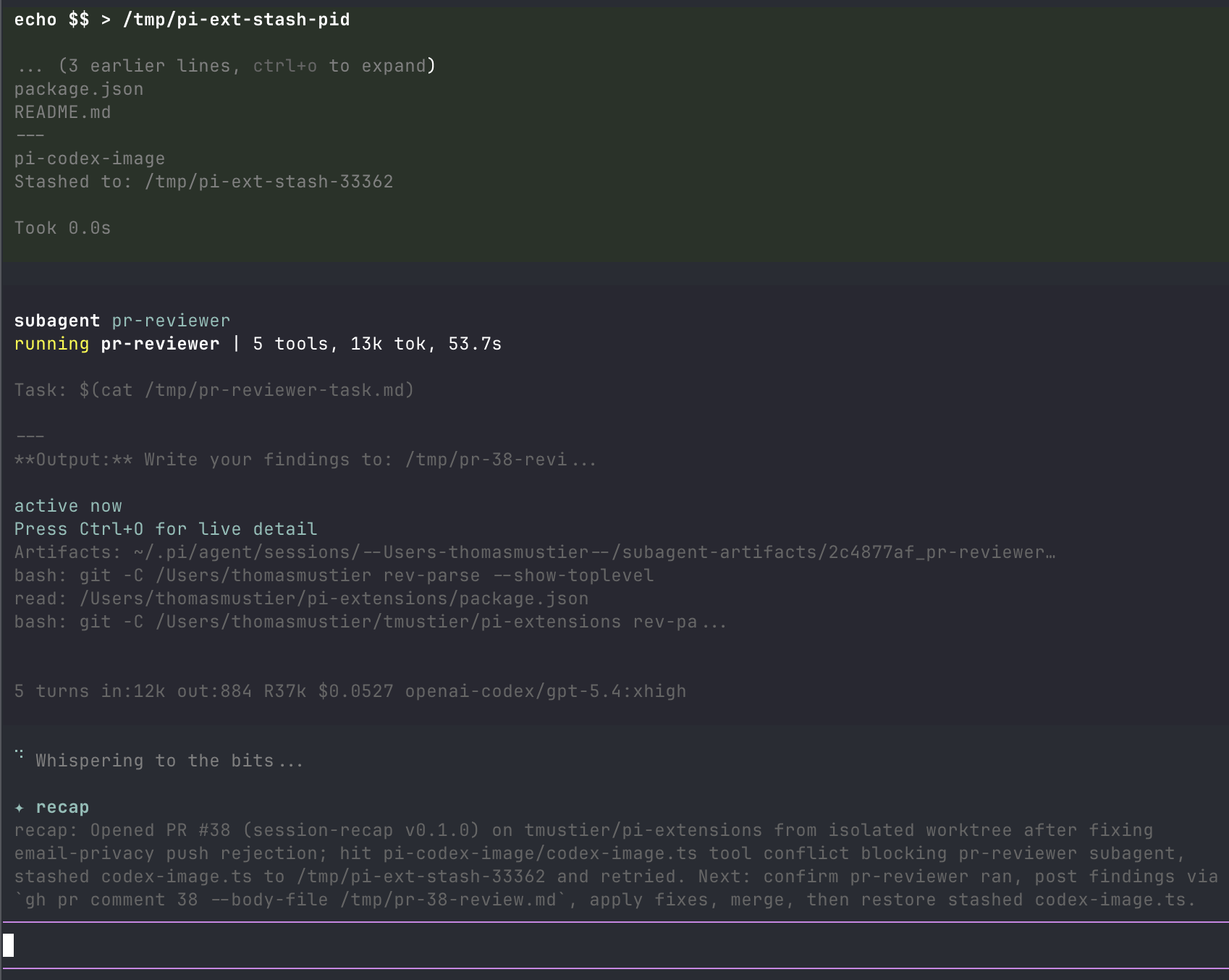
Built for multi-clauding / multi-pi workflows where several agent sessions run in parallel tabs.
The recap orients rather than reports: it states the high-level task first (what you're building or debugging), then the concrete next step — the last assistant message is already on screen; what you've lost after a context switch is the task thread.
How it triggers
- Away timer. The extension enables terminal focus reporting (DECSET
?1004) on session start. After the terminal has been continuously blurred for--recap-away-seconds(default 90s), a recap is generated and shown, so it's parked above the editor when you refocus. - Turn ends while you're away. If the agent finishes a turn while the terminal is blurred — the prime multi-tab moment — a recap is drafted after a short debounce.
- Idle fallback. Only on terminals that haven't demonstrated
focus-reporting support:
--recap-idle-seconds(default 120s) after the lastturn_endwith no input, a recap is generated anyway. The first real focus event disarms this path for the session.
Also fires automatically on /resume and /fork so you know where the prior
session left off.
The recap disappears when you submit a message or new agent work begins. It is temporary UI: it is not saved in session history or sent to the model.
Quick alt-tabs cost nothing: no model call is made until you've actually been away for the full threshold. If you return while a recap is still drafting, it's allowed to finish — it lands moments after you're back, which is exactly when it helps.
Terminal compatibility
| Terminal | Focus reporting | Notes |
|---|---|---|
| iTerm2, Ghostty, Alacritty, Kitty, WezTerm, xterm | ✅ | Works out of the box. |
| VS Code integrated terminal, Warp | ✅ | Works. |
| Apple Terminal | ⚠️ Partial | Idle fallback covers it. |
| tmux | ✅ (with config) | Add set -g focus-events on to ~/.tmux.conf, then tmux source-file ~/.tmux.conf. |
If focus events cause any weirdness in your terminal, run with
--recap-disable-focus and the idle fallback still works.
Model
The recap reuses the active provider's authentication and chooses a cheaper model when available:
--recap-modelwhen set.anthropic/claude-haiku-4-5for Anthropic sessions.- GPT-5.6 Luna when the active model is GPT and its provider offers Luna.
- The currently active model otherwise.
The recap sends no system prompt, no tools and no Agent Skills, and never writes
to the prompt cache. Reasoning is always off: most APIs disable thinking when no
reasoning level is requested, and Codex models are sent an explicit
reasoningEffort: "none" because they would otherwise fall back to the
server-side default.
It uses a 30-message window in native roles, plus the initial request and latest compaction or branch summary. Large initial requests and tool results retain their beginning and end.
Custom providers work when they use a built-in pi-ai API type. Pi-only custom
handlers are skipped because the standalone compatibility layer cannot route
them; use --recap-model "<provider>/<id>" to select a supported model.
Install
Requires Node.js 22.18 or newer and Pi with the @earendil-works APIs.
pi install npm:@jetserge/pi-session-recap
If you use @tmustier/pi-session-recap, remove it before you install this fork:
pi remove npm:@tmustier/pi-session-recap
pi install npm:@jetserge/pi-session-recap
If you use the upstream monorepo, exclude session-recap/index.ts from that
package's extension filter. Do not load both versions.
For a local checkout, run npm ci in this repository, then run pi install ..
Flags
| Flag | Default | Description |
|---|---|---|
--recap-away-seconds <n> |
90 |
Seconds of continuous terminal blur before an away recap is generated. |
--recap-idle-seconds <n> |
120 |
Idle-fallback delay after turn_end, used only when the terminal doesn't report focus. |
--recap-disable-focus |
false |
Disable DECSET ?1004 focus reporting. Idle fallback still runs. |
--recap-during-active |
false |
Allow away recaps while an agent turn is still running, instead of deferring to the end of the turn. |
--recap-disable |
false |
Disable the automatic recap entirely. /recap still works. |
--recap-model "<p/id>" |
automatic | Override model selection, e.g. anthropic/claude-sonnet-4-6. |
Command
| Command | Description |
|---|---|
/recap |
Force-generate a recap right now, bypassing the activity gate. |
Development and releases
npm ci
npm run typecheck
npm test
npm run verify:tarball
The tarball check runs all regression tests against the packed extension.
npm publish runs these checks through prepublishOnly.
The first npm version requires an interactive publish from this repository:
npm login
npm publish --access public
After the package exists, configure its npm trusted publisher for GitHub Actions:
- Owner:
CrazyCoder - Repository:
pi-session-recap - Workflow:
publish.yml
Leave the environment field empty. No npm token is needed in GitHub secrets.
The workflow supports a manual dry run. For subsequent releases, update the
package version and changelog, commit to main, then push a matching
v<version> tag. The workflow checks the tag and branch, runs verification, and
publishes through OIDC. A version already on npm is skipped, so the bootstrap
tag can be pushed after the manual publish.
Retain the upstream MIT attribution when you distribute this fork.
License
MIT