@jiah-liu/pi-cursor-provider
Pi Coding Agent custom provider that routes requests through the Cursor Agent CLI — use your Cursor subscription models (Claude, GPT, Gemini, Grok…) inside Pi.
Package details
Install @jiah-liu/pi-cursor-provider from npm and Pi will load the resources declared by the package manifest.
$ pi install npm:@jiah-liu/pi-cursor-provider- Package
@jiah-liu/pi-cursor-provider- Version
0.3.2- Published
- Sep 7, 2026
- Downloads
- 461/mo · 189/wk
- Author
- jiah-liu
- License
- MIT
- Types
- extension
- Size
- 728.4 KB
- Dependencies
- 0 dependencies · 2 peers
Pi manifest JSON
{
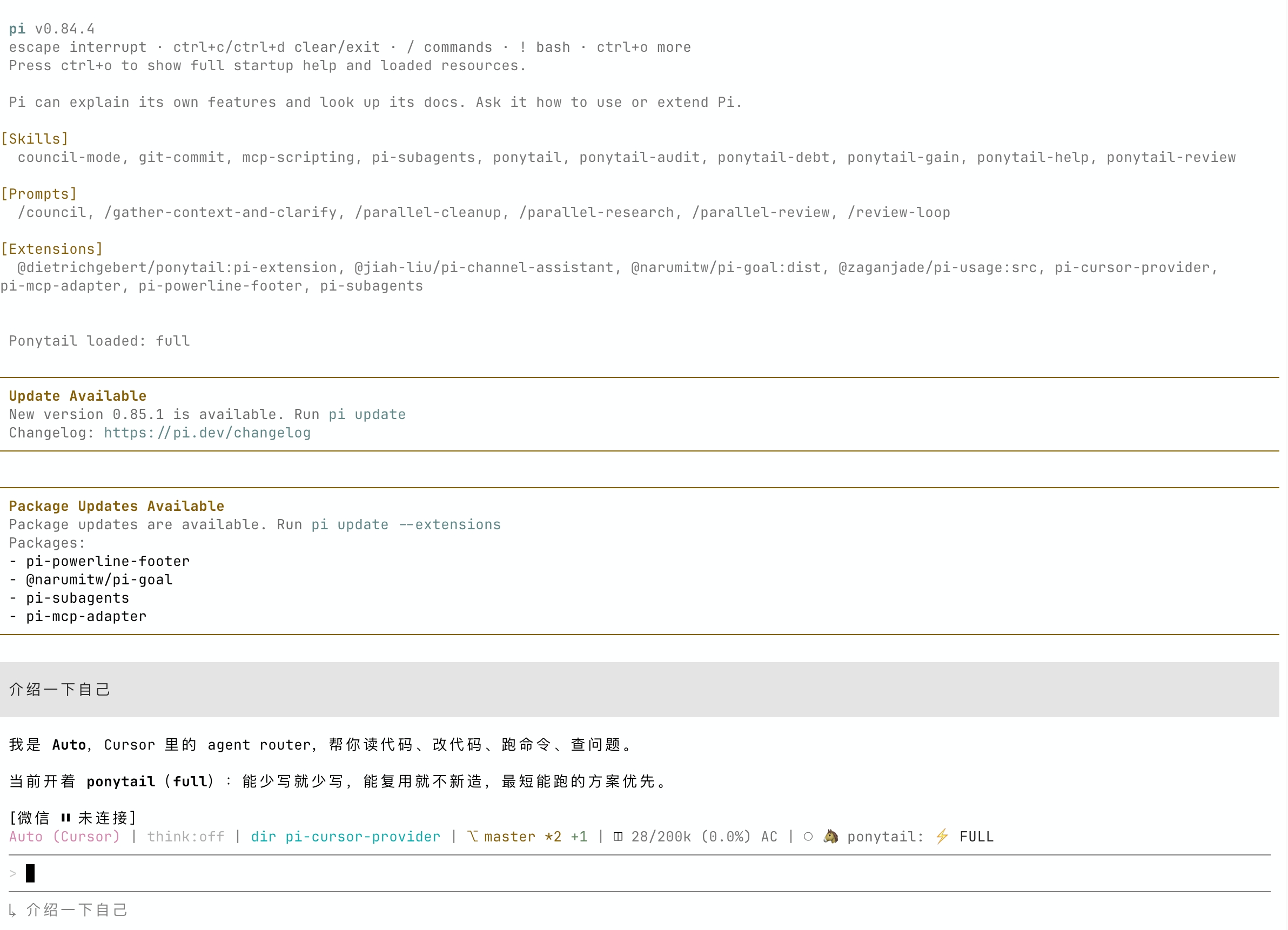
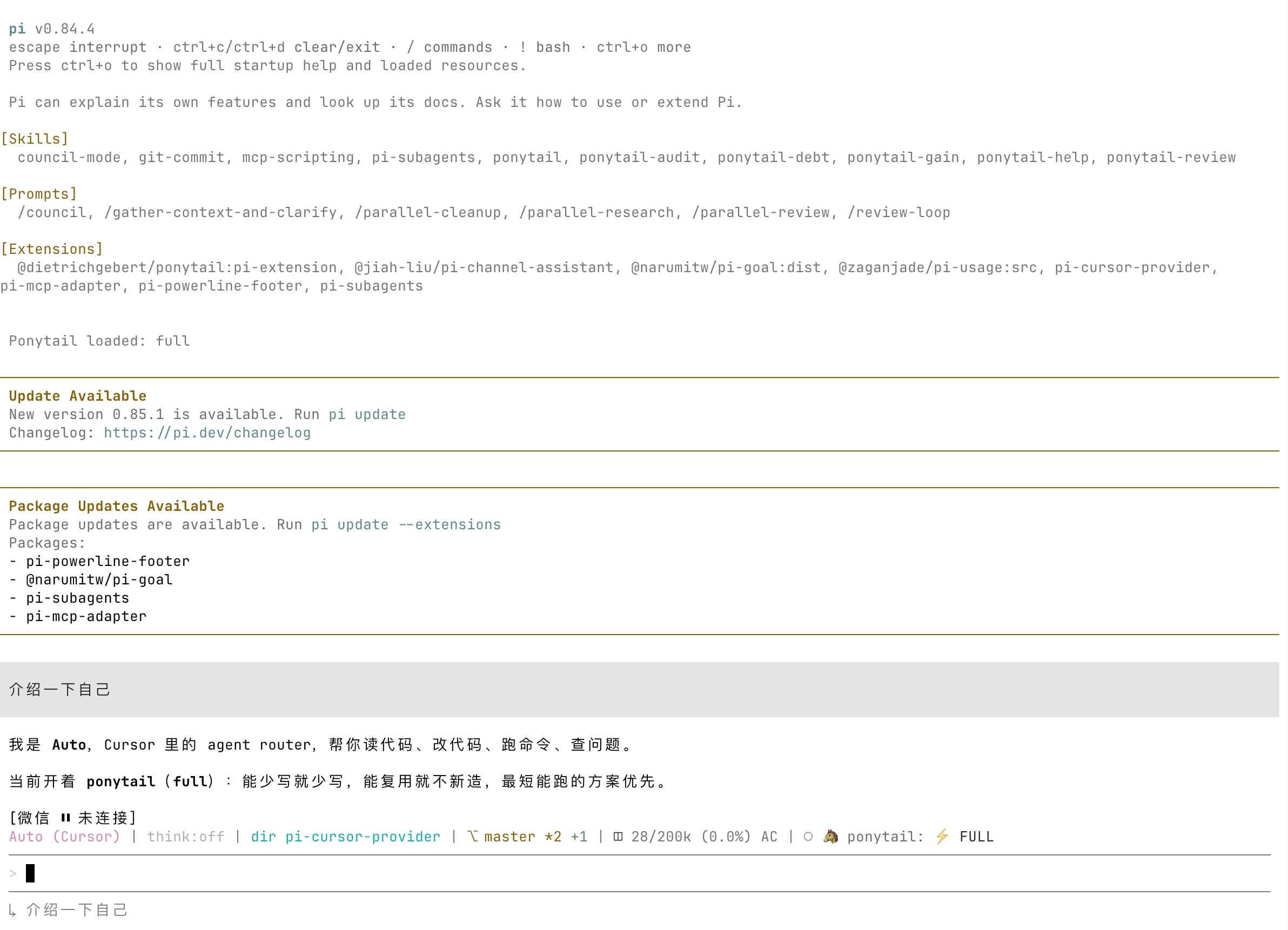
  "image": "https://raw.githubusercontent.com/jiah-liu/pi-cursor-provider/master/pi-cursor-provider.jpg",
  "extensions": [
    "./index.ts"
  ]
}
Security note
Pi packages can execute code and influence agent behavior. Review the source before installing third-party packages.
README
English | 简体中文
pi-cursor-provider



A Pi Coding Agent custom provider that routes model requests through the Cursor Agent CLI, enabling you to use any model available on your Cursor subscription — Claude (Opus, Sonnet), GPT, Gemini, Grok, and more — from inside Pi.
No separate API keys are needed for the models themselves. Authentication is handled by the Cursor CLI using your existing Cursor account.
Published as @jiah-liu/pi-cursor-provider, a fork of @netandreus/pi-cursor-provider.
Contents
- pi-cursor-provider
Prerequisites
| Requirement | Details |
|---|---|
| Pi Coding Agent | npm install -g @mariozechner/pi-coding-agent (v0.53.0+; v0.77+ recommended) |
| Cursor Agent CLI | Installed and on PATH (or CURSOR_AGENT_PATH). Tested with CLI 2026.08.11. |
| Cursor account | Free or paid; available models depend on your subscription |
Installation
Option A — Install from npm (recommended)
pi install npm:@jiah-liu/pi-cursor-provider
Or for project-local install:
pi install npm:@jiah-liu/pi-cursor-provider -l
Option B — Install from source
From the repository root:
git clone https://github.com/jiah-liu/pi-cursor-provider.git
cd pi-cursor-provider
pi install .
Option C — Try without installing
pi -e npm:@jiah-liu/pi-cursor-provider
Uninstall
Option A — Installed from npm (recommended)
pi remove npm:@jiah-liu/pi-cursor-provider
Option B — Installed from source
# You can find installed path right after running "pi"
pi remove ~/sandbox/pi-cursor-provider
Authentication
The provider delegates authentication entirely to the Cursor CLI. Your Cursor credentials are stored and managed by the CLI itself (~/.cursor/).
Pi 0.77+ no longer requires CURSOR_API_KEY to be set for this provider: agent login is enough. Set CURSOR_API_KEY only if you want to pass a dashboard key into the CLI.
First-time setup
# Option 1 — Interactive browser-based login (recommended)
agent login

# Option 2 — API key
export CURSOR_API_KEY=your_cursor_api_key
If CURSOR_API_KEY is set it is inherited by every agent subprocess without exposing it in command-line arguments.
Auth commands inside Pi
After loading the extension you can manage auth without leaving Pi. These commands appear in the command palette (e.g. when you type /cur):
| Command | Description |
|---|---|
/cursor-login |
Log in to Cursor (runs agent login) |
/cursor-status |
Show Cursor authentication status (runs agent status) |
/cursor-logout |
Log out of Cursor (runs agent logout) |
/cursor-permissions |
Choose workspace trust and write access for this Pi process |
When a Cursor model is selected without CURSOR_AGENT_TRUST=1, interactive Pi prompts for workspace permissions before the first request. The choice updates the current Pi process only; use the environment variables below for a persistent default.
Verify auth
agent status
# or inside Pi:
# /cursor-status
Expected output when authenticated:
✓ Logged in as you@example.com
Usage
After loading the extension, select a Cursor model with the /model command:
/model cursor/auto
/model cursor/composer-2.5
/model cursor/claude-opus-4-8
/model cursor/gpt-5.5
/model cursor/gemini-3.1-pro
You can also specify the model on the command line:
pi -e npm:@jiah-liu/pi-cursor-provider --provider cursor --model auto
Or pipe a prompt non-interactively:
echo "Explain the main function in this file" | \
  pi -e npm:@jiah-liu/pi-cursor-provider --provider cursor --model claude-opus-4-8
Available models
At startup the extension runs agent models to discover the account-specific model list from your Cursor subscription. The list is cached for the lifetime of the Pi session.
Model synchronization
New Cursor models are picked up automatically when Pi starts. In an existing interactive session, run /reload to refresh them. This requires the installed Cursor Agent CLI and your account to expose the model through agent models; updating this npm package is normally unnecessary.
Cursor CLI now exposes many parameterized variants (effort, thinking, fast). The provider groups them into families so /model stays usable — for example claude-opus-4-8-thinking-high-fast is registered as cursor/claude-opus-4-8. Pi's reasoning level is mapped back to the matching CLI variant.
If discovery fails (e.g. the CLI is not installed, not authenticated, or times out), only the built-in auto fallback is registered — no crash, no stale model list.
To see the models currently available to your account:
agent models
Models with thinking or multiple effort variants are marked as reasoning models in Pi. The CLI does not expose token limits, so unknown models use conservative 200k / 32k defaults.
Old ids such as claude-sonnet-4-6 or sonnet-4.6 still resolve to the current family.
Model reference table
Subset of families. Use the Family ID with /model cursor/<id>. The live list comes from agent models.
| Family ID | Example CLI ids | Name |
|---|---|---|
auto |
auto |
Auto |
composer-2.5 |
composer-2.5, composer-2.5-fast |
Composer 2.5 |
claude-opus-4-8 |
claude-opus-4-8-medium, …-thinking-high |
Claude Opus 4.8 |
claude-opus-5 |
claude-opus-5-medium, …-thinking-high |
Claude Opus 5 |
claude-sonnet-5 |
claude-sonnet-5-medium, …-thinking-high |
Claude Sonnet 5 |
claude-4.6-sonnet |
claude-4.6-sonnet-medium, …-thinking |
Claude Sonnet 4.6 |
claude-4.6-opus |
claude-4.6-opus-high, …-thinking |
Claude Opus 4.6 |
gpt-5.5 |
gpt-5.5-medium, gpt-5.5-high |
GPT-5.5 |
gpt-5.4 |
gpt-5.4-medium, gpt-5.4-high |
GPT-5.4 |
gpt-5.3-codex |
gpt-5.3-codex, …-high, …-fast |
Codex 5.3 |
gpt-5.2 |
gpt-5.2, gpt-5.2-high |
GPT-5.2 |
cursor-grok-4.6 |
cursor-grok-4.6-medium, …-high-fast |
Cursor Grok 4.6 |
gemini-3.1-pro |
gemini-3.1-pro |
Gemini 3.1 Pro |
gemini-3.7-flash |
gemini-3.7-flash-medium |
Gemini 3.7 Flash |
kimi-k3 |
kimi-k3-high, kimi-k3-max |
Kimi K3 |
Configuration
| Environment variable | Default | Description |
|---|---|---|
CURSOR_AGENT_PATH |
agent |
Full path to the Cursor Agent CLI binary. |
AGENT_PATH |
agent |
Fallback if CURSOR_AGENT_PATH is not set. |
CURSOR_API_KEY |
(none) | Cursor API key inherited by the CLI process. |
CURSOR_AGENT_FORCE |
(disabled) | Set to 1 to pass --force, allowing writes in print mode. Can also be changed with /cursor-permissions. |
CURSOR_AGENT_TRUST |
(disabled) | Set to 1 to pass --trust --approve-mcps. Interactive Pi prompts when needed; /cursor-permissions changes it again. |
CURSOR_AGENT_TIMEOUT_MS |
600000 |
Maximum duration of one CLI request; values below 1000 are ignored. |
Example:
export CURSOR_AGENT_PATH=$HOME/.local/bin/agent
pi -e npm:@jiah-liu/pi-cursor-provider --provider cursor --model auto
How it works
Each Pi turn spawns a Cursor Agent CLI subprocess:
agent --print --output-format stream-json --stream-partial-output \
  --model <id> --workspace <cwd>
# CURSOR_AGENT_FORCE=1 adds --force; CURSOR_AGENT_TRUST=1 adds --trust --approve-mcps
# CURSOR_AGENT_TIMEOUT_MS sets a per-request timeout (default: 600000)
The prompt is written to stdin (not argv) so long sessions do not hit Linux MAX_ARG_STRLEN / E2BIG. The CLI's NDJSON stdout is read line-by-line; streaming assistant deltas are mapped to Pi text_* events, and tool_call events become thinking_* traces. Duplicate buffered flushes (model_call_id / final flush without timestamp_ms) are skipped; growing text snapshots are converted to suffixes.
- Multi-turn context: The full message history is serialised as a prefixed transcript (
[User] / [Assistant] / [Tool result]) and sent as a single prompt. Cursor manages its own internal conversation from that point. - Safety defaults: writes and MCP auto-approval are disabled. Set
CURSOR_AGENT_FORCE=1to allow writes, andCURSOR_AGENT_TRUST=1to trust the workspace and approve MCP tools. - Token usage: Cursor CLI does not expose token counts; usage is reported as 0.
- Cost tracking: Models are registered with
cost: 0since billing goes through your Cursor subscription.
Tool calls
When the Cursor CLI uses tools (Read, Write, Shell, Grep, Ls, Glob, etc.) during a turn, the extension shows them as Pi thinking traces between assistant paragraphs — not as ⏳ lines mixed into the answer text.
The Cursor CLI executes all tools itself. They are not emitted as Pi toolCall blocks, because Pi would otherwise try to run them again. Hide thinking in Pi if you only want the final prose.
Supported Cursor CLI tools that appear in Pi's output:
| CLI event key | Display name |
|---|---|
shellToolCall |
Shell |
readToolCall |
Read |
editToolCall |
Edit |
writeToolCall |
Write |
deleteToolCall |
Delete |
grepToolCall |
Grep |
globToolCall |
Glob |
lsToolCall |
Ls |
todoToolCall |
Todo |
webFetchToolCall |
WebFetch |
webSearchToolCall |
WebSearch |
function (MCP / generic) |
tool name from the payload |
Installing and enabling MCP tools in Cursor Agent for Pi
To use Pi-related MCP tools (e.g. pi-auto) when the Cursor Agent runs on behalf of Pi, connect the MCP server, enable it for the agent, and allow its tools in the CLI config.
1. Connect MCP server to agent
Add the server to ~/.cursor/mcp.json. Example for pi-auto:
cat ~/.cursor/mcp.json
{
  "mcpServers": {
    "pi-auto": {
      "command": "pi-auto-mcp",
      "lifecycle": "keep-alive",
      "directTools": true
    }
  }
}
2. Enable the MCP server
List MCP servers; new ones need approval:
agent mcp list
Example output:
pi-auto: not loaded (needs approval)
Enable and approve the server:
agent mcp enable pi-auto
Example output:
✓ Enabled and approved MCP server: pi-auto
Verify tools are available:
agent mcp list-tools pi-auto
Example output:
Tools for pi-auto (8):
- pi_get_priority ()
- pi_get_provider (scope, projectPath)
- pi_get_strategy ()
- pi_get_usage (period)
- pi_set_priority (priority)
- pi_set_provider (provider, model, scope, projectPath)
- pi_set_strategy (strategy)
- pi_suggest_provider (period)
3. Allow tools from this MCP
Ensure ~/.cursor/cli-config.json allows the MCP tools. For example:
"permissions": {
  "allow": [
    "Shell(ls)",
    "Mcp(pi-auto:*)"
  ],
  "deny": []
}
Mcp(pi-auto:*) lets the agent use any tool from the pi-auto server.
Image input
The Cursor Agent CLI reads images from file paths in the prompt. When Pi messages contain images:
- If the block already has a filesystem
path, that path is passed through. - Otherwise the provider writes the image bytes to a temp file and includes the path in the prompt.
Models are registered with input: ["text", "image"]. Temp files are deleted when the turn finishes.
Limitations
- Multi-turn history is serialised as plain text; very long conversations may exceed the model's context window.
- Token usage is always reported as 0 (the Cursor CLI does not expose token counts).
Troubleshooting
| Symptom | Likely cause | Fix |
|---|---|---|
spawn agent ENOENT |
agent binary not on PATH |
Set CURSOR_AGENT_PATH=/path/to/agent |
Workspace Trust Required |
Cursor CLI has not trusted the current directory | Choose an option in the automatic prompt or run /cursor-permissions |
| Empty response / hangs | Not logged in to Cursor, or print mode waiting for approvals | Run agent login or set CURSOR_API_KEY; enable only the required CURSOR_AGENT_FORCE=1 / CURSOR_AGENT_TRUST=1 flags. Increase CURSOR_AGENT_TIMEOUT_MS only for known long-running work. |
No API key found for cursor |
Pi 0.77+ used to require CURSOR_API_KEY |
Upgrade this provider to 0.2.0+; agent login is enough. |
spawn E2BIG |
Old provider put the prompt in argv | Upgrade this provider; prompts now go on stdin. |
No models available |
Cursor CLI cannot reach the API | Check internet connection and agent status |
| Error on a specific model | Model not in your subscription | Run agent models to see available models |
| NDJSON parse errors | Unexpected CLI output | Check stderr; update Cursor Agent CLI |