@jnardiello/pi-tenzo-theme
Tenzo theme for the pi coding agent — calm ink-and-tea palette designed for the Ghostty default canvas.
Package details
Install @jnardiello/pi-tenzo-theme from npm and Pi will load the resources declared by the package manifest.
$ pi install npm:@jnardiello/pi-tenzo-theme- Package
@jnardiello/pi-tenzo-theme- Version
0.1.1- Published
- Aug 19, 2026
- Downloads
- 292/mo · 14/wk
- Author
- jnardiello
- License
- MIT
- Types
- extension, theme
- Size
- 7.2 KB
- Dependencies
- 0 dependencies · 2 peers
Pi manifest JSON
{
  "themes": [
    "./themes/tenzo.json"
  ],
  "extensions": [
    "./extensions/tenzo-ui.ts"
  ],
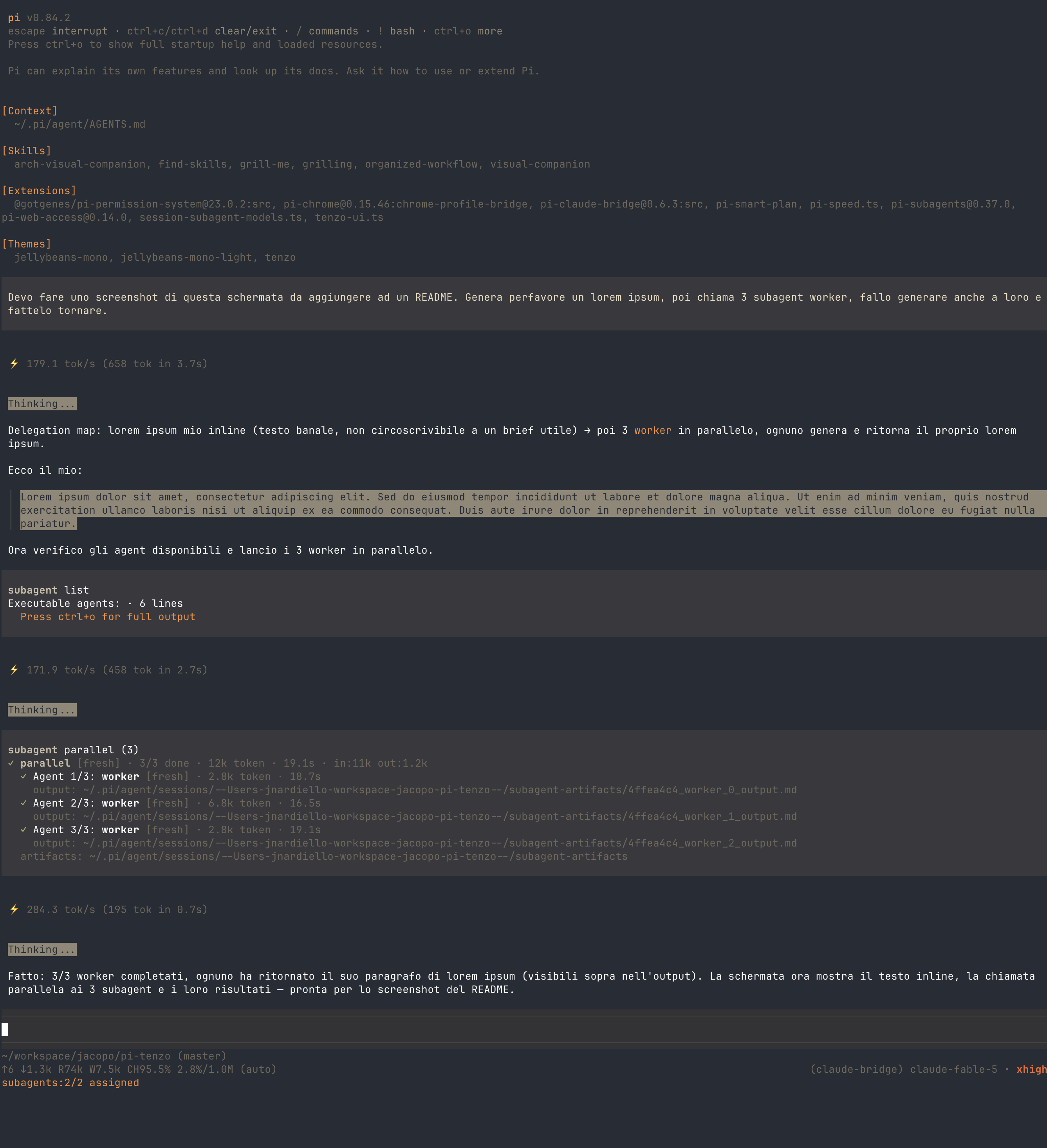
  "image": "https://raw.githubusercontent.com/jnardiello/pi-tenzo/master/screenshots/screenshot-tenzo.png"
}
Security note
Pi packages can execute code and influence agent behavior. Review the source before installing third-party packages.
README
Tenzo
A calm ink-and-tea theme for the pi coding agent.

Try it
Run pi with the theme for this session only:
pi -e npm:@jnardiello/pi-tenzo-theme
Like it? Install it permanently:
pi install npm:@jnardiello/pi-tenzo-theme
Then pick the tenzo theme with /settings, or set "theme": "tenzo" in
~/.pi/agent/settings.json.
What you get
A cool ink base over a dark canvas, warmed up by a single accent:
#e8944eamber accent — headings, links, mode labels#a3b370moss green — success, diff additions, strings#d9705cclay red — errors, diff removals, numbers- thinking levels climb from muted gray
#6e685c(off) to ember red#d9503c(max), no bright magenta anywhere
The bundled Tenzo UI extension paints the editor a matching ink background and border, and colors the thinking-level label in the footer to match the scale above.
Works best with
Tenzo is drawn against a dark canvas (Ghostty's default #282c34). Pi leaves
your terminal background and foreground untouched, so the theme looks right
on a dark terminal scheme with the default foreground — and off otherwise.
Install from git or locally
From the git source:
pi install git:github.com/jnardiello/pi-tenzo
Local folder (for development; the path is added to settings without copying anything):
pi install /path/to/pi-tenzo
Uninstall
pi remove npm:@jnardiello/pi-tenzo-theme
Or remove the entry from the packages list in ~/.pi/agent/settings.json.