@juancrg90/dracula-themes
Official Dracula Classic and Alucard Classic themes for Pi.
Package details
Install @juancrg90/dracula-themes from npm and Pi will load the resources declared by the package manifest.
$ pi install npm:@juancrg90/dracula-themes- Package
@juancrg90/dracula-themes- Version
1.0.0- Published
- Jul 4, 2026
- Downloads
- 182/mo · 11/wk
- Author
- juancrg90
- License
- MIT
- Types
- theme
- Size
- 1 MB
- Dependencies
- 0 dependencies · 0 peers
Pi manifest JSON
{
  "themes": [
    "./themes"
  ]
}
Security note
Pi packages can execute code and influence agent behavior. Review the source before installing third-party packages.
README
🧛 Dracula Themes for Pi
Official-inspired Dracula Classic and Alucard Classic themes for pi.
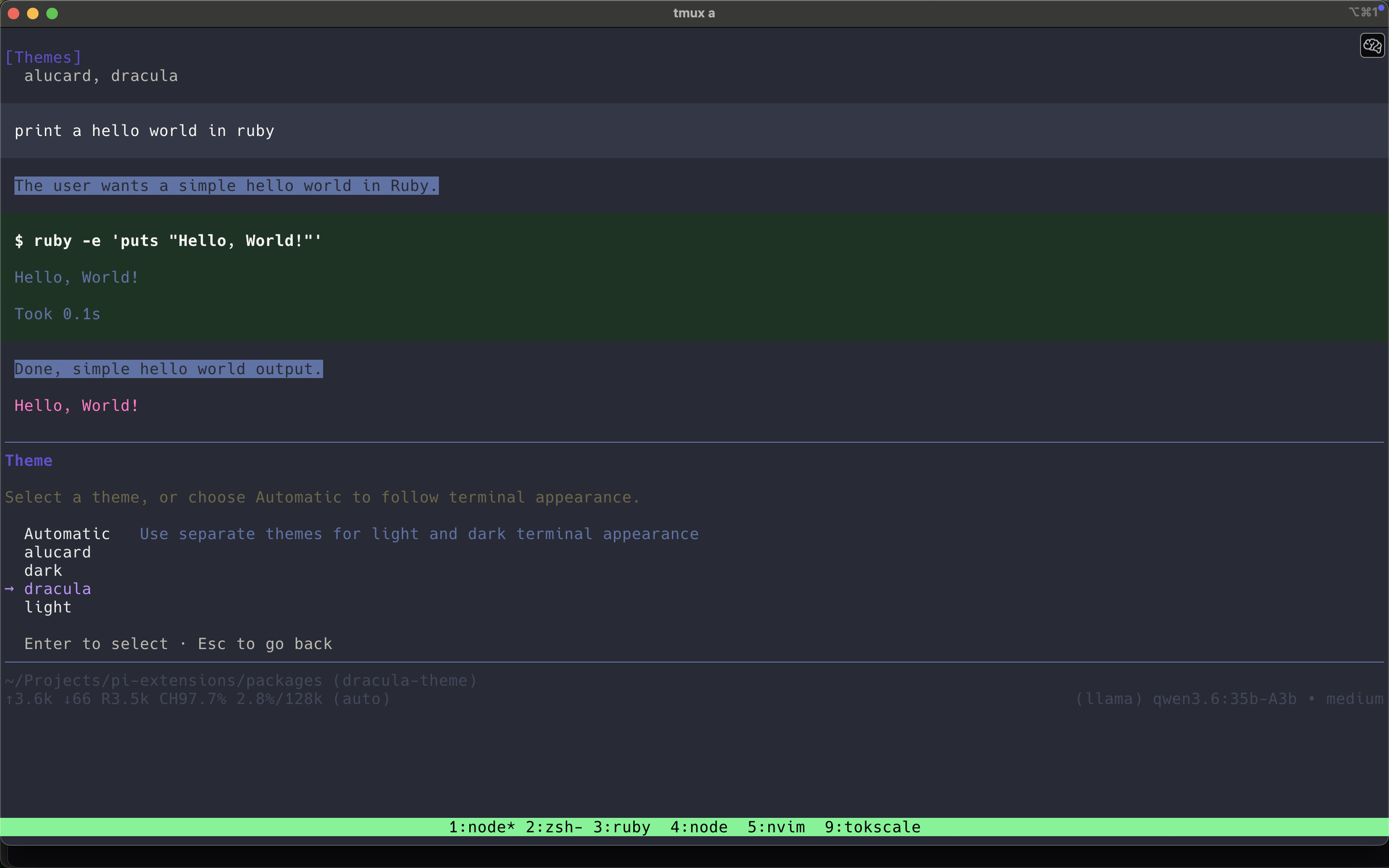
Demo
Dracula (dark)
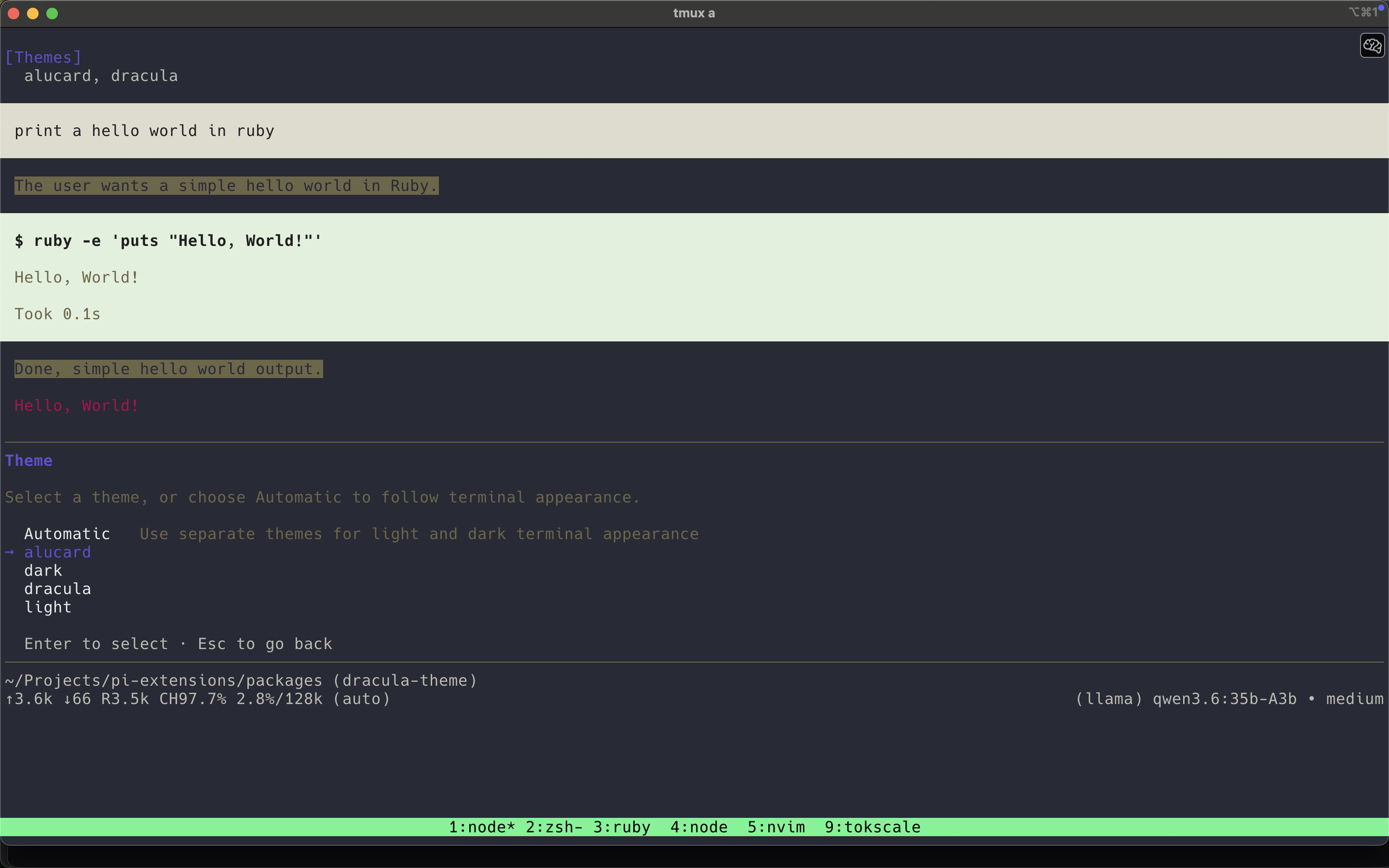
Alucard (light)
Included themes
dracula— darkalucard— light
Install
pi install npm:@juancrg90/dracula-themes
Local dev:
pi install ./packages/dracula-themes
Enable
Open /settings in pi, then pick:
draculaalucard
Or set in settings JSON:
{
  "theme": "dracula"
}
Package structure
dracula-themes/
├── package.json
├── README.md
├── screenshots/
│   ├── dracula-theme.png
│   └── alucard-theme.png
└── themes/
    ├── alucard.json
    └── dracula.json
Notes
- Based on Dracula Theme spec colors.
- Uses a few derived background tints for tool success/error panels.
- Pi hot-reloads custom theme files while active.