@juicesharp/rpiv-args
Pi extension. Shell-style $1 / $ARGUMENTS placeholders and !`cmd` / ```! shell substitution, expanded into your Pi skills at invocation.
Package details
Install @juicesharp/rpiv-args from npm and Pi will load the resources declared by the package manifest.
$ pi install npm:@juicesharp/rpiv-args- Package
@juicesharp/rpiv-args- Version
2.15.0- Published
- Oct 24, 2026
- Downloads
- 6,996/mo · 2,800/wk
- Author
- juicesharp
- License
- MIT
- Types
- extension
- Size
- 46.3 KB
- Dependencies
- 0 dependencies · 1 peer
Pi manifest JSON
{
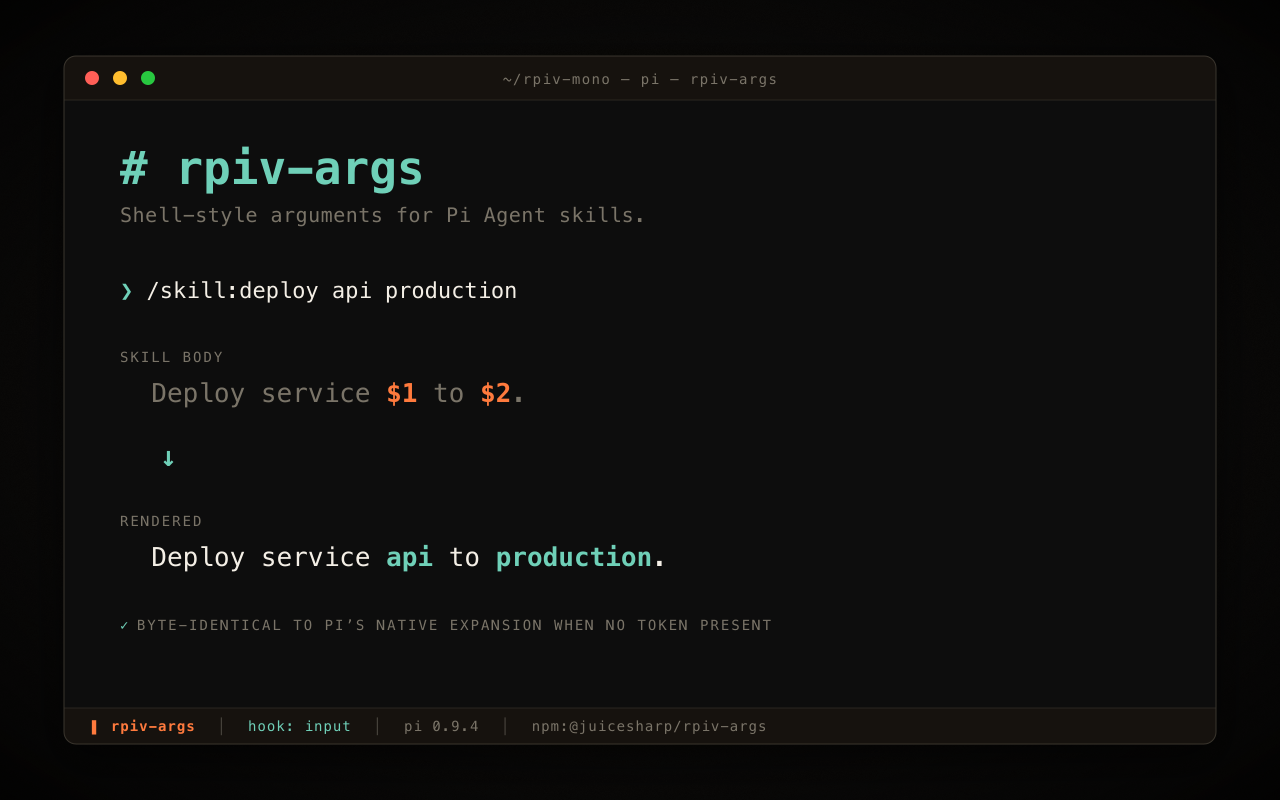
  "image": "https://raw.githubusercontent.com/juicesharp/rpiv-mono/main/packages/rpiv-args/docs/cover.png",
  "extensions": [
    "./index.ts"
  ]
}
Security note
Pi packages can execute code and influence agent behavior. Review the source before installing third-party packages.
README
@juicesharp/rpiv-args


Pass arguments to a skill the way you pass them to a shell command.
rpiv-args adds $1, $2, $ARGUMENTS and friends to
Pi Agent skill bodies, and runs
!`cmd` and ```! blocks so real command output is in the prompt
before the model reads it. It is for anyone who writes Pi skills and wants to
parameterize them instead of keeping one hard-coded copy per case.
Install
pi install npm:@juicesharp/rpiv-argsRestart your Pi session.
Quick start
Create .pi/skills/deploy/SKILL.md in your project (or
~/.pi/agent/skills/deploy/SKILL.md for a personal skill) and put a
placeholder in the body:
---
name: deploy
description: Deploy a service to an environment
---

Deploy service $1 to $2.
Current branch: !`git branch --show-current`
Invoke it with arguments:
/skill:deploy api productionThe model receives the body with $1 as api, $2 as production, the real
branch name in place of the git command, and a trailing
Skill input: api production line marking your raw input.
What you get
- Skills take arguments like shell commands — positionals,
$ARGUMENTSand${@:N:L}slices, split with shell-style quoting, so/skill:deploy "staging server" --forceputsstaging serverin$1. - Command output lands in the prompt, not in a tool call — inline
!`git status -s`and```!blocks execute first and the model reads the evidence instead of deciding to go fetch it. - Installing it is a no-op for existing skills — a body with no placeholder and no shell syntax emits text byte-identical to Pi's built-in expansion, pinned by a regression test.
- The model stops reading your argument as a new instruction — arguments
are emitted under an explicit
Skill input:label and a skill-invocation protocol is prepended to the system prompt every turn. - Runaway commands can't hang the turn or flood the context — every command is capped at 120 s by default and output is tail-truncated to 50 KB / 2000 lines; errors are inlined so the rest of the body still gets through.
- Commands run in the order you wrote them — strictly sequential, never
parallel, so
!`mkdir x`then!`ls x`behaves. - Skill-relative paths keep working —
${SKILL_DIR}always resolves to the skill file's own directory, however the skill was installed;${SESSION_ID}gives the current session id.
Configuration
rpiv-args reads no config file and no environment variables. The one knob is
per-skill frontmatter, in the skill's own SKILL.md:
| Key | What it does | Default |
|---|---|---|
shell-timeout |
Ceiling in seconds for each !`cmd` / ```! command in that skill. 0 disables the timer. |
120 |
Shell commands always run in the Pi session's working directory, not the skill directory.
Reference
- Placeholders and variables — every placeholder and runtime variable, indexing and slicing rules, quoting, and what substitution deliberately does not do.
- Authoring skills
— choosing
$ARGUMENTSover positionals, empty-argument behaviour, frontmatter, and a worked example with the exact text the model receives. - Shell substitution — shell syntax, execution order, timeouts, error strings, output budgets, and Windows / PowerShell authoring.
- How it works — the three event hooks, the transformation pipeline, both emit paths, the skill index, and the paths that are not covered.
Requirements
- A Pi Agent host. No API key, no model selection, no native modules — nothing here calls a model.
- A POSIX shell or PowerShell for
!`cmd`/```!blocks. Commands run throughsh -con macOS and Linux andpowershell.exe -Commandon Windows, where POSIX-only tools such asgrep,sedandawkare not aliased — see Shell substitution.
Related
- @juicesharp/rpiv-pi —
the umbrella package. Its
/rpiv-setupcommand installsrpiv-argsalong with the rest of the family, and its lane transcript hides theSkill input:line from the displayed conversation.
License
MIT — see LICENSE.