@juicesharp/rpiv-i18n
Pi extension: i18n/localization foundation — locale detection, /languages command, --locale flag, cross-package locale registry
Package details
Install @juicesharp/rpiv-i18n from npm and Pi will load the resources declared by the package manifest.
$ pi install npm:@juicesharp/rpiv-i18n- Package
@juicesharp/rpiv-i18n- Version
1.1.4- Published
- May 3, 2026
- Downloads
- not available
- Author
- juicesharp
- License
- MIT
- Types
- extension
- Size
- 702.7 KB
- Dependencies
- 0 dependencies · 2 peers
Pi manifest JSON
{
  "extensions": [
    "./index.ts"
  ]
}
Security note
Pi packages can execute code and influence agent behavior. Review the source before installing third-party packages.
README
@juicesharp/rpiv-i18n


i18n/localization SDK for Pi extensions. Pick a UI language interactively or via flag; localize your own Pi extension with a few lines of code.
Features
- One shared locale dial for every Pi extension that adopts the SDK —
/languagesswitches them all at once. /languagesslash command with an interactive picker; persists the choice to~/.config/rpiv-i18n/locale.json(chmod0600) and reports a clear error if disk persistence fails.--locale <code>CLI flag for one-shot or scripted launches.- Auto-detects
process.env.LANG/LC_ALLso most Unix users get a localized UI without configuration. - Tiny SDK surface for authors —
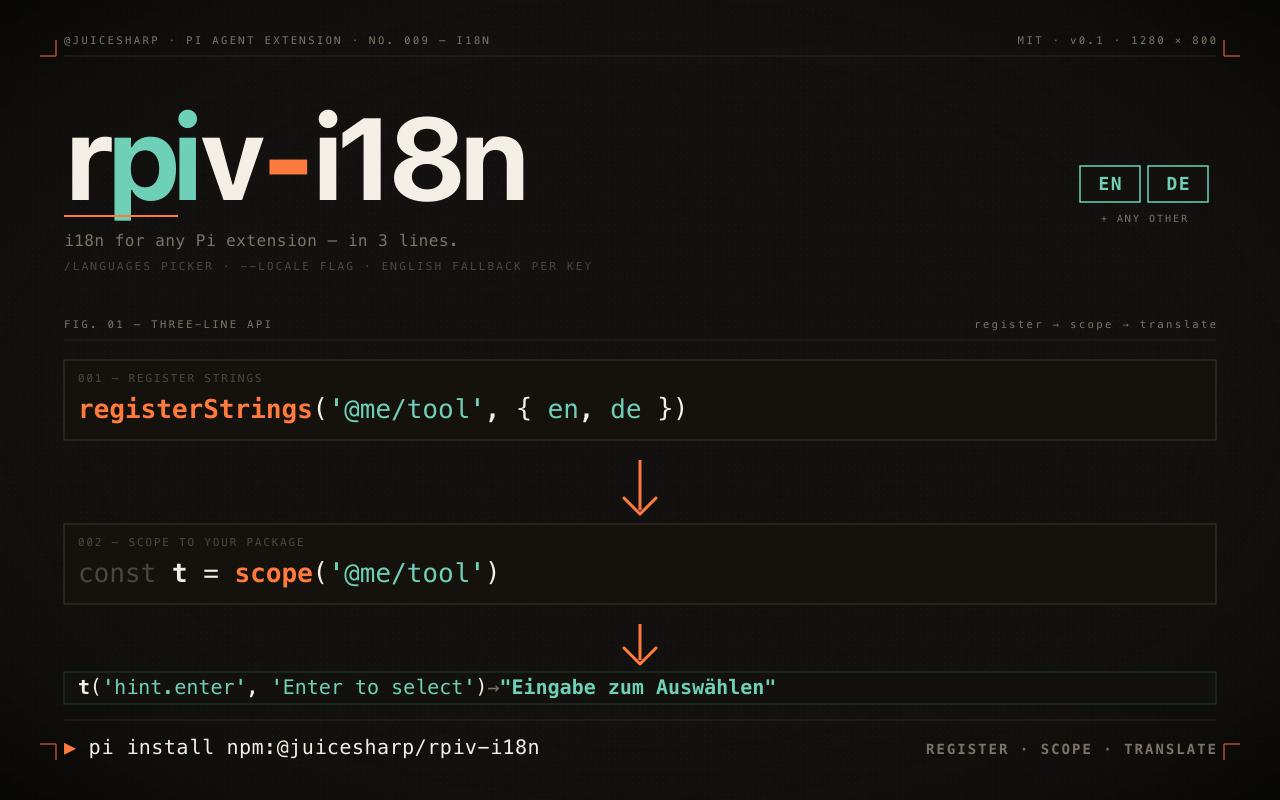
registerStrings(namespace, byLocale),scope(namespace),tr(namespace, key, fallback). Render-time lookups, English fallback per missing key, no module-init baking. - Ships picker entries for German, English, Spanish, French, Portuguese (European), Portuguese (Brazilian), Russian, and Ukrainian — alphabetical by locale code (consumers contribute their own translation maps; the SDK ships infrastructure, not strings).
- Live propagation — locale changes via
/languagesapply to the next render with no restart, even when the SDK is loaded as multiple module instances. - Always-safe fallback — if the SDK isn't installed at all, every
tr(...)call returns the consumer's literal English fallback. Extensions stay usable. - Zero-import escape hatch —
globalThis[Symbol.for("rpiv-i18n")]exposes a frozen{ locale, namespaces }snapshot for tools that prefer not to depend on this package.
For users
Install the SDK so its /languages command and --locale flag are wired into your Pi session:
pi install npm:@juicesharp/rpiv-i18n
Then restart Pi. (If you installed via pi install npm:@juicesharp/rpiv-pi + /rpiv-setup, this is already done — /rpiv-setup auto-wires every sibling.)
Choose a language interactively:
/languages
Or pass a flag at startup:
pi --locale uk
Or edit the config file directly:
echo '{"locale":"uk"}' > ~/.config/rpiv-i18n/locale.json
Locale detection priority: --locale flag → ~/.config/rpiv-i18n/locale.json → process.env.LANG / LC_ALL → English default. The auto-detection paths (config file, env vars) work even without this package installed — any extension that imports the SDK as a peer dep gets the registered locale at module init. Only the picker (/languages) and the flag (--locale) require this package to be loaded as a Pi extension.
Other Pi extensions that integrate the SDK pick up your choice automatically.
For Pi extension authors
The SDK gives every Pi extension a single shared locale dial. Register your translations once, then look them up at render time.
Register strings at extension load
import type { ExtensionAPI } from "@mariozechner/pi-coding-agent";
import { registerStrings, scope } from "@juicesharp/rpiv-i18n";

const NAMESPACE = "@my-org/cool-tool";

registerStrings(NAMESPACE, {
  en: {
    "welcome": "Welcome!",
    "submit": "Submit",
  },
  uk: {
    "welcome": "Ласкаво просимо!",
    "submit": "Надіслати",
  },
});

const t = scope(NAMESPACE);

export default function (pi: ExtensionAPI) {
  pi.registerCommand("hello", {
    handler: async (_args, ctx) => {
      ctx.ui.notify(t("welcome", "Welcome!"));
    },
  });
}
API
| Function | Purpose |
|---|---|
registerStrings(namespace, byLocale) |
Register a package's translation maps. The namespace SHOULD be your npm package name. Re-calling replaces the prior registration. |
scope(namespace) |
Returns a pre-bound (key, fallback) => string closure. |
tr(namespace, key, fallback) |
One-shot lookup. Returns fallback when the namespace or key isn't registered. |
getActiveLocale() |
Current locale code, or undefined for the English default. |
applyLocale(code) |
Set the active locale; rebuilds the active strings across all registered namespaces. |
Behavior contract
- English fallback per key. If a key exists in
enbut not in the active locale's map, the English entry is returned. Missing-only-in-current-locale strings stay readable. - Always-safe fallback. If neither this SDK nor your namespace is loaded, every
tr(...)call returns itsfallbackliteral — your extension keeps working. - Live locale changes. When the user runs
/languages, the nexttr(...)call returns the new locale's string. No restart required. - Render-time only. Call
tr(...)at render time — never bake the result into a top-levelconst X = tr(...). Module-init evaluation freezes the string before the user has a chance to set their locale.
Localizing your extension — step by step
The inline example above is fine for a one-key smoke test. For a real Pi extension, use the file-based pattern that scales to dozens of strings and ten contributors. Two production exemplars in this monorepo follow this exact shape: packages/rpiv-ask-user-question/ (questionnaire UI; bridge owns t + displayLabel(kind) for sentinel rows) and packages/rpiv-todo/ (todo overlay + /todos command; bridge owns t + formatStatusLabel(status) reused across overlay and command). Read either alongside this guide.
End state on disk:
my-extension/
├── index.ts                  ← default export + registerStrings(...)
├── state/
│   └── i18n-bridge.ts        ← exports `t` + I18N_NAMESPACE
├── locales/
│   ├── en.json               ← canonical baseline (required)
│   ├── uk.json               ← optional additional locales
│   └── …
└── package.json              ← peerDependencies + files[] + pi.extensions
0. Declare the SDK as an OPTIONAL peer dependency
{
  "peerDependencies": {
    "@juicesharp/rpiv-i18n": "*",
    "@mariozechner/pi-coding-agent": "*"
  },
  "peerDependenciesMeta": {
    "@juicesharp/rpiv-i18n": { "optional": true }
  }
}
Use peerDependencies, not dependencies — the user's Pi session loads one copy of the SDK; if you bundle your own, /languages toggles a different runtime instance and your strings never switch.
Mark it optional: true in peerDependenciesMeta so npm doesn't warn when a user installs your extension standalone without rpiv-i18n. Pair this with the dynamic-import shim shown in step 3 — your extension stays online with English-only UI when the SDK isn't installed, and lights up localization automatically when it is.
1. Author a locales/en.json next to your source
{
  "_meta.notes": "English baseline. Any new key MUST land here first; other locales fall back to it.",

  "welcome.title": "Welcome",
  "submit.button": "Submit",
  "hint.cancel": "Esc to cancel"
}
Conventions: flat dotted lowercase keys, snake_case only for multi-word leaves (hint.cancel ✓, hint.cancelKey ✗). _meta.* keys are ignored at lookup time — use them for provenance / WIP notes.
2. Add a one-file bridge inside your package
state/i18n-bridge.ts (or wherever your package keeps cross-cutting helpers). Use a dynamic-import shim with top-level await so a missing peer degrades to English-only instead of failing module load:
export const I18N_NAMESPACE = "@my-org/cool-tool";

type ScopeFn = (key: string, fallback: string) => string;
type I18nSDK = { scope: (namespace: string) => ScopeFn };

let scopeImpl: ScopeFn;
try {
  const sdk = (await import("@juicesharp/rpiv-i18n")) as I18nSDK;
  scopeImpl = sdk.scope(I18N_NAMESPACE);
} catch {
  // SDK not installed — every t(key, fallback) returns the fallback verbatim.
  scopeImpl = (_key, fallback) => fallback;
}

export const t: ScopeFn = scopeImpl;
Every render-time call site imports t from this one file. If you ever switch namespaces, change the SDK, or add a displayLabel(kind) convenience for sentinel-row enums, you touch one place.
Why dynamic import instead of static import { scope } from "@juicesharp/rpiv-i18n"? A static ESM import is hoisted and evaluated at module load — if the SDK isn't on disk, your entire extension fails to load with Cannot find module '@juicesharp/rpiv-i18n'. The dynamic await import() inside a try/catch lets module load proceed, and the identity-fallback closure keeps your render call sites working with English. Top-level await is required because the t export is consumed synchronously by every render call site downstream.
3. Register strings at extension load
Use the same dynamic-import shim pattern as the bridge — registerStrings is a runtime call, so it goes inside a try/catch that no-ops when the SDK is missing:
import { readFileSync } from "node:fs";
import { fileURLToPath } from "node:url";
import type { ExtensionAPI } from "@mariozechner/pi-coding-agent";
import { I18N_NAMESPACE } from "./state/i18n-bridge.js";

type TranslationMap = Readonly<Record<string, string>>;
type I18nSDK = { registerStrings: (ns: string, byLocale: Record<string, TranslationMap>) => void };

function loadLocale(code: string): TranslationMap {
  // A missing/malformed locale file MUST NOT crash module init — the bridge's
  // literal English fallbacks will keep every render readable.
  try {
    return JSON.parse(
      readFileSync(fileURLToPath(new URL(`./locales/${code}.json`, import.meta.url)), "utf-8"),
    ) as TranslationMap;
  } catch (err) {
    console.warn(`@my-org/cool-tool: failed to load locales/${code}.json (${(err as Error).message})`);
    return {};
  }
}

try {
  const sdk = (await import("@juicesharp/rpiv-i18n")) as I18nSDK;
  sdk.registerStrings(I18N_NAMESPACE, {
    en: loadLocale("en"),
    // Add more as files arrive. Order doesn't matter; keys missing from a
    // non-en map fall back to en automatically.
  });
} catch {
  // SDK absent — extension still loads with English-only UI.
}

export default function (pi: ExtensionAPI): void {
  // your tool/command/hook registrations here…
}
registerStrings runs at module top-level, before Pi calls your default export. That timing is intentional — by the time the first tr(...) fires, every locale map is in the registry.
4. Use t(key, fallback) at the render call site
import { t } from "../state/i18n-bridge.js";

// ✓ Render-time — re-evaluated each render; live `/languages` switches apply
function renderHeader(theme) {
  return new Text(theme.bold(t("welcome.title", "Welcome")));
}

// ✗ Module-init — captured ONCE, freezes English on first load
const HEADING = t("welcome.title", "Welcome");
The fallback string is the canonical English literal — same one you put in en.json. Keep it inline at the call site so the file reads end-to-end without locale lookups, and so your extension stays usable when the SDK isn't installed at all.
5. Ship the locale files in package.json
{
  "files": [
    "index.ts",
    "state/i18n-bridge.ts",
    "locales/",
    "…"
  ]
}
The files[] manifest is the #1 publish-time miss in this monorepo's history. Ship it in the same commit as the locale JSONs.
What stays English (do NOT route through t(...))
- Tool descriptions, TypeBox
descriptionfields, prompt guidelines / snippets — these go to the LLM. Localizing them risks the model emitting localized option labels that bypass yourRESERVED_LABEL_SETvalidation. - Validation errors that flow back through
tool resultenvelopes — same reason. - Anything checked by exact-string matching (reserved labels, dispatcher discriminants) — keep both sides in canonical English.
The recommended pattern is to keep a top-level const X = "literal" for the canonical English (so reserved-label checks and tests stay stable), then route the render call site through t("key", X). The SDK never sees X; the LLM never sees t(...).
Optional: per-namespace displayLabel helper
If your extension has a small enum-typed set of "kind" rows (sentinels, statuses, modes), a one-line helper keeps render code tight:
// state/i18n-bridge.ts
import { ROW_INTENT_META, type SentinelKind } from "./row-intent.js";

export function displayLabel(kind: SentinelKind): string {
  return t(`sentinel.${kind}`, ROW_INTENT_META[kind].label);
}
Render code becomes displayLabel("next") instead of t("sentinel.next", "Next") — same lookup, but the canonical English fallback is sourced from the same metadata table the rest of your code uses. One source of truth per kind.
Optional: a non-English locale file
Add locales/uk.json mirroring the en key set:
{
  "_meta.notes": "Auto-translated draft. Native review welcome.",

  "welcome.title": "Ласкаво просимо",
  "submit.button": "Надіслати",
  "hint.cancel": "Esc — скасувати"
}
Wire it into registerStrings({ en: …, uk: loadLocale("uk") }). To make the locale show up in the /languages picker, add { code: "uk", label: "Українська" } to SUPPORTED_LOCALES in this package's i18n.ts (open a PR, or file an issue if your extension lives outside this repo).
Done. /languages now switches your extension's UI alongside every other extension that adopts the SDK.
Verify it works locally before publishing
The SDK only flips strings when it's loaded by a real Pi session — npm test won't catch a missing files[] entry or a wrong namespace. Smoke-test against a live pi shell:
# from your extension's directory
npm pack                                       # produces my-extension-x.y.z.tgz
pi install file:./my-extension-x.y.z.tgz       # install into your Pi session
pi install npm:@juicesharp/rpiv-i18n           # if not already installed
pi                                             # launch the session
> /languages                                   # pick a non-English locale
> <invoke a command/tool from your extension>  # confirm the strings flip
Two failure modes this catches that unit tests do not:
- Locale JSON not shipped —
/languagesswitches but your strings stay English. Fix: add"locales/"topackage.jsonfiles[]. - Module-init
tr(...)capture — picker switches, other extensions flip, yours doesn't. Fix: move thet(...)call inside the render function.
Contributing translations
Want to add or improve a translation for a Pi extension that uses this SDK? Open a PR — the contract is small and uniform across packages.
What to translate (and what NOT to)
Translate: every key listed in the package's locales/en.json. These are TUI-facing strings — labels, hints, prompts, headings — read by humans on screen.
Do NOT translate:
- Tool descriptions, TypeBox
descriptionfields, prompt guidelines, prompt snippets — they go to the LLM and stay English so the model parses them deterministically across sessions and providers. - Validation errors that flow through
tool resultenvelopes (e.g."Error: UI not available …") — same reason. RESERVED_LABELSand any keys checked by reserved-label validation — translating these lets a localized equivalent slip past the duplicate-detection guard.
If a key isn't in the package's locales/en.json, it's intentionally English-only. Don't invent new keys; open an issue first if you think a string should be made localizable.
File location and naming
- One JSON file per locale, named
<code>.json(e.g.es.json,fr.json,pt-BR.json), inside the consumer package'slocales/directory. - Locale codes follow BCP-47-ish convention: language only (
es,fr,de) orlanguage-Regionfor variants (pt-BR,zh-CN). Keep hyphenated, not underscored. - Mirror the exact key set from
en.json. Missing keys fall back to English silently — that's fine, but the_meta.notesfield below should mention the gap.
Key naming convention
Flat dotted lowercase: sentinel.next, submit.cancel, preview.no_preview. Use snake_case only for multi-word leaves (preview.no_preview, never preview.noPreview or preview.no-preview). Mixing conventions inside one file is a rejection criterion.
File shape
{
  "_meta.notes": "Optional contributor note — auto-translated, native review welcome, key gaps, etc.",

  "<dotted.key.from.en.json>": "Localized string"
}
_meta.* keys are ignored by tr(...) lookups (no consumer requests them). Use them for provenance, change notes, or "WIP — N keys missing".
Universal CLI conventions (do NOT translate)
- Symbols:
↑/↓,⚠,✓— render the same in every locale. - Keyboard names:
Enter,Esc,Tab,Space— these are the labels printed on physical keyboards worldwide. Some locales (e.g. French) writeEntrée/Échap; that's acceptable when paired with the convention you're targeting (KDE/GNOME do this), but be consistent across the file. - Single-key shortcut letters (
nto add notes): keep the letter unchanged — it maps to a literal keystroke handler, not to a label.
Registering the locale
After dropping the JSON file, the consumer package's index.ts (or wherever it calls registerStrings) needs the new entry:
registerStrings(I18N_NAMESPACE, {
  en: loadLocale("en"),
  es: loadLocale("es"),
  fr: loadLocale("fr"),
  "pt-BR": loadLocale("pt-BR"),
});
Add the locale to the /languages picker by appending an entry to SUPPORTED_LOCALES in packages/rpiv-i18n/i18n.ts:
{ code: "fr", label: "Français" },
The label is the locale's endonym (the language's name in itself), not its English name.
Submitting a PR
Include:
- The new
locales/<code>.jsonfile. - The
registerStrings(...)update in the consumer's entry point. - The
SUPPORTED_LOCALESentry inrpiv-i18n/i18n.ts. - Run
npm run check && npm testfrom the monorepo root — both must pass.
A native-speaker reviewer will land it. Auto-translated drafts are accepted (mark them in _meta.notes); English fallbacks make any gap or error invisible to users until a fix arrives.
globalThis introspection (escape hatch)
For tools that prefer not to import this package, the active state is also published at globalThis[Symbol.for("rpiv-i18n")]:
const I18N = Symbol.for("rpiv-i18n");

function lookup(key: string, fallback: string): string {
  // Re-read the symbol on every call — the SDK *replaces* the snapshot
  // (frozen object) on every registerStrings/applyLocale, so a cached
  // reference will silently serve stale strings after `/languages`.
  const state = (globalThis as { [k: symbol]: unknown })[I18N] as
    | { locale: string | undefined; namespaces: Record<string, Record<string, string>> }
    | undefined;
  return state?.namespaces["@my-org/cool-tool"]?.[key] ?? fallback;
}

lookup("welcome", "Welcome!");
The published object is frozen per snapshot, so each new locale produces a new frozen object — read the symbol at call time, never hoist it into a module-scope const. Registration MUST still go through registerStrings(...); writing into globalThis[I18N] directly is unsupported.