@juicesharp/rpiv-pi
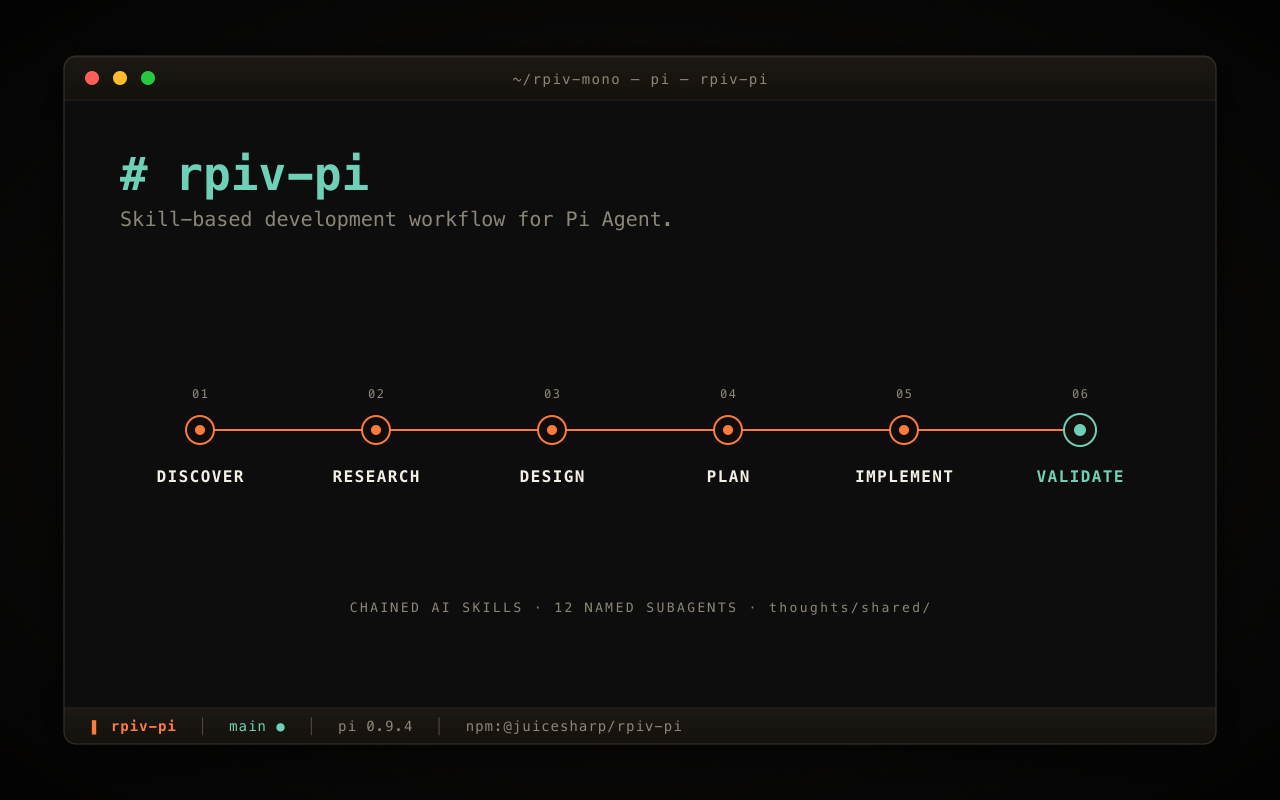
A skill-based development workflow for Pi Agent. 30 contract-carrying skills (discover → research → design → plan → implement → validate → code-review → commit, and more), the 15 named subagents they dispatch, and four built-in /wf workflows that chain th
Package details
Install @juicesharp/rpiv-pi from npm and Pi will load the resources declared by the package manifest.
$ pi install npm:@juicesharp/rpiv-pi- Package
@juicesharp/rpiv-pi- Version
2.13.9- Published
- Oct 17, 2026
- Downloads
- 5,498/mo · 2,580/wk
- Author
- juicesharp
- License
- MIT
- Types
- extension, skill
- Size
- 1.7 MB
- Dependencies
- 1 dependency · 14 peers
Pi manifest JSON
{
  "image": "https://raw.githubusercontent.com/juicesharp/rpiv-mono/main/packages/rpiv-pi/docs/cover.png",
  "skills": [
    "./skills"
  ],
  "extensions": [
    "./extensions"
  ]
}
Security note
Pi packages can execute code and influence agent behavior. Review the source before installing third-party packages.
README
@juicesharp/rpiv-pi


Turn "build this feature" into a run of named stages — discover → research → design →
plan → implement → validate → code-review → commit — each one writing a reviewable
Markdown artifact under .rpiv/artifacts/ that the next stage consumes. rpiv-pi adds 30
skills, 15 specialist subagents, and four ready-made /wf pipelines to
Pi Agent, and runs every stage in a detached child
session you watch from a lane dock below your editor. It is for developers who want
structured, reviewable multi-stage work instead of one very long chat turn.
Install
pi install npm:@juicesharp/rpiv-piRestart your Pi session.
Quick start
rpiv-pi registers no tools of its own — it drives the ones its sibling extensions provide. Install them in one step, then restart Pi again:
/rpiv-setupThe dialog previews every change and applies nothing until you confirm.
You also need a model configured in Pi. If /login already works you are set;
otherwise see docs/models-config.md.
Now run a pipeline:
/wf build "add a --json flag to the export command"build is the default — run /wf "<task>" and it resolves here. It captures your
brief, slices it, designs each slice in parallel, gates the plan, then implements and
validates; see docs/workflows.md for the full stage list and
the other pipelines. The run detaches immediately: a lane appears in
the dock under your editor with live progress while you keep typing. Press ctrl+q —
or ↓ on an empty prompt, or /lanes — to step in, replay the transcript, answer a
parked question with ⏎, or stop the run with x.
Prefer one stage at a time? Every skill also stands alone:
/skill:research "how does session state survive /reload"
/skill:blueprint .rpiv/artifacts/research/<latest>.md
/skill:implement .rpiv/artifacts/plans/<latest>.md
What you get
- Reviewable artifacts instead of one long turn — every skill declares a contract
(
produces/consumes) and writes timestamped Markdown into.rpiv/artifacts/<bucket>/, so you can read, edit, or reject a design before a line of code is written. - Runs that don't hold your session hostage — each
/wfstage executes in its own detached child session with bounded parallel fan-out; your interactive session stays a launcher and an observer. - A dock that shows what is happening — one row per run with live progress, streaming thinking, per-unit fan-out sub-rows, token usage, and failure reasons. Step in for a faithful transcript replay with full tool rendering.
- Questions that never get lost — when a detached stage needs input it parks the
question on its lane with a badge instead of hijacking your prompt;
⏎on the flagged lane arms it inline. - Four pipelines out of the box —
build,vet,polish, andship, so you never have to author a workflow to get value. - Cheap models for cheap stages —
/rpiv-modelssets model and reasoning-effort overrides per skill, per stage, per workflow, or per subagent, with a typo-catcher for keys that would otherwise silently never apply. - Your architecture docs, injected where they matter — touch a file and the nearest
AGENTS.md,CLAUDE.md, or.rpiv/guidance/<sub>/architecture.mdat each depth is sent to the model, once per session, hidden from your transcript.
Configuration
/rpiv-models writes ~/.config/rpiv-pi/models.json (or $XDG_CONFIG_HOME/rpiv-pi/…
when that is set to an absolute path, or a ~ / ~/… path, which is tilde-expanded
first), with mode 0600. The file is optional — missing or malformed JSON degrades to
no overrides.
| Setting | What it does | Default |
|---|---|---|
/rpiv-models |
Pick model + reasoning effort for the global default, a subagent, a skill, a workflow stage, or a preset stage | no overrides |
RPIV_LANES_HOTKEY |
Rebind the lane-browser hotkey to any Pi key id, or set off to register none |
ctrl+q |
RPIV_BASH_TIMEOUT_MS |
Per-command bash watchdog inside detached child sessions, clamped to 5 s–30 min | 180000 (3 min) |
Reference
- docs/skills.md — all 30 skills: what each consumes, what it writes, and which ones the model may pick on its own.
- docs/workflows.md — the four
/wfpipelines stage by stage, plus hand-driven recipes for when you don't want a whole pipeline. - docs/lanes.md — the dock, the lane browser's full key map, parked questions, and the lane environment variables.
- docs/models-config.md — giving Pi a provider, then the
complete
models.jsonschema, cascade, and worked examples. - docs/agents.md — the 15 bundled subagents and how the on-disk sync decides what to overwrite.
- docs/architecture.md — what gets registered, guidance and git-context injection, sibling coupling, and uninstall.
Requirements
| Requirement | Why |
|---|---|
| Pi Agent 0.80.x or 1.x | The host. Install it globally so pi is on your PATH. Workflow child sessions are tested against Pi 0.80.6, 1.0.4, and 1.1.0 |
| A model provider | Pi's own /login or ~/.pi/agent/models.json — see docs/models-config.md |
@tintinweb/pi-subagents |
Supplies the Agent tool. Without it the parallel-analysis skills cannot dispatch. Installed by /rpiv-setup |
@juicesharp/rpiv-workflow |
Supplies /wf. Without it the four built-in workflows do not register. Installed by /rpiv-setup |
git (optional) |
Branch, commit, and user context. If it fails, injection is skipped and nothing else changes |
| Node.js 22+ | Runtime for Pi and rpiv-pi's bundled scripts |
You need no build step and no native dependency.
Troubleshooting
| Symptom | Cause | Fix |
|---|---|---|
| Session-start banner: N sibling extension(s) missing | Sibling plugins not installed | Run /rpiv-setup, then restart Pi |
| Session-start banner: bundled agents need attention | A bundled agent changed upstream and your on-disk copy was edited | Run /rpiv-update-agents — it overwrites rpiv-managed files, and never touches agents you added yourself |
/rpiv-setup or /rpiv-models says it requires interactive mode |
Running headless | Install manually with pi install npm:<pkg>, or hand-edit models.json |
/rpiv-setup fails on one package |
Network or registry issue | Retry that package with pi install npm:<pkg>, then re-run /rpiv-setup |
/lanes reports No in-flight runs (and ctrl+q does nothing) |
Nothing is running | Expected — the browser only opens over live lanes |
ctrl+q does nothing |
RPIV_LANES_HOTKEY is set to off, empty, or an unrecognized key id |
Unset it, or use /lanes |
| A stage stalls, then reports a per-command timeout | A bash command wedged past the watchdog | Raise RPIV_BASH_TIMEOUT_MS (max 1800000) before starting Pi |
/rpiv-models reports No models available |
Pi has no provider configured | Run /login, or add a provider to ~/.pi/agent/models.json |
Related
/rpiv-setup installs the ones marked auto; the rest are standalone
pi install npm:@juicesharp/rpiv-<name>.
| Package | Role | Auto |
|---|---|---|
@juicesharp/rpiv-workflow |
/wf runner — chains skills into typed multi-stage pipelines |
✓ |
@juicesharp/rpiv-args |
$1 / $ARGUMENTS placeholders in skill bodies |
✓ |
@juicesharp/rpiv-ask-user-question |
Structured questionnaires back to you | ✓ |
@juicesharp/rpiv-todo |
Live task overlay surviving /reload |
✓ |
@juicesharp/rpiv-advisor |
Escalate to a stronger reviewer model | ✓ |
@juicesharp/rpiv-web-tools |
Web search + fetch with pluggable providers | ✓ |
@juicesharp/rpiv-i18n |
Localization SDK for the rpiv TUI strings | ✓ |
@juicesharp/rpiv-warp |
Warp Blocked badge on parked lane questions | — |