@kky42/pi-codex-tools
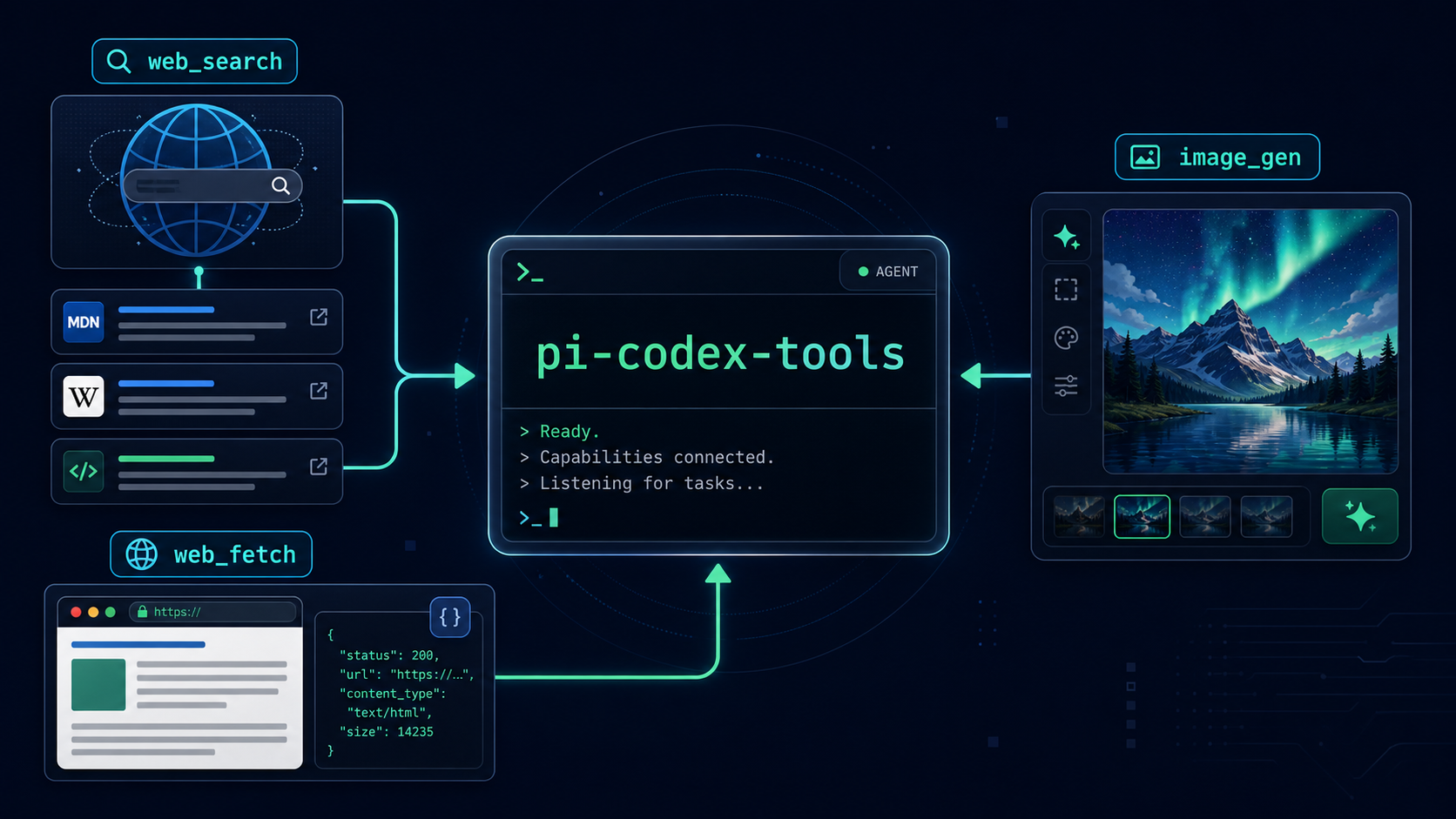
Pi extension adding ChatGPT/Codex OAuth-backed web search, image generation, and web fetch tools.
Package details
Install @kky42/pi-codex-tools from npm and Pi will load the resources declared by the package manifest.
$ pi install npm:@kky42/pi-codex-tools- Package
@kky42/pi-codex-tools- Version
0.1.4- Published
- May 6, 2026
- Downloads
- not available
- Author
- kky42
- License
- MIT
- Types
- extension
- Size
- 1.4 MB
- Dependencies
- 0 dependencies · 3 peers
Pi manifest JSON
{
  "extensions": [
    "./index.ts"
  ],
  "image": "https://raw.githubusercontent.com/kky42/pi-codex-tools/main/assets/pi-codex-tools-card.png"
}
Security note
Pi packages can execute code and influence agent behavior. Review the source before installing third-party packages.
README
pi-codex-tools
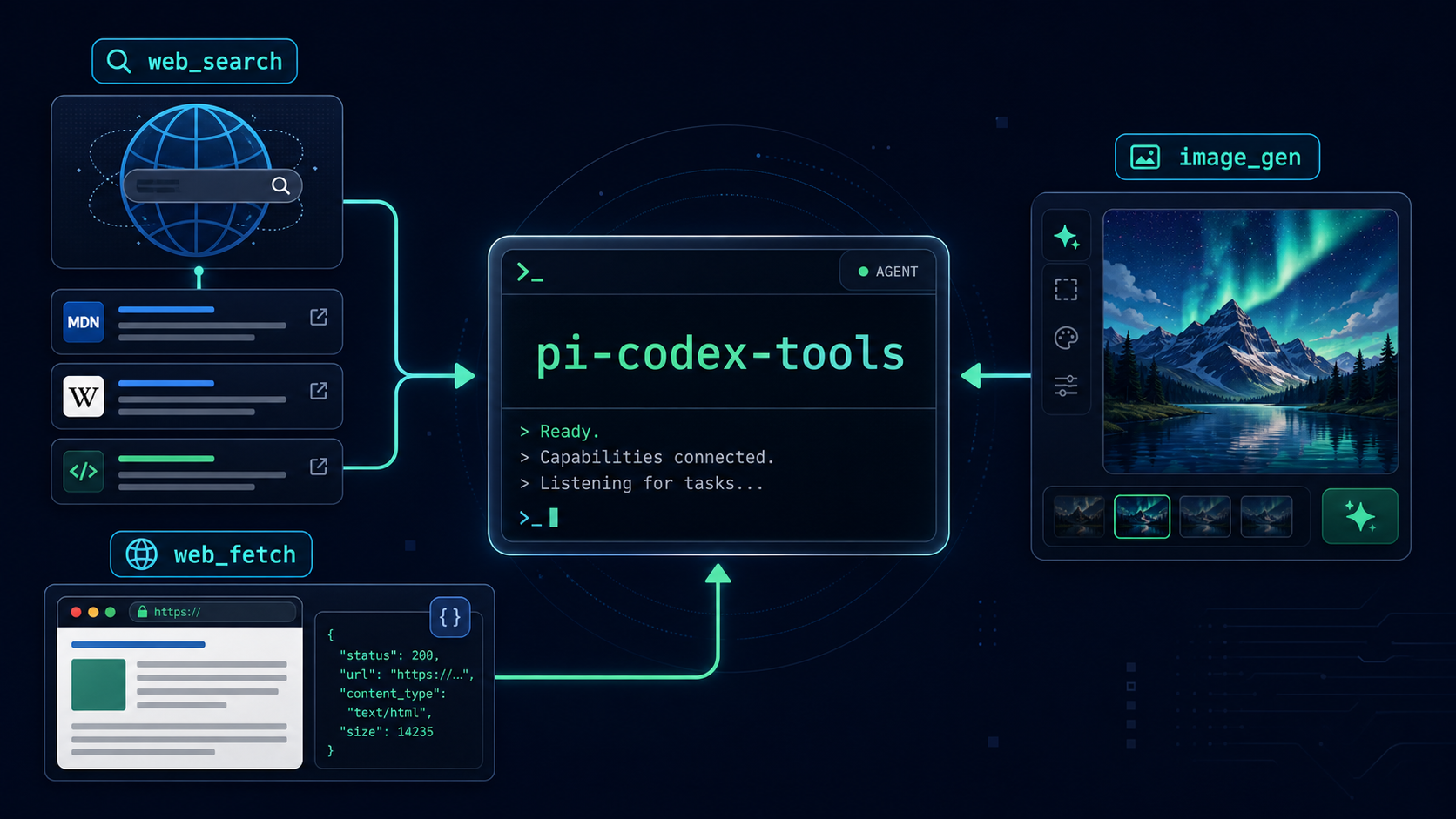
Pi extension that adds model-agnostic tools powered by ChatGPT/Codex OAuth or an OpenAI-compatible API.
Tools
web_search— current web search with concise answers and source URLs.image_gen— generate images from prompts, optionally with local reference images.web_fetch— fetch and extract text from specific URLs.
Why
If you already logged into pi with ChatGPT Plus/Pro (Codex), this extension reuses pi's stored OAuth credentials and calls the Codex Responses backend directly. Other active models in pi can then use these tools too.
Install
pi install npm:@kky42/pi-codex-tools
Or try from GitHub:
pi -e git:github.com/kky42/pi-codex-tools
Recommended setup: ChatGPT/Codex OAuth
In pi:
/login
Choose:
ChatGPT Plus/Pro (Codex)
Then use any model and ask for web search or image generation. The extension defaults to OAuth automatically.
Optional API/relay config
Set environment variables if you want an OpenAI-compatible API fallback:
export PI_CODEX_TOOLS_MODE=auto
export PI_CODEX_TOOLS_BASE_URL=https://api.openai.com/v1
export PI_CODEX_TOOLS_API_KEY=sk-...
# OPENAI_API_KEY is also accepted when PI_CODEX_TOOLS_API_KEY is unset.
Modes:
auto— use pi ChatGPT/Codex OAuth first, then fall back to API config.oauth— require pi OAuth from~/.pi/agent/auth.json.api— use OpenAI-compatible API credentials only.
In API mode, web_search uses the Responses API. image_gen defaults to the same Responses + hosted image_generation path as OAuth, and you can switch to the public Images API by setting PI_CODEX_TOOLS_IMAGE_API=images if you want that fallback.
Environment variables override the packaged src/config.yaml defaults:
PI_CODEX_TOOLS_MODE—auto,oauth, orapi.PI_CODEX_TOOLS_BASE_URL— OpenAI-compatible API base URL, without/responses.PI_CODEX_TOOLS_API_KEY— API key for API mode or auto fallback.OPENAI_API_KEY— fallback API key ifPI_CODEX_TOOLS_API_KEYis unset.PI_CODEX_TOOLS_MODEL— Responses model forweb_searchand Responses-modeimage_gen; defaults togpt-5.4-mini.PI_CODEX_TOOLS_IMAGE_MODEL— Images API model ifPI_CODEX_TOOLS_IMAGE_API=images; defaults togpt-image-2.PI_CODEX_TOOLS_IMAGE_API—responsesorimages; defaults toresponses.PI_CODEX_TOOLS_IMAGE_SIZE— image size; defaults to1024x1024.PI_CODEX_TOOLS_IMAGE_QUALITY— image quality; defaults toauto.PI_CODEX_TOOLS_IMAGE_OUTPUT_FORMAT—png,webp, orjpeg; defaults topng.
Example API-mode image setup:
export PI_CODEX_TOOLS_MODE=api
export OPENAI_API_KEY=sk-...
export PI_CODEX_TOOLS_IMAGE_API=responses
# or: export PI_CODEX_TOOLS_IMAGE_API=images
Generated images are saved to:
~/.pi/agent/cache
License
MIT
Tool schemas
web_search
Input:
{
  query: string;
}
Output:
{
  content: [{ type: "text"; text: string }];
  details: {
    searchId?: string;
    status?: string;
    queries?: string[];
    sources?: { url: string; title?: string }[];
  };
}
image_gen
Input:
{
  prompt: string;
  reference_images?: { path: string }[];
}
Output:
{
  content: [{
    type: "text";
    text: string; // JSON stringified payload
  }];
  details: {
    ok: boolean;
    status: "success" | "failure";
    reason: string | null;
    image_path: string | null;
    mime_type: string | null;
    revised_prompt: string | null;
  };
}
web_fetch
Input:
{
  url: string;
  format?: "text" | "markdown" | "html";
}
Output:
{
  content: [{ type: "text"; text: string }];
  details: {
    url: string;
    finalUrl?: string;
    status?: number;
    contentType?: string;
  };
}