@kmiyh/pi-extensions-menu
Pi extension that adds a dedicated /extensions menu for browsing, enabling, disabling, and updating installed extensions.
Package details
Install @kmiyh/pi-extensions-menu from npm and Pi will load the resources declared by the package manifest.
$ pi install npm:@kmiyh/pi-extensions-menu- Package
@kmiyh/pi-extensions-menu- Version
1.0.0- Published
- Apr 15, 2026
- Downloads
- 139/mo · 14/wk
- Author
- kmiyh
- License
- MIT
- Types
- extension
- Size
- 263 KB
- Dependencies
- 0 dependencies · 2 peers
Pi manifest JSON
{
  "extensions": [
    "./src/index.ts"
  ]
}
Security note
Pi packages can execute code and influence agent behavior. Review the source before installing third-party packages.
README
@kmiyh/pi-extensions-menu
@kmiyh/pi-extensions-menu is a Pi extension that adds a dedicated /extensions modal for browsing and managing Pi extensions.
Instead of relying on the default startup extensions listing, it gives you one focused place to inspect local and installed extensions, check whether updates are available, enable or disable them, and open package links.
What it does
- adds a single
/extensionscommand - shows extensions in two groups:
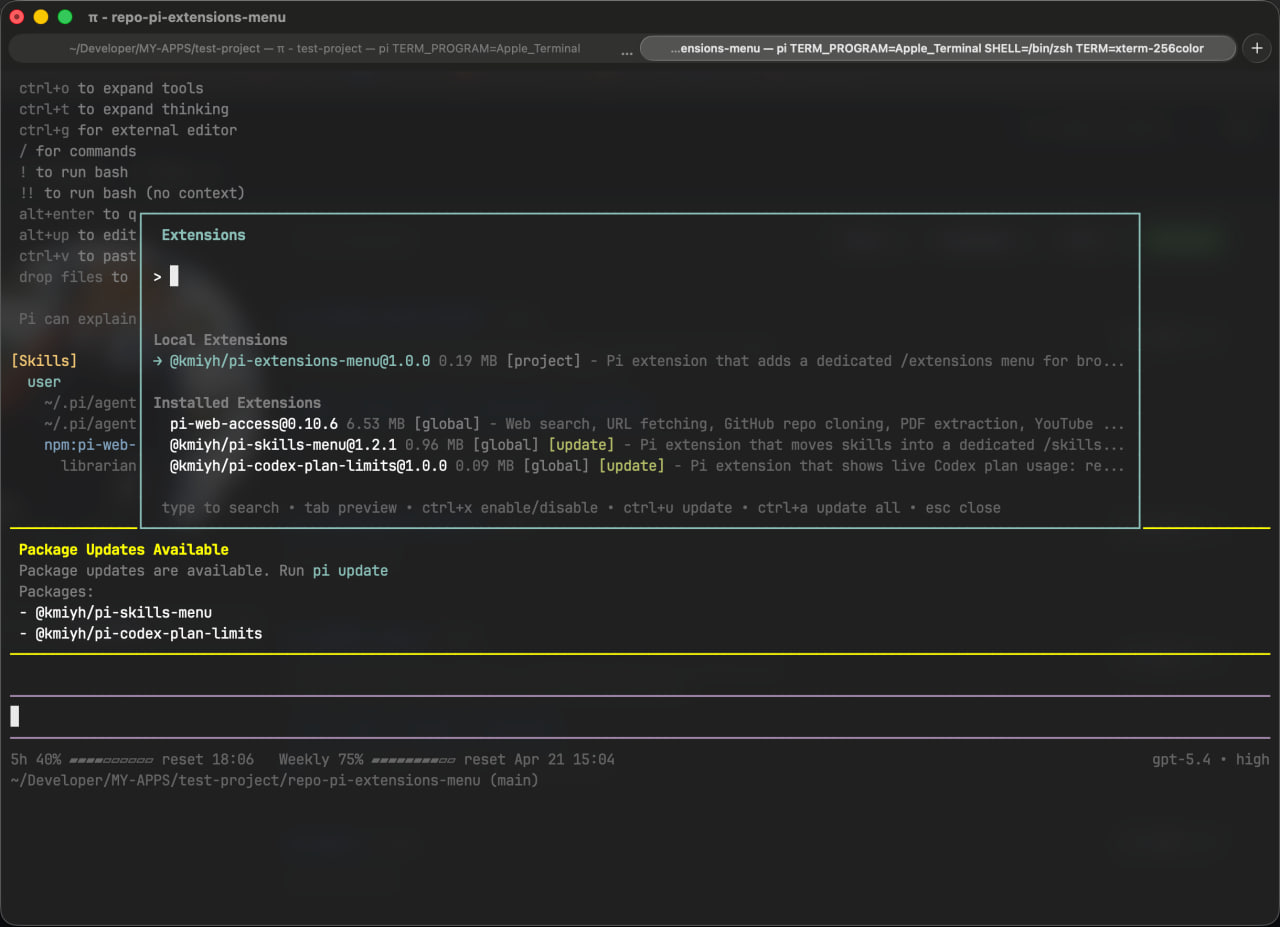
- displays package name, version, size, scope, and short description
- shows which installed extensions have updates available
- lets you enable or disable extensions
- lets you update one extension or all installed extensions
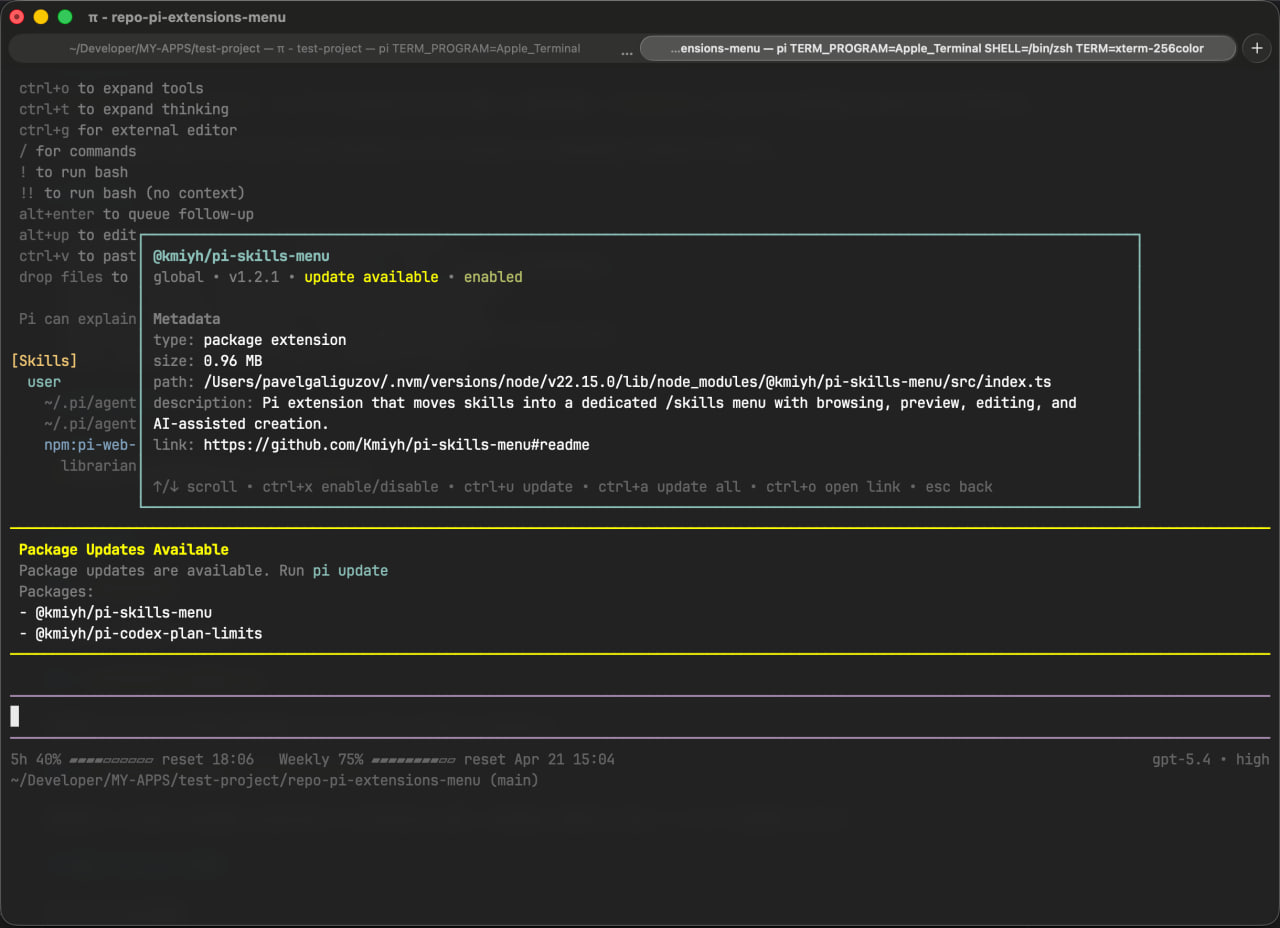
- provides a preview panel with metadata and package link
Installation
pi install npm:@kmiyh/pi-extensions-menu
Keyboard shortcuts
In the list
↑/↓— move selectionTab— open previewCtrl+X— enable or disable the selected extensionCtrl+U— update the selected extensionCtrl+A— update all installed extensionsEsc— clear search or close the modal
In preview
Ctrl+X— enable or disable the current extensionCtrl+U— update the current extensionCtrl+A— update all installed extensionsCtrl+O— open the extension link in the browserEsc— go back to the list
Notes
- updates are available for installed package extensions
- after enabling, disabling, or updating an extension, run
/reloadto fully apply runtime changes - temporary extensions started with
pi -e ...are also shown in the menu - package publishing and versioning follow the same workflow as the neighboring repository
Local development
npm install
npm run typecheck
pi -e ./src/index.ts
License
MIT