@lincoln504/pi-research
A set of web research tools (search, scrape, and others) and research agent system that uses them safely and efficiently.
Package details
Install @lincoln504/pi-research from npm and Pi will load the resources declared by the package manifest.
$ pi install npm:@lincoln504/pi-research- Package
@lincoln504/pi-research- Version
1.3.6- Published
- Aug 10, 2026
- Downloads
- 2,820/mo · 1,869/wk
- Author
- ldeen
- License
- MIT
- Types
- extension
- Size
- 3.6 MB
- Dependencies
- 19 dependencies · 0 peers
Pi manifest JSON
{
  "extensions": [
    "./src/index.ts"
  ],
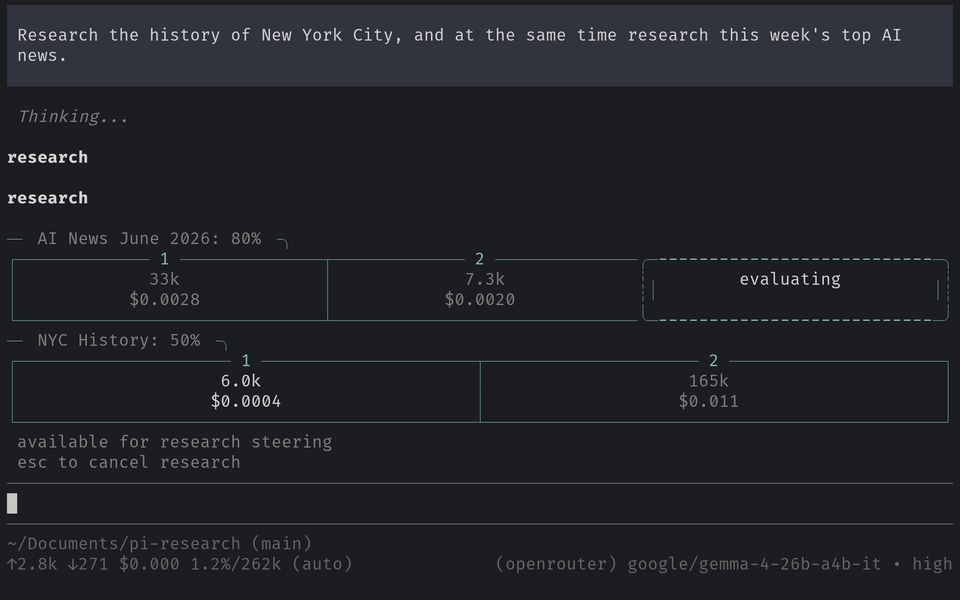
  "image": "https://raw.githubusercontent.com/Lincoln504/pi-research/main/docs/media/hero.png"
}
Security note
Pi packages can execute code and influence agent behavior. Review the source before installing third-party packages.
README
Free, unlimited web search & scraping — no monthly quota, no subscription. You pay only for the LLM tokens you use, and it can build a searchable knowledge store locally.
How it works
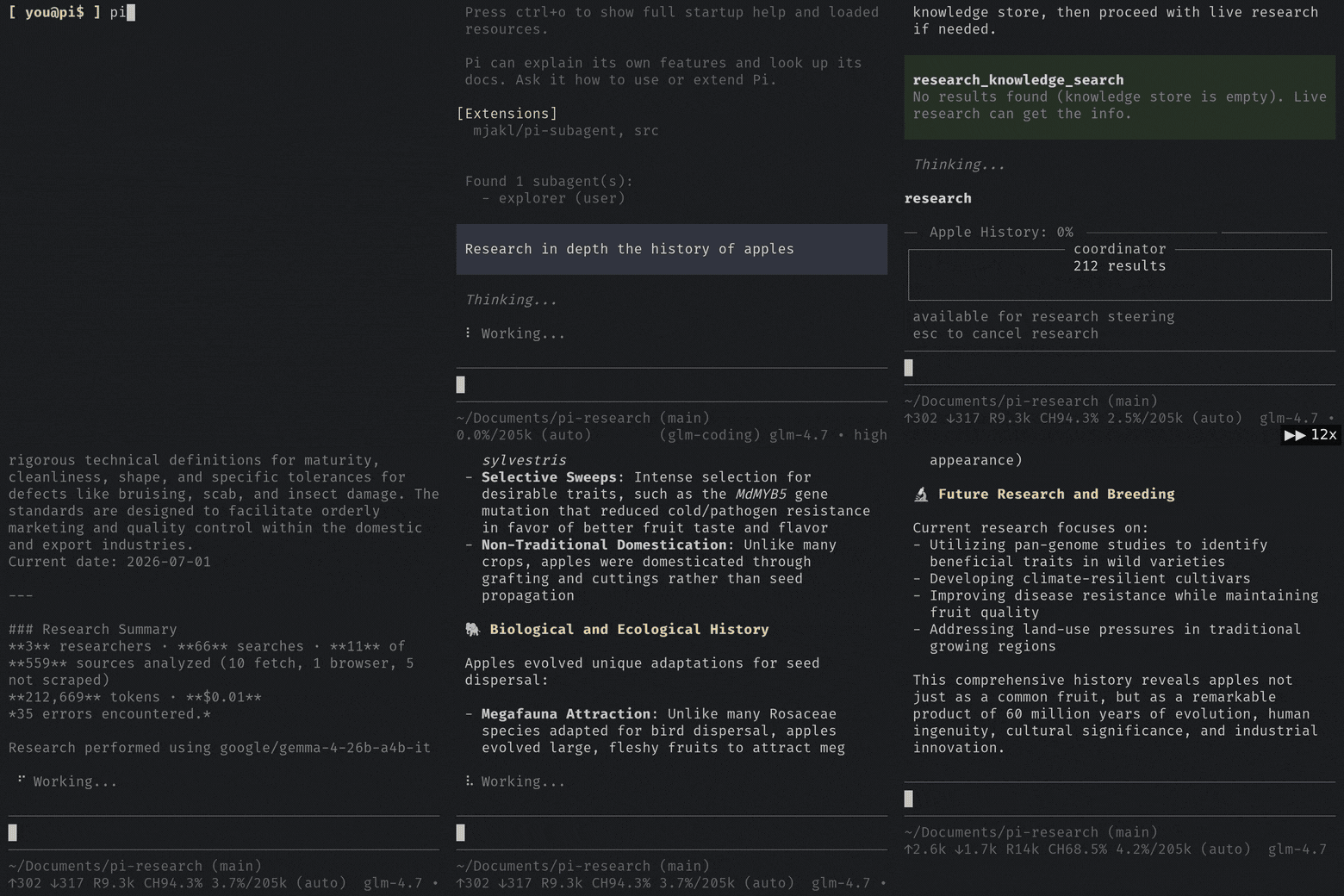
A research run loops through agent teams: a coordinator plans and opens with a search, researcher agents scrape and read in parallel, and an evaluator decides whether to go another round or synthesize — ending in one cited Markdown report, with findings optionally saved to the knowledge store.
Three depth levels — normal, deep, ultra — set the team size and number of rounds; ask in natural language and the tool picks the right one:
Use cases
- Researching for your Pi Coding Agent — plug-and-play, no API key needed.
- Researching from Claude Code, Codex, or another coding agent, with a cheaper lightweight or local model driving the research so it doesn't spend your main agent's budget.
- Populating a dataset or index of web sources.
- Holding research in the knowledge store with a configurable scope — project-specific or globally user-scoped, set per directory from the
/research-configTUI. - Using the pi-research agent skill as OpenClaw's web access.
- Building agent systems that find and read web content.
Why pi-research
- Free, unlimited search & scrape — no quota, no monthly fee. Most AI-search providers cap free searches per month and then charge; results run on their index on their servers. pi-research's search and scraping layer (DuckDuckGo via a stealth browser) is free and unlimited — you pay only for the LLM tokens you use.
- You own your index. Every finding is written into a local LanceDB knowledge store on your machine — a persistent, searchable index you control and keep, which also seeds future runs so repeat questions get faster, cheaper answers. Findings can also be kept globally, scoped to a single project, or not kept at all — set per directory, changed whenever you like.
- Cited reports, not raw dumps. It returns one synthesized, sourced Markdown report instead of pasting raw web content into the conversation — context-efficient and easy to verify.
- Read-only by design. Web access runs inside a limited research agent that cannot run shell commands or write, edit, or delete anything. It can read and search files, so treat it as you would any read-only agent with access to your machine.
- Search a little or a lot — three depth levels in the pi tool (four via the SDK and standalone CLI, which add the quick depth-0 path). Levels 1 and 2 are recommended for everyday workflow use; level 3 is for larger-scale investigations.
Requirements / limitations
- Node.js >= 22.19.0
- An LLM with a 100k+ context window (bring your own key or use a local model)
- Internet access
- A residential IP address — search, scraping, and YouTube transcripts all rely on a residential connection. A datacenter/VPS/cloud IP gets bot-blocked by these providers.
- The pi runtime the engine builds on —
@earendil-works/pi-ai,@earendil-works/pi-coding-agent, and@earendil-works/pi-tui. The pi extension uses the host's copies; the standalone CLI / agent skill install them as dependencies. - Cloudflare and similar anti-automation systems block scraping on some sites, so a run will flag pages it can't reach. pi-research compensates with volume: the search tool pulls a large set of results off free DuckDuckGo, giving the model a wide selection of reachable content to cite.
Install
pi install npm:@lincoln504/pi-research
See Agent skill or SDK to install standalone (no pi extension).
The pi extension works out of the box — it runs on your pi session's model and pi's own configuration. To use it standalone (agent skill / CLI), configure a model: set PI_RESEARCH_MODEL (e.g. openai/gpt-4o) as an environment variable or in ~/.pi/research/config.env (the CLI also accepts a per-run --model), plus PI_RESEARCH_API_KEY if you don't use pi; the SDK takes a model option. See Configuration.
The first install pulls the stealth browser engine, which takes a few minutes.
Stability (v1.x.x)
v0.1.13 (April 2026) was the last release before a rebuild against current pi APIs and the stealth-browser stack. v1.0.0 is the first stable release since. Channels:
- npm (
npm:@lincoln504/pi-research) is the stable channel, kept current with breaking pi changes. - A git install is the development channel: latest commits, first to break.
License
MIT. Bundled third-party licenses are listed in docs/THIRD-PARTY-NOTICES.md.
Package identity
This project is always @lincoln504/pi-research on npm. The pi-research (unscoped) package is unrelated and deprecated.