@llblab/pi-codex-usage
Minimal Pi extension that shows primary Codex ChatGPT subscription usage limits.
Package details
Install @llblab/pi-codex-usage from npm and Pi will load the resources declared by the package manifest.
$ pi install npm:@llblab/pi-codex-usage- Package
@llblab/pi-codex-usage- Version
0.7.0- Published
- Jun 10, 2026
- Downloads
- 1,696/mo · 271/wk
- Author
- llblab
- License
- MIT
- Types
- extension
- Size
- 87.6 KB
- Dependencies
- 0 dependencies · 4 peers
Pi manifest JSON
{
  "extensions": [
    "./index.ts"
  ],
  "image": "https://github.com/llblab/pi-codex-usage/raw/main/banner.jpg"
}
Security note
Pi packages can execute code and influence agent behavior. Review the source before installing third-party packages.
README
pi-codex-usage
Minimal zero-configuration Pi extension for showing primary ChatGPT Codex usage limits in the statusline
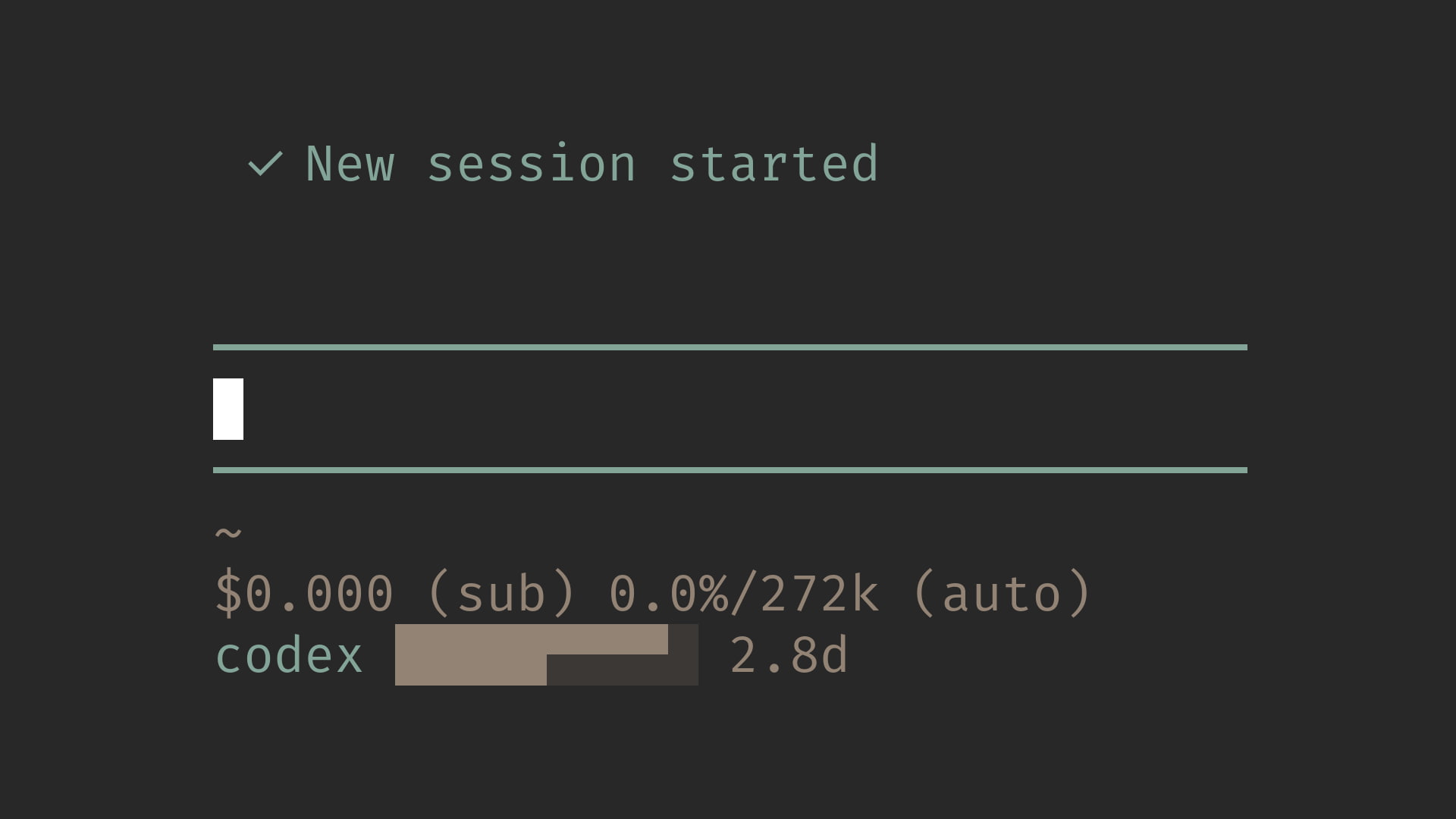
This repository is a minimal fork of narumiruna/pi-extensions/extensions/pi-codex-usage. It keeps the auth and quota-fetching path, but intentionally narrows the interface to the primary Codex 5-hour and weekly limits.
Start Here
Features
- Shows an empty statusline bar immediately, then refreshes every 30 seconds while the active Pi model uses
openai-codex - Statusline output stays compact, with the
codexlabel accented and the quota bar plus weekly reset countdown drawn on a themed background - When
pi-telegramis available, the same compact value appears ascodex: <value>in the/startmenu status text for active OpenAI Codex subscription models - Additional returned buckets, including Spark-specific limits, are ignored
- Pi OpenAI Codex provider auth is used first
- Codex CLI app-server remains available as a fallback
- Missing auth, subscription, plan, or quota windows are shown as
n/a, not as an error - Successful updates briefly redraw the bar only when a 5% segment changes
- Network/provider failures keep the last good bar briefly, then show
error - No commands or configuration are required
Install
From npm:
pi install npm:@llblab/pi-codex-usage
From git:
pi install git:github.com/llblab/pi-codex-usage
Statusline
Normal usage:
codex ██████▀▀▀▀ 6d
The ten-character bar encodes two twenty-step limits at once: 40 total bits of quota state in 10 terminal cells. Each step is 5%: the top quadrants are the 5-hour limit, and the bottom quadrants are the weekly limit. If either quota window is exhausted, the bar keeps the same shape but switches to the error background color.
When the weekly reset time is available, the bar is followed by a countdown. More than a day remains is shown in 144-minute day-tenth steps such as 7d, 6.9d, 6.6d, 5.1d, 5d, 3.7d, 3d, 2d, 1.9d, 1.5d, and 1.1d, rounded upward to the next tenth. At 24 hours and below it switches to upward-rounded 6-minute hour-tenth steps such as 24h, 23.7h, 20.1h, 20h, 19.9h, 1.4h, 1.3h, 1.2h, 1.1h, and 1h. Under an hour it switches to floored minutes, and under a minute to seconds. After the reset timestamp passes, 0s is held until the next successful quota refresh reports the new weekly window.
When the 5-hour window is exhausted and exposes its own reset time, the statusline adds the 5-hour reset before the weekly reset:
codex ▄▄▄▄▄⠀⠀⠀⠀⠀ 5h/7d
The ten-character dual bar stays unchanged. The first countdown is the 5-hour reset, and the second countdown after / is the weekly reset.
Unavailable because Codex auth or subscription quota is not available:
codex n/a
Runtime failure, such as a network or provider error:
codex error
Telegram Status Menu
If @llblab/pi-telegram is loaded with the public status-line provider API, this extension registers an optional /start menu status row. The row is shown only while the active model uses the OpenAI Codex subscription provider:
codex: ██████▀▀▀▀ 6d
The value is the same compact quota bar plus weekly reset countdown used by the terminal statusline. If pi-telegram is absent, older, or the active model is not a Codex subscription model, no Telegram row is added.
Auth
The extension tries usage sources in this order:
- Pi's
openai-codexprovider auth codex app-server --listen stdio://
OpenAI API keys are not ChatGPT Codex subscription auth and do not expose these quotas.
License
MIT. See LICENSE.