@lumendigitaldev/pi-wsl-images
[Alt+V] WSL image paste support for pi using the Windows clipboard
Package details
Install @lumendigitaldev/pi-wsl-images from npm and Pi will load the resources declared by the package manifest.
$ pi install npm:@lumendigitaldev/pi-wsl-images- Package
@lumendigitaldev/pi-wsl-images- Version
1.0.1- Published
- May 21, 2026
- Downloads
- 148/mo · 20/wk
- Author
- chasebailly
- License
- MIT
- Types
- extension
- Size
- 1.2 MB
- Dependencies
- 0 dependencies · 2 peers
Pi manifest JSON
{
  "extensions": [
    "./extensions/pi-wsl-images/index.ts"
  ],
  "image": "https://raw.githubusercontent.com/lumendigitaldev/pi-wsl-images/main/cover.png"
}
Security note
Pi packages can execute code and influence agent behavior. Review the source before installing third-party packages.
README
pi-wsl-images
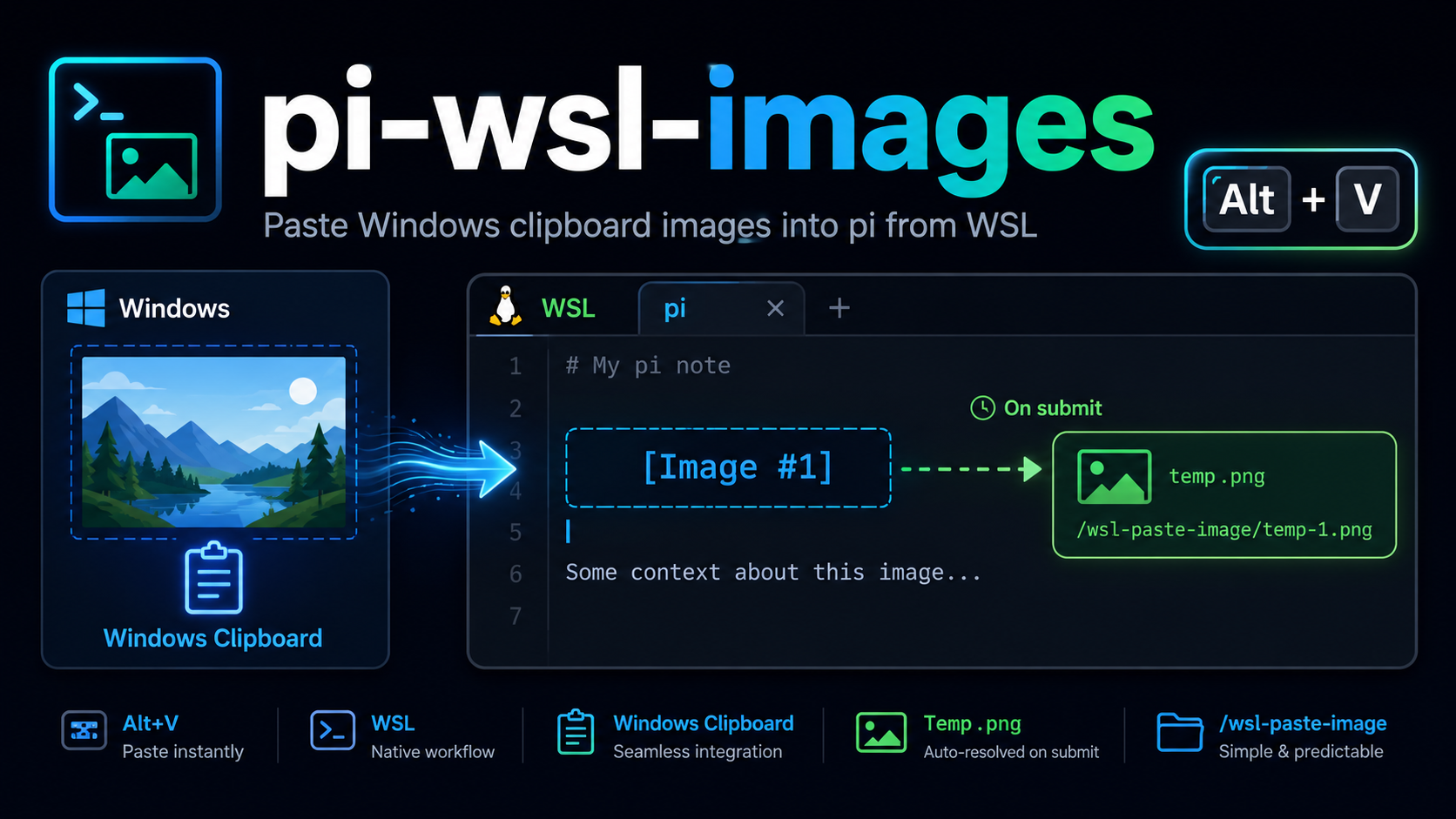
A pi extension for WSL that makes Alt+V paste an image from the Windows clipboard into pi.
Instead of showing the temp file path in the editor, it inserts placeholders like [Image #1], then replaces them with the real temp image paths when you submit.
Install
Install from npm so it works with pi anywhere in WSL:
pi install npm:@lumendigitaldev/pi-wsl-images
For local development from this repo, run:
pi install .
After changes during development, run /reload or restart pi.
Use
Alt+V— paste a Windows clipboard image into pi as[Image #n]/wsl-paste-image— test the clipboard pipeline manually
How it works
- Reads the native Windows clipboard via
powershell.exe - Writes the image to the WSL temp directory as
.png - Inserts
[Image #n]in the editor, with numbering reset for each submitted message - Replaces placeholders with real temp image paths at submit time
Notes
- Intended for WSL only
- If
Alt+Vdoes not reach pi in your terminal, use/wsl-paste-imagefirst to verify the clipboard pipeline