@markoonakic/pi-working-line
Claude-style working message phrases and elapsed timer for Pi.
Package details
Install @markoonakic/pi-working-line from npm and Pi will load the resources declared by the package manifest.
$ pi install npm:@markoonakic/pi-working-line- Package
@markoonakic/pi-working-line- Version
0.1.3- Published
- Apr 13, 2026
- Downloads
- 536/mo · 32/wk
- Author
- markoonakic
- License
- MIT
- Types
- extension
- Size
- 45.6 KB
- Dependencies
- 0 dependencies · 2 peers
Pi manifest JSON
{
  "extensions": [
    "./src/index.ts"
  ],
  "image": "https://raw.githubusercontent.com/markoonakic/pi-working-line/main/assets/working-line-menu.png"
}Security note
Pi packages can execute code and influence agent behavior. Review the source before installing third-party packages.
README
Pi Working Line
Claude-style working messages for Pi.
pi-working-line replaces Pi's default working message with a per-turn phrase
and an elapsed timer.
Baking... · 12s
Herding... · 1m 04s
Baking... · running bash · 45s · thought for 8s
Install
pi install npm:@markoonakic/pi-working-line
For local development:
{
  "packages": ["/path/to/pi-working-line"]
}
What It Does
- Picks one working phrase per agent turn.
- Shows elapsed time next to the phrase.
- Shows the currently running tool as a suffix.
- Shows thinking state and thinking duration when Pi exposes thinking stream events.
- Can show an approximate live output token count.
- Can optionally add a visible turn-duration message after long turns.
- Restores Pi's default working message when the turn ends.
What It Does Not Do
- It does not replace spinner frames.
- It does not integrate with task/subagent extensions yet.
Command
/working-line
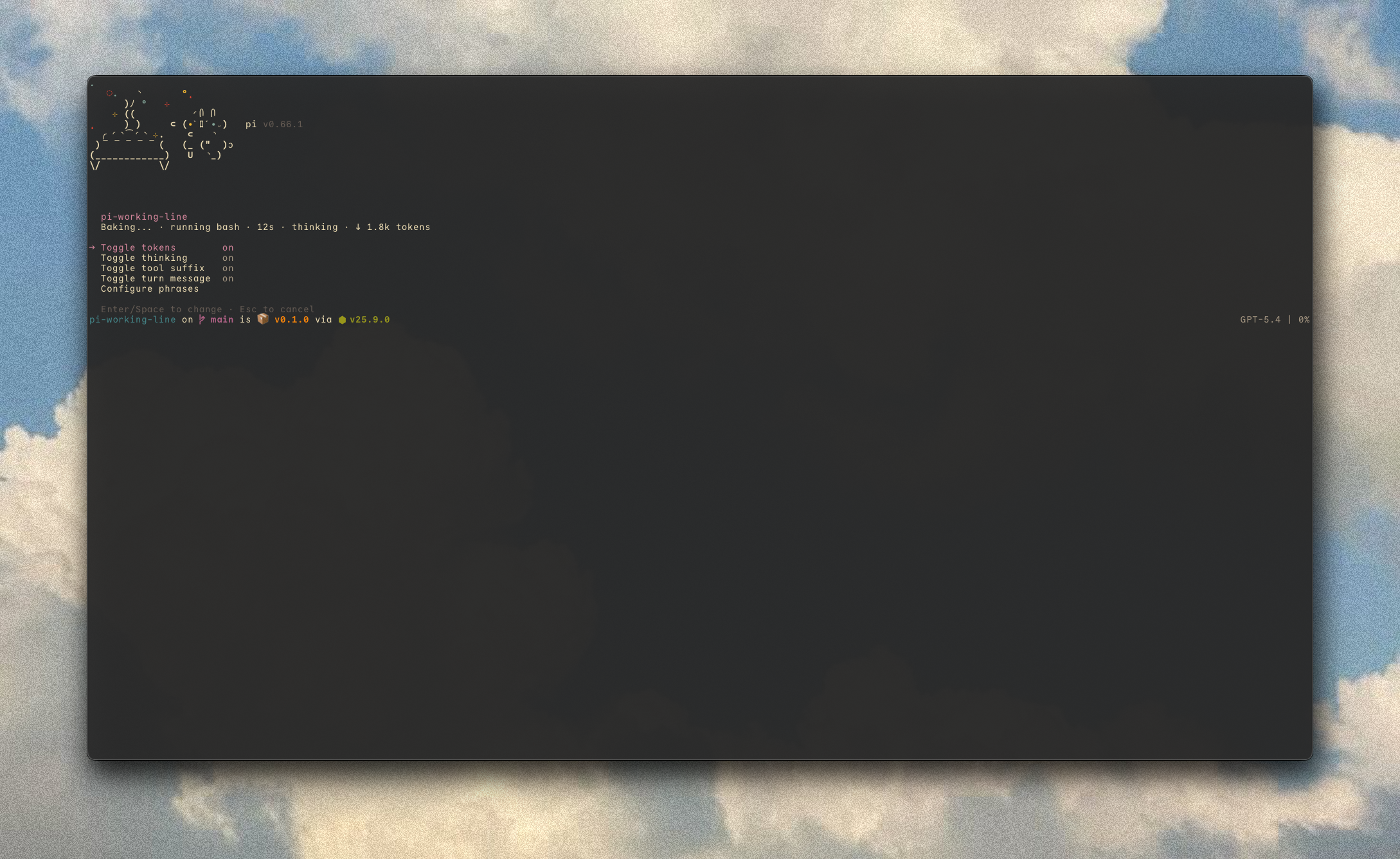
Opens a compact Pi-native menu for common settings:
pi-working-line
Baking... · running bash · 12s · thinking

> Toggle tokens        off
  Toggle thinking      on
  Toggle tool suffix   on
  Toggle turn message  off
  Configure phrases
Power-user commands:
/working-line status
/working-line help
/working-line tokens on|off
/working-line thinking on|off
/working-line suffix on|off
/working-line turn-duration on|off
/working-line turn-duration threshold 45s
/working-line phrases add Reticulating
/working-line phrases mode append|replace
/working-line phrases reset
/working-line reset
Configure phrases lets you add one phrase, edit custom phrases one per line,
switch between append and replace, or reset custom phrases. replace mode
requires at least one custom phrase.
Command changes are saved to global ~/.pi/agent/settings.json and applied to
the current session immediately. Project .pi/settings.json overrides are read
when rendering working lines, but command writes are intentionally global because
this is personal UI behavior.
Configuration
Configure it in ~/.pi/agent/settings.json:
{
  "pi-working-line": {
    "enabled": true,
    "phrases": {
      "mode": "append",
      "verbs": []
    },
    "segments": {
      "phrase": true,
      "suffix": true,
      "elapsed": true,
      "thinking": true,
      "tokens": false
    },
    "turnDuration": {
      "enabled": false,
      "thresholdMs": 30000
    }
  }
}
Defaults:
phrases.mode:appendphrases.verbs:[]phrase: onsuffix: onelapsed: onthinking: ontokens: off, because it is an approximatetext_delta.length / 4estimateturnDuration: off, because it adds a visible transcript message
Example with tokens enabled:
Baking... · running bash · 45s · thought for 8s · ↓ 1.8k tokens
Example turn-duration message when enabled:
Baked for 1m 06s
Custom Phrases
Append your own phrases to the built-in list:
{
  "pi-working-line": {
    "phrases": {
      "mode": "append",
      "verbs": ["Consulting", "Reticulating"]
    }
  }
}
Replace the built-in list entirely:
{
  "pi-working-line": {
    "phrases": {
      "mode": "replace",
      "verbs": ["Consulting", "Reticulating"]
    }
  }
}
Manual JSON editing is optional. Use /working-line for normal configuration.
Compatibility
This extension intentionally owns the whole ctx.ui.setWorkingMessage(...)
surface. Do not run it together with another extension that continuously rewrites
the working message, or the extensions will overwrite each other.
It is fine to use alongside spinner-frame extensions, footer extensions, and
theme extensions that do not call setWorkingMessage().
Development
npm install
npm run check
npm run pack:dry